In the world of gaming peripherals, where specs like DPI and mouse weight seem to have reached their physical limits, it’s rare to see a truly groundbreaking innovation. Brands constantly release new products, but most are just incremental upgrades. However, the Logitech G Pro X2 Superstrike shatters that monotony. By completely ditching traditional mechanical switches in favor of haptic feedback combined with inductive magnetic sensors, Logitech is redefining how we interact with the virtual world.
Today’s article compiles detailed insights from top tech experts and hands-on testing to bring you the deepest look at the Logitech G Pro X2 Superstrike gaming mouse. Is the $180 price tag really worth what it brings to the table? Let’s find out with Gearzon.
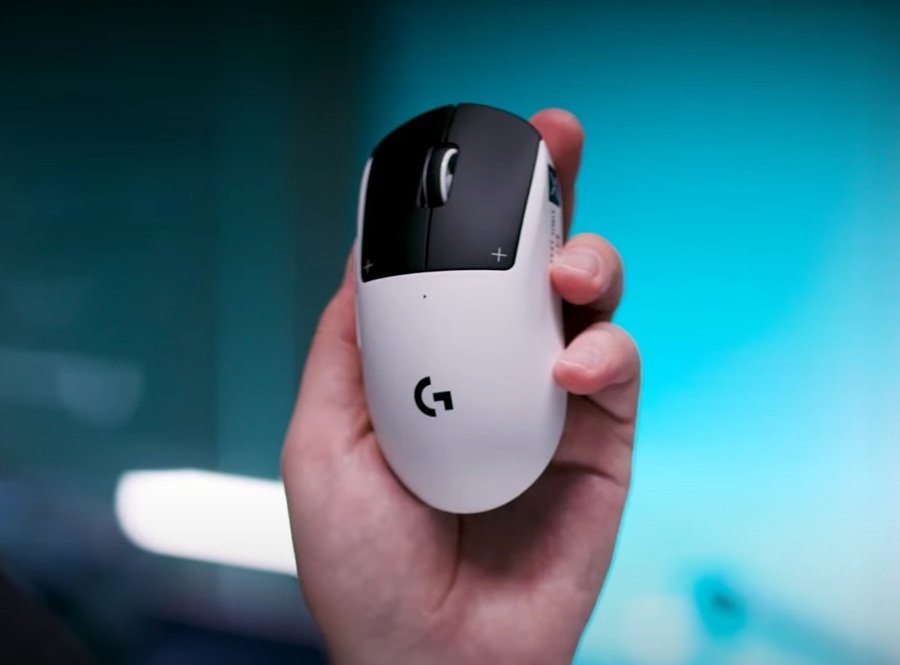
Table of Contents:
- 1. Key Specifications
- 2. Design and Weight: Maintaining a Legacy
- 3. H.I.T.S (Haptic Inductive Trigger System) – The Real Game Changer
- 4. HERO 2 Sensor and Real-World Performance
- 5. Battery Life and G Hub Software
- 6. Pros and Cons
- 7. Final Verdict: Who Should Buy the Logitech G Pro X2 Superstrike?
1. Key Specifications of the Logitech G Pro X2 Superstrike
Before diving into the details, let’s take a look at the most impressive hardware specs of this mouse:
| Feature | Specification |
|---|---|
| Sensor | HERO 2 |
| Max Sensitivity (DPI) | 100 – 44,000 DPI |
| Max Speed (IPS) | >888 IPS |
| Max Acceleration | >88 G |
| Polling Rate | Up to 8,000 Hz (Lightspeed) / 1,000 Hz (Wired) |
| Weight | 61g (Ultra-lightweight) |
| Buttons | 5 buttons (Featuring switchless H.I.T.S technology) |
| Battery Life | Up to 90 hours of continuous use |
| MSRP | $179.99 |
2. Design and Weight: Maintaining a Legacy
If you have ever used the G Pro Wireless or the G Pro X Superlight 2, the G Pro X2 Superstrike will feel instantly familiar the moment you touch it. Logitech has applied the “if it ain’t broke, don’t fix it” philosophy here. The shape of the Superstrike is practically cloned from its predecessor, offering a smooth, symmetrical, and ergonomic design that is friendly to almost all grip styles, including fingertip grip, claw grip, and hybrid grip.
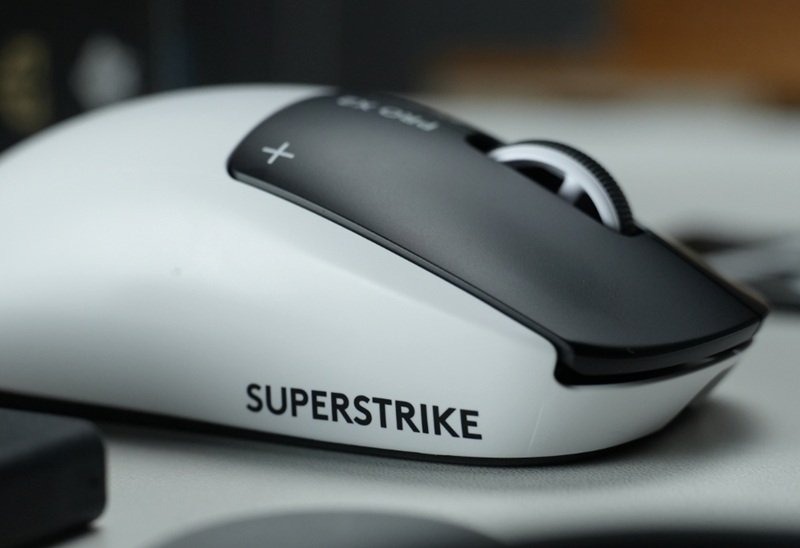
The most obvious visual difference is the new Lunar Eclipse colorway. It boasts a highly contrasting black-and-white shell that looks incredibly striking. The mouse maintains a minimalist aesthetic: no flashy RGB lighting, no on-the-fly DPI buttons on the top shell, and just 5 basic buttons to focus entirely on peak performance.
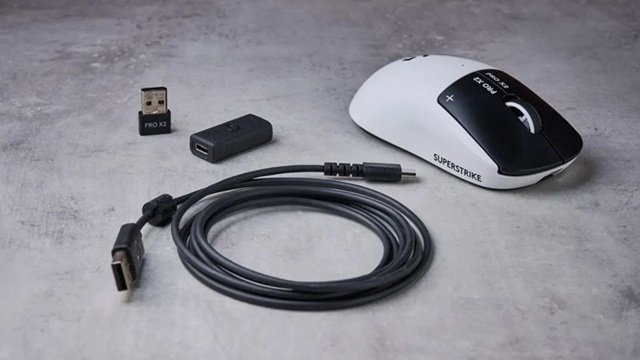
Despite integrating complex inductive sensors and haptic motors inside, Logitech managed to keep the weight at an unbelievable 61 grams. It’s only 1 gram heavier than the Superlight 2. The glide remains smooth and feather-light, allowing professional gamers to flick continuously in fast-paced FPS titles like CS2 or Valorant without experiencing wrist fatigue.
Video: The Power of the Logitech G Pro X Ecosystem
A reference video showcasing Logitech’s flagship ultra-lightweight mice
3. H.I.T.S (Haptic Inductive Trigger System) – The Real Game Changer
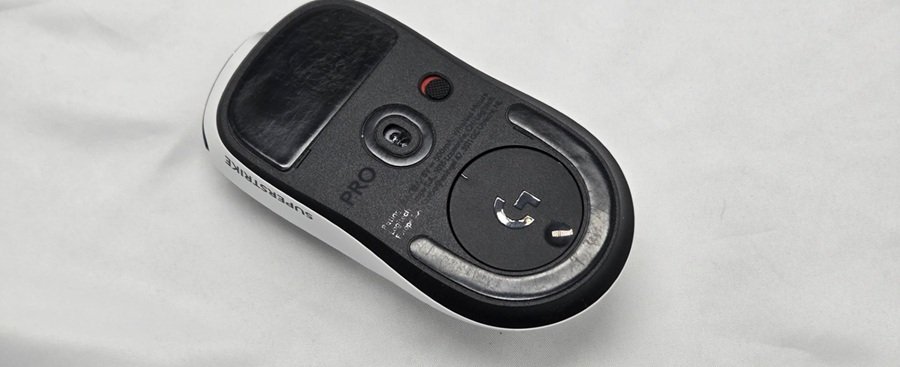
The most valuable feature—and the very core of the “Superstrike” namesake—is the H.I.T.S system. This is a true revolution. Logitech has boldly eliminated all traditional mechanical and optical switches underneath the left and right mouse buttons.
How does H.I.T.S work?
Instead of a physical switch that opens or closes a circuit when pressed, the Superstrike utilizes inductive magnetic sensors to measure the precise distance the button is pressed. To make up for the lack of a mechanical “click” sound, Logitech integrated micro haptic motors. The moment the sensor registers a click command, the motor vibrates instantly, creating a haptic feedback that simulates a mouse click.
Why is this technology superior?
- Adjustable Actuation Point: Similar to the magnetic (Hall Effect) keyboards currently dominating eSports, you can customize the depth at which the mouse registers a click (with up to 10 adjustment levels). If you set it to the shallowest level, it turns into an ultra-sensitive hair-trigger.
- Improved Response Time: With ultra-short travel distance and zero physical debounce delay, Logitech confidently claims this system improves reaction times by up to 30ms. For eSports players, 30 milliseconds can mean life or death in a 1v1 duel. AimLabs testing has proven that users actually achieve higher reaction scores with this feature enabled.
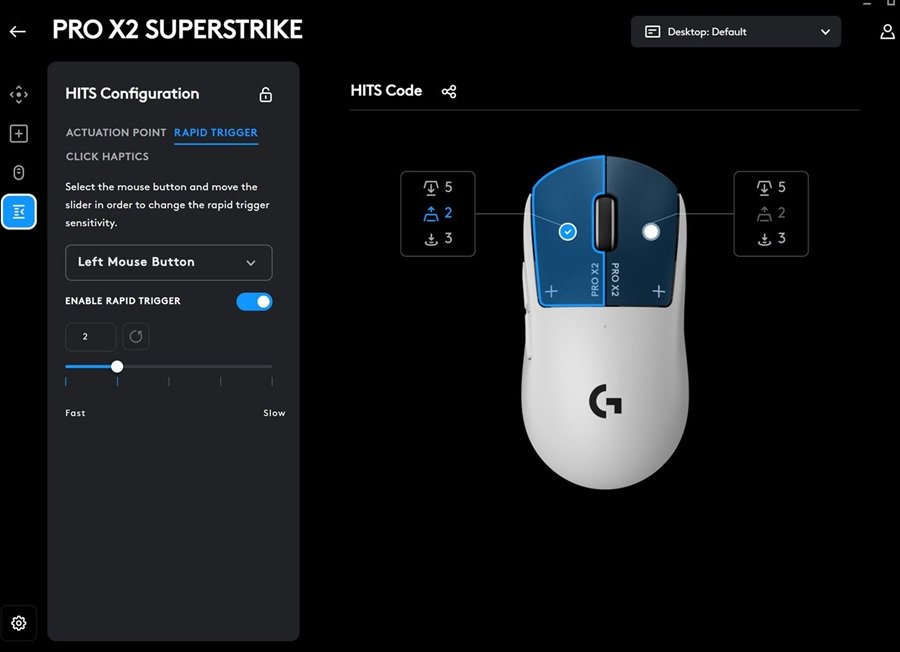
- Rapid Trigger for Mice: Just like on keyboards, the button resets immediately when you lift your finger even a millimeter, making spam-clicking infinitely faster.
However, there is a minor drawback. While the haptic feedback is excellent and offers 5 adjustable strength levels, it feels a bit “rounder” and somewhat muted compared to the sharp, crisp snap of a standard mechanical switch. The massive trade-off? You will never have to deal with the dreaded “double-click” issue that has plagued generations of Logitech users.
HITS by the Numbers
According to Logitech’s official product page, HITS offers 10 tunable actuation points and 5 rapid-trigger reset points. It also offers adjustable haptic intensity. Logitech says the system cuts click latency by up to 30ms, and its launch post says over 100 esports professionals helped develop the mouse. Logitech’s page lists six haptic intensity levels, while Tom’s Hardware and Notebookcheck count five. Check G HUB for the exact range on your unit.
Notebookcheck’s pre-launch preview adds that HITS uses copper coils to create an electromagnetic field. It also reports a minimum actuation point of 0.6mm. Tom’s Hardware tested the speed claim in AimLabs. Its average reaction time was 218ms at the highest actuation setting, against 247ms with a baseline mouse. That is roughly 29ms, which matches Logitech’s claim. It is one reviewer’s test, though, not a lab latency measurement.
How the Click Feels
Reviewers agree on the trade-off. Tom’s Hardware calls the haptics surprisingly convincing but less crisp than a mechanical switch. A digitec reviewer first felt the haptic click was wrong, then found it pleasant. TechRadar adds that operation is nearly silent. Rapid trigger is not unique to mice, either. Magnetic keyboards such as the ATK RS6+ and the YUNZII RT75 PRO use the same reset-point idea for typing and gaming.
4. HERO 2 Sensor and Real-World Performance
Alongside the new button tech, the Logitech G Pro X2 Superstrike is equipped with an updated version of the legendary HERO 2 sensor. The specs have been pushed to absolute monster levels:
- Maximum Sensitivity up to 44,000 DPI.
- Max Tracking Speed: >888 IPS.
- Max Acceleration: >88G.
Many might ask: “Who actually needs 44,000 DPI?” Realistically, this number is more of a flex of technological muscle. Most pro gamers still hover around 400 to 1600 DPI. But the key takeaway is absolute stability across the entire DPI range. The HERO 2 sensor delivers pixel-perfect accuracy without any jitter or interpolation errors.
The new-gen LIGHTSPEED wireless connectivity supports a polling rate of up to 8000 Hz. This means the mouse updates its position to the PC 8,000 times per second, providing maximum smoothness on high refresh rate monitors (like 240Hz, 360Hz, or 540Hz).
Video: Real-World Performance of the Haptic Triggers
A close-up look at the sensitivity and competitive differences
5. Battery Life and G Hub Software
Running a haptic motor that vibrates with every single click naturally consumes more power than a physical switch. As a result, the battery life of the G Pro X2 Superstrike has taken a slight hit compared to the Superlight 2, dropping from 95 hours to around 90 hours (on standard haptic settings).
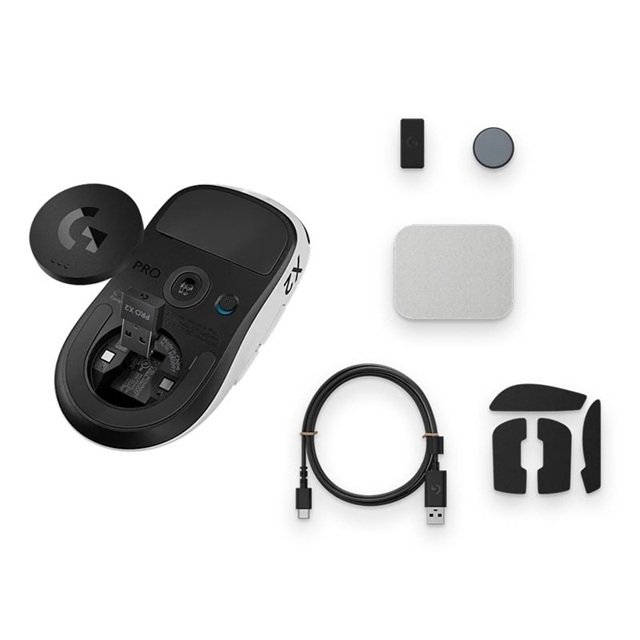
Still, 90 hours is more than enough for a full week of heavy grinding without needing a charge. The mouse uses a standard USB-C charging port, comes with an ultra-lightweight rubber charging cable, and is fully compatible with the Logitech Powerplay 2 wireless charging mat.
Optimizing via Logitech G HUB
The G HUB software now includes a dedicated tab for the H.I.T.S system. The intuitive interface lets you easily drag and drop to adjust your actuation points. You can also assign different haptic feedback strengths to the left and right buttons individually. The convenience and user-friendliness of G HUB continue to be a massive plus for the Logitech ecosystem.
Real-World Battery and G HUB Notes
Logitech claims up to 90 hours. Tom’s Hardware tested at the default haptic level of 3 and saw results trending toward that mark. It also warns that stronger haptics reduce battery life. A digitec reviewer used the mouse at 8,000Hz for about a week and a half. The battery fell from 74% to 28% in that time.
G HUB is a desktop app that runs on Windows and macOS. According to Logitech’s G HUB page, it handles HERO 2 sensor tuning, profile sharing and the HITS settings. Keep your profile backed up in the app, because the mouse has no DPI button.
How the X2 Superstrike Compares With Rivals
The X2 Superstrike launched on February 10, 2026, according to Logitech’s launch announcement. Since then, Logitech has released a successor, and rivals have caught up on polling and weight. The table below uses manufacturer figures.
| Spec | Pro X2 SUPERSTRIKE | Pro X3 SUPERSTRIKE | PRO X Superlight 2 | Razer Viper V3 Pro |
|---|---|---|---|---|
| Weight | 61g | 59g (US) / 61g (EU) | About 60g | 54g |
| Max DPI | 44,000 | 48,000 | 32,000 | 35,000 |
| Wireless polling | 8,000Hz | 8,000Hz | 4,000Hz | 8,000Hz (HyperPolling dongle) |
| Battery | About 90 hours | 135+ hours | About 95 hours | Up to 95 hours |
| Click tech | HITS | HITS | Standard switch | Optical switch |
| Launch price | $179.99 | $199.99 | See review | $179.99 on Razer’s page |
Against Logitech’s Own Lineup
The Logitech Pro X3 SUPERSTRIKE keeps the same HITS switches. It adds a new chipset, 135+ hours of battery life and better weight balance for $20 more. The PRO X Superlight 2 remains the non-haptic option. Tom’s Guide notes that the X2 adds HITS, a higher DPI ceiling and doubled polling over it.
Against Other Brands
Razer’s Viper V3 Pro weighs 54g, lists 8,000Hz polling through its HyperPolling dongle and uses optical switches. SteelSeries has now announced the Rival Pro, which swaps batteries on the fly. Our SteelSeries vs Razer comparison covers both. If you want a lighter shell, look at the Pulsar X2F or the G-Wolves Lyan. Ergonomic players should read our Lamzu Thorn V2 review.
If HITS Is Not for You
Not everyone wants haptic clicks. The ATK U2 V2 Ultimate is a sharper claw-grip shape, and the VXE R1S by ATK trades weight for a large battery. Logitech fans who want a classic wired workhorse can read our G502 HERO and G502 X Plus reviews. Our gaming mouse buying guide explains how to weigh these trade-offs.
6. Pros & Cons
👍 Pros
- Groundbreaking H.I.T.S technology completely eliminates double-clicking.
- Incredible customization for actuation points and haptic feedback.
- Flawless HERO 2 sensor (8000Hz Polling Rate, 44K DPI).
- Ultra-lightweight at just 61g, retaining the familiar, highly adaptable shape.
- Lightning-fast click response times, granting a real competitive edge (up to 30ms faster).
👎 Cons
- Premium starting price ($179.99).
- The simulated haptic click feels a bit less crisp compared to real mechanical switches.
- Slightly increased battery consumption due to the haptic motors.
- No dedicated DPI adjustment button on the mouse; relies entirely on G HUB software.
- Only 5 buttons, making it less ideal for MMO/MOBA players who need heavy macros.
Who Should Buy and Who Should Skip
Buy the Pro X2 Superstrike if
- You play fast competitive shooters and want adjustable actuation and reset points.
- You know the Superlight shape and want a drop-in upgrade.
- You want to avoid double-click problems.
Skip it if
- You want the newest hardware. The Pro X3 SUPERSTRIKE offers more battery life, but it costs more.
- You need Bluetooth or more than five buttons. This mouse offers neither.
- You prefer a crisp mechanical click. Reviewers describe the haptic click as slightly rounded.
- You mostly play slow-paced or casual games. Tom’s Guide says casual players may not see big benefits.
7. Final Verdict: Should You Buy the Logitech G Pro X2 Superstrike?
The computer mouse is a peripheral that many assumed had peaked in terms of innovation. For years, brands have simply raced to shave off grams or bump up DPI numbers. But the Logitech G Pro X2 Superstrike genuinely brings a breath of fresh air. The inductive button technology with haptic feedback isn’t just a marketing gimmick—it works phenomenally well and provides a measurable mechanical advantage.
Who is this for? If you are a professional eSports player, a hardcore FPS gamer (Valorant, CS2, Apex Legends) looking for absolutely any advantage to win gunfights, the G Pro X2 Superstrike is the ultimate weapon for you. It’s particularly useful for slightly older gamers aiming to offset natural declines in reflex speed.
You can discover more premium gear and original reviews over at Gearzon, your go-to hub for advanced gaming hardware diagnostics and recommendations.
In summary, the Logitech G Pro X2 Superstrike isn’t a mouse for everyone, but it is undeniably a trailblazer that opens up a new era for the gaming peripheral industry. We fully expect these “magnetic triggers” to become the standard for high-end mice in the near future.
Frequently Asked Questions (FAQ)
1. Does the Logitech G Pro X2 Superstrike suffer from the Double-Click issue?
Absolutely not. By replacing the metal leaf of mechanical switches with magnetic sensors, the mouse is 100% immune to the classic double-clicking problem.
2. Can I turn off the haptic vibration?
Yes. You can easily adjust the vibration intensity or turn off the haptic feedback completely through the Logitech G HUB software.
3. Does the mouse have Bluetooth for office use?
Because this is a professional tournament mouse built to optimize weight and latency, Logitech did not include Bluetooth. You can only connect via the USB Receiver (LIGHTSPEED technology) or directly with a wire.