ATK U2 V2 Ultimate Review: A Sharper Zowie U2, Strictly for Claw Grip
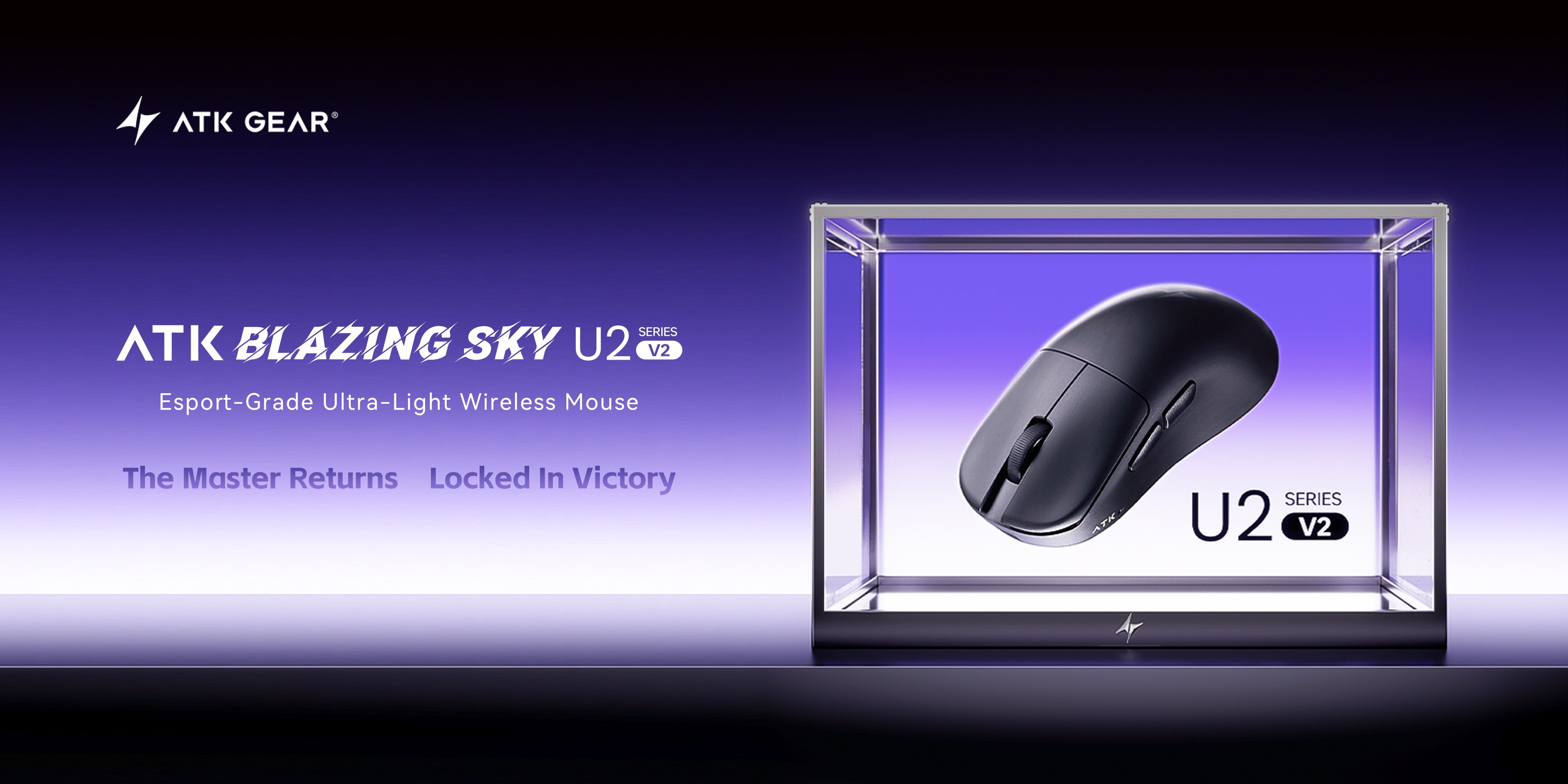
The ATK U2 V2 Ultimate is exactly what its name suggests. It’s an updated, more ambitious version of the original ATK U2. And if that shape rings a bell, it should — this mouse is clearly inspired by the Zowie U2, just reworked with modern internals and a sharper shell.
We’re basing this review on the hands-on testing and teardown from the YouTube video “ATK U2 V2 Ultimate Review”. That video covers unboxing, latency benchmarks, and everyday use. We’ve combined it with our own notes on how the shape, switches, and feet compare to other ATK mice we’ve already reviewed, like the VXE R1S.
Here’s the short version: ATK finally fixed a real latency problem. The build feels solid, and the factory skates are genuinely good. But the shape is opinionated. It’s built almost exclusively for claw grip, and even then, it won’t fit every hand. Let’s get into why.
Quick Specs: ATK U2 V2 Ultimate
| Spec | Detail |
|---|---|
| Sensor | PixArt PAW3950 |
| Controller | Nordic nRF54L15 |
| Main switches | ATK FE Optical |
| Side switches | TTC |
| Scroll encoder | TTC Gold |
| Battery | 500mAh, sandwich design |
| Weight | ~45g (Ultimate size) |
| Connectivity | 2.4GHz wireless (ATK Nano 8K dongle) + USB-C wired |
| Versions | Ultimate (regular), Mini, and Plus variants — mainly differ by sensor |
| Price at review | ~300 yuan, or roughly 4,000–5,000 RUB on Ozon |
The Good / The Bad
| ✅ The Good | ❌ The Bad |
|---|---|
| Click latency issue finally fixed at 1,000Hz polling | Shape works almost exclusively for claw grip |
| Unique concave waist gives a stable, locked-in hold | Narrow waist and rear flare won’t suit every hand |
| Multi-layered factory skates outperform ATK’s old PTFE feet | Scroll wheel is noticeably loud |
| Solid build, no flex or creaking on our unit | Skate holes make the click sound less “plasticky” |
| Ships with a fast 8K dongle and a software demo mode | Side buttons feel bulky and catch the thumb |
What ATK’s Official Spec Sheet Adds
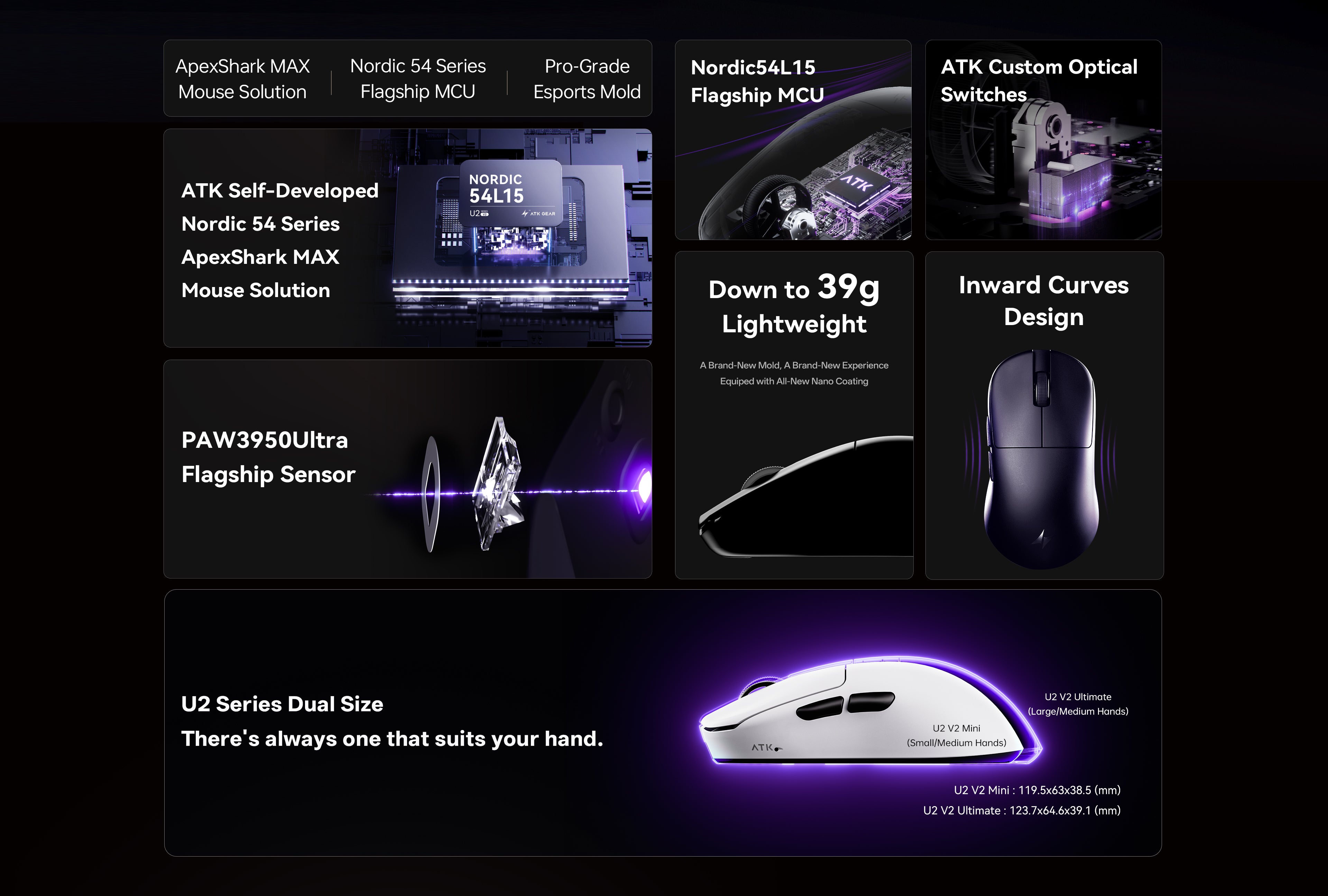
The quick-spec table above covers the core hardware. ATK’s own store page fills in a few more numbers. The Ultimate measures 123.7 x 64.6 x 39.1 mm and weighs 45 g, with a 3 g tolerance. DPI runs from 10 to 42,000, and polling is adjustable from 125Hz to 8,000Hz.
ATK rates the 500mAh battery at 500 hours, quoted at 1,000Hz polling. The store lists the main switches as ATK Custom Optical and the scroll encoder as TTC Gold.
1. Unboxing: What’s in the Box
The box is huge, just like the original U2’s packaging. Open it up and an ATK Nano 8K wireless dongle is sitting right on top, ready to go.
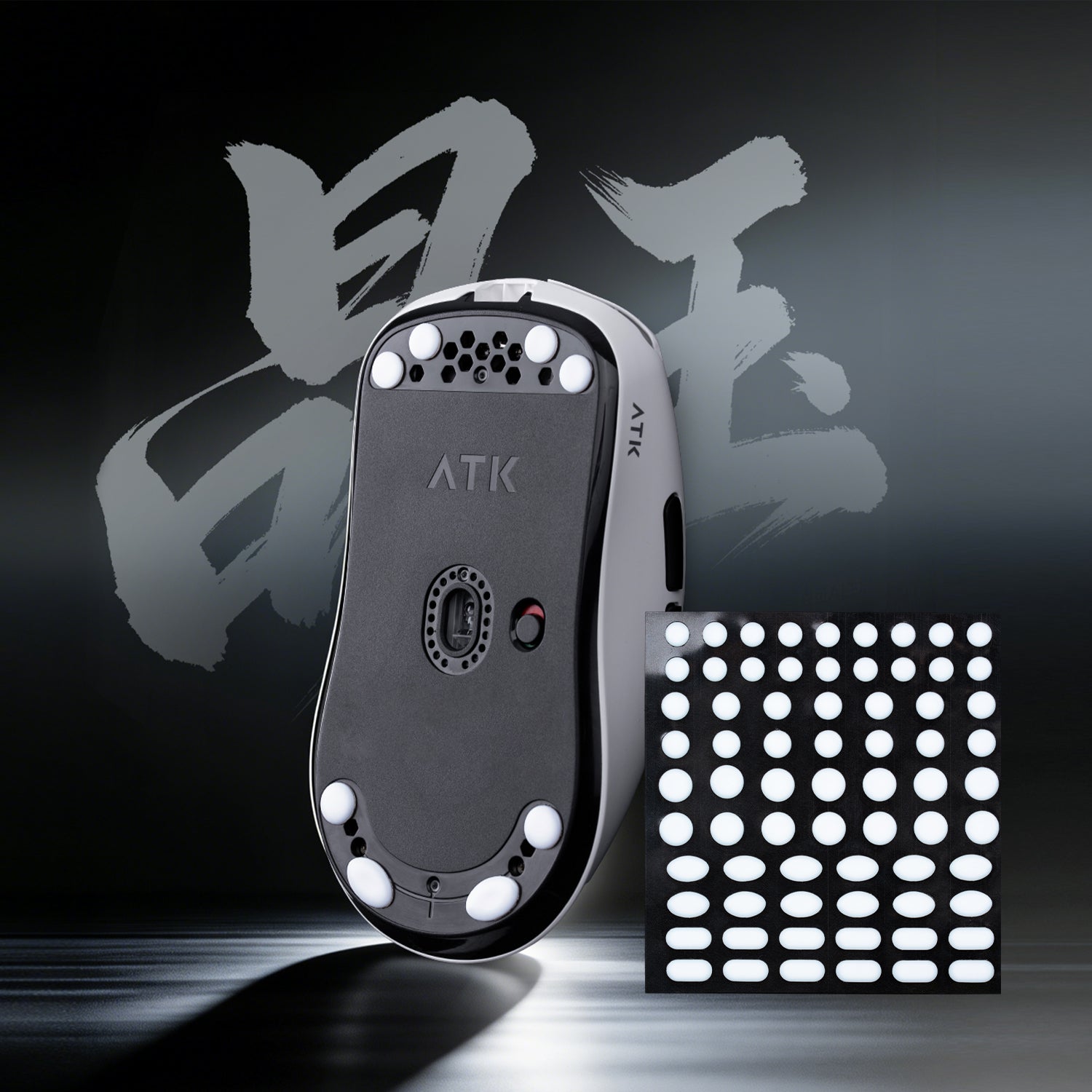
The mouse ships with factory-applied skates already on the bottom. There’s nothing to peel and stick before your first game. Underneath, ATK includes a material safety data sheet, a printed manual, and a warranty card. You also get a spare set of skates and a standard ATK cable that’s on the stiffer side. None of it feels premium, but everything is present and accounted for.
One odd inclusion: a set of the old-style grip tape strips. ATK has already moved to a newer grip design on its latest mice. These feel like leftover stock rather than a deliberate choice. It’s a minor thing, but it stands out in an otherwise tidy, complete package.
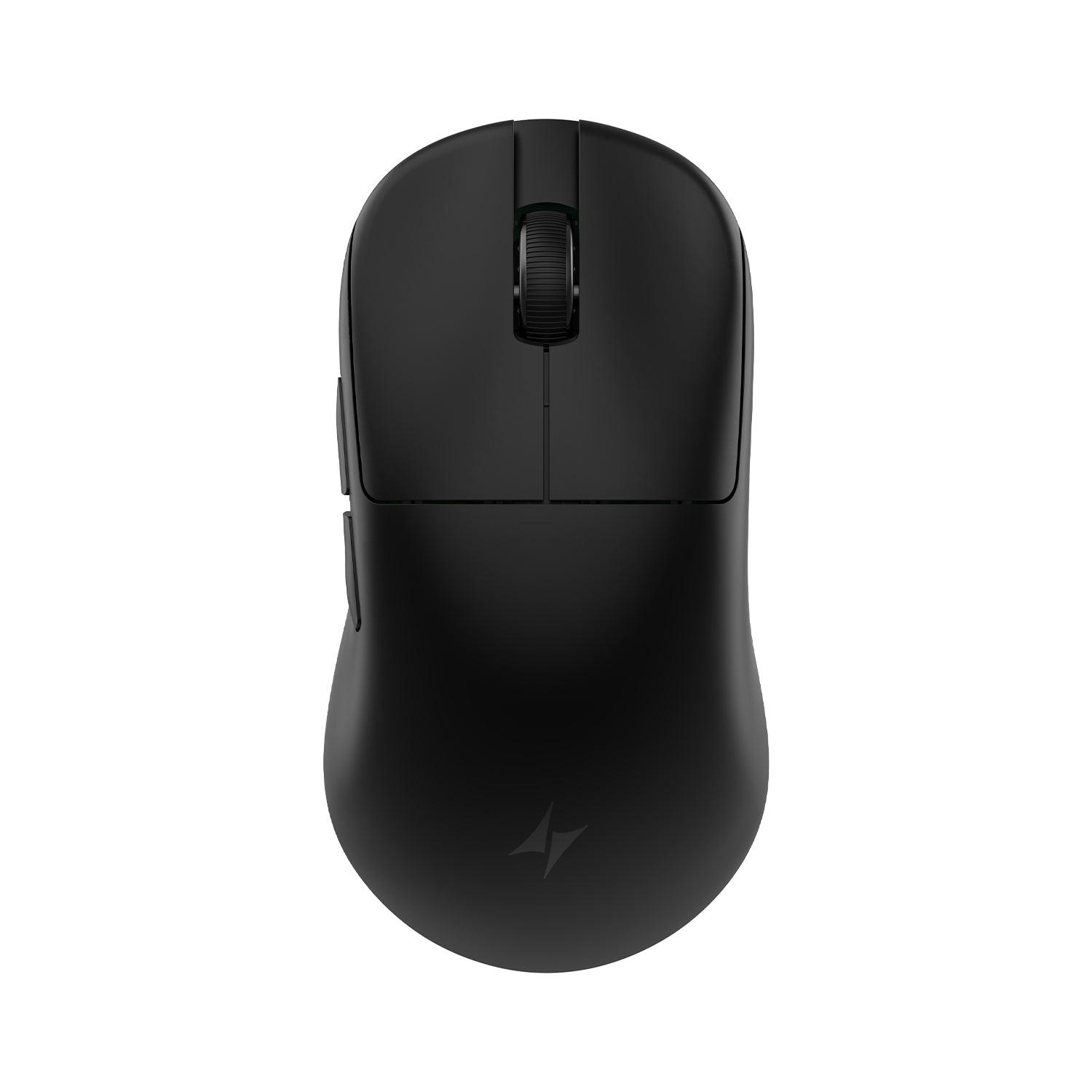

2. Design & Shape: A Bigger, Sharper Take on the Zowie U2
The U2 V2 Ultimate is obviously a Zowie U2 tribute. But ATK didn’t just copy it. Pick it up next to the original and you’ll notice it’s a size larger overall. It also has a rear hump and much deeper side cutouts than a typical symmetrical shape.
Built Strictly for Claw Grip
Technically, this is a symmetrical mouse. But the left profile is heavily concave. It carves out what feels like a dedicated thumb rest, almost like an ergonomic shape borrowed from a right-handed mouse. That detail alone tells you who this shape is for.
If you don’t use a claw grip, we’d skip this one entirely. The mid-profile hump is wide and flat. Even though it sits toward the rear, most claw and fingertip grippers will feel it at the knuckles rather than deep in the palm. Depending on your hand size, that pressure point can shift closer to the center of your palm instead.
The Concave Profile Trade-off
That concave waist is also where the shape gets divisive. Because of it, the mouse flares out at both the front and the back. The rear flare, in particular, is quite pronounced.
The idea is simple: you grip the narrow middle with your fingers and tuck the mouse slightly into the base of your palm. That creates a genuinely stable, locked-in hold. The trade-off is real, though. Not everyone likes a large rear flare, and the narrow waist with its thumb cutout can feel unusual at best. At worst, it simply won’t suit your hand. ATK markets this as a mouse for medium to large hands. It’s still fairly narrow, though, and some players in that range may still run into problems.
Regular vs. Mini: Which Size Fits You
We haven’t tested the U2 V2 Mini directly. We have used the original first-generation U2 for reference, though. Going by that experience, the regular U2 V2 Ultimate is slightly larger than the original U2. The Mini is slightly smaller again.
If a medium-sized mouse usually fits you well, the Mini is worth a look. Just know it inherits the same narrow waist, only tighter. The fit issues described above apply even more strongly there.
3. Build Quality & Coating
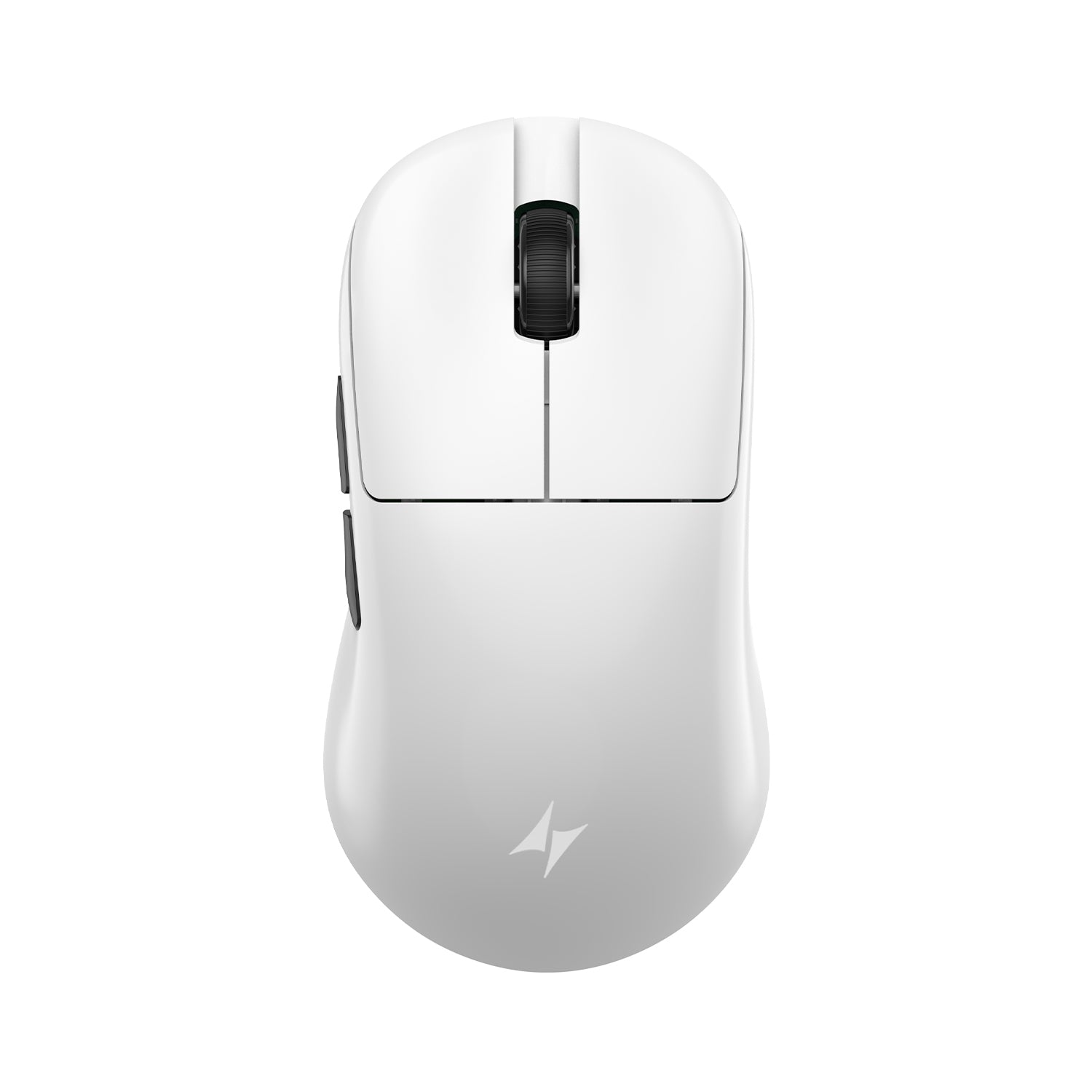
Build quality is where the U2 V2 Ultimate quietly impresses. Our unit has no creaking, no rattle, and no flex we’d call a complaint. Press hard on the bottom shell and you can get a slight give. That’s normal for a lightweight shell, though, and nothing about it feels crooked or cheaply assembled. The sides are a touch softer than the rest of the shell, but still well within normal range for this class of mouse.
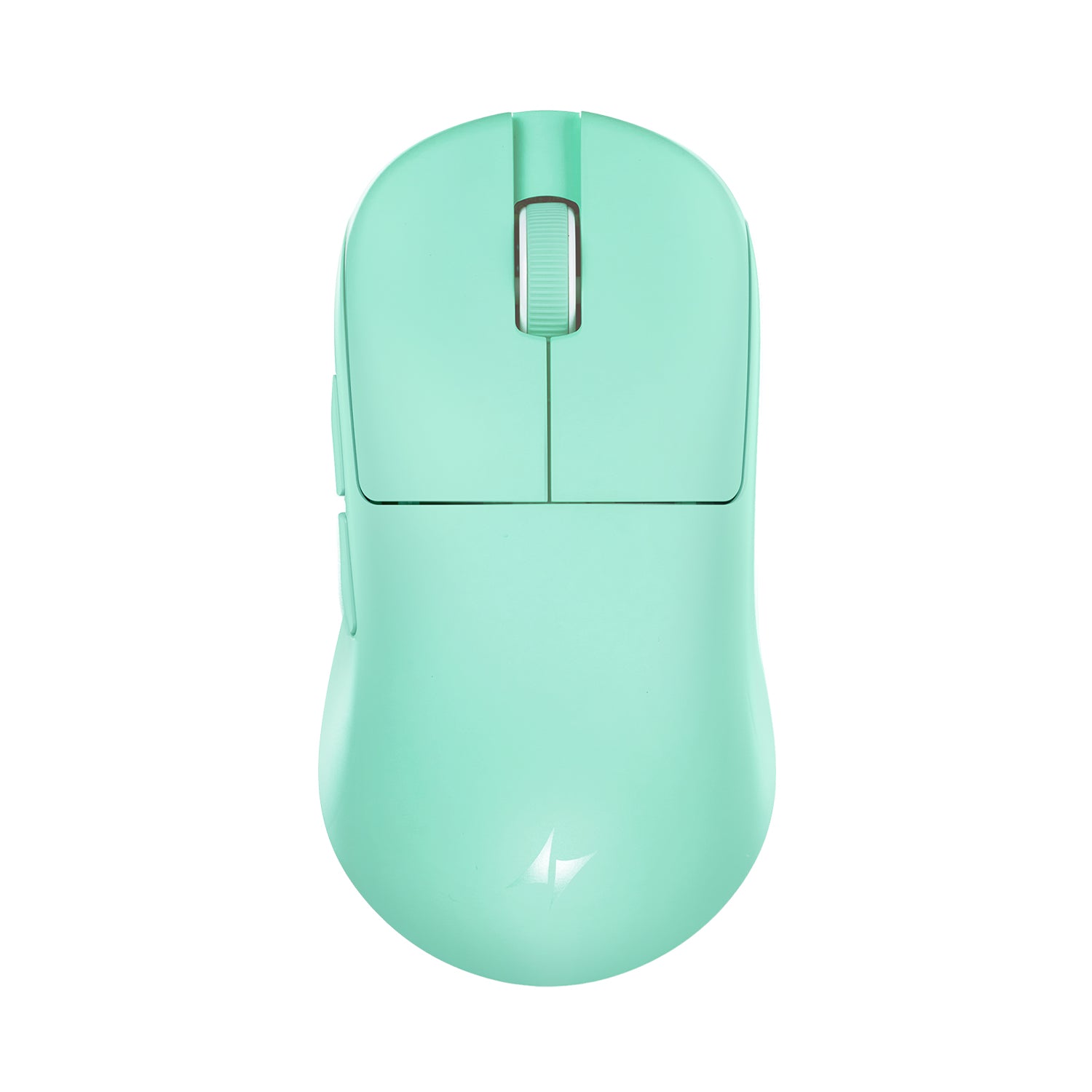
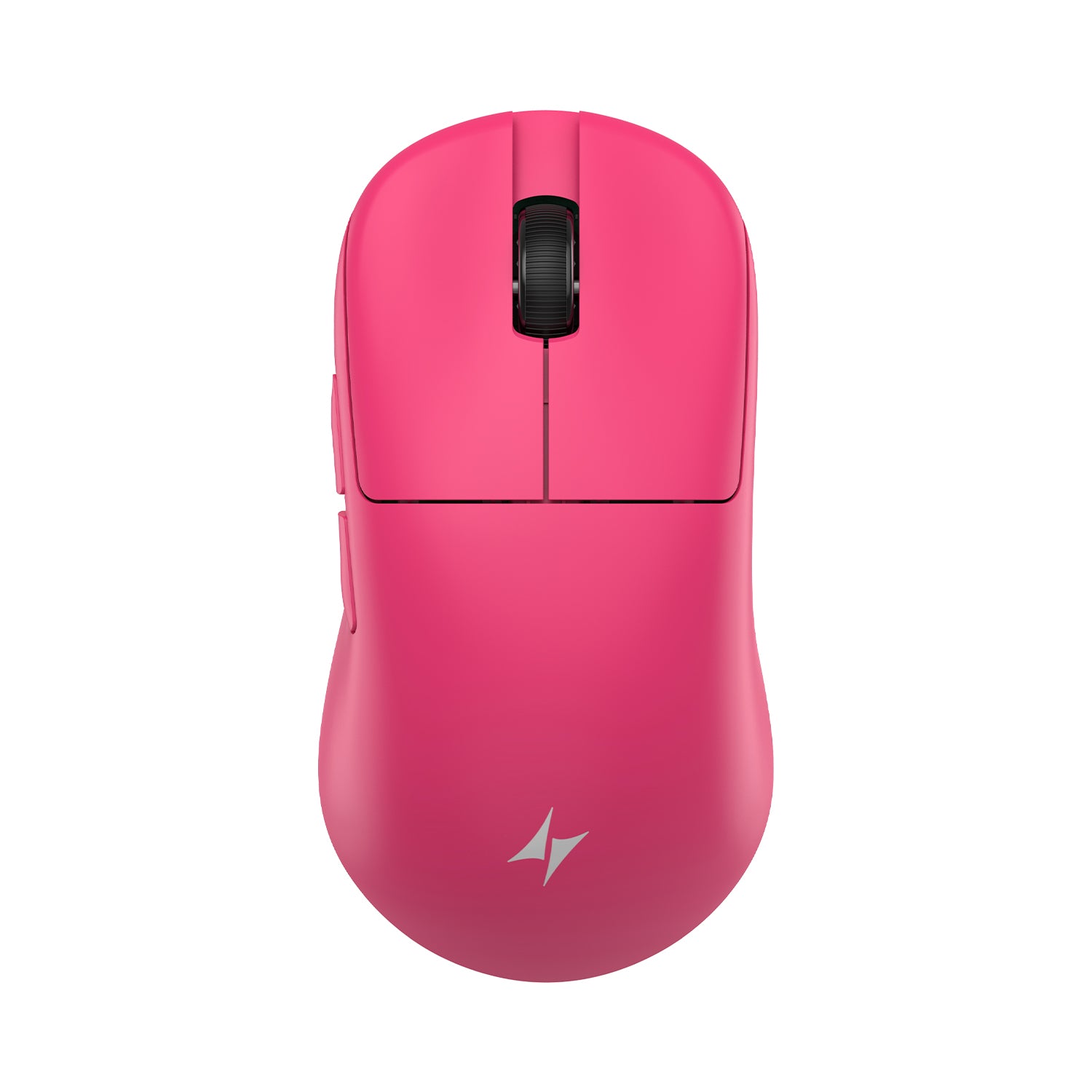
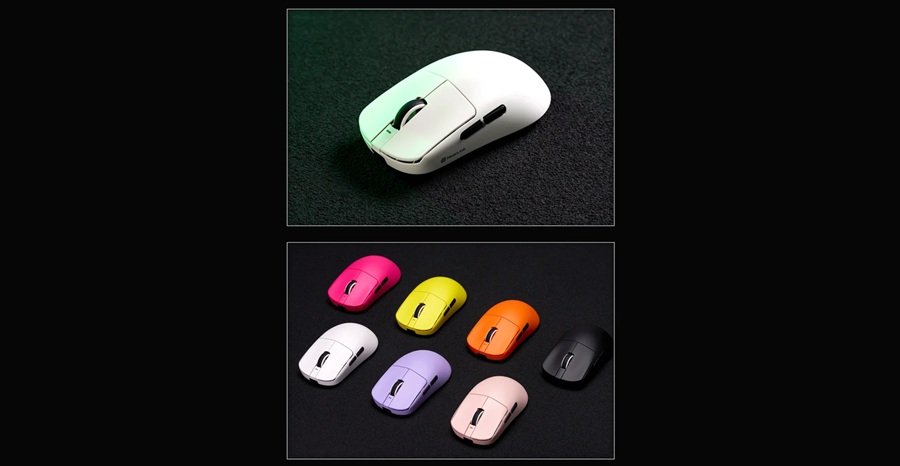
The coating is lightly rubberized with a matte finish. It grips well on its own, so most players won’t need grip tape unless their hands sweat heavily. Even then, the coating should hold up fine until it eventually wears down. The one real downside is the black colorway. It shows smudges and fingerprints almost immediately, more than we’d like on a mouse in this price range. If that bothers you, the white or mint colorways hide it noticeably better.
4. Sensor, Polling, and the Click Latency Fix
Under the hood, the U2 V2 Ultimate runs a PixArt PAW3950 sensor. It’s paired with a Nordic nRF54L15 controller — modern, well-proven hardware that shouldn’t bottleneck anyone.
More important is what ATK fixed here: click latency at 1,000Hz polling. Earlier ATK mice, including the original U2, had a real latency penalty at 1K. That pushed a lot of players toward 8K polling just to compensate. On the U2 V2 Ultimate, that gap has closed. The promised main-button latency of 0–1.8ms now holds up in practice.
In our source video’s testing, latency from physical contact to packet measured around 1.5ms at 1K polling. At 8K, it measured 1–2ms — genuinely close numbers, and not a typo. Keep in mind this depends heavily on how hard you press the switch. A lighter touch will naturally read a bit slower. Sensor performance was tested using the default High-Performance mode. At 8K polling, the Smart Competitive and Smart Competitive Max presets were also tested, and all of them tracked cleanly.
5. Switches, Scroll Wheel, and Side Buttons
The main buttons use classic Huano switches. They sit on the heavier side of the spectrum, though noticeably lighter than the switches on the original U2. Pre-travel feels normal. Post-travel isn’t the best in class, but it’s a clear step up from the mushier feel on ATK’s F1 series.
The scroll wheel is the same unit ATK uses across its whole lineup, for better or worse. The steps feel good and consistent, but ours is loud. We wouldn’t recommend it for quiet spaces. We’re not planning to lubricate it ourselves either, since that’s more upkeep than most players will want.
Side buttons have decent travel and sit flush into the shell, so accidental presses aren’t an issue. Our main complaint is size: they’re a bit bulky, and our thumb kept bumping into them during normal use. That issue is reportedly worse on the Mini, where the smaller shell leaves even less clearance.
6. Feet, Sound, and Everyday Feel
The factory skates use ATK’s newer multi-layered design, the same style found on the A9 Mini. As stock feet go, we’d call these excellent. They’re not the fastest glide we’ve tested, but they’re clearly better than the old PTFE skates ATK used to ship.
There’s one acoustic trade-off worth knowing about. These skates use a perforated, multi-layer design instead of full-coverage glide pads. Because of that, the main buttons sound slightly less “plastic” and a bit hollower when you click. It’s a small detail. Most players won’t notice it during actual gameplay, but it’s there if you’re sensitive to click sound.
7. Price, Software, and How It Compares
ATK sells the U2 V2 in three flavors. There’s the full-size Ultimate we tested, a smaller Mini, and “Plus” variants of both. The difference between standard and Plus models basically comes down to the sensor, not the shape or shell.
Pricing at review time sat around 300 yuan, or roughly 4,000–5,000 rubles on Ozon. On ATK’s official store, the U2 V2 Ultimate is listed at similar money once you account for regional pricing. Discounts change often, so check the product page for current stock, colors, and promotions. Cheaper sub-variants exist too, but we’d skip those if sensor and switch quality matter to you.
ATK also provides its usual configuration software. It includes a demo mode you can try before committing to a purchase. That’s a nice touch if you’re on the fence about the shape. You can test button mapping and polling rate settings first, without buying blind.
How It Compares to Other ATK Mice
We’ve reviewed a few other ATK-family mice, and the U2 V2 Ultimate sits in an interesting spot. Compared to the VXE R1S by ATK, it trades some spec-sheet flexibility for a lighter, more focused claw-grip shape. We found the R1S excellent on paper but noticeably heavy in hand. If raw weight matters more to you than shape ergonomics, the R1S is worth a look instead.
Against ATK’s own F1 series, the switch feel is a clear upgrade. Post-travel on the U2 V2 Ultimate is tighter and less mushy, even if it’s still not best-in-class. The scroll wheel, though, is identical across both mice, loud wheel included. ATK reuses the same unit across most of its lineup.
If you want a lighter overall package and don’t need claw-specific ergonomics, it’s worth comparing this against the G-Wolves Lyan. That mouse sits well under 30g. The U2 V2 Ultimate’s ~45g weight is competitive for its class, but it’s not chasing that same featherweight category. It doesn’t need to.
What ATK V HUB Controls
The software mentioned above is ATK V HUB. ATK’s own V HUB guide lists a long set of options for its mice. You can store up to eight DPI levels, with steps as fine as 10. You can also change lift-off distance from 0.7 mm to 1.2 mm, adjust key debounce delay, and remap buttons or assign macros. Motion sync, linear correction, and ripple correction sit in the same menu.
The guide also covers the practical side. V HUB shows battery status and connection type, handles firmware updates, and stores several onboard profiles for different games. ATK runs its keyboards through the same ecosystem, and our ATK RS6+ review covers that side. Options vary by model, so use the demo mode to confirm the U2 V2 menu.
U2 V2 Ultimate vs. Three Rivals at a Glance
The prose comparison above covers ATK’s own range. This table adds three well-known alternatives, using manufacturer or reviewer spec figures.
| Mouse | Weight | Sensor | Max polling | Rated battery |
|---|---|---|---|---|
| ATK U2 V2 Ultimate | 45 g (±3 g) | PixArt PAW3950 Ultra | 8,000Hz | 500 hours at 1,000Hz |
| BenQ Zowie U2 | 60 g | PMW3395 | 1,000Hz | About 70 hours |
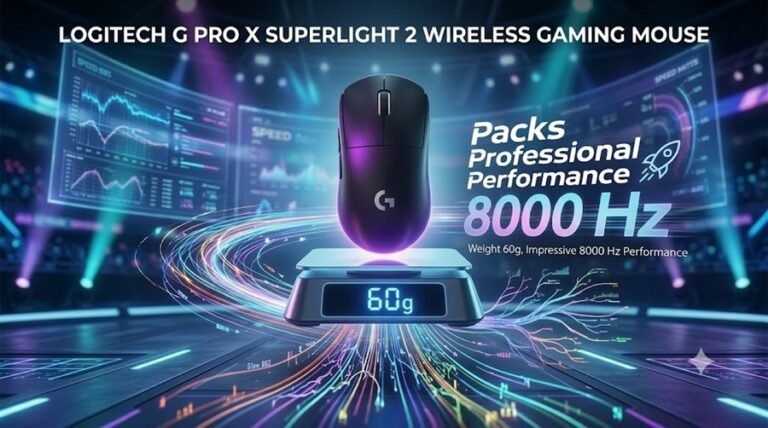
| Logitech G PRO X SUPERLIGHT 2 | 60 g | HERO 2 | 8,000Hz | Up to 95 hours |
| Pulsar X2F | 29 g | XS-2 | 8,000Hz | Not stated in our source |
The weight gap stands out first. The U2 V2 Ultimate is about 15 g lighter than the Zowie U2, and it offers 8K polling where the Zowie stops at 1,000Hz. It is also wider, at 64.6 mm against 58.1 mm. Treat the ATK as a sibling of the Zowie, not a clone.
Pulsar’s X2F heads in the opposite direction. Our Pulsar X2F review covers a 29 g fingertip mouse with an open-frame shell, which suits a very different hand. Logitech’s flagship is the mainstream-brand option, and our G PRO X SUPERLIGHT 2 review digs into its shape and clicks. If you want to weigh two big brands first, see our SteelSeries vs. Razer comparison.
Final Verdict: Who Should Buy the ATK U2 V2 Ultimate?
The ATK U2 V2 Ultimate does almost everything right on the technical side. The sensor is modern, and the latency fix is real. Build quality is solid, and the factory skates are genuinely good out of the box.
Where it gets complicated is the shape. This is a claw-grip mouse, full stop. If that’s your grip and you like a stable, locked-in hold, the concave waist and rear flare will likely feel great. Palm grip players should look elsewhere. The same goes if you simply don’t like a narrow waist. The Logitech G502 Hero suits a wider range of grips instead. Players who want a lighter, less shape-specific wireless flagship might also prefer the Logitech G Pro X2 Superstrike, though it costs considerably more.
For claw grippers chasing modern specs at a mid-range price, the U2 V2 Ultimate earns a genuine recommendation. Our gaming mouse buying guide covers sensor, weight, shape, and price in more detail, if you’re still deciding what to prioritize. Just try to test the shape in person first if you can. ATK’s own demo software won’t tell you how the waist feels in your hand.
Browse our full Mice & Mousepads review archive for more hands-on picks across every budget.
Buy It If, Skip It If
- Buy it if you use a claw grip and want a 45 g mouse with 8K wireless polling.
- Buy it if you like a locked-in hold from a narrow waist and a pronounced rear flare.
- Skip it if you use a palm grip. A shape such as the one in our Lamzu Thorn V2 review is built for a very different hand.
- Skip it if you game in a quiet room, because the scroll wheel is loud.
- Skip it if you want a larger, feature-heavy design. Our Logitech G502 X Plus review shows what that looks like.
Frequently Asked Questions
What sensor does the ATK U2 V2 Ultimate use?
It uses a PixArt PAW3950 optical sensor paired with a Nordic nRF54L15 controller, along with ATK FE optical main switches.
Is the ATK U2 V2 Ultimate good for claw grip?
Yes. This shape is built almost exclusively for claw grip. The concave waist and rear flare are specifically designed around that grip style.
Can palm grip players use the ATK U2 V2 Ultimate?
We wouldn’t recommend it. The narrow waist and dedicated thumb cutout make this shape uncomfortable for most palm grip players. That includes many with larger hands too.
What’s the difference between the U2 V2 Ultimate and the U2 V2 Mini?
The Mini is a slightly smaller shell than the Ultimate. The Ultimate itself is a touch larger than the original ATK U2. Both share the same narrow waist design.
Did ATK fix the click latency issue on this mouse?
Yes. Earlier ATK mice had noticeably higher click latency at 1,000Hz polling. The U2 V2 Ultimate brings that down to around 1.5ms, close to its 8K polling performance.
How much does the ATK U2 V2 Ultimate cost?
At review time, pricing sat around 300 yuan, or roughly 4,000–5,000 rubles on Ozon. Check ATK’s official store for current regional pricing and promotions.
What’s included in the box?
You get the mouse with factory-applied skates, an ATK Nano 8K wireless dongle, and a USB-C cable. There’s also a spare set of skates, a manual, a warranty card, and a material safety data sheet.
Does the ATK U2 V2 Ultimate come with configuration software?
Yes. ATK’s software lets you adjust polling rate, button mapping, and performance modes. It also includes a demo mode you can try before buying the mouse.
How much does the ATK U2 V2 Ultimate weigh?
ATK lists the Ultimate at 45 grams with a 3 gram tolerance. That is roughly 15 grams lighter than the 60 gram Zowie U2 listed by ProSettings. The smaller Mini is lighter still in shape, but we did not find an official Mini weight on the ATK page we checked.
How does the U2 V2 Ultimate compare with the original Zowie U2?
The ATK is lighter at 45 grams versus 60 grams, and it supports 8,000Hz polling where the Zowie stops at 1,000Hz. It is also wider, at 64.6 mm against 58.1 mm. Both shapes target claw grip, but the ATK adds a pronounced rear flare.
How long does the ATK U2 V2 Ultimate battery last?
ATK rates the 500mAh battery at 500 hours at 1,000Hz polling. Manufacturers quote battery life at that setting, so real-world runtime will be lower at higher polling rates. Check ATK’s spec sheet if you plan to run 8,000Hz all day.