Logitech G502 Hero Review: Is It Still the Best Gaming Mouse?
When it comes to the most popular gaming mice ever created, the Logitech G502 Hero sits firmly at the top of the list. Since its release in late 2018, this mouse has built a legendary reputation among gamers, streamers, and even productivity users. But in a modern market flooded with ultra-lightweight options, does the G502 Hero still hold its ground?
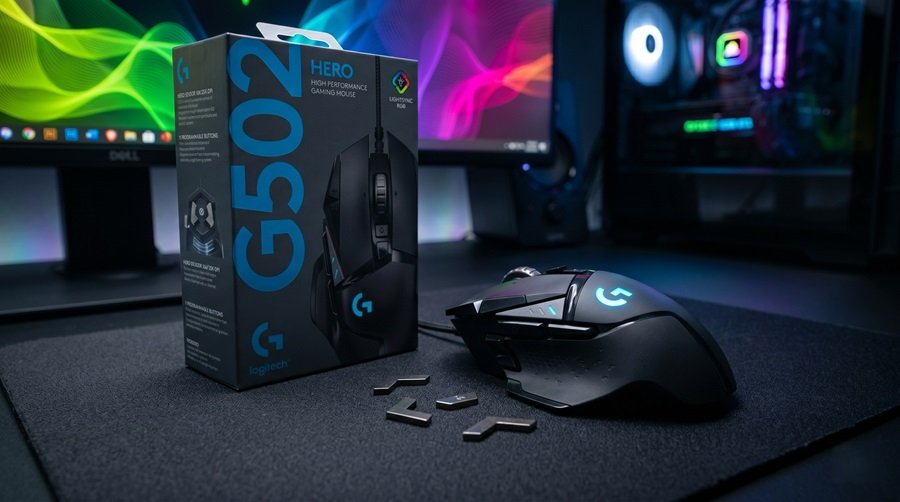
With its acclaimed HERO 25K sensor, an aggressive ergonomic design, adjustable weights, and an array of customizable buttons, this wired gaming mouse offers a robust package. Welcome to Gearzon’s comprehensive review, where we break down the design, performance, and everyday usability of the iconic Logitech G502 Hero.
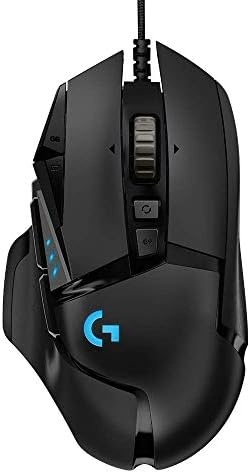
A closer look at why the Logitech G502 Hero remains a fan favorite.
⚙️ Quick Specifications
- 🖱️ Sensor: Logitech HERO 25K Optical Sensor
- 🎯 Resolution: 100 – 25,600 DPI
- ⚡ Polling Rate: 1000 Hz (1ms response time)
- 🔘 Buttons: 11 fully programmable buttons
- ⚖️ Weight: 121g (mouse only) + Up to 18g optional weights (5x 3.6g)
- 🌈 Lighting: LIGHTSYNC RGB (1 zone)
Specs at a Glance
Here are the key numbers in one table. Most come from Logitech G’s official G502 HERO page, with weight, size and warranty details from the FPS Review and WePC reviews.
| Spec | Logitech G502 HERO |
|---|---|
| Sensor | HERO 25K optical, 100 to 25,600 DPI (Logitech) |
| Max speed and acceleration | 400+ IPS (Logitech); more than 40 G (FPS Review) |
| Polling rate | 1,000 Hz |
| Buttons | 11 programmable (Logitech) |
| Weight | 121 g; up to 139 g with five 3.6 g weights (FPS Review) |
| Dimensions | 5.2 x 2.95 x 1.57 in (FPS Review) |
| Cable | About 7 ft (2.1 m) braided cable |
| Onboard memory | Up to 5 profiles (FPS Review) |
| Lighting | LIGHTSYNC RGB |
| Software | Logitech G HUB |
| Warranty | 2-year limited hardware (FPS Review) |
1. Design and Build Quality: The Iconic Silhouette
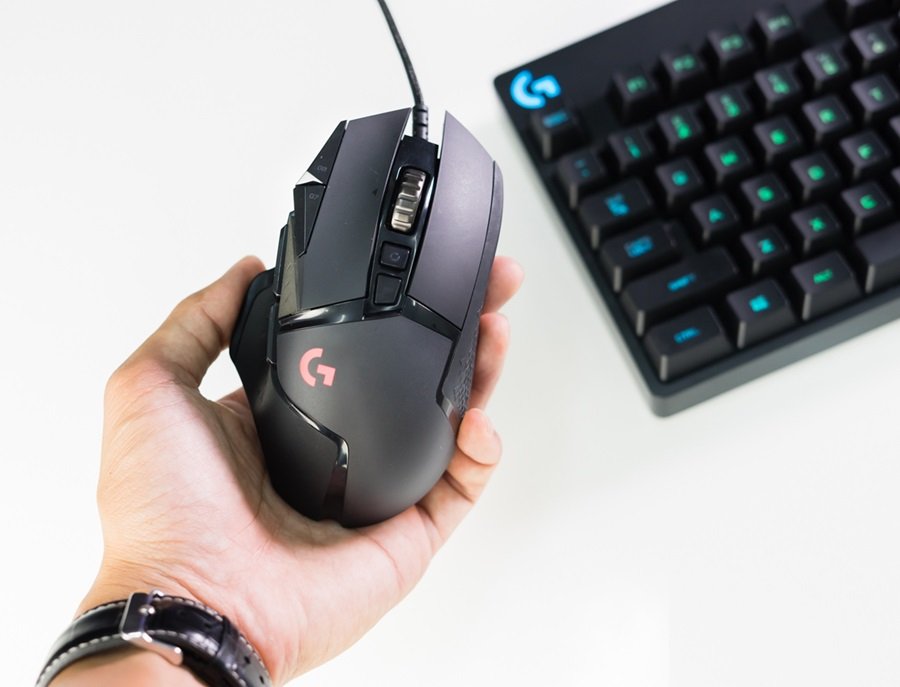
The G502 Hero features an aggressive, almost “Batmobile-like” gaming aesthetic that has become highly recognizable in the PC gaming community. Its sculpted, ergonomic shape is explicitly designed for right-handed users, fitting naturally into the hand.
The build combines matte black plastic with glossy accents. The textured rubber side grips are a highlight, providing excellent control and preventing slips during intense and prolonged gaming sessions. Despite its angular look, the durable construction gives the mouse a distinctly premium feel.
The Adjustable Weight System
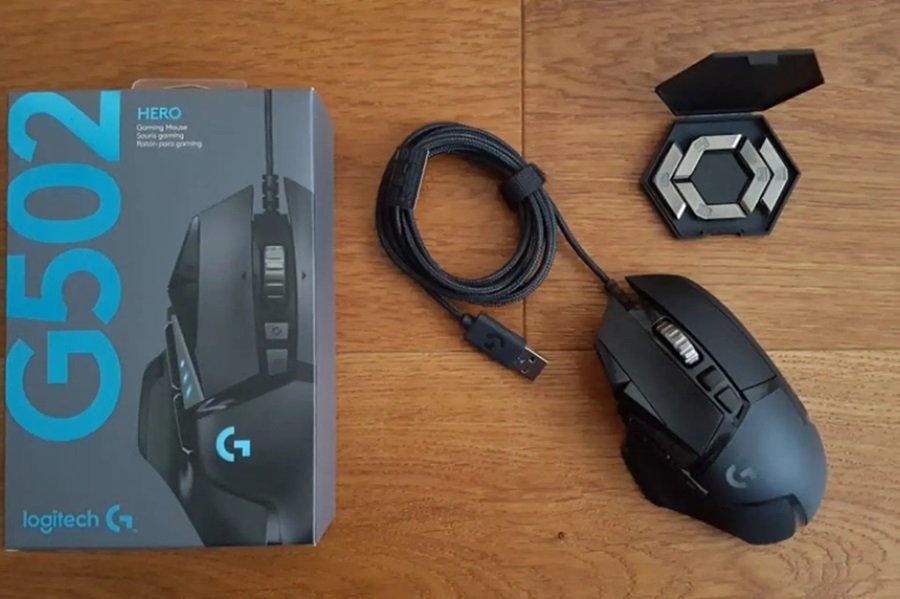
In a gaming landscape where manufacturers are striving to create the lightest mouse possible, the G502 Hero proudly offers the opposite: customizable heft.
The mouse weighs 121 grams natively. However, one of its standout features is the adjustable weight system. By popping open a magnetic compartment on the bottom, users can add up to five 3.6g chevron-shaped weights. This allows you to fine-tune the mouse’s balance—whether you prefer it front-heavy, rear-heavy, or perfectly centered—to match your exact personal preference.
2. Performance: Powered by the HERO 25K Sensor
At the heart of the G502 Hero lies Logitech’s renowned optical sensor. Originally launched with a 16K sensor, software updates have unlocked its full potential as the HERO 25K.
This sensor is capable of delivering extreme precision, ranging from 100 up to an astonishing 25,600 DPI. While most gamers will never need a DPI that high, what truly matters is the sensor’s flawless execution. It offers zero smoothing, filtering, or acceleration across the entire DPI range.
Whether you are tracking enemies in Valorant, Counter-Strike 2, Apex Legends, or managing macros in World of Warcraft and League of Legends, the G502 Hero ensures your movements translate accurately from your hand to the screen.
3. Customization and Everyday Use
The G502 Hero is not just a one-trick pony for shooters; it is highly versatile.
- 11 Programmable Buttons: The mouse features an array of buttons, including three dedicated thumb buttons (one acting as a convenient “Sniper” button to temporarily drop DPI for precise shots). Using the Logitech G HUB software, gamers can create complex macros and custom commands for different applications.
- Dual-Mode Scroll Wheel: A button located just behind the heavy metallic scroll wheel allows you to toggle between precise, notched scrolling (perfect for weapon switching) and a hyper-fast, frictionless spin. This hyper-fast mode is equally fantastic for productivity tasks like rapidly navigating long documents, web browsing, and video editing timelines.
- Onboard Memory: You can save up to five preferred profiles directly to the mouse’s onboard memory. This makes it incredibly convenient for tournament players or anyone who switches between multiple computers, as your settings travel with the hardware.
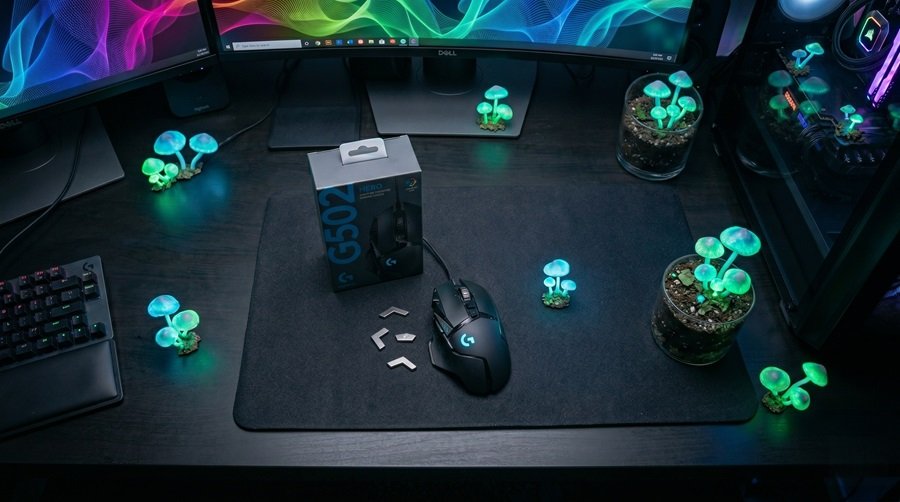
Furthermore, the customizable RGB lighting, powered by Logitech LIGHTSYNC, adds a stylish touch to your desk setup without being overly intrusive.
💡 Gearzon Insight: Despite being a hardcore gaming mouse, the G502 Hero performs exceptionally well for everyday tasks. Its comfortable ergonomic shape actively reduces hand fatigue during extended office work or content creation.
4. Pros and Cons Summary
✅ What We Love
- Outstanding HERO 25K sensor performance.
- Comfortable, highly ergonomic design with textured grips.
- 11 programmable buttons ideal for MMOs and macros.
- Unique adjustable weight system.
- Excellent dual-mode metal scroll wheel.
- Great value for money in the current market.
❌ Room for Improvement
- At 121g, it is significantly heavier than modern ultra-light gaming mice.
- The large size and angular shape may not fit smaller hands comfortably.
- A wired connection may not suit everyone looking for a clutter-free desk.
Software and Onboard Memory: Logitech G HUB
What G HUB Does
The G502 HERO is configured through Logitech G HUB. According to Logitech, the app handles DPI settings, button assignment, macros, sensor calibration and profile management. It also controls LIGHTSYNC lighting. G HUB runs on Windows and macOS.
WePC found the suite well functioning and rarely glitchy. It lets you remap all 11 buttons and save profiles.
Onboard Profiles and DPI Steps
Logitech says you can save ready-to-play profiles directly to the mouse. FPS Review puts the limit at five profiles with the latest firmware. In addition, Logitech notes that you can cycle through up to five DPI settings on the fly, and a dedicated DPI Shift button sits on the left side.
Because the profiles live on the mouse, your settings travel with it. That helps at tournaments or when you switch PCs. Our gaming mouse buying guide explains how to pick DPI steps that suit your sensitivity.
How the G502 HERO Compares
Versus Logitech’s Wireless Options
The G502 HERO is a wired design from 2018. Logitech has since added wireless and ultralight options. The table shows how the classic compares with two newer Logitech mice.
| Spec | G502 HERO | G502 X Plus | G PRO X SUPERLIGHT 2 |
|---|---|---|---|
| Weight | 121 g (up to 139 g) | 106 g | 60 g |
| Connection | Wired | Wireless (LIGHTSPEED) | Wireless (LIGHTSPEED) |
| Buttons | 11 programmable | 13 programmable controls | 5 programmable |
| Sensor | HERO 25K | HERO 25K | HERO 2, up to 44,000 DPI |
| Adjustable weights | Yes | No | No |
| Battery | Not applicable | About 37 h with RGB (reviews) | Up to 95 h |
| List price (US) | Not verified | $159.99 | $159.99 |
The wireless successor is covered in our Logitech G502 X Plus review. It weighs 106 g, adds 13 controls and drops the adjustable weights. If you want the lightest Logitech option, read our G PRO X SUPERLIGHT 2 review. At 60 g, it weighs half as much as the HERO.
Where the HERO Still Wins
Weight is the HERO’s weakness, yet it keeps a few real advantages. It is the only mouse in the table with adjustable weights. It has no battery to charge and no wireless dropouts to worry about. WePC also praised the button placement and the sensor accuracy.
The cable is reasonable too. FPS Review lists about 7 feet of cable, and WePC found the braided cable offers little abrasion or resistance. A mouse bungee can still help if drag bothers you.
Other Mice Worth a Look
Most ultralight mice trade features for speed. The Logitech Pro X3 SUPERSTRIKE and the G Pro X2 Superstrike are two more Logitech esports mice we have reviewed. The Pulsar X2F is a 38 g fingertip mouse. Claw-grip players can read about the ATK U2 V2 Ultimate.
Some lightweight mice carry their own compromises. The VXE R1S is heavier than its specs suggest, and the G-Wolves Lyan is brilliant but flawed. For ergonomic shapes, try the Lamzu Thorn V2. Our SteelSeries vs Razer piece is a good starting point for brand comparisons.
Who Should Buy the G502 HERO, and Who Should Skip It
Buy It If
- You want a proven wired mouse with a strong sensor and 11 programmable buttons.
- You play MMOs or use macros. WePC recommends it for MMO players and fans of heavier mice.
- You like to tune weight and balance with the included 3.6 g weights.
- You have a medium to large right hand and prefer a palm or relaxed claw grip.
Skip It If
- You play fast-paced competitive FPS games. WePC calls it unsuitable for esports that demand agility.
- You want wireless freedom without a cable.
- You have small hands. The large, angular body may not fit comfortably.
- You are left-handed, because the shape is right-handed.
What Other Reviewers Criticize
WePC called the mouse extremely heavy and noted a little rattle when shaken. It also found the DPI buttons on the left side a little flimsy. FPS Review lists the 121 g weight before any added weights. Expect a different feel from the 60 g mice that dominate esports today.
5. Final Verdict: A Certified Legend
The Logitech G502 Hero gaming mouse completely justifies its legendary status. Its winning combination of precision, comfort, high-level customization, and rugged durability makes it one of the best gaming mice available for FPS players, MMO gamers, streamers, and general productivity users.
While the heavy, wired design might deter gamers chasing the ultra-lightweight wireless trend, the G502 Hero knows exactly what it is: a reliable, feature-packed powerhouse. If you want a premium wired gaming mouse that delivers on every front, the G502 Hero remains an easy recommendation and one of the absolute best values in gaming peripherals today.
Find Your Next Gaming Mouse at Gearzon
Curious about how the G502 Hero compares to ultra-lightweight options or wireless alternatives? Discover more in-depth reviews and expert gaming hardware guides.Explore More at Gearzon
Frequently Asked Questions
What sensor does the Logitech G502 Hero use?
It uses Logitech’s HERO 25K optical sensor, tunable from 100 to 25,600 DPI, with zero smoothing, filtering, or acceleration across the full range.
How much does the Logitech G502 Hero weigh?
The mouse weighs 121 grams on its own. Its magnetic weight compartment accepts up to five 3.6g chevron weights, so you can add up to 18 extra grams to fine-tune the balance.
Is the Logitech G502 Hero good for MMO or productivity use?
Yes. Its 11 programmable buttons, dual-mode scroll wheel, and five onboard memory profiles make it just as capable for MMO macros and everyday office work as it is for FPS gaming.
Is the Logitech G502 Hero wireless?
Is the Logitech G502 HERO too heavy for FPS games?
It can be. The mouse weighs 121 grams before any added weights, and WePC described it as heavy and unsuitable for esports that demand agility. Casual players may adapt, but fast flick shots take more effort with this much mass.
Should I buy the G502 HERO or the G502 X Plus?
Choose the HERO for a wired mouse with adjustable weights and 11 buttons. Choose the X Plus for wireless play, a lighter 106 gram body, hybrid switches and 13 controls. Tom’s Hardware lists the X Plus at $159.99, so it costs considerably more.
No, this model is wired only. If you want the same shape and sensor without the cable, Logitech also sells a G502 Lightspeed wireless version.