In-Depth Logitech G PRO X SUPERLIGHT 2 Review: The Ultimate 60g eSports Weapon
In competitive First-Person Shooters, every single split-second and millimeter matters. Designed in collaboration with the world’s top eSports athletes, the Logitech G PRO X SUPERLIGHT 2 steps into the arena as the refined successor to one of the most iconic mice in gaming history.
Combining an ultra-lightweight 60-gram chassis, an updated 44,000 DPI optical sensor, and incredible 8,000Hz wireless polling rate support, this mouse is engineered for pure speed and raw precision. In this comprehensive Gearzon review, we evaluate whether the SUPERLIGHT 2 maintains its crown as the undisputed king of wireless FPS gaming mice.
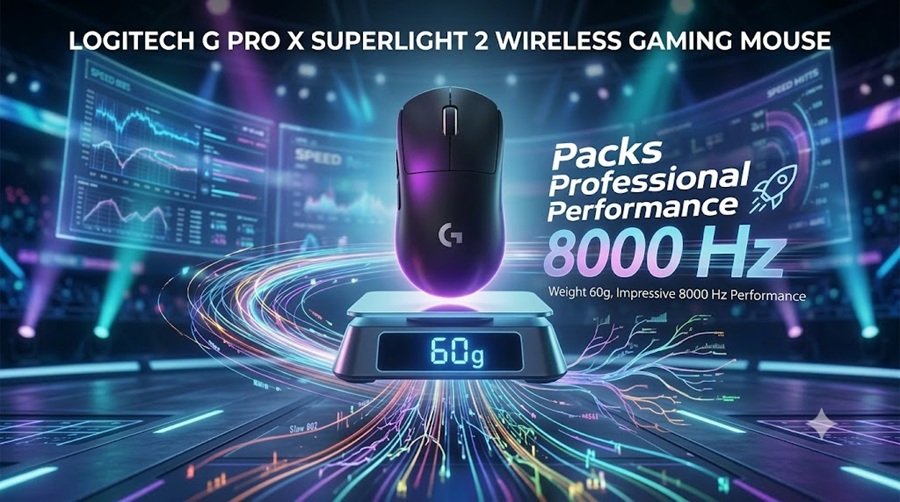
Watch our hands-on visual overview of the Logitech G PRO X SUPERLIGHT 2.
⚙️ Quick Specifications
- ⚖️ Weight: Ultra-lightweight 60g
- 🎯 Sensor: Next-gen HERO 2 Sensor (Up to 44,000 DPI)
- ⚡ Polling Rate: Up to 8,000 Hz (0.125ms response time)
- 🔘 Buttons: 5 Programmable Buttons
- 📡 Connection: LIGHTSPEED Wireless + USB-C Wired
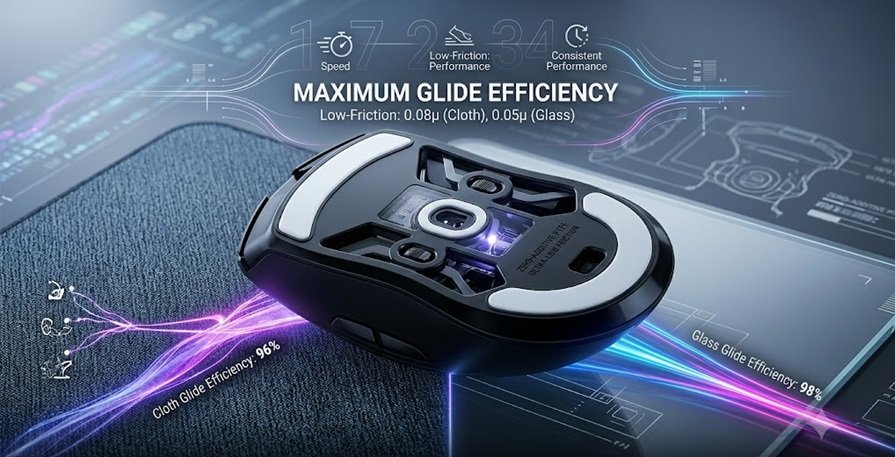
- 🦶 Skates: Zero-Additive PTFE feet
Specs at a Glance
The table below collects the key numbers in one place. Most figures come from Logitech G’s official SUPERLIGHT 2 page. Dimensions and the price come from the Tom’s Hardware review.
| Spec | Logitech G PRO X SUPERLIGHT 2 |
|---|---|
| Weight | 60 g (Logitech) |
| Dimensions | 125 x 63.5 x 40 mm (Tom’s Hardware) |
| Sensor | HERO 2, up to 44,000 DPI, 888+ IPS tracking (Logitech) |
| Polling rate | Up to 8 kHz over LIGHTSPEED (Logitech); launch reviews tested 1,000 Hz and 2,000 Hz |
| Switches | LIGHTFORCE hybrid optical-mechanical, rated for 70 million clicks |
| Buttons | 5 programmable |
| Connectivity | LIGHTSPEED 2.4 GHz wireless; no Bluetooth |
| Battery | Up to 95 hours (Logitech) |
| Feet | Zero-additive PTFE |
| Lighting | None |
| Software | Logitech G HUB (Windows and macOS) |
| List price (US) | $159.99 |
1. Featherweight 60g Design & Ergonomics
Tipping the scales at a mere 60 grams, the G PRO X SUPERLIGHT 2 is built specifically for fast, effortless motion. In tactical shooters like CS2, Valorant, and high-velocity battle royales like Apex Legends, minimizing physical inertia allows for faster flick shots and smoother micro-adjustments.
Logitech retained the universally comfortable, safe ambidextrous shape of the original SUPERLIGHT. The curvature fits palm, claw, and fingertip grip styles naturally without forcing your hand into uncomfortable angles during intense, high-stress matches.
Link Amazon: G PRO X SUPERLIGHT 2
2. Extreme Precision: The 44,000 DPI HERO 2 Sensor
At the core of the mouse is Logitech’s flagship high-performance optical sensor, capable of tracking at an astonishing 44,000 DPI. While competitive players rarely play at ultra-high DPI levels, this massive headroom reflects the raw accuracy, sub-micron tracking capability, and zero smoothing of the sensor.
Whether performing high-speed swipes across your desk or precise pixel-hunting snaps, the sensor tracks every movement seamlessly with zero acceleration, filtering, or delay.
3. Pro-Level 8,000Hz Wireless Performance
Latency can make or break a match. The SUPERLIGHT 2 utilizes Logitech’s LIGHTSPEED wireless protocol with support for up to an 8,000 Hz polling rate. This reports inputs to your PC 8,000 times per second (a 0.125ms interval), delivering hyper-smooth cursor motion on modern 240Hz, 360Hz, and 540Hz eSports displays.
This high-frequency reporting ensures that your hand movements are reflected on screen with practically zero perceptible delay, matching or exceeding the latency performance of traditional wired gaming mice.
Link Amazon: G PRO X SUPERLIGHT 2
4. Programmable Controls & Minimalist Layout
Staying true to its eSports heritage, the SUPERLIGHT 2 keeps controls lean and efficient to eliminate accidental inputs:
- 5 Programmable Buttons: Includes main left/right clicks, two ergonomic side thumb buttons, and a clickable scroll wheel.
- Quick Macro Access: Easily assign critical abilities, melee commands, or push-to-talk keybinds without taking your fingers off the primary movement keys.
Battery, Switches and Software
Battery Life Depends on Polling Rate
Logitech rates the SUPERLIGHT 2 for up to 95 hours. That number has a catch. Tom’s Hardware reported 95 hours at the default 1,000 Hz with power saving on, and 89 hours with power saving off. At 2,000 Hz, the same review recorded 51 hours.
Logitech’s page lists support for up to 8 kHz. However, the text we checked gives no battery figure for that mode. Expect a shorter runtime if you push polling to the maximum. Treat the top rates as an option, not a default.
LIGHTFORCE Hybrid Switches
The main buttons use Logitech’s LIGHTFORCE design, which pairs an optical trigger with a mechanical click. Logitech rates the switches for 70 million clicks. Tom’s Hardware describes the result as light-based actuation with a satisfying mechanical feel. Trusted Reviews calls the buttons tactile but somewhat loud, so a quiet-click fan should try one first.
What You Give Up
Wireless is 2.4 GHz only. Both Tom’s Hardware and PCWorld point out that there is no Bluetooth. There is no RGB lighting either, which Trusted Reviews lists as a drawback for some buyers. PCWorld also found the scroll wheel a little flimsy.
Software: Logitech G HUB
The SUPERLIGHT 2 is configured through Logitech G HUB. According to Logitech, the app handles DPI settings, button assignment, macros, sensor calibration and profile management. It runs on Windows and macOS. Logitech’s SUPERLIGHT 2 page also mentions lift-off tolerance settings.
Tom’s Hardware called G HUB “not particularly intuitive”. The mouse has no DPI button, so you will rely on the software to set your DPI steps. Our gaming mouse buying guide explains how to choose a DPI that suits your sensitivity and grip.
5. Pros and Cons Summary
👍 Pros
- Extremely lightweight 60g shell with no structural flex.
- Industry-leading 8,000Hz wireless polling rate support.
- Flawless tracking via the 44,000 DPI HERO 2 sensor.
- Universally comfortable shape suitable for all grip styles.
- Ultra-smooth zero-additive PTFE glide feet out of the box.
👎 Cons
- Premium price point aimed squarely at competitive enthusiasts.
- Minimalist design lacks dedicated hardware DPI switch buttons on top.
How the SUPERLIGHT 2 Compares
Versus the Razer Viper V3 Pro and G502 X Plus
The SUPERLIGHT 2 sits at the premium end of wireless esports mice. Razer’s Viper V3 Pro is the closest rival, and Logitech’s own G502 X Plus shows the opposite design approach. The figures below come from each maker’s page and the reviews cited in this article.
| Spec | G PRO X SUPERLIGHT 2 | Razer Viper V3 Pro | Logitech G502 X Plus |
|---|---|---|---|
| Weight | 60 g | 54 g | 106 g |
| Sensor | HERO 2, up to 44,000 DPI | Focus Pro 35K Gen-2, up to 35,000 DPI | HERO 25K |
| Polling rate | Up to 8 kHz | Up to 8,000 Hz with HyperPolling dongle | Not verified |
| Battery | Up to 95 hours | Up to 95 hours | 37 hours with RGB (reviews) |
| Buttons | 5 | 8 programmable controls | 13 programmable controls |
| Price | $159.99 list | From $179.99 | $159.99 list |
On paper, Razer’s mouse is 6 g lighter and lists a 35,000 DPI sensor. Both mice list up to 95 hours of battery. Razer’s page says the 8,000 Hz rate needs its HyperPolling dongle. Razer also asks more, with prices starting at $179.99. The SUPERLIGHT 2 keeps the simpler, ambidextrous shape and costs $20 less at list price.
The G502 X Plus goes the other way. It weighs 106 g, but it adds 13 controls and RGB. Read our Logitech G502 X Plus review if you value features over speed. For a heavier wired classic, see the G502 Hero review.
Other Lightweight Mice on GearZon
Different grips call for different shapes. Claw-grip players may prefer the ATK U2 V2 Ultimate, which our review describes as a sharper Zowie U2. If you want something even lighter, the G-Wolves Lyan is brilliant but flawed. The VXE R1S offers strong specs but is on the heavy side.
Click feel matters too. The Logitech G Pro X2 Superstrike uses haptic triggers instead of conventional switches. Prefer a shape built for comfort? Our Lamzu Thorn V2 review covers an ergonomic option. For a head-to-head between two big brands, read SteelSeries vs Razer.
Who Should Buy the SUPERLIGHT 2, and Who Should Skip It
Shape and Grip Fit
The shell measures 125 x 63.5 x 40 mm, according to Tom’s Hardware, and it is symmetrical with five buttons. That review calls it pseudo-ambidextrous. Trusted Reviews describes the design as minimalist with light contouring.
PCWorld rates the medium curve well for large hands and palm grip. Reviewers focus on palm grip, so claw and fingertip users should check the size first. Players who want a sculpted palm rest will find the shape plain. In that case, the ergonomic mice in our mouse buying guide are a better fit.
Value for Money
At a $159.99 list price, the SUPERLIGHT 2 asks a lot for a mouse with five buttons and no RGB. You pay for the low weight, the sensor, the battery and the build. PCWorld still gave it an Editors’ Choice award, but it flagged the price as a weak point. Tom’s Hardware and Trusted Reviews also list the cost as a drawback.
If the price feels steep, compare it with cheaper lightweight mice such as the Pulsar X2F before you buy. Shape matters more than spec sheets, so choose the mouse that fits your hand first.
Buy It If
- You play competitive FPS games and want a 60 g wireless mouse with a symmetrical shape.
- You use a palm, claw or fingertip grip. PCWorld found the medium curve suits large hands and palm grippers.
- You want long battery life at standard polling rates.
- You are buying your first mouse in this class. Tom’s Hardware called it a great mouse for people who know what they want.
Skip It If
- You already own the original SUPERLIGHT. Tom’s Hardware did not consider the upgrade worth it for existing owners.
- You need Bluetooth, RGB or a dedicated DPI button.
- You want an ergonomic, sculpted shape or a left-handed design.
- Your budget is tight. At a $159.99 list price, it costs more than many capable rivals.
6. Final Verdict
The Logitech G PRO X SUPERLIGHT 2 delivers exactly what competitive gamers demand: uncompromised speed, sub-millisecond precision, and rock-solid wireless reliability. By upgrading the polling rate capability to 8,000Hz and boosting sensor accuracy while maintaining its legendary 60-gram weight, Logitech has crafted a formidable tool for eSports players.
If performance, low latency, and rapid movement are your top priorities in competitive gaming, the G PRO X SUPERLIGHT 2 comes with the absolute highest recommendation from the Gearzon review team.
Link Amazon: G PRO X SUPERLIGHT 2
Explore More eSports Peripherals
For more ultralight wireless mice worth comparing, see our reviews of the Logitech PRO X3 SUPERSTRIKE, the Logitech G PRO X3 LIGHTSPEED, and the Logitech G502 X Plus. Pairing a light mouse with a great mousepad matters too, so check out our Pulsar X2F review. For official drivers, firmware updates, and warranty info, visit Logitech G’s official SUPERLIGHT 2 product page.
Frequently Asked Questions
How much does the Logitech G PRO X SUPERLIGHT 2 weigh?
Logitech lists the mouse at 60 grams. Tom’s Hardware gives 59.5 grams, and PCWorld reports it is about 3 grams lighter than the original SUPERLIGHT. The shell has no RGB lighting, which helps keep the weight down.
How long does the SUPERLIGHT 2 battery last?
Logitech rates it at up to 95 hours. Tom’s Hardware reported 95 hours at 1,000 Hz with power saving on, 89 hours with it off, and 51 hours at 2,000 Hz. Higher polling rates drain the battery faster.
Does the SUPERLIGHT 2 support 8K polling?
Logitech’s product page lists LIGHTSPEED wireless with up to 8 kHz polling. Launch reviews tested at 1,000 Hz and 2,000 Hz. Higher rates shorten battery life, and Logitech’s page gave no 8 kHz battery figure in the text we checked.
Does the SUPERLIGHT 2 have Bluetooth or RGB?
No to both. Tom’s Hardware and PCWorld note that wireless is 2.4 GHz only, with no Bluetooth. Trusted Reviews lists the lack of RGB lighting as a drawback for some buyers. Charging uses USB-C.
Is the SUPERLIGHT 2 comfortable for palm and claw grip?
Reviewers say yes. The shape is symmetrical with a medium curve. PCWorld found it suits large hands and palm grippers, while Tom’s Hardware calls it comfortable across several grip styles. Players with very small hands should check the 125 x 63.5 x 40 mm size.
Should I upgrade from the original SUPERLIGHT?
Probably not. Tom’s Hardware concluded the upgrade is not worth it for original owners, though it is a solid choice for new buyers. Reviewers list a newer sensor, USB-C charging and a slightly lower weight as the main changes.