YUNZII RT75 PRO Review: The Ultimate Wireless 8K Hall Effect Keyboard?
For competitive PC gamers, choosing a wireless keyboard traditionally meant sacrificing top-tier polling rates and raw input latency. The YUNZII RT75 PRO changes the paradigm completely. Built on a 75% compact footprint, this Hall Effect magnetic keyboard delivers an astounding 8,000Hz polling rate not just over a USB-C wire, but also across low-latency 2.4GHz wireless connection.
Equipped with Rapid Trigger capability, a 128K scan rate, five layers of acoustic dampening, and a massive 8,000mAh battery, the RT75 PRO aims to be the complete package for eSports enthusiasts and casual typists alike. In this comprehensive Gearzon review, we break down every technical aspect to see if it earns a permanent spot on your desk.
Watch our hands-on review, web driver breakdown, and typing sound test of the YUNZII RT75 PRO.
⚙️ Quick Specifications
- ⌨️ Layout: 75% Compact (81 keys + Dedicated Rotary Knob)
- 🕹️ Switches: Outemu Magnetic Red Switches (Hall Effect)
- ⚡ Polling & Scan Rate: Dual 8,000Hz (Wired & 2.4GHz) with 128K Scan Rate
- ⏱️ Latency: 0.1ms (Wired) / 1.0ms (2.4GHz Wireless)
- 🔋 Battery: Massive 8,000 mAh Rechargeable Battery
- 🔊 Acoustics: 5-Layer Sound Dampening (IXPE, PET, Cotton, Silicone)
- 🌐 Connectivity: Tri-Mode (USB-C, 2.4GHz Wireless, Bluetooth 5.0)
Specs at a Glance
The quick list above covers the headline numbers. This table adds the other figures from YUNZII’s official product page and from launch coverage, so you can compare the board with rivals.
| Spec | YUNZII RT75 PRO |
|---|---|
| Layout | 75%, 81 keys plus rotary knob |
| Switches | Outemu Magnetic Red (Hall Effect), full-key hot-swap |
| Switch force | About 45gf actuation, 3.5mm total travel (launch coverage) |
| Polling | 8,000Hz wired and 2.4GHz; 125Hz Bluetooth |
| Scan rate | 128K |
| Claimed latency | 0.1ms wired, 1ms wireless |
| Battery | 8,000mAh |
| Size and weight | 332 x 137 x 38mm, 1,129g |
| Keycaps | Double-shot PBT and PC, Cherry profile |
| Compatibility | Windows, macOS, Android |
| Listed price | $79.99 (regular $94.99) |
| Warranty | One year |
Prices change often, so check YUNZII’s store before you buy.
1. 75% Layout & Sturdy Build Quality
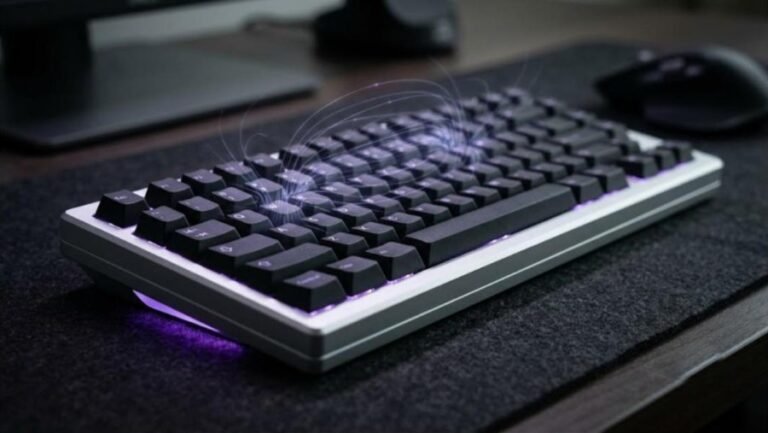
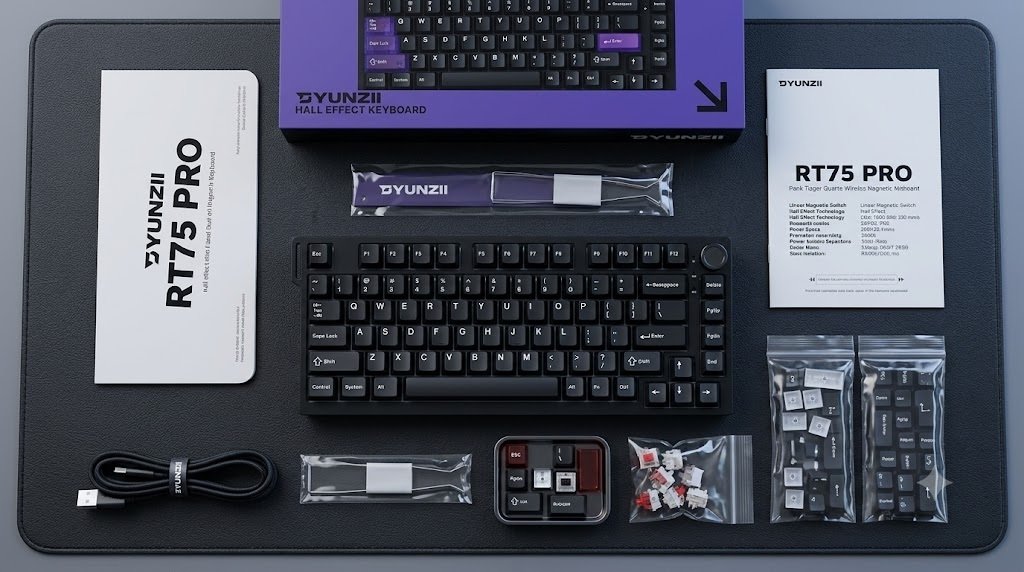
The RT75 PRO adopts a popular 75% form factor with 81 keys and a metal rotary knob for quick volume control. It retains dedicated arrow keys, a function row, and essential navigation cluster buttons while saving vital mouse movement space on your desk.
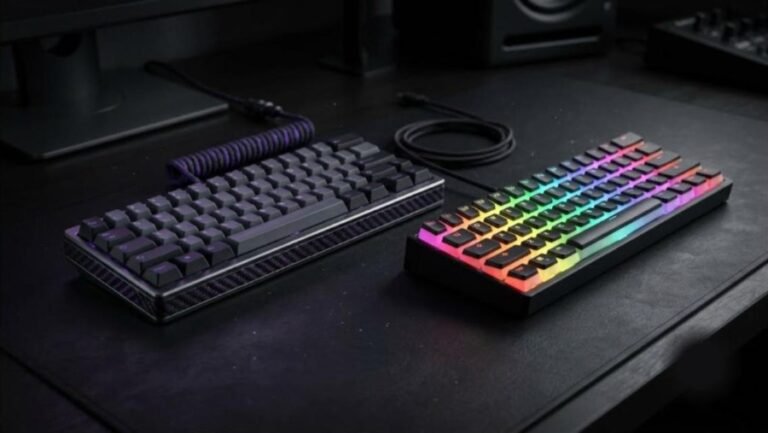
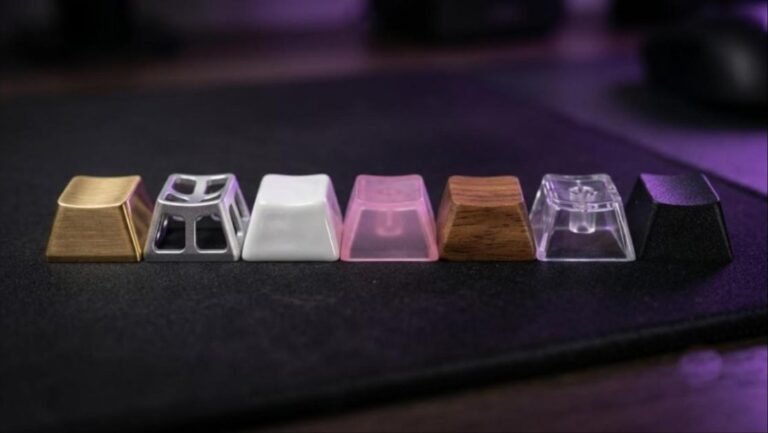
Tipping the scales at roughly 1.1 kg (2.4 lbs), the board carries substantial weight to prevent slipping during intense counter-strafing sessions. Keycaps are sculpted in a comfortable Cherry profile using double-shot PBT and PC materials. Bright south-facing RGB LEDs operate at a high 500Hz refresh rate, providing smooth lighting customization without overwhelming the overall aesthetic.
Ready to Upgrade Your Setup?
Check the latest price, stock availability, and fast shipping options on Amazon.
🛒 Buy Now on Amazon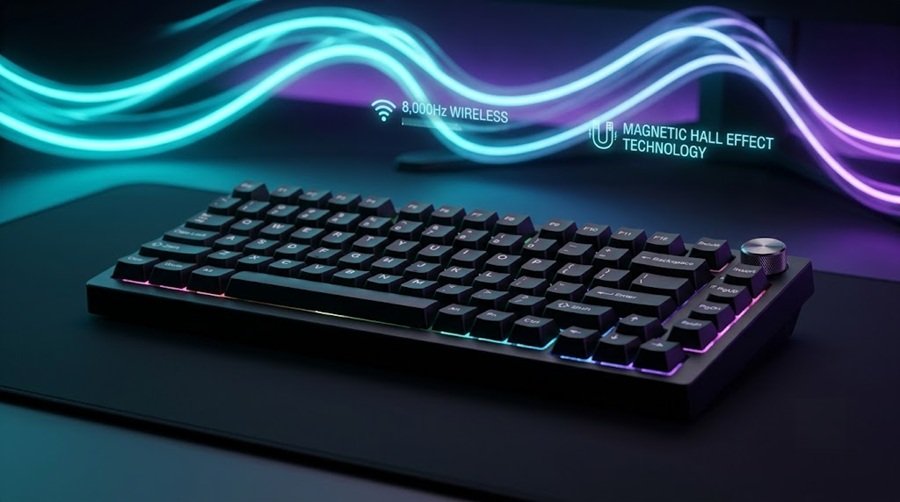
2. Dual 8K Wireless & Outemu Magnetic Switches
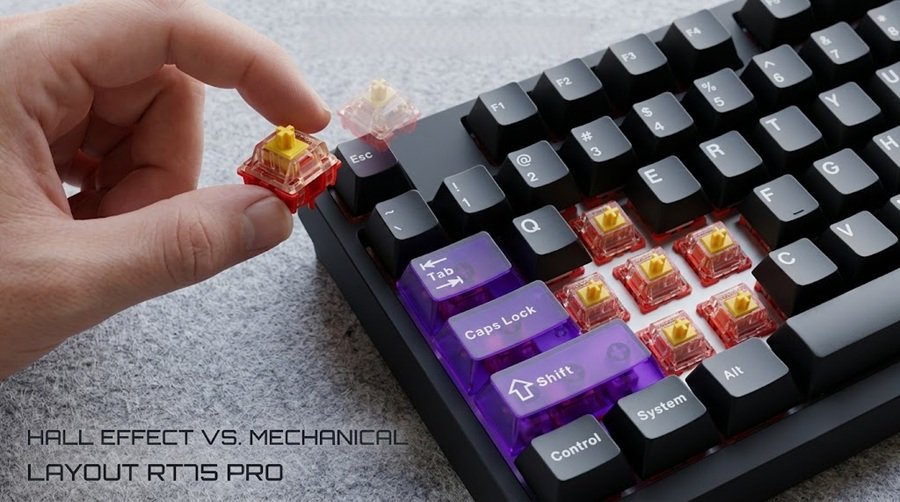
Underneath the keycaps sit Outemu Magnetic Red switches. Unlike conventional mechanical switches that depend on physical metal contact points, Hall Effect sensors detect precise magnetic distances. This enables adjustable actuation distance and Rapid Trigger functionality—resetting key inputs instantly the moment your finger begins lifting.
The flagship highlight is the Dual 8K system. The RT75 PRO maintains an 8,000Hz polling rate paired with a 128K internal scan rate over both wired USB-C and 2.4GHz wireless dongle connections. Response times are rated at 0.1ms in wired mode and an impressive 1.0ms in wireless mode, giving competitive FPS players maximum speed on a clutter-free desk.
Claimed Latency vs Third-Party Tests
YUNZII quotes 0.1ms wired and 1ms wireless. HLPlanet reports a different result. It measured 0.65ms wired and 1.01ms over 2.4GHz. Test methods differ, so do not read this as a failure. Still, the wireless figures line up closely, and wired latency is lower than the 1ms mark either way.
KeenGamer also reports a stable 2.4GHz connection and about 1ms latency at 8,000Hz.
3. Advanced Web Driver: SOCD, DKS, & Custom Inputs
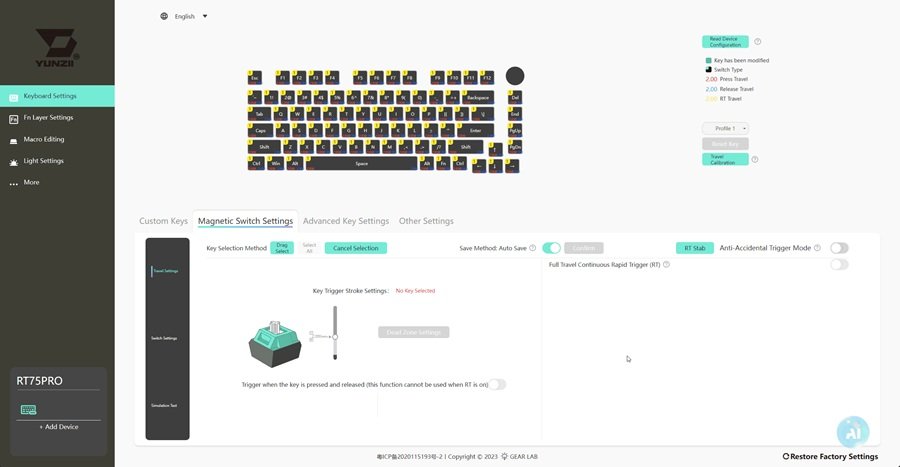
Customization is managed through YUNZII’s web-based driver interface, eliminating the need to install bloated background software applications. Through the web app, users gain fine-grained control over individual keys:
- Rapid Trigger Calibration: Set ultra-sensitive actuation thresholds for WASD movement keys while keeping action keys less aggressive to prevent accidental misclicks.
- Advanced Input Features: Configure SOCD (Simultaneous Opposing Cardinal Directions), Dynamic Keystrokes (DKS), Mod-Tap (MT), and Toggle (TGL) commands.
- Onboard Memory: Save profiles directly to the hardware for use across different systems.
Web Driver vs Desktop App: What Reviewers Report
YUNZII’s product page says the board supports Windows and macOS software as well as online customization. So you get a choice. Reviewers are less enthusiastic about the experience, though.
TechRadar calls the software functional but clunky and criticizes a download process through a Mega link. KeenGamer describes the interface as cryptic but functional. HLPlanet reviewed a web app that offers adjustable actuation, Rapid Trigger, an anti-accidental-trigger mode, macros, and polling-rate settings from 125Hz to 8,000Hz. It also says the interface is poor.
In short, the feature set looks complete. The polish does not. If you want an interface that feels refined, factor that into your decision.
4. Refined Acoustics: 5-Layer Sound Dampening
Many performance-focused magnetic keyboards suffer from hollow acoustics. YUNZII avoids this trap by packing five distinct sound dampening layers inside the chassis:
- IXPE Switch Pads
- PET Acoustic Film
- Sound-absorbing Cotton
- Silicone Bottom Padding
- Internal Case Padding
This internal treatment dampens unwanted case resonance, delivering a deep, muted “thocky” typing profile that rivals dedicated acoustic custom mechanical keyboards. Additionally, the PCB features full-key hot-swappability for compatible magnetic switches.
5. Tri-Mode Connectivity & 8,000mAh Battery Life
High polling rates consume battery power rapidly, but the RT75 PRO offsets this with a massive 8,000mAh battery. The keyboard supports seamless switching across three connection modes:
- 2.4GHz Wireless (8,000Hz Polling): Engineered for ultra-low latency eSports gaming.
- Wired USB-C (8,000Hz Polling): For continuous charging and competitive play.
- Bluetooth 5.0 (125Hz Polling): Designed for everyday productivity with laptops, tablets, and multi-device setups across Windows, macOS, and Android.
Battery Life: Claims and Real Use
Launch coverage cites a claim of up to 400 hours with the backlight off. That figure applies without lighting. KeenGamer reports that heavy use with RGB on lasts about a full day, while weeks pass between charges with RGB off.
The takeaway is simple. Turn the lighting down if you want long runtimes. Alternatively, plug in the cable when you play long sessions.
6. Pros and Cons Summary
👍 Pros
- True 8,000Hz polling rate in both 2.4GHz wireless and wired modes.
- Outemu magnetic switches with Rapid Trigger and adjustable actuation.
- Comprehensive 5-layer internal sound dampening for rich acoustics.
- Massive 8,000mAh battery for extended wireless battery life.
- Convenient web-based driver for SOCD and DKS configuration.
- Full multi-device support (Windows, macOS, Android).
👎 Cons
- Heavier profile (1.1 kg) limits extreme portability.
- Compatible strictly with magnetic switches, not traditional mechanical 3-pin/5-pin switches.
Criticisms Worth Knowing
Two issues come up in nearly every review. First, the case is plastic. TechRadar, KeenGamer, Root Nation, and HLPlanet all describe it that way, even though the board is heavy and stable. If you want an aluminum body, the wired ATK RS6 series is a better fit.
Second, the software feels clunky, as covered above. Smaller complaints exist as well. Root Nation notes that opaque keycaps dim the RGB, and HLPlanet says the Escape key is hard to pull with a standard puller.
Price and How It Compares
YUNZII lists the RT75 PRO at $79.99, down from a regular $94.99. TechRadar cites a recommended price of 91.99 euros and a street price near 78 euros at Amazon NL. Root Nation reports a typical street price of $80 to $85. In other words, you get 8,000Hz wireless polling for under $100.
RT75 PRO vs ATK RS6+ vs Wooting 80HE
| Board | Listed price | Case | Connection | Polling |
|---|---|---|---|---|
| YUNZII RT75 PRO (75%) | $79.99 | Plastic, 1,129g | Wired, 2.4GHz, Bluetooth | 8,000Hz wired and 2.4GHz |
| ATK RS6+ (65%) | From $109.98 | Aluminum | Wired | 8,000Hz |
| Wooting 80HE (80%) | $199.99 | PCR ABS (790g) or zinc alloy (2,160g) | Wired | 8,000Hz |
| NuPhy Halo75 V2 (75%, non-magnetic) | $129.95 | Aluminum top, ABS bottom | Wired, 2.4GHz, Bluetooth | 1,000Hz |
Figures come from each maker’s product page. Prices change often.
The ATK RS6+ trades wireless for an aluminum case, as listed on ATK’s store. Our ATK RS6 review covers it in depth. Meanwhile, Wooting’s 80HE spec sheet lists about 0.125 ms input speed and a gasket mount, but also a wired-only design and a higher price.
If you mostly type, a non-magnetic board makes more sense. NuPhy’s Halo75 V2 adds aluminum and QMK/VIA support at a higher price. Our mechanical keyboard price guide explains where each tier makes sense.
Who Should Buy the RT75 PRO, and Who Should Skip It
Buy it if you:
- Want Rapid Trigger and 8,000Hz polling without a cable.
- Value battery life and a compact 75% layout with a volume knob.
- Want a low price and accept a plastic case.
Skip it if you:
- Want an aluminum body or premium materials.
- Expect polished software.
- Prefer regular mechanical switches that you can swap for any 3-pin or 5-pin type.
Pair it with a light mouse, such as the Pulsar X2F, the Logitech G PRO X SUPERLIGHT 2, or the Lamzu Thorn V2 if you prefer an ergonomic shape. Our gaming mouse buying guide helps you choose, and SteelSeries vs Razer compares two big brands.
7. Final Verdict
The YUNZII RT75 PRO stands out because of its overall synergy rather than a single feature. It combines a compact 75% form factor, Hall Effect magnetic switches, Rapid Trigger speed, dual 8K polling, and serious acoustic dampening into a single cohesive package.
If you want the competitive advantages of a Hall Effect gaming keyboard without tethering yourself to a cable, the YUNZII RT75 PRO comes with a very high recommendation from the Gearzon review team.
Explore More Gaming Keyboards
If you’re deciding between hot-swappable mechanical boards for your setup, check out our Lofree Hyzen review for a different take on premium minimalist design, or see how a high-end gaming mouse pairs with a board like this in our Logitech PRO X3 SUPERSTRIKE review and our Logitech G PRO X3 LIGHTSPEED review. For more wireless gaming gear picks, browse our best handheld gaming PCs guide. For firmware updates, VIA/QMK compatibility notes, and official specs, visit the YUNZII official store.
Frequently Asked Questions
Does the YUNZII RT75 PRO support 8,000Hz wirelessly?
Yes, according to YUNZII’s product page. It lists 8,000Hz polling over both wired USB-C and the 2.4GHz dongle. Bluetooth runs at 125Hz, so it suits everyday work rather than competitive play. Reviewers such as KeenGamer report a stable 2.4GHz connection with latency around 1ms.
How long does the RT75 PRO battery last?
The board has an 8,000mAh battery. Launch coverage cites up to 400 hours with the backlight off. KeenGamer reports that heavy use with RGB on lasts about a day, while turning RGB off stretches that to weeks between charges. Your results depend on lighting and usage.
Is the YUNZII RT75 PRO case made of metal?
No. TechRadar, KeenGamer, Root Nation, and HLPlanet all describe the case as plastic. The board still weighs 1,129 grams and uses a top-mount design, so it feels heavy and stable. If you want an aluminum case, a board like the ATK RS6+ is an option, but it is wired.
Does the RT75 PRO need software?
For Rapid Trigger, actuation, macros, and lighting, YUNZII lists Windows and macOS software plus online customization. TechRadar and HLPlanet both describe the interface as clunky or poor, so expect a functional but unpolished experience.
How much does the YUNZII RT75 PRO cost?
YUNZII’s store lists it at $79.99, down from a regular $94.99. TechRadar cites a recommended price of 91.99 euros. Prices change often, so check the official store before buying. That price includes tri-mode connectivity, 8,000Hz polling, and a volume knob.
Can I use regular mechanical switches on the RT75 PRO?
No. The board is full-key hot-swappable, but only with compatible magnetic Hall Effect switches. Traditional 3-pin or 5-pin mechanical switches will not work. The board ships with Outemu Magnetic Red switches, so check compatibility before you buy replacements.