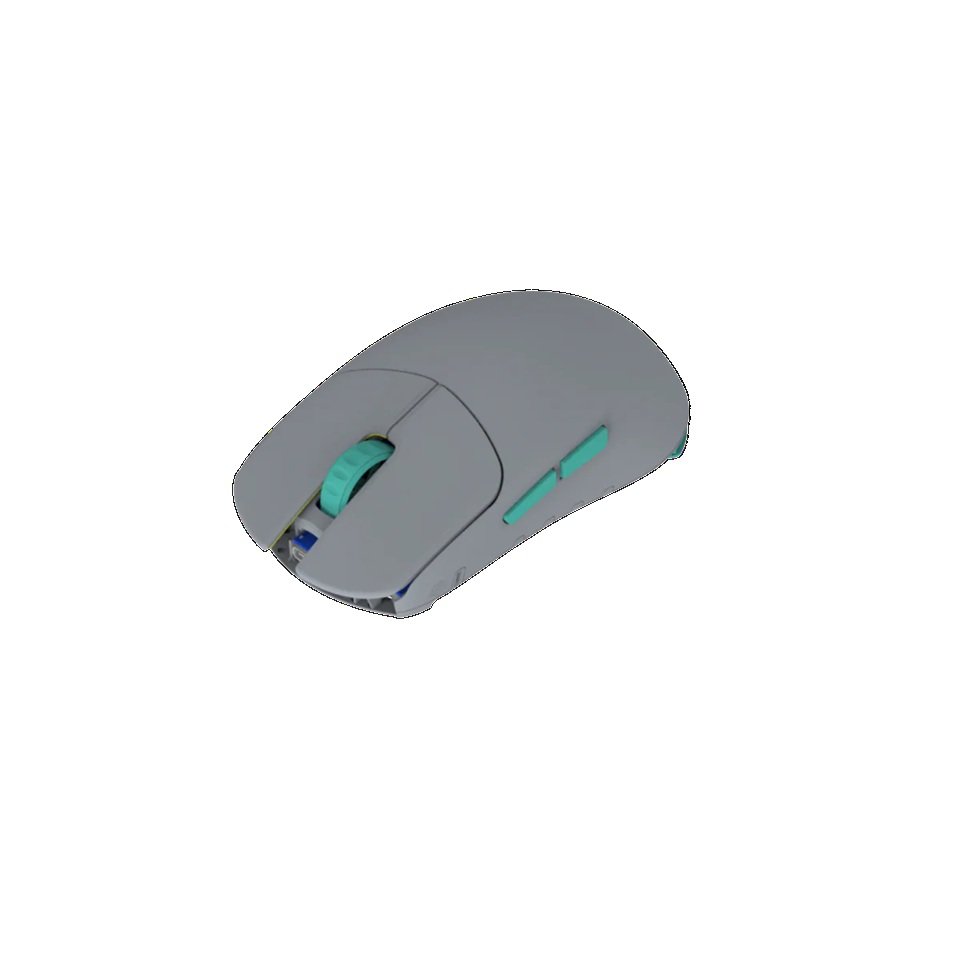
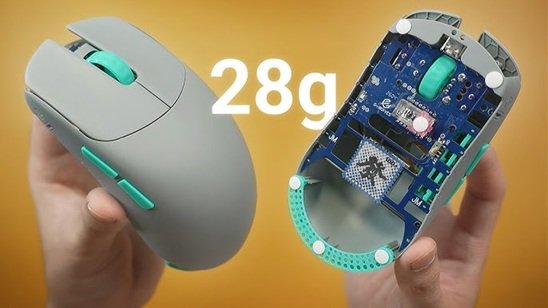
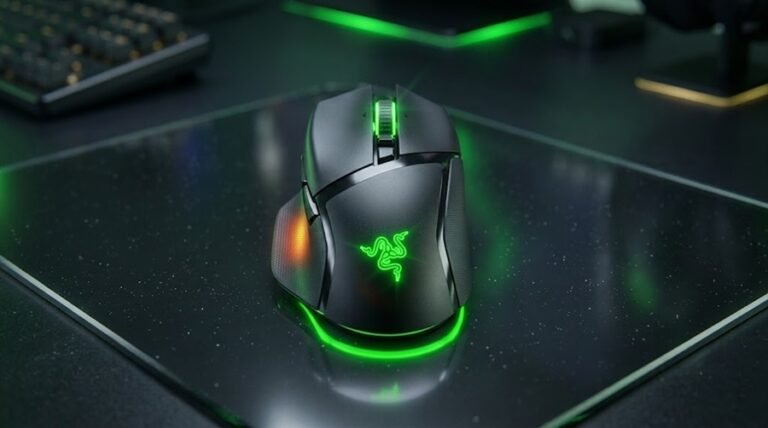
In the fiercely competitive market of ultralight gaming mice, hitting the 40-gram or even 35-gram mark no longer feels like the absolute limit. G-Wolves has just dropped a massive bombshell on the eSports community with a full-size gaming mouse that weighs an astonishing YCAN 8K Wireless Mouse ~28g Preorder Time (Including duties and taxes).
Known affectionately by the community as the Lyan, is this truly the best gaming mouse you can buy for $125? In this comprehensive Gearzon review, we will dissect every corner of this product—from its build quality and sensor performance to the critical flaws that might be dealbreakers for certain gamers.
LYCAN 8K Wireless Mouse
1. Key Specifications of the G-Wolves Lyan
Before we dive into the real-world experience, let’s look at the impressive hardware packed into this 29-gram chassis:
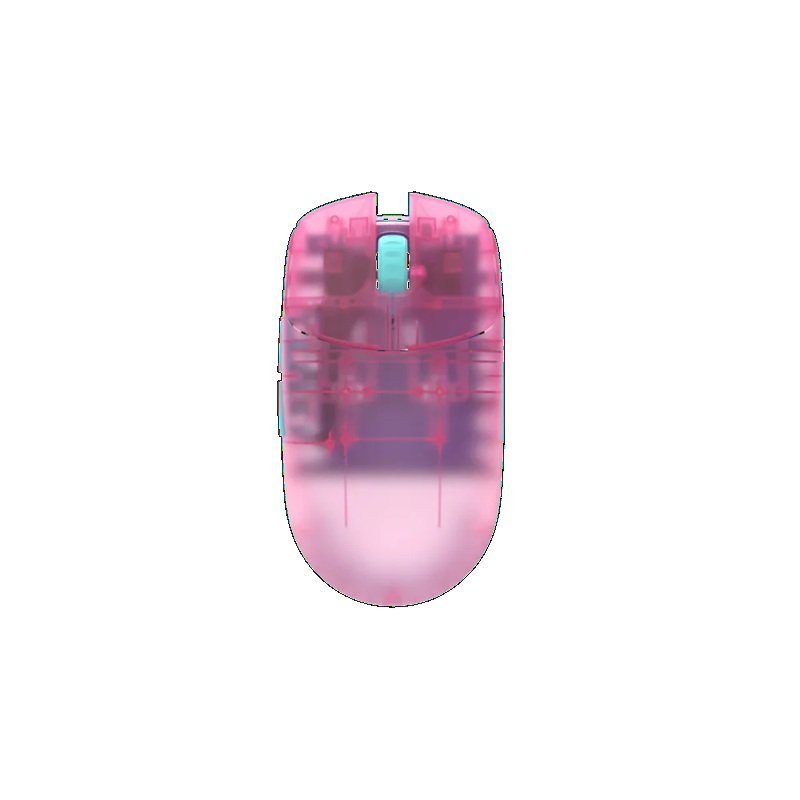
Fully exposed bottom (No base plate), carbon rod reinforced
MSRP
$125.00 (Excluding shipping)
What G-Wolves Officially Lists
G-Wolves spells the model name “Lycan” on its own pages. The mouse is the same one this review calls the Lyan, so search for “Lycan 8K” if you want the official listing. The G-Wolves product page adds several details that the table above leaves out.
Weight: about 28.8g for the black model. Other solid colors run roughly 3% heavier, and transparent shells roughly 5% heavier.
Size: 119 x 63 x 37 mm, with a symmetrical, solid shell and five buttons.
Sensor and MCU: PixArt PAW3955 and a Nordic 54L, with up to 40,000 DPI, 750 IPS and 60G acceleration.
Polling: up to 8,000Hz, both wired and wireless.
Lift-off distance: selectable at 1.0 mm or 2.0 mm.
Extras: 0.70 mm PTFE skates, a paracord cable of about 1.6 m and a one-year warranty.
The same page lists the black model at $132 and other colors at $135 to $145. That is higher than the $125 MSRP quoted in this review, so check the live price before you order. G-Wolves also says shipping typically takes one to seven working days when an item is in stock. Our shipping section below covers what happens when it is not.
2. The Unboxing Experience: Generous or Excessive?
G-Wolves is notorious for stuffing their boxes with accessories, and the Lyan is no exception. While the packaging art relies on somewhat controversial AI generation, the contents inside are a treasure trove:
Accessories galore: You get a gaming arm sleeve (great for glass pad users), a set of grip tapes (decent but slightly thick), multiple stickers to protect the exposed PCB, two sets of battery adhesives, and foam dampers for the switches.
Skates: The box includes both dot skates and pseudo-full-size skates, alongside spacers to adjust lift-off distance (LOD).
Extras: A hard carrying case with two straps and two USB-C cables (even though you realistically only need one for both charging and the receiver).
LYCAN 8K Wireless Mouse
The Gearzon Take: While unboxing feels incredibly premium, 80% of gamers will never use most of these extras. Many would argue that shaving $10–$15 off the retail price would be far more appealing than forcing buyers to pay for unused accessories.
3. Design, Build Quality, and Shape
The No-Base-Plate Structure
When you hear about a 29-gram mouse with a fully exposed PCB and no bottom plate, you naturally assume it feels cheap and fragile. You would be completely wrong.
G-Wolves reinforced the rear with a carbon rod and utilized the PCB itself for structural integrity on the sides. The result is a shockingly rigid frame. There is zero flex, creaking, or bending, making it more solid than many lightweight mice that have a fully enclosed shell.
Shape and Grip Compatibility
If you need a comparison, the Lyan feels somewhat like a flatter, safer version of the Ninjutso Sora V2. The front is noticeably wider, the sides are straighter (less of an hourglass shape), and the hump is mellow enough that it doesn’t force your palm upward.
Who is this shape for?
Claw Grip: This is a claw grip dream. Aggressive claw grippers of all hand sizes will love it.
Relaxed Claw: Best for hands under 19cm in length; larger hands might experience finger overhang.
Palm / Fingertip Grip: Not recommended. Palm gripping feels forced, and the hump gets in the way of a pure fingertip style.
Video: Hands-On Experience with the 29g G-Wolves Lyan
A closer look at the build quality and gameplay performance
4. Real-World Performance and Sensor Position
Switches and Scroll Wheel
The custom Huano SPDT switches lean toward the lighter side. They are incredibly spammable with minimal pre-travel, yet they retain a satisfying tactile pop. However, click consistency is an issue: clicking near the front is extremely light, but clicking further back toward the scroll wheel requires noticeably more force. The side buttons sit very low—which might interfere with thick thumbs—but perform decently well.
LYCAN 8K Wireless Mouse
The Forward Sensor Position: A Game Changer
The most defining performance trait of the Lyan is its high (forward) sensor position. If you hold the mouse in the center, the sensor sits far above your thumb line.
There is a steep learning curve. You might struggle in Aimlabs or KovaaK’s for the first hour. However, once your muscle memory adapts, a forward sensor drastically increases your horizontal (X-axis) sensitivity. Flicking feels effortlessly fast, making this mouse an absolute monster for high-paced shooters.
5. The Major Catch: Mouse Skates and Mousepads
This is the “make or break” factor for the G-Wolves Lyan. Due to the extreme weight-reduction design, the plastic ridges on the bottom of the mouse are completely exposed and quite sharp.
If you use a soft or X-soft cloth mousepad and tend to press down while aiming, the plastic edges will dig into the pad, causing severe scratching and drag. Furthermore, the stock PTFE skates included in the box are decidedly mediocre.
Gearzon’s Recommendation:
You must upgrade to aftermarket skates (like Magic Ice Plus or Wuxiowl KU dots).
You should only use this mouse on a Glass Pad or a very hard, dense cloth pad (like the Vaxee PD-170 or Artisan Zero Mid).
6. Coating, Battery Life, and Software
Coating: G-Wolves claims coatings are environmentally unfriendly, so the Lyan doesn’t have one. Instead, it uses a micro-textured plastic. Surprisingly, the grip is phenomenal—even for users with dry hands during cold winters.
Battery Life: A 29-gram mouse means a tiny battery. On a 2KHz polling rate with normal use, expect about 5 days of life. If you turn on Competitive Mode for maximum performance, you will be charging it every two days.
Software: The generic G-Wolves web driver gets the job done. You can adjust debounce time (keep it at 0ms for the main clicks only), customize DPI stages, and update the firmware. Always make sure to update to the latest firmware out of the box.
What Other Reviewers Add
Not every impression matches ours, which is useful context. One independent reviewer on Medium reached similar conclusions about the shape and added a few extra details.
Shape and Hand Size
That reviewer describes a symmetrical wedge that favors claw grip, with the sensor sitting roughly 64% of the way forward. The reviewer rates it best for small to medium hands. Larger users may find their fingers dragging on the pad, and the low sidewalls may feel unstable in a big hand. This matches our under-19 cm guideline.
Skate Wear
The PTFE dot skates glide well on glass and metal surfaces, according to the same review. They also wear quickly, with visible degradation after about two weeks on hard pads. Larger alternative skates ship in the box, so it is worth trying both sets. Our advice to buy aftermarket skates still stands.
Battery Figures Differ
The Medium review lists a 250 mAh battery. It reports about 30 hours at 2,000Hz, which roughly doubles when Competitive Mode is off. That is continuous use, while our “five days” figure assumes normal daily use. Both point to a battery that is small by necessity. G-Wolves does not publish a capacity on the product page we checked.
If you are comparing weights, our Pulsar X2F review shows what a 38g fingertip mouse looks like by comparison.
7. The Dark Side: Shipping and Fulfillment Issues
It is impossible to review a G-Wolves product without addressing their logistics. Ordering directly from their website is often a gamble. Some buyers receive their mouse in a week, while others who pre-ordered months in advance are still left waiting with zero communication.
Coupled with silent hardware revisions (swapping the 3950 sensor to the 3955 without notice), purchasing the Lyan requires a level of patience and risk tolerance.
G-Wolves Lyan vs Rivals
Three mice make sensible comparisons: a fingertip rival from Pulsar, its lighter sibling, and a mainstream flagship. The table uses each manufacturer’s official spec page.
Mouse
Weight
Length
Sensor
Official price
G-Wolves Lycan 8K (Lyan)
~28.8g (black)
119 mm
PAW3955, 750 IPS
$132 (black)
Pulsar LAB X2F
±38g
87.5 mm
XS-1, 750 IPS
$149.95
Pulsar X2F CrazyLight
29g ±2g
87.5 mm
XS-2, 800 IPS
$149.95
Logitech G PRO X SUPERLIGHT 2
60g
Not listed
HERO 2, 44,000 DPI
$159.99
Lyan vs Pulsar X2F
The two share a weight-first philosophy but not a body. The Lyan is a full-size claw-grip mouse. The X2F removes the rear shell for fingertip aim. Read our Pulsar X2F review if you hold the mouse with your fingertips. Pulsar’s X2F CrazyLight matches the Lyan’s weight at 29g ±2g, but in a much shorter shell, and it also costs $149.95.
Lyan vs Logitech SUPERLIGHT 2
The SUPERLIGHT 2 is more than twice as heavy at 60g. Logitech lists up to 95 hours of battery life, which is far beyond what a 29g mouse can offer. In return you get a polished shape and the G HUB software. Our SUPERLIGHT 2 review explains who that trade suits. If you want the lowest weight you can get, the Lyan wins. If you want a mouse that survives any pad and any desk, the Logitech does.
Unsure which weight and shape fit you? Our gaming mouse buying guide walks through the five factors that matter most.
8. Final Verdict: Should You Buy It?
👍 Pros
Unbelievably light at 29g with a full-size shape.
Incredibly rigid structure despite having no base plate.
Forward sensor position makes flicking feel telepathic.
Great grippy texture without relying on an artificial coating.
Top-tier internal specs (Nordic MCU, up to 8KHz polling).
👎 Cons
Bottom ridges will scratch soft cloth mousepads.
Low side-button placement interferes with thick thumbs.
Short battery life requires frequent charging.
Stock skates are mediocre and need replacing.
Notorious shipping delays from the manufacturer.
At $125, the G-Wolves Lyan is an absolute steal regarding raw hardware and innovation. It feels like aiming on easy mode once you adapt to the forward sensor and the non-existent weight.
However, it is a highly specialized tool. If you use a hard pad or glass pad, play fast-paced shooters, and use a claw grip, this might become your favorite mouse of all time. But if you rely on soft, plush mousepads, have larger thumbs, or hate charging your gear constantly, you should definitely pass on this one.
For more deep dives into cutting-edge gaming peripherals, keep following Gearzon.
Frequently Asked Questions
How much does the G-Wolves Lyan weigh?
It weighs about 28 to 29.3 grams depending on which skates are fitted, making it one of the lightest full-size gaming mice on the market.
What mousepad should I use with the G-Wolves Lyan?
A glass pad or a hard, dense cloth pad like the Vaxee PD-170 or Artisan Zero Mid. The mouse’s exposed bottom ridges are sharp and will scratch or drag on soft cloth pads.
Is the G-Wolves Lyan good for palm grip?
No. It’s built almost exclusively for claw grip, ideally on hands under 19cm. Palm and pure fingertip grips aren’t recommended since the hump gets in the way.
How long does the battery last on the G-Wolves Lyan?
Around 5 days of normal use at 2KHz polling. With Competitive Mode enabled for maximum performance, expect to charge it roughly every two days.
Is G-Wolves’ shipping reliable?
Is the G-Wolves Lyan the same mouse as the Lycan 8K?
Yes. G-Wolves’ own product pages call it the Lycan 8K, while this review uses the community spelling Lyan. It is the same ultra-light mouse. Search for Lycan 8K to find the official listing, driver information and retailer pages.
How much does the G-Wolves Lyan cost?
G-Wolves’ store lists the black Lycan 8K at $132 and other colors at $135 to $145. Our review quotes a $125 MSRP, so prices appear to have moved. Retailer prices and shipping costs vary, so confirm the final total at checkout.
Not consistently. Some buyers receive their order within a week, while others who pre-ordered months ahead report long waits with little communication, plus occasional silent hardware revisions like the sensor swap from the PAW 3950 to the PAW 3955.