How Much Should You Spend on a Mechanical Keyboard?
If you have ever shopped for a mechanical keyboard, you have likely noticed a wild price discrepancy. You can easily find mechanical keyboards for under $50, mainstream options between $100 and $200, and boutique custom boards that cost $500 or more. But what exactly are you paying for when the price doubles or triples?
Back in 2020, achieving a quiet, smooth mechanical typing experience required soldering irons, custom dampening foam, and a degree in tinkering. In 2026, mass-produced keyboards come pre-equipped with hot-swappable sockets, gasket mounts, factory-lubed switches, and 8K polling. Welcome to Gearzon’s ultimate mechanical keyboard price guide, where we break down every price tier and reveal how much money you should actually spend.
Watch the full visual breakdown comparing keyboards across every price bracket.
📊 Price Bracket Breakdown at a Glance
- 💵 Under $50: Entry-level plastic builds, loud unlubed switches, basic stabs. (e.g., Redragon K552)
- 💵 $50 – $100: Hot-swappable sockets, PBT keycaps, wireless Bluetooth. (e.g., Keychron C1 Pro 8K)
- 🏆 $100 – $200 (SWEET SPOT): Aluminum frames, gasket mounts, pre-lubed switches, rich acoustics. (e.g., NuPhy Halo75 V2)
- ⚡ $200 – $350: High-performance eSports features (Hall Effect / Rapid Trigger) or full custom builds. (e.g., Wooting 80HE, Mode Sonnet)
- 👑 $350 – $500+: Boutique craftsmanship, niche Topre switches, limited-run collector items. (e.g., HHKB, Keycult, Mammoth 75)
1. Tier 1: Under $50 — The Entry-Level First Steps
Keyboards under $50 are ideal for first-time buyers upgrading from a cheap rubber-dome membrane keyboard or setting up a temporary desk. They get the job done, but compromises are obvious.
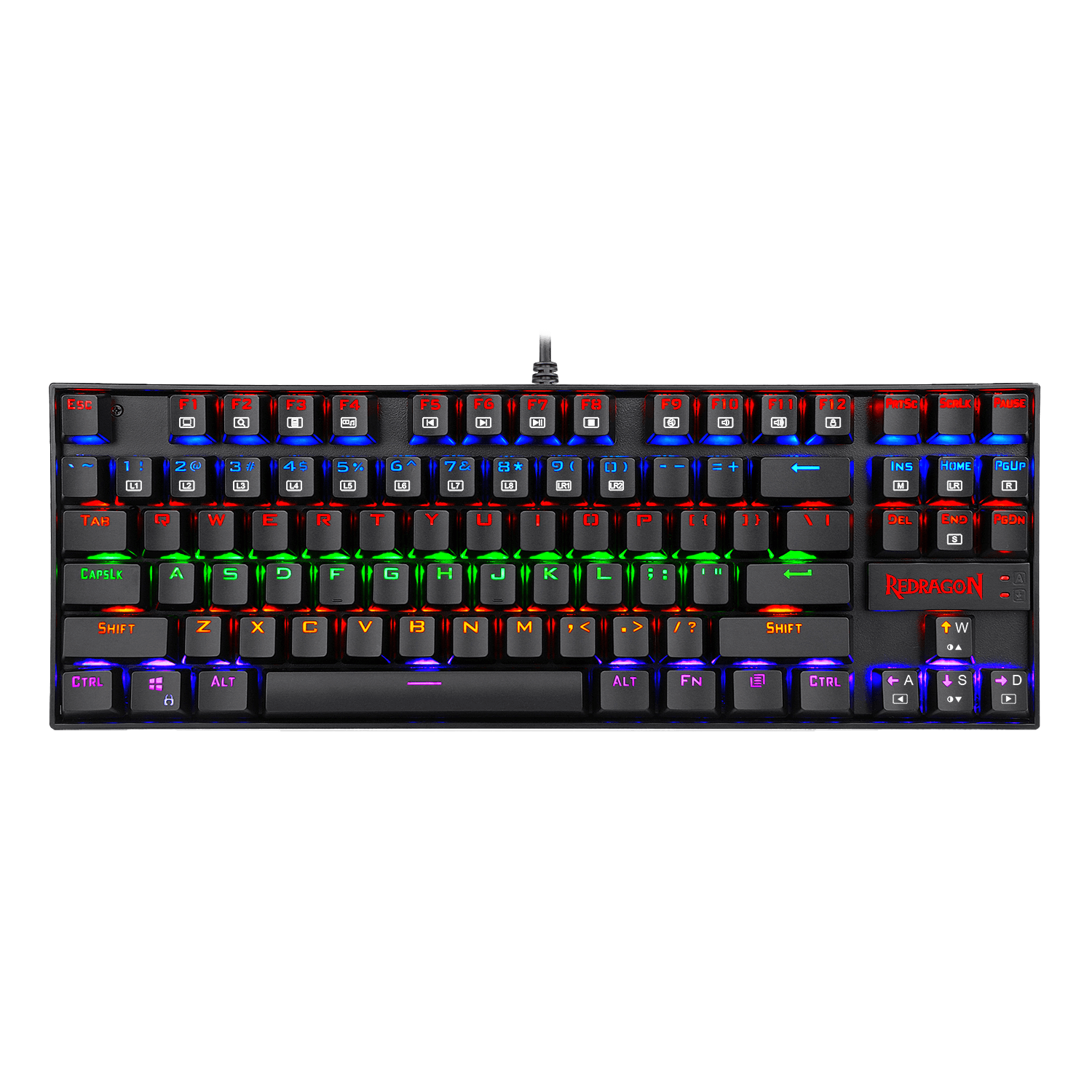
In this tier, expect basic plastic construction, loud switches with unrefined high-pitched sounds, minimal internal sound dampening, and wired-only connections. However, compared to standard office membrane keyboards, they still offer vastly superior tactile feedback.
- Top Recommendation: Redragon K552 Kumara
- Why it stands out: This Tenkeyless (TKL) board features a durable frame, mechanical switches, anti-ghosting, and RGB lighting for under $50.
2. Tier 2: $50 to $100 — The Shrinking Gap
Between $50 and $100, mechanical keyboards become considerably more comfortable. You begin seeing double-shot PBT keycaps (which resist finger oils and shine), hot-swappable PCB sockets (allowing switch changes without a soldering iron), and wireless Bluetooth functionality.

- Top Recommendation: Keychron C1 Pro 8K
- Why it stands out: Sitting at the lower end of this bracket, it packs double-shot PBT keycaps, an 8K polling rate, and hot-swappable switches into a sturdy layout.
3. Tier 3: $100 to $200 — The Ultimate Golden Sweet Spot
This is where the magic happens. The $100 to $200 bracket represents a massive leap in overall value. What used to be expensive, enthusiast-only custom features in 2020 are now standard in mass-produced keyboards in this tier.

At this price point, you should expect full or hybrid CNC aluminum frames, gasket-mount designs (which cushion keystrokes for a softer typing feel), multi-layer acoustic foam, pre-lubed switches, and tuned stabilizers right out of the box.
- Top Recommendation: NuPhy Halo75 V2
- Why it stands out: Featuring a hybrid aluminum/plastic construction, gasket mounting, custom keycap profiles, and rich, deep acoustic dampening out of the box, it offers an incredible typing feel without requiring any manual modifications.
4. Tier 4: $200 to $350 — Niche Performance & Customization
Past $200, progression is no longer linear. You aren’t paying for basic build quality improvements anymore; you are paying for specific, specialized features.
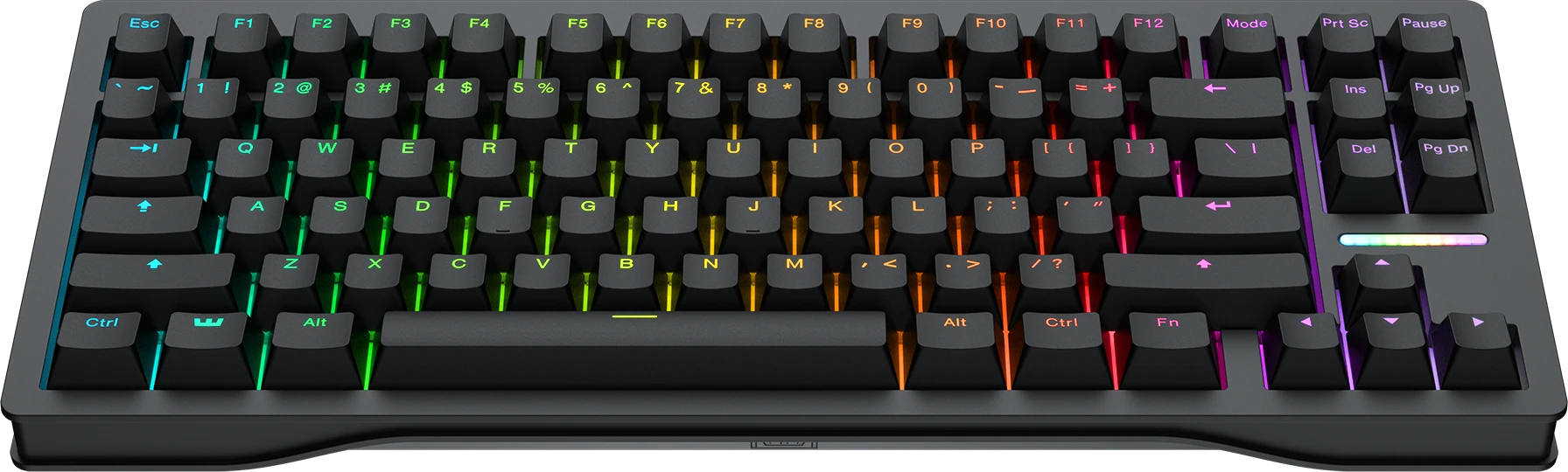
⚡ eSports Performance Focus
Example: Wooting 80HE
Uses magnetic Hall Effect (HE) switches for analog movement, Rapid Trigger, and ultra-low latency inputs in games like Valorant or CS2.
🎨 Custom Aesthetic Focus
Example: Mode Sonnet
Offers zero-compromise customizability. You select the exact plate material (brass, aluminum, FR4), top/bottom case finishes, and custom mounting styles.
5. Tier 5 & Tier 6: $350 to $500+ — Boutique & Collector Territory
Once you cross $350, keyboards cease to be about practical value and become about niche luxury, specialized ergonomics, or boutique craftsmanship.
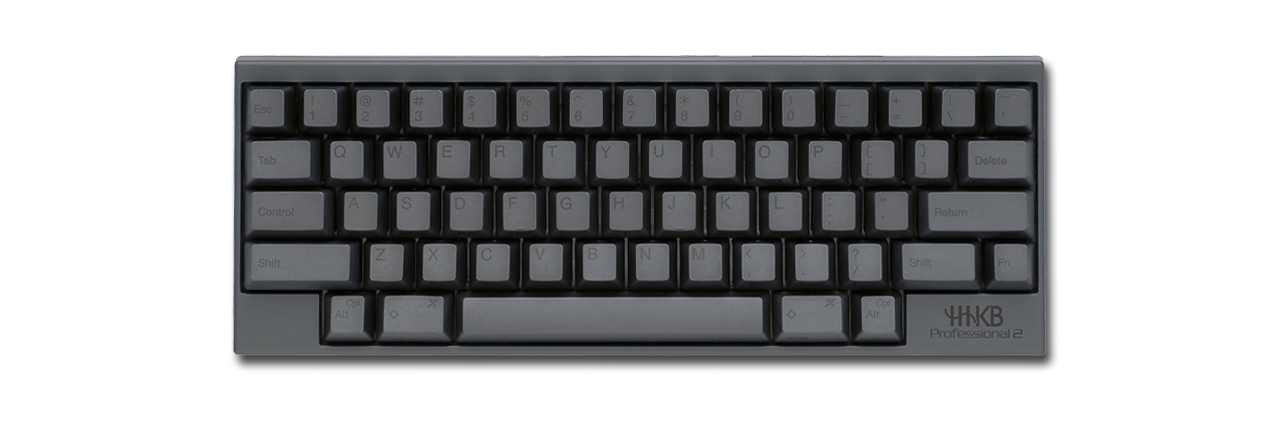
- $350 – $500 Range (Niche Specialists): Options like the HHKB Professional Hybrid Type-S feature unique Topre electrostatic capacitive switches and ergonomic layouts designed specifically for programmers and power typists.
- $500+ Endgame Range (Boutique & Limited Runs): Boards like the Mammoth 75 ($460+ barebones without keycaps/switches) or Keycult boards are manufactured in small batches of a few hundred units. You are paying for rare availability, unrivaled machining finishes, and luxury prestige.
6. Final Verdict: How Much Should You REALLY Spend?
For 95% of consumers, there are only two price brackets that make logical sense in 2026:
The 2-Bracket Rule:
1. Spend under $50: If you just want a reliable, tactile keyboard that works for daily typing and casual gaming without breaking the bank.
2. Spend $100 to $200: If you want a refined, future-proof, premium-sounding keyboard with zero major compromises.
If you choose to spend over $200, ensure you are buying it for a very specific reason—such as competitive Hall Effect switches for eSports or a boutique custom build—rather than expecting a pure value increase.
Related Keyboard Reviews on Gearzon
If you’ve narrowed things down to a specific price tier, our hands-on reviews can help confirm the pick. In the $200+ Hall Effect space, our YUNZII RT75 PRO review covers an 8K-polling wireless board, while our Lofree Hyzen review looks at a premium minimalist option in a similar bracket. Building out the rest of your desk? Our gaming mouse buying guide applies the same budget-tier logic to mice. For switch and keycap specs straight from the source, see YUNZII’s official store and Cherry’s official MX switch page for a sense of where mechanical switch pricing starts.
Upgrade Your Desk Setup with Gearzon
Still unsure which switch type or layout fits your workflow? Explore our full library of keyboard reviews, switch guides, and desk setup inspiration.