IQUNIX EC75 Review: Is the 75% Hall Effect Keyboard Worth Buying?
The IQUNIX EC75 is a 75% Hall effect keyboard that costs around $160. It packs an 8000 Hz polling rate, 0.01 mm Rapid Trigger steps and a CNC aluminum top case into a price that undercuts IQUNIX’s EV and EZ lines. This IQUNIX EC75 review explains where that value comes from and where corners were cut.
Two things stand out right away. The bottom case is plastic, and the stock double-shot PBT keycaps are unusually clean. Keep reading for sound, latency, software and who should skip it. If you are new to this category, our guide on how much to spend on a mechanical keyboard sets expectations first.
How we built this review
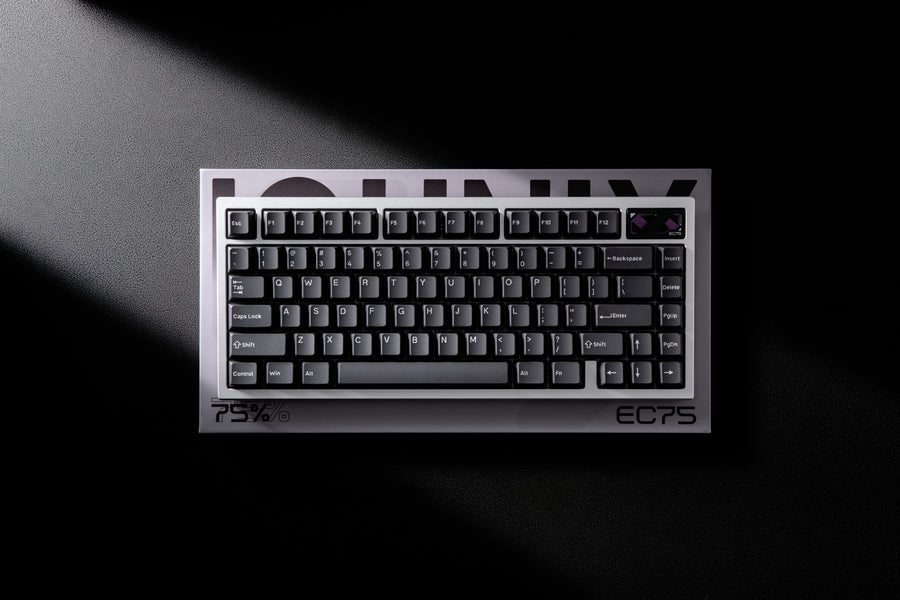
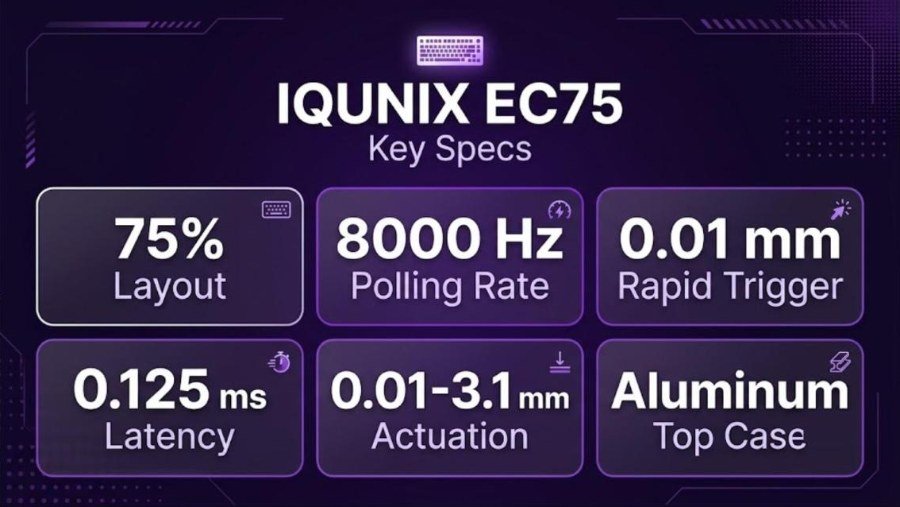
⚙️ Quick Specifications
👍 The Good
- 8000 Hz polling and 0.01 mm Rapid Trigger at around $160
- CNC aluminum top, gasket mount and quiet plate-mounted stabilizers
- Very clean double-shot PBT keycaps with uniform legends
- Deep web driver with Rapid Trigger, SOCD, DKS and pro presets
- Three typing angles with rubberized feet
👎 The Bad
- Plastic bottom case is hard to open
- Driver shows 3.1 mm travel while the switch measures about 3.3 mm
- Tight keycaps can pull switches out of the plate
- Wired only, with the USB-C port on the left side
- Official specs list conflicting scan-rate and warranty figures
Want the EC75?
The Amazon listing is the EC75 in black, with a USB-C cable included. Prices change, so check the current offer.
Some links on this page may earn GearZon a small commission at no extra cost to you.
IQUNIX EC75 Specs and Quick Verdict
The EC75 targets players who want Hall effect speed without paying for a fully aluminum board. jerrorr calls the price quite nice and says it is often cheaper on IQUNIX’s Amazon store. AimAdapt puts it a little below the EV and EZ series at around $159.
| Spec | Detail |
|---|---|
| Layout | 75%, 80 keys |
| Mount | Gasket |
| Top case | CNC-machined anodized aluminum |
| Bottom case | Injection-molded polycarbonate |
| Plate | CNC aluminum |
| Damping | PET switch pad, Poron foam, silicone base |
| Switches | Diamond Switch Pro, magnetic linear, factory lubed, 750 GS magnetic flux |
| Actuation and bottom-out force | 35 ± 5 gf and 50 ± 5 gf |
| Total travel | 3.3 ± 0.4 mm |
| Lifespan | 100M+ keystrokes |
| Actuation range | 0.01 to 3.1 mm |
| Rapid Trigger | 0.01 mm, adjustable in 0.01 mm steps |
| Polling rate | 8000 Hz |
| Latency | 0.125 ms (maker figure) |
| Keycaps | PBT, double-shot |
| Stabilizers | Clip-in, plate-mounted |
| LED | South-facing per-key RGB |
| Feet | Three levels: 2.8, 6 and 10 degrees |
| Dimensions | 318.5 × 136 × 28.6 mm (front height) |
| Weight | 1,003 g |
| Connection | Wired, USB Type-C |
| Software | Web driver at ec.iqunix.com (Windows and macOS), HyperCore V3 firmware |
Quick verdict
Specs conflict in a few places on IQUNIX’s own page. The performance table lists a 16,000 Hz scan rate while the text mentions 8000 Hz scanning. The warranty section lists a 3-year PCB warranty on the magnetic switch series, while the spec table says 1 year. We list both figures so you can confirm with IQUNIX before buying.
What’s in the Box
IQUNIX’s product page lists five items in the package. AimAdapt confirms the same contents in his unboxing.
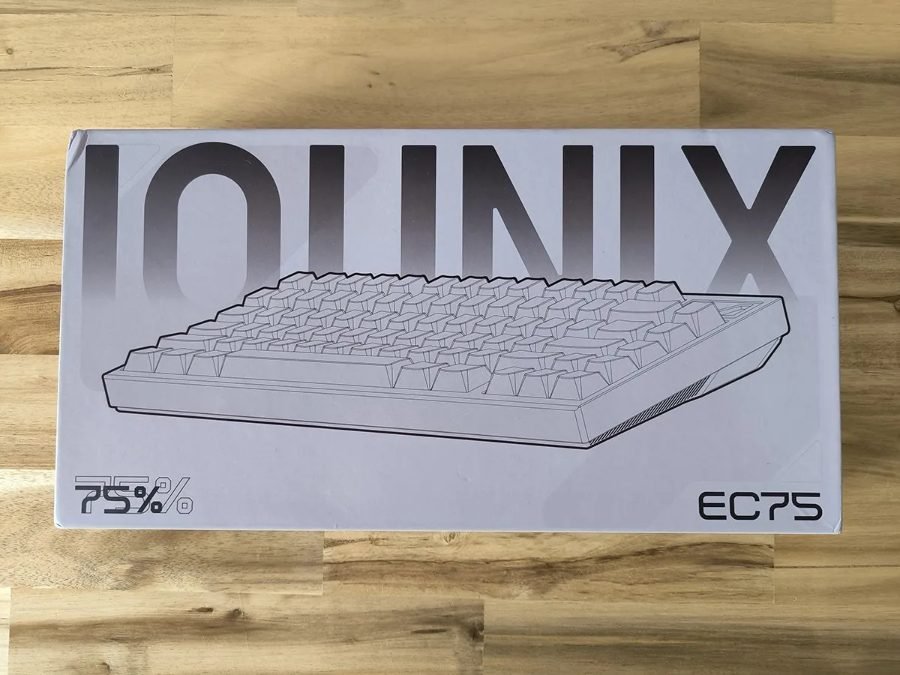
The retail box is light gray. It carries the oversized IQUNIX wordmark, a line drawing of the board and the 75% and EC75 labels.

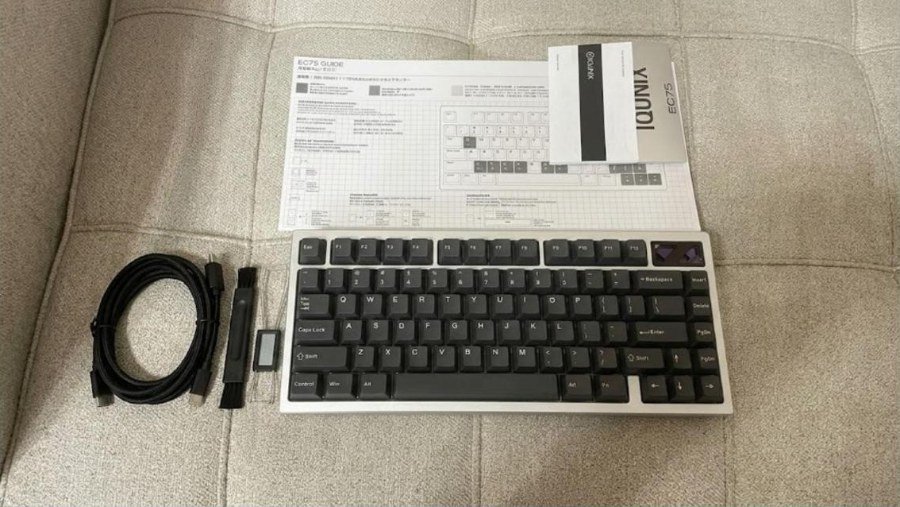
In its unboxing photo, Tech-Fairy shows the braided USB cable, a cleaning brush, a keycap puller, a key-combination leaflet and a warranty booklet next to the board. That reviewer also noted that no spare switches came in the box.
| In the box | Notes |
|---|---|
| EC75 keyboard | Black keycaps on a silver aluminum top |
| Keycap and switch puller | Combined tool for keycaps and hot-swap switches |
| Cleaning brush | Dust brush for between the keycaps |
| USB cable | 1.5 m L-shaped paracord cable on the maker page |
| User manual | Quick guide to the web driver |
AimAdapt says the cable feels a bit stiffer and has a shaped end that fits snugly in the USB-C port. There is no carrying case, as jerrorr points out.
Design, Case and Typing Angles
Aluminum Top, Polycarbonate Bottom
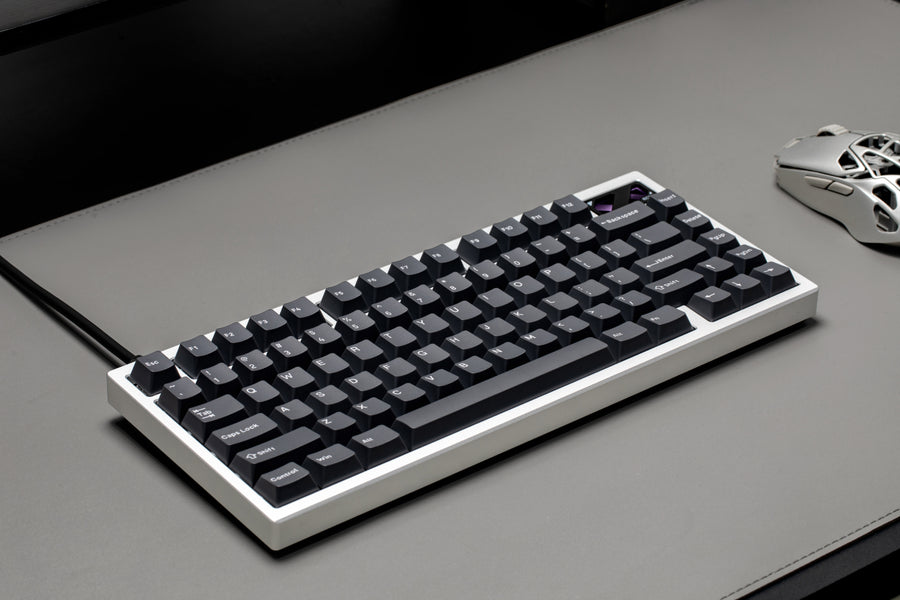
The top housing is aluminum. The back is polycarbonate. jerrorr notes this departs from IQUNIX’s usual way of doing things and says he would love a fully aluminum case. He still understands the choice, because the board targets a mix of gaming and everyday work at a lower price.
A plastic base also makes the board lighter and easier to carry in a backpack. Even so, he still gets a pretty high-quality impression. AimAdapt agrees that it has decent weight, though not as heavy as other IQUNIX keyboards.
Badge, Port and Look
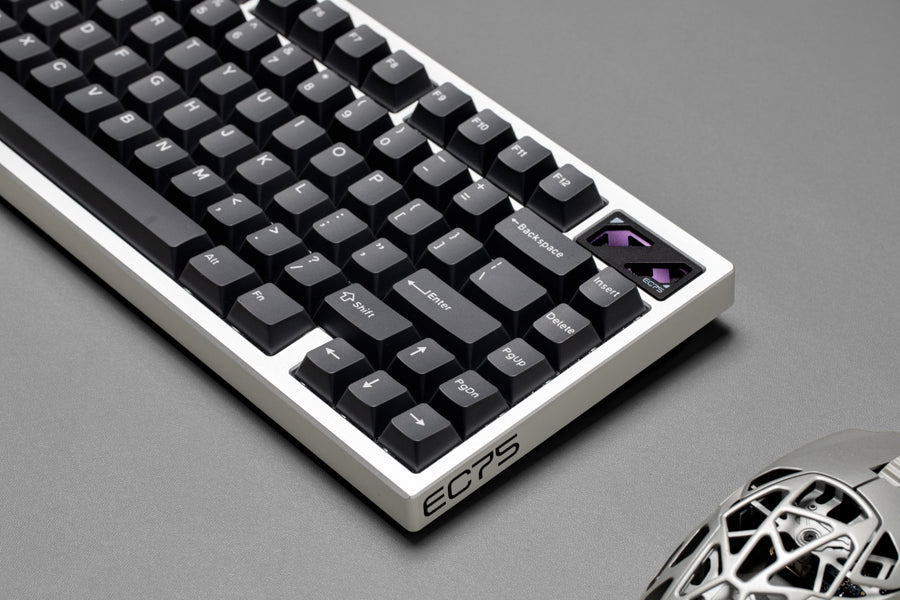
Both reviewers like the minimal look. A decorative badge with a purple accent sits in the top-right corner. jerrorr praises the lack of gamer-style RGB clutter. AimAdapt says the edges are rounded, so nothing feels sharp.
The USB-C port sits on the left side. jerrorr says he would find a centered port cleaner. AimAdapt adds that the case slopes toward the top, which he noticed because of how the feet work.
Feet and Typing Angles
Three angles are available: 2.8, 6 and 10 degrees. AimAdapt says the rubberized feet are longer and grippy, and the flip-out feet provide two additional angles. He also noticed that pressing hard at an angle on the top-row keys, such as Escape, tilted the board once. He does not call it a dealbreaker.

Keycaps, Switches and Internals
Double-Shot PBT Keycaps
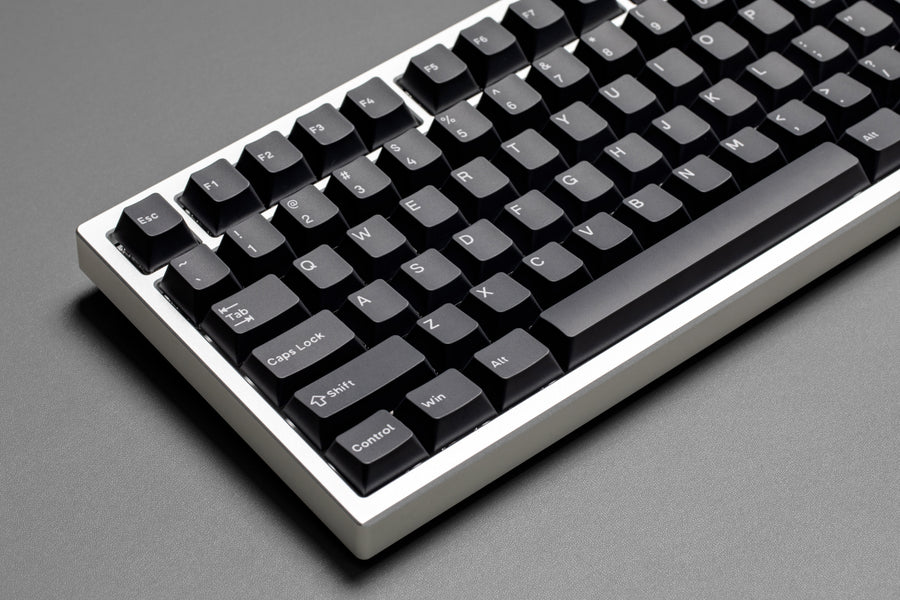
jerrorr calls these probably the cleanest stock keycaps he has seen in ages. The legends are very uniform, which is rare for double-shot PBT on a pre-built board. AimAdapt confirms they are PBT, not shine-through, with slight texture for grip and a smoother feel.
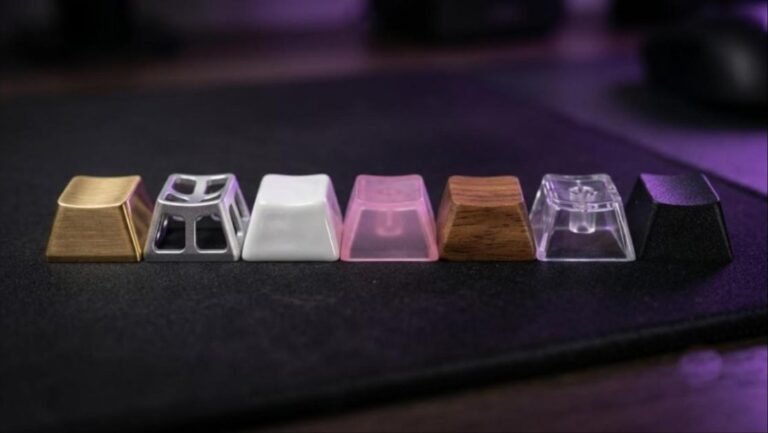
Our guide to keycap materials explains how PBT compares with metal, ceramic and wood. If you want to upgrade later, remember that Hall effect switches can be sensitive to keycap weight.
Diamond Pro Magnetic Switches

IQUNIX does not name a switch manufacturer, and jerrorr does not recognize the mold. He says the switches lean toward the RGB-friendly trend, with materials chosen for transparency. The factory lube is very nice. A 35 gf start and 50 gf bottom-out make the spring weight a safe option for most users.
AimAdapt describes a single-rail design with an enclosed bottom. He calls them lightweight and smooth, with very minimal stem wobble. He also finds them a little louder than other switches, but nice for both typing and gaming.
Internals and Stabilizers

The stack is aluminum plate, Poron foam, PET sheet, PCB, silicone layer and the plastic bottom. jerrorr is glad the board does not use a soft foam sheet like most competitors. The gasket mount gives a slightly softer typing feel.
The stabilizers are plate-mounted but well implemented. jerrorr heard no rattle or wire ticking. AimAdapt found a nice amount of lube and silicone dampers under the space bar.
Two practical notes come from AimAdapt’s teardown. The keycaps grip the switches tightly, so removing them pulled several switches out of the plate. A few switches near Enter and the space bar also sat slightly looser than the rest. He could not open the plastic base without nearly breaking his pry tool.
jerrorr’s six-minute video covers the build, sound test, latency numbers and software.
Video: IQUNIX EC75 | The 75% HE Keyboard to Beat (jerrorr). Opinions in the video belong to the creator, so treat it as another point of view.
Sound and Typing Feel
jerrorr describes some nice clackiness. The sound does not fall into the trap of sounding too poppy, creamy and lifeless. It stays quite muted because of the dense internal package. He says it fits the target group of the board really well.
AimAdapt describes the sound as great and the switches as nice to type on. He also notes that the gasket mount is hard to feel in everyday use, because the board has a much stiffer feeling than the name suggests. Pushing very hard gives a minimal give.
Performance: Latency and Rapid Trigger
Maker Figures
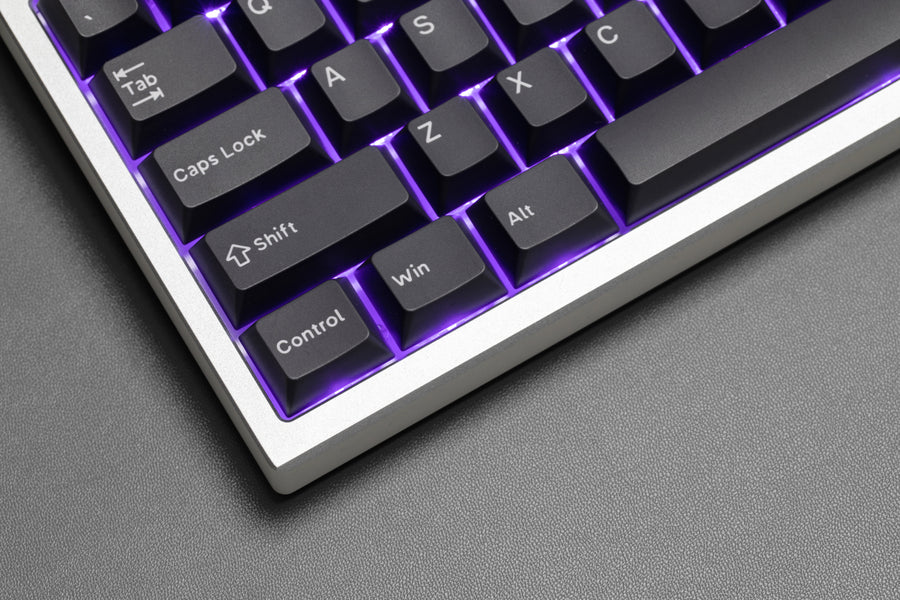
IQUNIX lists an 8000 Hz polling rate, 0.125 ms latency and 0.01 mm Rapid Trigger accuracy. Actuation is adjustable between 0.01 mm and 3.1 mm. Hot-swap support and N-key rollover are also listed.

Independent Latency Test
jerrorr tested with a Swagkeys Neon PCB tester over five rounds of 50 tests. He used the lowest settings that avoid spontaneous actuations. The result was around 0.15 ms for a single key press and 0.35 ms for the release.
Multi-key latency did not jump either. He cautions that the tester measures end-to-end latency and that boards are very close to one another. Some boards also calibrate oddly against the tester magnet. His summary is that the performance is really, really good.
AimAdapt says gaming on the EC75 is great and that it comes through very well in the gaming experience. He still prefers IQUNIX’s EV and EZ series builds. If you want a faster-sounding Hall effect alternative, compare the IQUNIX EV63 review and our EV63 vs Wooting 60HE+ comparison.
Software and Customization
The EC75 uses IQUNIX’s web driver at ec.iqunix.com. It works on Windows and macOS and runs on HyperCore V3 firmware. jerrorr calls it very well done and similar to the EV63 driver.
Features
Both reviewers list a long feature set. It includes Rapid Trigger, continuous Rapid Trigger, an adjustable dead zone and a bottom safety zone. SOCD, DKS and ModTap live under Pro Keys. There are also macros, pro presets and a crosshair library.
AimAdapt likes the smart switch adaptation feature, because he swaps switches often. He also recommends running key calibration after unboxing and after any firmware update. The calibration asks you to press every key once.
The Travel Display Bug
The main software complaint comes from jerrorr. The driver shows the stock switches as 3.1 mm of travel, while his own measurement is 3.3 mm. It also shows the minimum actuation as 0.1 mm, and AimAdapt’s walkthrough shows a 0.1 mm to 3.1 mm range while the maker lists 0.01 mm.
That made precise adjustments difficult for him. He sets his crouch key at 0.1 mm below the jump key in Apex and wants IQUNIX to fix it. IQUNIX’s page also states that the switches have a high amount of variance in travel, which jerrorr found strange.
AimAdapt’s 12-minute video adds a teardown, a full web driver walkthrough and his comparison with the EV and EZ lines.
Video: IQUNIX EC75 Hall Effect Gaming Keyboard (AimAdapt). Opinions in the video belong to the creator, so treat it as another point of view.
Price, Alternatives and How It Compares
IQUNIX’s store page lists $159.99. Xiaomi Today reported a $179.99 launch price on August 15, 2026, when the board shipped through Amazon first. The Black listing on Amazon showed $167.39 when we checked. Both reviewers quote prices around $160.
| Alternative | Why consider it |
|---|---|
| IQUNIX EV63 | Compact 60% Hall effect board from the same maker, with a full review on GearZon |
| Wooting 60HE+ | Premium 60% Hall effect benchmark, compared against the EV63 in our versus article |
| Logitech G PRO X TKL Rapid | Analog TKL option from a mainstream brand |
| Wobkey Rainy 75 Pro | Heavier 75% enthusiast board with a steel weight |
Prefer a different compact layout or price? Our reviews of the Logitech G PRO X TKL Rapid, Wobkey Rainy 75 Pro, MCHOSE Ace 75, Yunzii RT75 Pro and AULA AG75 Pro cover more 75% options. Smaller boards include the Yunzii IF68, and the AULA F99 adds extra keys.
Setting up a full desk around it? See our picks for the best standing desk for gaming and OLED gaming monitors, plus the HyperX SoloCast for a simple USB mic.
Verdict: Who Should Buy the IQUNIX EC75?
| Buy it if | Skip it if |
|---|---|
| You want 8000 Hz Hall effect performance near $160 | You insist on a fully aluminum case |
| You like clean, uniform double-shot PBT keycaps | You need wireless or Bluetooth |
| You want a deep web driver with SOCD, DKS and presets | You rely on the driver showing exact switch travel |
| You value a gasket feel with quiet stabilizers | You plan to open the board often |
Best Value Hall Effect
The EC75 delivers fast, well-tuned Hall effect performance and a surprisingly premium typing feel for around $160. The plastic bottom case and the driver’s travel misreport keep it just short of an easy top score.
Ready to try Hall effect on a budget?
The IQUNIX EC75 is available on Amazon. Check the current price before you order.
Some links on this page may earn GearZon a small commission at no extra cost to you.
Frequently Asked Questions
Is the IQUNIX EC75 worth buying?
For about $160, the EC75 offers an 8000 Hz polling rate, 0.01 mm Rapid Trigger steps, a CNC aluminum top case, gasket mounting and clean double-shot PBT keycaps. Both reviewers we cite recommend it for gaming and everyday typing. The main compromises are the plastic bottom case and a driver that misreports switch travel.
Is the IQUNIX EC75 fully aluminum?
No. The top case is CNC-machined anodized aluminum and the bottom case is injection-molded polycarbonate. Both reviewers say they would prefer a full aluminum build, but the plastic base keeps the weight near 1,003 g.
What polling rate and latency does the EC75 support?
IQUNIX lists an 8000 Hz polling rate and 0.125 ms latency. In jerrorr’s end-to-end test on a Swagkeys tester, single presses landed around 0.15 ms and releases around 0.35 ms at the lowest stable settings.
What switches does the IQUNIX EC75 use?
It uses IQUNIX Diamond Pro magnetic Hall effect linear switches. They are factory lubed with about 35 gf actuation force, 50 gf bottom-out force and roughly 3.3 mm of travel. The maker does not name a switch manufacturer.
Is the IQUNIX EC75 wireless?
No. The EC75 is wired only and connects over USB-C. IQUNIX includes a 1.5 m L-shaped paracord cable, and AimAdapt received a USB-C to USB-A cable with a shaped end that fits snugly in the port.
How low can Rapid Trigger go on the EC75?
Rapid Trigger is adjustable in 0.01 mm steps, and actuation can be set from 0.01 mm up to 3.1 mm in the web driver. AimAdapt noted that the Fury mode exposes the 0.01 mm Rapid Trigger setting.