IQUNIX EV63 vs Wooting 60HE+: Which Hall Effect 60% Keyboard Wins?
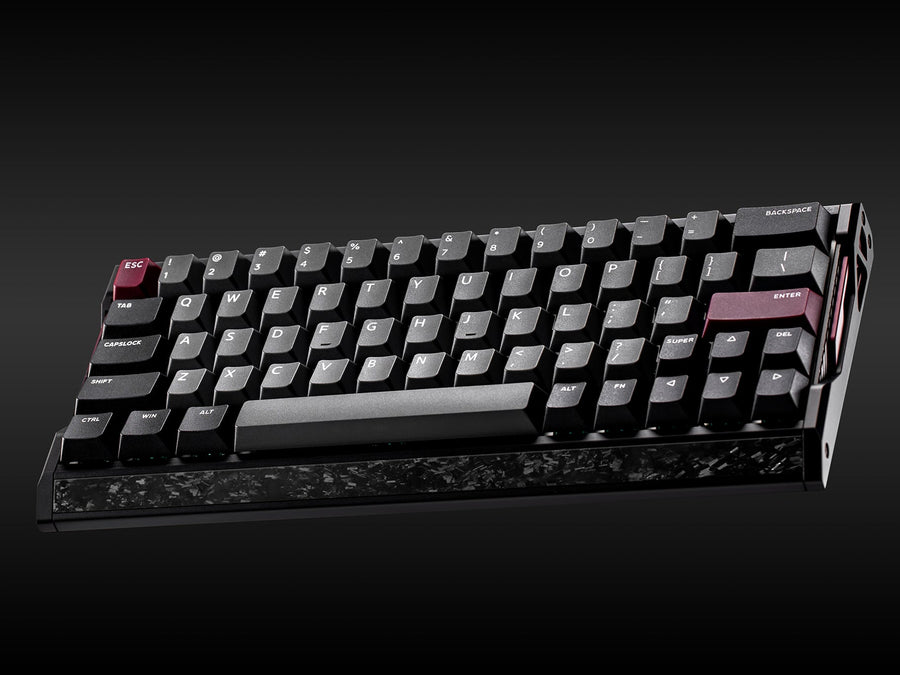
The IQUNIX EV63 and the Wooting 60HE+ chase the same player. Both are wired Hall effect keyboards with rapid trigger, adjustable actuation and a compact footprint. They split on almost everything else. The EV63 is a 1.2 kg aluminum and forged carbon board with 8000 Hz polling. The 60HE+ is a 605 g plastic board with the best-known software in the category.
How we built this comparison. This article combines the official Wooting 60HE+ page, the IQUNIX EV63 product page, Tom’s Guide on the Wooting side, ProSettings and Wccftech reviews, and the video review of the EV63 by Migss. It also builds on our full IQUNIX EV63 review. Every measurement and opinion is credited to its source.
IQUNIX EV63 vs Wooting 60HE+: Specs and Quick Verdict
⚙️ Quick Specifications
Full specification table
| Spec | IQUNIX EV63 | Wooting 60HE+ |
|---|---|---|
| Layout | 63%, arrow keys and Delete kept | 60% |
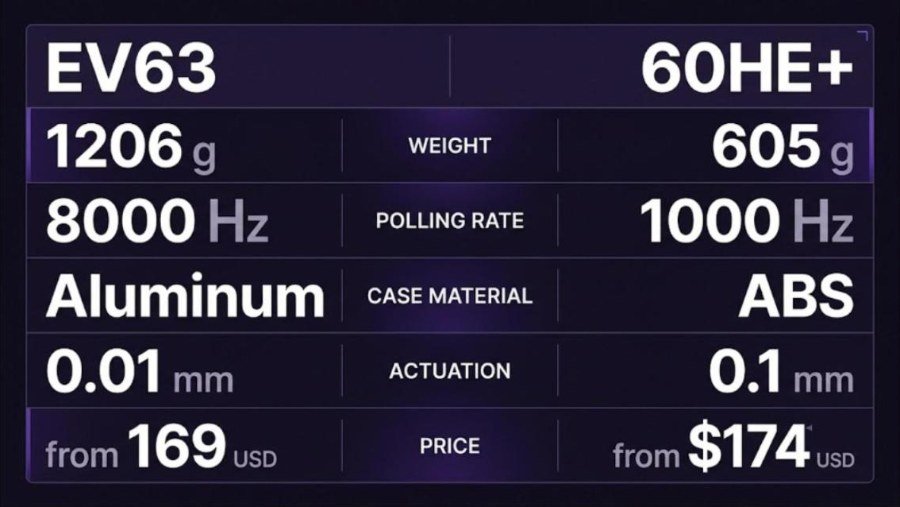
| Case | CNC aluminum with forged carbon front trim | ABS plastic case, steel plate |
| Weight | 1206 g (official) | 605 g (official) |
| Dimensions | 300.9 x 126 x 18.6 mm (front height) | 302 x 116 x 38 mm |
| Switches | Magnetic X Pro (default) or Magnetic X Ultra, hot-swappable | Gateron x Wooting Lekker Linear60, hot-swappable |
| Actuation | Adjustable, down to 0.01 mm | Adjustable, 0.1 to 4.0 mm |
| Rapid trigger | 0.01 mm sensitivity | Supported, tuned in Wootility |
| Polling rate | 8000 Hz (16000 Hz scan rate) | 1000 Hz |
| Latency | 0.125 ms claimed by IQUNIX, 0.737 ms measured by Migss | Under 1 ms claimed by Wooting |
| Software | EV Software V3 (web), three profiles | Wootility (web or desktop), four onboard profiles |
| Gamepad mode | Not found by reviewers | Listed by Wooting |
| In the box | Brush, switch and keycap puller, cable, documentation | Puller, 2 spare switches, wrist strap, 2 m braided cable, dust cover |
| Price | $169 to $209 on the IQUNIX store | $174 (Tom’s Guide, December 2024), 149.99 EUR on the Wooting EU store |
| Wireless | No | No |
Where the EV63 wins
Where the 60HE+ wins
Quick verdict
Want the IQUNIX EV63?
The EV63 starts at $169 on the IQUNIX store and is also listed on Amazon. Check the current price and the variant you want before you buy.
Some links on this page may earn GearZon a small commission at no extra cost to you.
What Is in the Box: EV63 vs 60HE+
Unboxing is a small but real part of the buying experience. Both brands keep it simple, and both include the basics you need on day one.
IQUNIX EV63 accessories
Migss describes the EV63 packaging as simple and secure. He says the box holds more cleaning accessories than most people will need. ProSettings lists a brush, a combined switch and keycap puller, a USB-C to USB-A cable and the documentation. Neither review mentions spare switches, which would have been a welcome extra on a hot-swap board.

Wooting 60HE+ accessories
Wooting lists a larger kit. You get the keyboard, a switch and keycap puller, two spare Lekker L60 switches and a wrist strap. A 2 m nylon-braided USB-C to USB-A cable, two spare M2 screws, a postcard and a plastic dust cover complete the box. Wooting backs the keyboard with a four year warranty that excludes the LEDs.
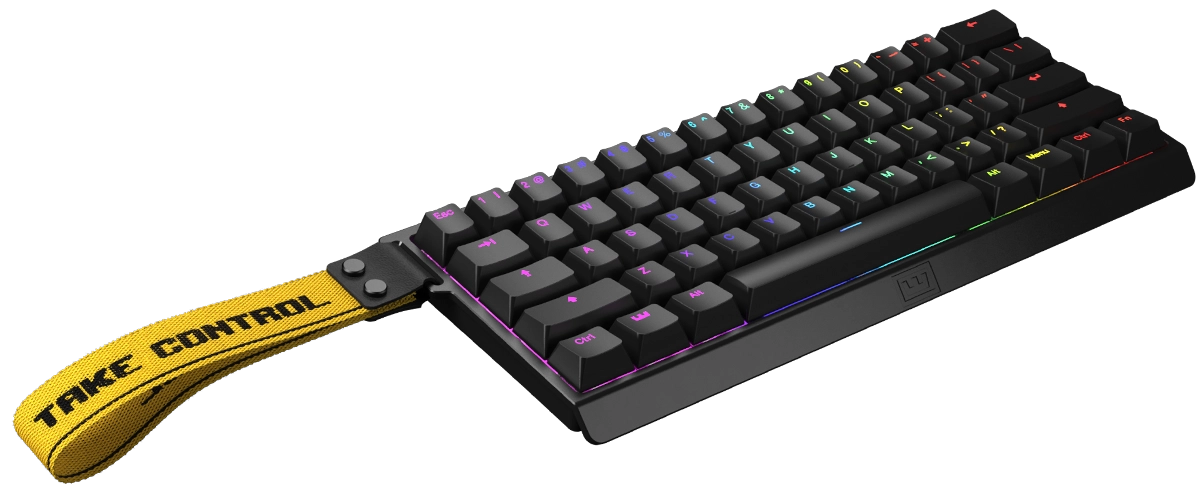
On accessories alone, the Wooting is the more generous package. The EV63 makes up for it with its case.
Design and Build Quality
EV63: aluminum, carbon and weight
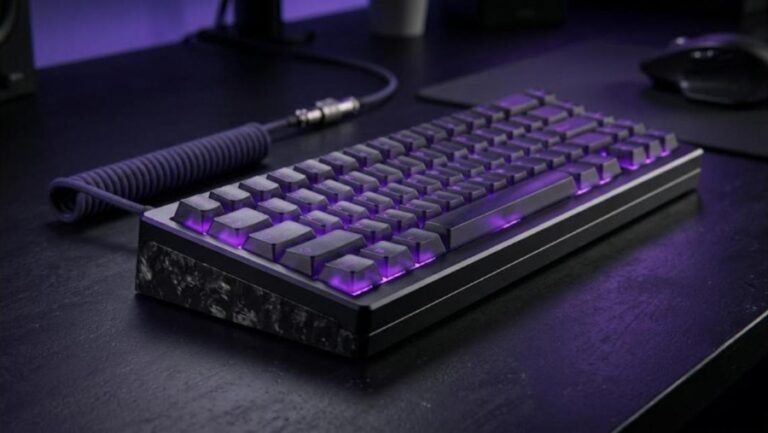
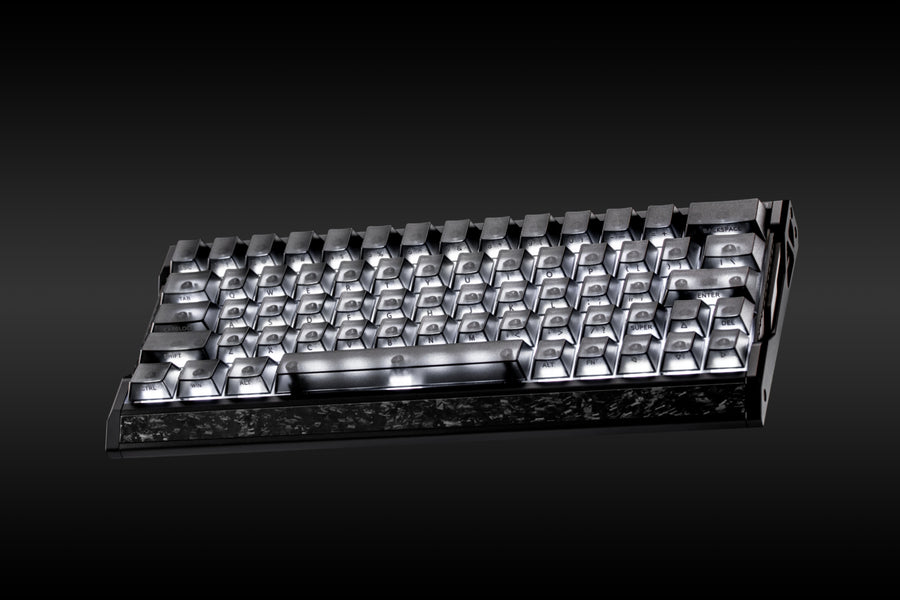
The EV63 is built from CNC machined aluminum with a forged carbon fiber front panel. IQUNIX lists 1206 g, while Migss quotes about 1,171 g for his unit. Either way, this is a dense board that stays still during fast mouse swipes. Migss calls the side and front profile great, and ProSettings praises the heavy, solid feel.
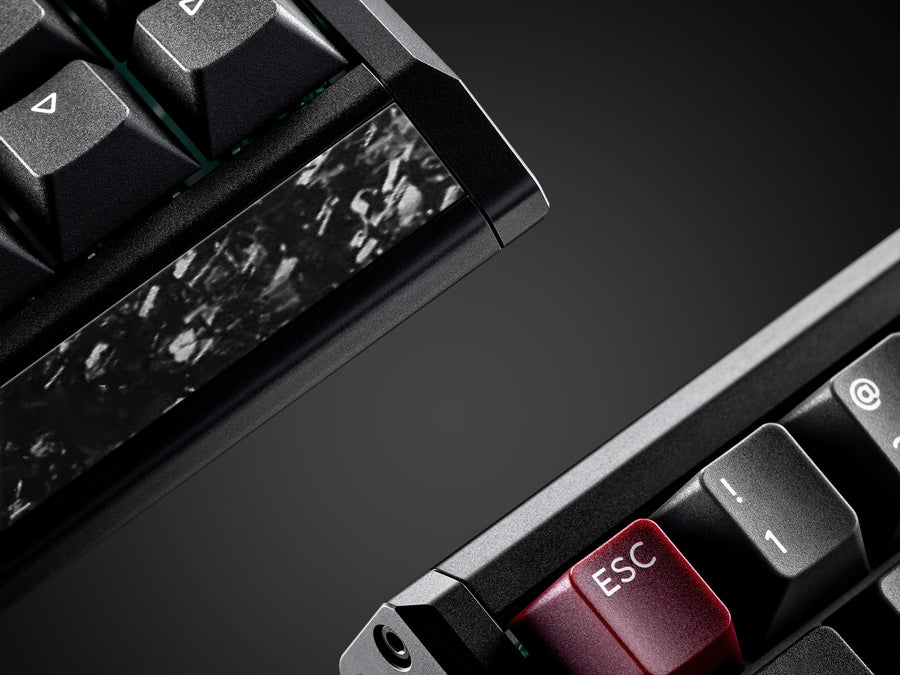
There is one caution. ProSettings found the carbon front plate loose on its unit. Treat that as a possible quality control issue and inspect your board when it arrives.
60HE+: light plastic with a steel plate
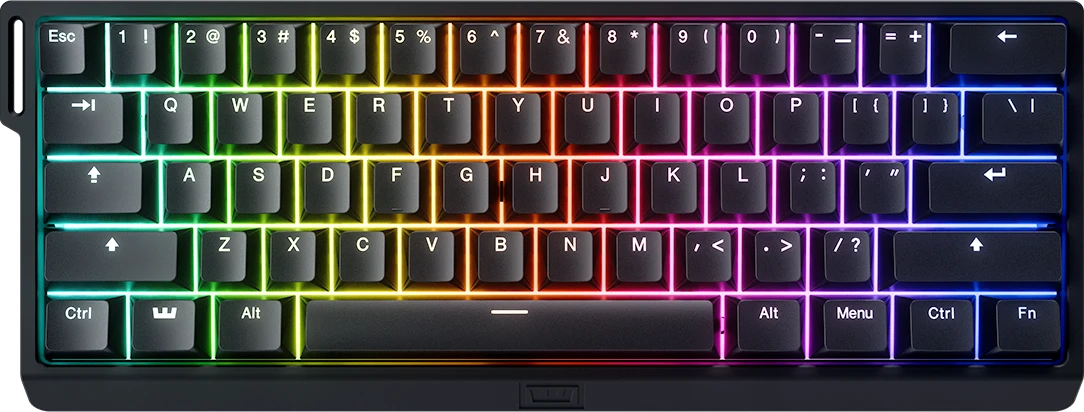
The Wooting uses an ABS plastic case with a steel plate and sound-dampening foam. Tom’s Guide calls the build premium and lightweight, at about 1.3 lb. Wccftech takes the opposite view of the materials. Its reviewer says the board is largely made of plastic and finds that lacking next to similarly priced boards.
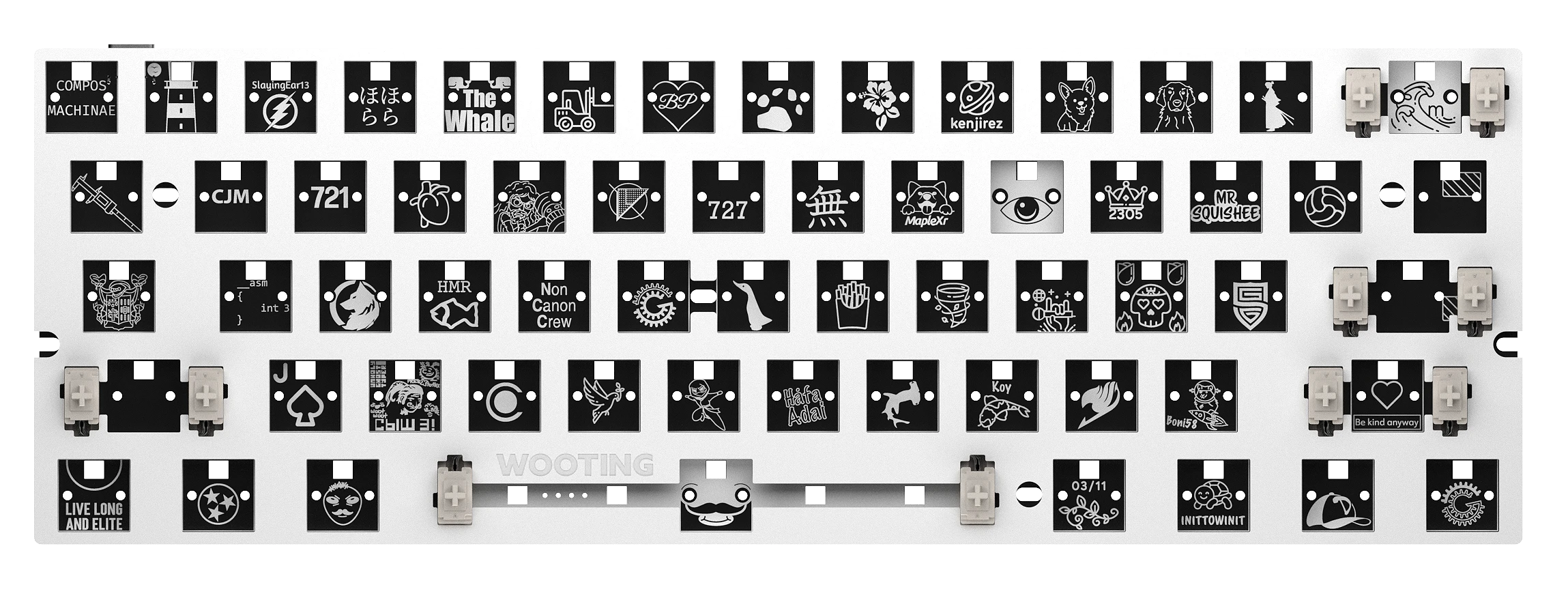
ProSettings found the plastic thick, with no creaking or flexing on its unit. The case also supports the Wooting universal mounting system, which lets modders swap in third-party cases. That is a real advantage for tinkerers. Wooting also sells the 60HE+ as a barebones module for people who want to build their own.
Weight in plain numbers
Layout and Size: 63% vs 60%
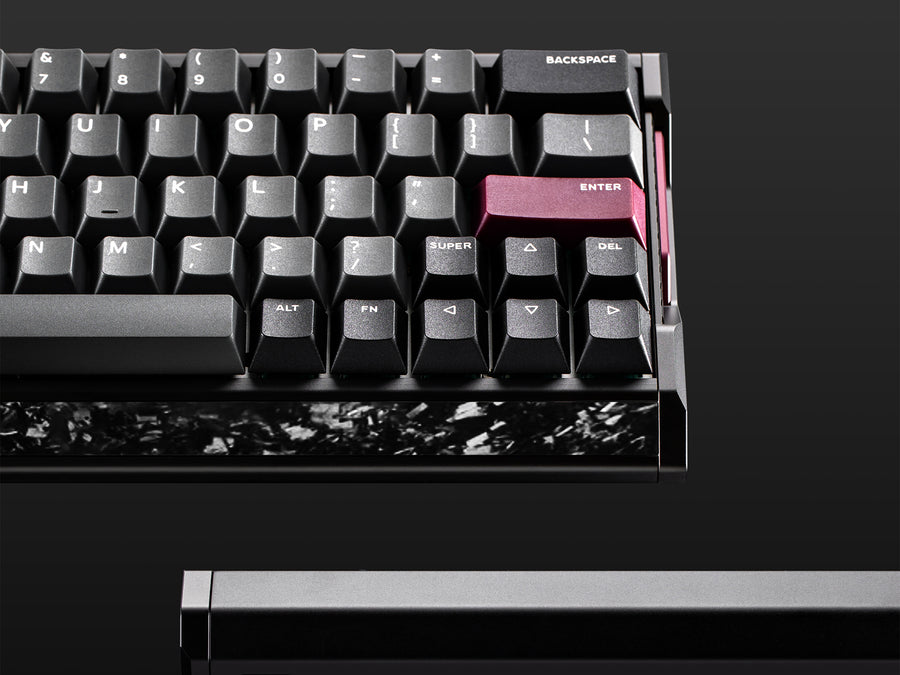
The EV63 keeps the arrow keys and the Delete key on the main layer. Migss uses both a lot when editing and browsing, so he appreciates them. A strict 60% board like the 60HE+ puts those keys behind function layers.
That is the biggest daily-use difference. A 63% layout suits people who write, code or browse as much as they game. A 60% layout leaves more desk room for the mouse arm. The EV63 is 300.9 mm wide, and the Wooting is 302 mm long, so the footprints are close.
If you need function keys or a numpad, neither board fits. Look at a 75% option instead, such as the AULA AG75 Pro, the MCHOSE Ace 75 or the Wobkey Rainy 75 Pro Orange.
Switches and Typing Feel
Magnetic X Pro on the EV63
The EV63 ships with Magnetic X Pro switches. A Magnetic X Ultra option adds about $20. Migss calls the X Pro smooth, with a closed bottom and very little stem wobble. IQUNIX claims 30% stronger magnetic flux than its standard magnetic switches. Treat that as a manufacturer claim.
Sound is where Migss was most impressed. He calls it IQUNIX’s best-sounding magnetic keyboard so far, soft and smooth. He credits the new switches, well-lubed stabilizers and the aluminum case. ProSettings agrees on the stabilizers and reports no case ping, but describes the overall feel as stiff.
Lekker L60 on the 60HE+
The Wooting uses Gateron x Wooting Lekker Linear60 switches. ProSettings calls the factory-lubed switches smooth and among the better stock options, though not the best sounding. Foam reduces ping, and the stabilizers sound good. Out-of-the-box sound is the one complaint it raises, and it calls that a nitpick.
Wccftech agrees that the sound is not class-leading. Its reviewer prefers the NuPhy Gem80 for sound. For typing speed, Tom’s Guide recorded 91 WPM at 95.80% accuracy on the 60HE+. The reviewer’s rolling average was 83 WPM at 92.19%.
Both boards are hot-swappable. Magnetic switches are not interchangeable with regular mechanical ones, so always check pin layout and stem design before buying a new set.
Migss compares the EV63 with the Wooting 60HE in his video review. It shows the unboxing, sound test and latency chart behind many of the EV63 findings in this article.
Video: Wooting 60HE V2 KILLER?! (IQUNIX EV63 Review) by Migss. Opinions in the video belong to the creator, so treat it as another point of view.
Performance and Latency
Raw speed on paper
The EV63 offers a 0.01 mm rapid trigger step, 8000 Hz polling and a 16000 Hz scan rate. IQUNIX claims 0.125 ms latency. The Wooting polls at 1000 Hz, and Wooting describes under 1 ms input response. On paper, the EV63 has the higher numbers.
What testing shows
Migss measured the EV63 with the Open Source Latency Testing Tool and got 0.737 ms. On his chart, that made it the fastest non-TMR Hall effect board he tested. He also placed it slightly ahead of a Wooting 60HE ATE result, which he expects to behave like the newer 60HE v2.
Migss adds a sensible caveat. Players will not feel a gap of a fraction of a millisecond. He says you need a difference of roughly 5 to 10 ms before it becomes noticeable. He also played ranked Valorant on the EV63 and reported no double clicks, even with sensitive settings.
Reviewers of the Wooting focus on feel rather than numbers. Tom’s Guide says it outperformed other Hall effect boards in Overwatch 2, and that Rapid Trigger helped with fast ability spam in League of Legends. ProSettings calls the gaming performance best-in-class and Wccftech says it might be the greatest gaming keyboard of all time for gamers.
Performance takeaway
Software: EV Software V3 vs Wootility
EV Software V3
The EV63 uses IQUNIX’s web-based EV Software V3 on Windows and macOS. Nothing needs installing. Migss calls it the best software IQUNIX has shipped, because all three profiles are now fully customizable. You can remap keys, toggle SOCD and set actuation down to 0.01 mm. A bottom safety zone helps avoid accidental bottom-out triggers.
The Pro Keys tab adds Rapid Snappy, Mod Tap, a toggle key and DKS. ProSettings found the pro presets unfinished. Lighting cannot be saved per profile, and RGB effects cannot be layered.
Wootility
Wootility runs in a browser or as an offline app. The Performance tab sets actuation from 0.1 mm to 4.0 mm, globally or per key. It also covers Rapid Trigger, RGB, layers and up to four onboard profiles stored on the keyboard. ProSettings praises the easy browser setup and notes that macros need the separate Wootomation program.
Wooting’s tools have a longer history, and reviewers rarely complain about them. That is a clear point in the Wooting’s favor.
Gaming Features and Competitive Rules
Both keyboards offer SOCD handling, dynamic keystrokes and mod-tap style options. Wooting calls its versions Rappy Snappy and Snappy Tappy. IQUNIX lists Rapid Snappy and DKS in its Pro Keys tab. Wooting also lists a gamepad mode, which lets a keyboard act as an analog controller in supported games. Reviewers of the EV63 did not find one.
Check the rules before you enable SOCD
Price, Availability and the 60HE v2 Question
IQUNIX lists the EV63 from $169 for the Violet model with Magnetic X Pro switches, up to $209 for the Knight models with X Ultra. Stock changes quickly, and some variants showed as unavailable when we checked. Verify availability before you plan a purchase.
Tom’s Guide reviewed the Wooting 60HE+ at $174 in December 2024, and sold a barebones module for $139. The Wooting EU store lists the 60HE+ at 149.99 EUR. Prices move, so compare the current figures at both stores.
Where the 60HE v2 fits
The 60HE+ is the earlier generation. Wooting now sells the 60HE v2, which PC Gamer scored 93. It costs $139.99 for the module, $179.99 in ABS and $239.99 in aluminum, according to that review. The v2 offers 8 kHz polling through Tachyon Mode. If you can find the 60HE+ cheaper than the v2, it is still a strong board. If the prices are close, the v2 is the safer pick.
This video review looks at the Wooting 60HE+ directly. It is a useful second voice on the Wooting’s feel and gaming performance.
Video: The best gaming keyboard period. Wooting 60HE+ Review by khensationalreviews. Opinions in the video belong to the creator, so treat it as another point of view.
Other options are worth a look if neither fits. See our YUNZII RT75 Pro review, the YUNZII IF68 review and the Logitech G Pro X TKL Rapid review. For another aluminum-class option, read our ATK RS6 Ultra review.
Which One Should You Buy?
| Pick the IQUNIX EV63 if you want | Pick the Wooting 60HE+ if you want |
|---|---|
| A heavy aluminum and carbon case | A light keyboard you can carry |
| 8000 Hz polling and a 0.01 mm rapid trigger step | The most mature Hall effect software |
| Arrow keys and Delete on the main layer | A gamepad mode and a wrist strap |
| A soft, creamy sound out of the box | Spare switches and a four year warranty |
| A starting price under $170 | A board with strong modding support |
Both boards are wired only, so neither suits you if you want a wireless desk. If you are setting a budget for the whole desk, our guide on how much to spend on a mechanical keyboard helps. To complete a competitive setup, see our gaming mouse buying guide, the Logitech G Pro X Superlight 2 review and the OLED gaming monitor comparison.
Looking at the IQUNIX EV63?
Compare the current price and stock for the Violet and Knight versions, and pick the switch type you want.
Some links on this page may earn GearZon a small commission at no extra cost to you.
Final Verdict: EV63 or 60HE+?
The IQUNIX EV63 is the better-built, better-sounding and faster-on-paper board. It also keeps the arrow keys and costs less at the base price. The Wooting 60HE+ is lighter, has the more polished software and the better accessory kit.
Our pick for most desk-bound players is the EV63, as long as you check the fit of the carbon trim on arrival. Our pick for travelers and people who want the most proven software is the Wooting 60HE+. Both are excellent, and the gap between them is smaller than the marketing suggests.
Best Buying Guide
The EV63 wins on build, sound and speed. The Wooting 60HE+ wins on weight, software and extras.
Frequently Asked Questions (FAQ)
Is the IQUNIX EV63 better than the Wooting 60HE+?
It depends on what you value. The EV63 has an aluminum and forged carbon case, 8000 Hz polling, a 0.01 mm rapid trigger step and a smooth sound. The Wooting 60HE+ is half the weight, has the more mature Wootility software and a wrist strap in the box. Pick the EV63 for build and speed, and the Wooting for software and portability.
Is the Wooting 60HE+ still worth buying when the 60HE v2 exists?
Yes, if you find it at a lower price. The 60HE+ has the same wired Hall effect core and the same Wootility software. The 60HE v2 adds a newer design and 8 kHz polling through Tachyon Mode, and PC Gamer scored it 93. Check the current price of both before you decide.
Which keyboard has lower latency, the EV63 or the 60HE+?
The EV63 has the stronger numbers on paper. IQUNIX claims 0.125 ms and polls at 8000 Hz, and Migss measured 0.737 ms with OSLTT. Wooting lists under 1 ms and polls at 1000 Hz. A gap this small is hard to feel, so build, software and layout matter more.
Are the EV63 and the 60HE+ wireless?
No. Both are wired USB-C keyboards. Tom’s Guide lists wired-only use as a drawback of the 60HE+, and IQUNIX sells the EV63 as a wired board too.
Which is heavier, the EV63 or the 60HE+?
The EV63 is much heavier. IQUNIX lists 1206 g, while Wooting lists 605 g for the 60HE+. The EV63 stays planted on a desk, and the Wooting is easier to carry to a LAN event.
Does the Wooting 60HE+ have a gamepad mode?
Wooting lists gamepad mode among its analog keyboard features, so the 60HE+ can act as a controller in supported games. Reviewers of the EV63 did not find a gamepad mode on that board.
Can I use SOCD features like Snappy Tappy in competitive games?
Check the rules first. PC Gamer warns that SOCD cleaning settings can lead to bans in some games, CS2 among them. Both keyboards offer this kind of feature, so confirm what your game and tournament allow.