YUNZII B75 Pro Review: Is the $80 Gasket 75% Keyboard Worth It?
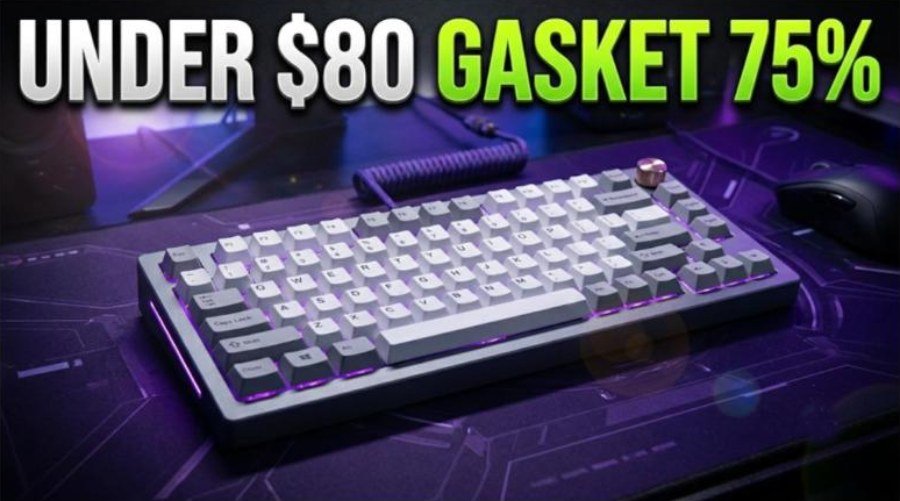
The YUNZII B75 Pro is a budget 75% wireless mechanical keyboard that tries to feel more expensive than it is. For about $80 you get a gasket mount with five layers of padding, hot-swap sockets, pre-lubed linear switches, double-shot PBT keycaps, a volume knob and three ways to connect. That is a long list for a plastic board at this price.
It also has a few rough edges, mostly in firmware and software. This review covers the specs, what is in the box, the design, typing feel and sound, wireless and battery life, software, and how the B75 Pro compares with other budget 75% keyboards, including YUNZII’s newer B75 Pro Max.
How we built this review. It combines the listing on MechKeys, the long-term reviews from Parkablogs and Root-Nation, TechRadar’s Dutch review, and two YouTube reviews. Every measurement and opinion below is credited to its source.
YUNZII B75 Pro: Specs and Quick Verdict
⚙️ Quick Specifications
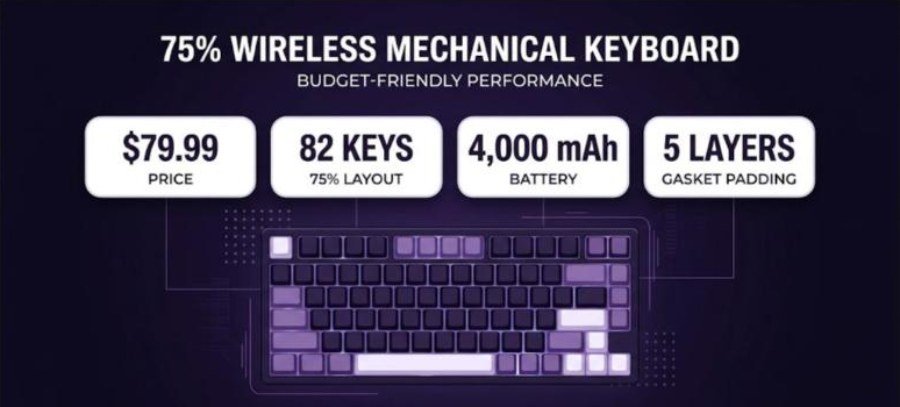
YUNZII B75 Pro specifications
| Spec | Details |
|---|---|
| Layout | 75%, 82 keys plus a rotary knob |
| Mount | Gasket mount with 5 layers of padding |
| PCB | Hot-swap, supports 3-pin and 5-pin switches |
| Switch options | Milk linear, Cocoa Cream V2 linear; Root-Nation also lists a Blue Grey tactile option |
| Milk switch spec | 45 ± 10 gf operating force, 2.0 mm pre-travel, 4.0 mm total travel (Parkablogs) |
| Keycaps | Double-shot PBT, Cherry profile |
| Lighting | South-facing RGB with more than 20 effects |
| Connectivity | USB-C wired, 2.4 GHz receiver, Bluetooth for up to 3 devices |
| Polling rate | 125 to 1,000 Hz, NKRO (Root-Nation) |
| Battery | 4,000 mAh |
| Size and weight | 330 x 140 x 45 mm, about 0.9 kg (Root-Nation) |
| Software | Windows app with onboard memory |
| Price | About $79.99; base kit about $64.99 (Root-Nation) |
The Good and the Bad
👍 The Good
- ✔ Root-Nation calls the typing soft, precise and quiet, with excellent stabilizers.
- ✔ A gasket mount, hot-swap PCB and PBT keycaps are rare at around $80.
- ✔ Three connection modes and a knob make it easy to use for work and play.
- ✔ Parkablogs praises the bright south-facing RGB and the floating-key look.
- ✔ The box includes spare switches, a 2-in-1 puller and, per Root-Nation, a dust cover.
👎 The Bad
- ✖ Both Parkablogs and Root-Nation hit firmware bugs with sleep and 2.4 GHz freezes.
- ✖ TechRadar noticed occasional missed keystrokes.
- ✖ The software runs only on Windows, and firmware updates come without patch notes.
- ✖ Battery life drops to about a day or two with the RGB on.
- ✖ The case is plastic, and TechRadar found the board tall enough to need a wrist rest.
The B75 Pro is one of the nicest-feeling 75% keyboards around $80. Buy it for typing feel and value, and update the firmware or use it wired if you run into sleep or wireless bugs.
What Is in the Box
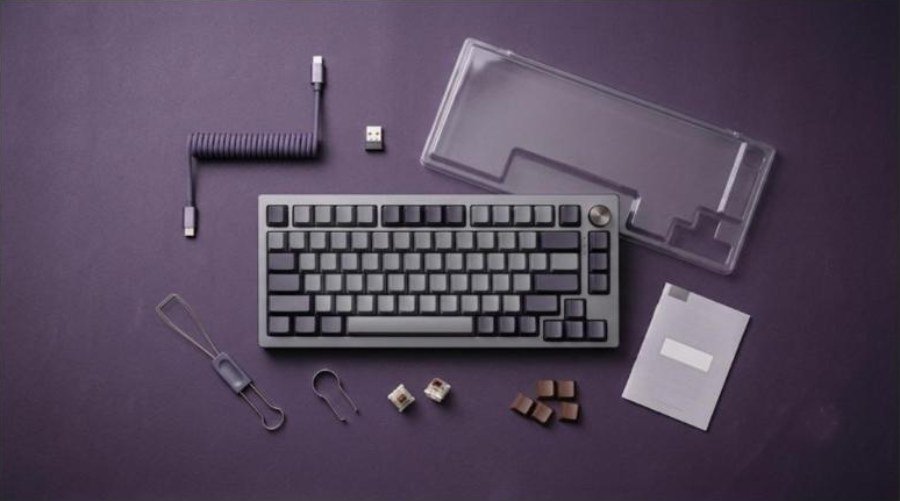
Root-Nation lists a generous bundle. You get the keyboard, the 2.4 GHz receiver, a 2 m USB-A to USB-C cable, a double-sided 2-in-1 keycap and switch puller, a dust cover, two spare Milk switches, a few alternative brown keycaps for Space, the arrows, Enter and Esc, a quick guide and a manual.
Parkablogs received a similar set, with a shortcut card and two spare switches. Contents can vary by color and region, so check the listing before you buy.
Design and Build Quality
The B75 Pro uses a compact 75% layout with 82 keys and a rotary knob in the top-right corner. Root-Nation measured it at 330 x 140 x 45 mm and about 0.9 kg. That is heavy enough to stay put on the desk, although the case is plastic rather than aluminum.
Colors and keycaps
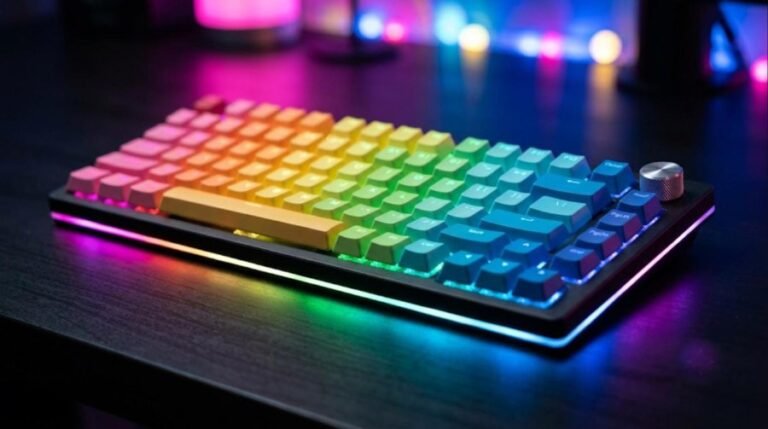
YUNZII sells the board in several themes. MechKeys lists Black, Purple and Grey, while Parkablogs mentions Grey, Black-Green and Pink-Purple. TechRadar reviewed a pink model with heart-themed keycaps and found the “Love” spacebar a bit much, so it swapped it out.
The double-shot PBT keycaps use a Cherry profile. Parkablogs liked the foldout feet with two height positions and the grippy rubber pads. TechRadar, however, felt the board sits tall and suggests a wrist rest for long sessions.
Video: Samuel Tan reviews the B75 Pro and records a sound test. Opinions in the video belong to the creator, so treat it as another point of view.
Typing Feel, Switches and Sound
This is where the B75 Pro earns its reputation. Root-Nation describes the typing as soft, precise and quiet, with no scratchiness or rattle, and calls the stabilizers top-notch. Parkablogs found the feel light and satisfying and quiet enough for an office.
Switch options
The board ships with pre-lubed linear switches. Parkablogs lists the Milk switch at 45 ± 10 gf with 2.0 mm of pre-travel and 4.0 mm of total travel. You can also order Cocoa Cream V2 linears, and Root-Nation mentions a Blue Grey tactile option.
Because the PCB is hot-swappable for 3-pin and 5-pin switches, you can change the feel later without soldering. Our keycap materials guide explains how PBT keycaps change the sound, too.
Gaming
The B75 Pro is a typing-first board, but it handles casual gaming well. TechRadar saw negligible lag over the 2.4 GHz dongle in its gaming tests. Root-Nation lists a polling rate of up to 1,000 Hz with NKRO, which is standard for this price.
Competitive players who want Rapid Trigger should look at a magnetic board instead, such as the Attack Shark X68 HE or the Logitech G Pro X TKL Rapid.
Wireless, Battery Life and Firmware
You can connect over USB-C, a 2.4 GHz receiver or Bluetooth, and Root-Nation says Bluetooth can hold up to three devices. That makes it easy to switch between a PC, a laptop and a tablet.
Battery life
The 4,000 mAh battery is decent, but RGB lighting drains it fast. Root-Nation measured about 30 hours with full backlight and up to a week without it. TechRadar saw about 24 hours with RGB and 70 hours without. Parkablogs got two to three days with the lights always on and about a month with them off.
You can check the charge by pressing Fn and right Ctrl, which lights the number row green or red, according to Root-Nation. The space bar also flashes red when the battery is low.
Firmware bugs to know about
The weak point is firmware. Parkablogs found that one update stopped the keyboard from sleeping, which drained the battery within days. Root-Nation saw 2.4 GHz freezes when sleep was disabled or set to 30 minutes, plus a slow wake-up out of the box. TechRadar also noticed occasional missed keystrokes.
If you hit sleep or wireless bugs, check for the latest firmware, keep a sleep timer of a few minutes, or use the board wired. Root-Nation notes that firmware updates must be done over a cable.
Software
YUNZII’s app handles lighting, key remapping, macros and other settings. Root-Nation says it has four menus and stores profiles in onboard memory, so your settings follow the keyboard to another PC.
The downsides are clear, though. The software runs only on Windows. TechRadar called the installation awkward and saw a false Windows security warning, and Parkablogs found its firmware tool in Chinese. Firmware updates also arrive without patch notes, according to Root-Nation.
Video: Seamus Creates reviews the B75 Pro and weighs up its price. Opinions in the video belong to the creator, so treat it as another point of view.
YUNZII B75 Pro vs B75 Pro Max
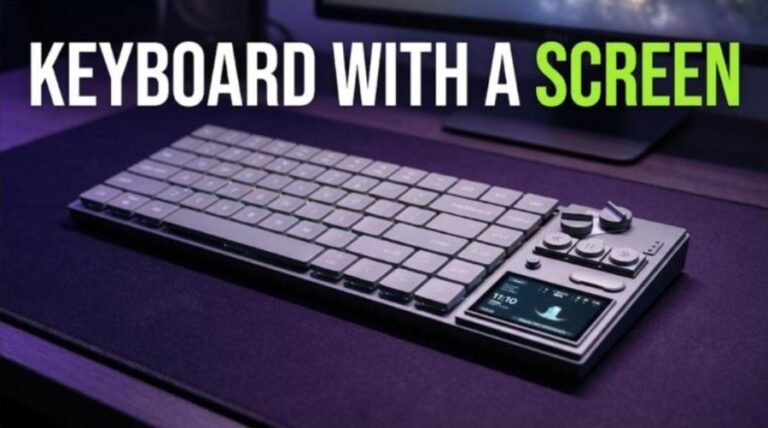
YUNZII now sells a B75 Pro Max next to the B75 Pro, and the names are easy to mix up. KeenGamer describes the Pro Max as a 75% board with 81 keys and a small TFT screen beside the knob. The screen can show images and GIFs, plus the battery level, time and date.
The Pro Max also doubles the battery to 8,000 mAh, and KeenGamer reports about five to seven days with RGB and the screen on. It supports QMK and VIA, while the screen uses a separate YUNZII driver. KeenGamer lists its price at about $70 to $85, so it often costs close to the B75 Pro.
| Feature | B75 Pro | B75 Pro Max |
|---|---|---|
| Screen | None | Small TFT screen |
| Battery | 4,000 mAh | 8,000 mAh |
| Keys | 82 plus knob | 81 plus knob |
| Configuration | YUNZII Windows app | QMK/VIA plus YUNZII screen driver |
| Typical price | About $79.99 | About $70 to $85 (KeenGamer) |
In short, choose the Pro Max if you want longer battery life or the screen. However, the B75 Pro is still the simpler pick if you just want the typing feel and do not care about extras.
Price, Alternatives and How It Compares
The B75 Pro usually lists at $79.99, and Root-Nation spotted it around $71 on AliExpress. A base kit without switches or keycaps costs about $64.99. That price puts it against some very strong budget boards.
| Keyboard | Why consider it |
|---|---|
| YUNZII B75 Pro | Soft, quiet typing, gasket mount and tri-mode wireless around $80 |
| YUNZII B75 Pro Max | Adds a small TFT screen and an 8,000 mAh battery, per KeenGamer |
| AULA F75 Pro | Another popular budget gasket 75% with a knob |
| IQUNIX EC75 | A more premium-feeling 75% option |
| Attack Shark X68 HE | Magnetic switches and Rapid Trigger for gaming |
Other boards to read about
Our AULA F75 Pro review covers the closest rival, and the AULA AG75 Pro and AULA F99 give you more AULA options. From YUNZII itself, see the YUNZII IF68 with its screen and the gaming-focused YUNZII RT75 Pro.
If you can spend more, the IQUNIX EC75, Wobkey Rainy 75 Pro and MCHOSE Ace 75 step up in build quality. For a premium aluminum design with a screen, read our AULA Neos 75 review. Still unsure about budget? Our keyboard price guide breaks down each tier.
Check YUNZII B75 Pro price on Amazon
Verdict: Who Should Buy the YUNZII B75 Pro
| Buy it if | Skip it if |
|---|---|
| You want a soft, quiet typing feel for around $80. | You need flawless wireless sleep and wake right now. |
| A gasket mount and hot-swap sockets matter to you. | You use macOS and want to change settings in software. |
| Tri-mode wireless for several devices is useful. | Rapid Trigger for competitive shooters is a must. |
| Bright RGB and fun color themes appeal to you. | An aluminum case is what you are after. |
The YUNZII B75 Pro is an easy recommendation for typists on a budget. Reviewers agree that it feels and sounds better than its price suggests. Firmware bugs, Windows-only software and short RGB battery life keep it from a higher score, so plan to update the firmware and keep a cable nearby.
Frequently Asked Questions (FAQ)
What is the YUNZII B75 Pro?
It is a 75% wireless mechanical keyboard with 82 keys, a volume knob, a gasket mount with five layers of padding, hot-swap sockets and double-shot PBT keycaps.
How much does the YUNZII B75 Pro cost?
It usually lists at $79.99. Root-Nation reports a base kit without switches or keycaps at about $64.99.
What switches does the YUNZII B75 Pro use?
It ships with pre-lubed Milk or Cocoa Cream V2 linear switches. The hot-swap PCB accepts 3-pin and 5-pin switches if you want to change them.
How long does the YUNZII B75 Pro battery last?
Root-Nation measured about 30 hours with full RGB and up to a week without it. TechRadar saw about 24 hours with RGB and 70 hours without.
Does the YUNZII B75 Pro work on Mac?
The keyboard works with Mac over USB-C, 2.4 GHz or Bluetooth. The configuration software only runs on Windows.
What is the difference between the B75 Pro and the B75 Pro Max?
The B75 Pro Max adds a small TFT screen and a larger 8,000 mAh battery, according to KeenGamer. The B75 Pro has no screen and a 4,000 mAh battery.
Is the YUNZII B75 Pro good for gaming?
It is fine for casual gaming, and TechRadar found negligible lag over 2.4 GHz. Competitive players who want Rapid Trigger should choose a magnetic keyboard.