Attack Shark X3 Review: Is This $36 Wireless Gaming Mouse Worth It?
The Attack Shark X3 is a tri-mode wireless gaming mouse that costs about $36 from the brand’s own store. It promises a PixArt PAW3395 sensor, Kailh GM 8.0 switches and a 49 g shell. You normally find those parts in mice that cost three or four times as much. So the real question is what Attack Shark cut to hit this price.
This Attack Shark X3 review answers that question. It draws on the official specifications, a Frontum database summary and three detailed video reviews. The verdict is positive, with a few clear conditions attached.
How we built this review: this article combines the specifications on the official Attack Shark X3 page, database notes from Frontum, and the findings of three video reviewers: The Rage Academy, boardzy and Aveen Reviews. Every measurement and opinion below is credited to its source. Aveen Reviews handled an X3 Max, a sibling model, so we flag where its notes come from that unit.
Attack Shark X3 Specs and Quick Verdict
⚙️ Quick Specifications
Full Attack Shark X3 Specifications
| Spec | Attack Shark X3 |
|---|---|
| Sensor | PixArt PAW3395 (optical) |
| Max DPI | 26,000, with 6 adjustable levels |
| Tracking speed / acceleration | 650 IPS / 50 G |
| Polling rate | 1,000 Hz (1 ms) on 2.4 GHz and wired; 125 Hz on Bluetooth (Frontum) |
| MCU | BK3633 |
| Main switches | Kailh GM 8.0 (Black Mamba), gold contacts, 80 million clicks |
| Scroll wheel | TTC encoder, 1 million scrolls |
| Buttons | 6 in total, 5 programmable (Frontum) |
| Weight | 49 g ±3 g without the receiver (manufacturer claim) |
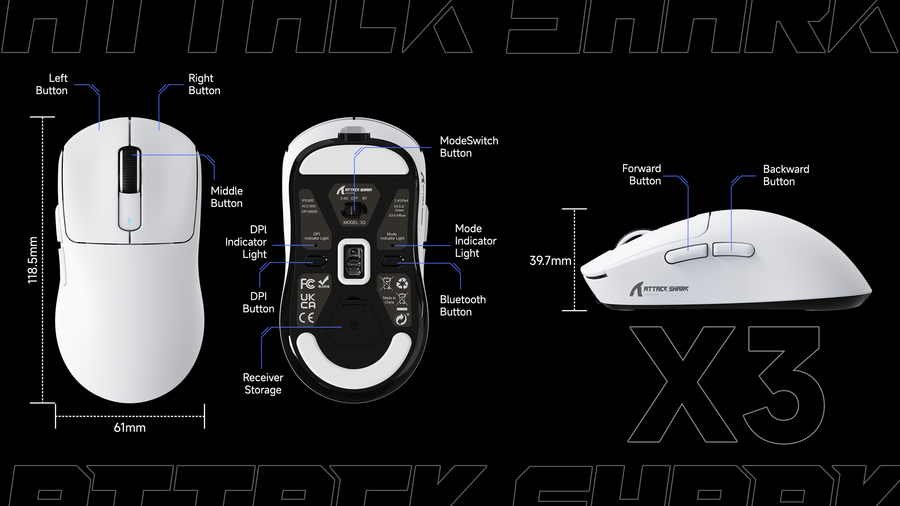
| Dimensions | 118.5 × 61 × 39.7 mm |
| Connectivity | 2.4 GHz receiver, Bluetooth 5.2, wired USB-C |
| Battery | 300 mAh; up to 200 h, tested under laboratory conditions |
| Charge time | About 2 to 3 hours |
| Cable | 1.6 m paracord USB-C |
| Feet | PTFE skates |
| Colors | White, Black, Red, Purple, Orange, Berry Red; “with Tape” variants |
| Price | $35.99 sale, $39.99 list on the Attack Shark store |
Source: Attack Shark official product page. Bluetooth polling rate and button count come from Frontum.
The Good and the Bad
👍 The Good
- ✔ A flagship-class PixArt PAW3395 sensor at a budget price.
- ✔ Three connection modes, including Bluetooth 5.2, for roughly $36.
- ✔ Reviewers weighed 51 to 55 g, which is still light for a wireless mouse.
- ✔ boardzy reported a rock-solid shell with no flex, and clicks with little wobble.
- ✔ Side buttons were better than boardzy expected at this price.
👎 The Bad
- ✘ Stock skates were slow and scratchy in both The Rage Academy and boardzy reviews.
- ✘ The slick coating gets sweaty, so grip tape is close to mandatory.
- ✘ Real weight lands above the 49 g claim, and boardzy found the balance front heavy.
- ✘ Quality control looks uneven, and Frontum lists inconsistent QC as a weakness.
- ✘ The standard software has no debounce setting, and boardzy needed a firmware update to remove sensor stutter.
The X3 is one of the cheapest ways to get a PAW3395 sensor, Bluetooth and a sub-55 g shell. Plan to swap the skates, add grip tape and accept some quality-control risk. At that price, most buyers will forgive it.
What’s in the Box
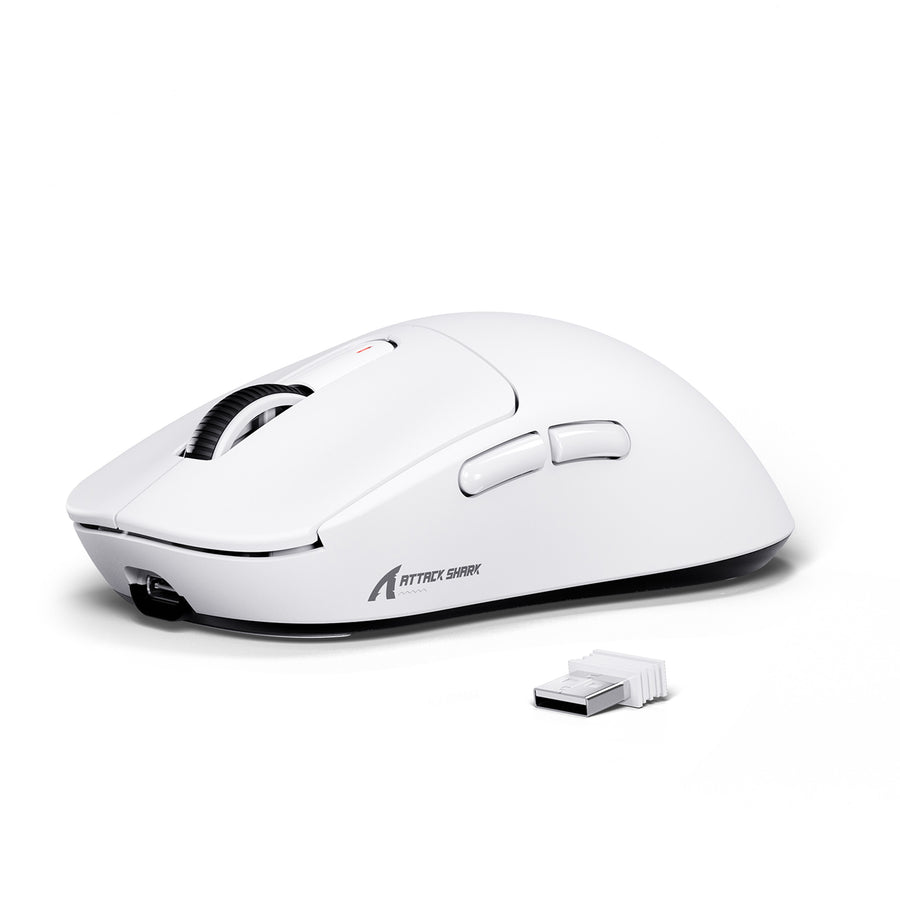
According to the official page, the X3 ships with the mouse, a 2.4 GHz receiver and a 1.6 m paracord USB-C cable. The receiver lives in a compartment under the shell. The Rage Academy found the dongle held in tightly, so it should survive a trip in a backpack.
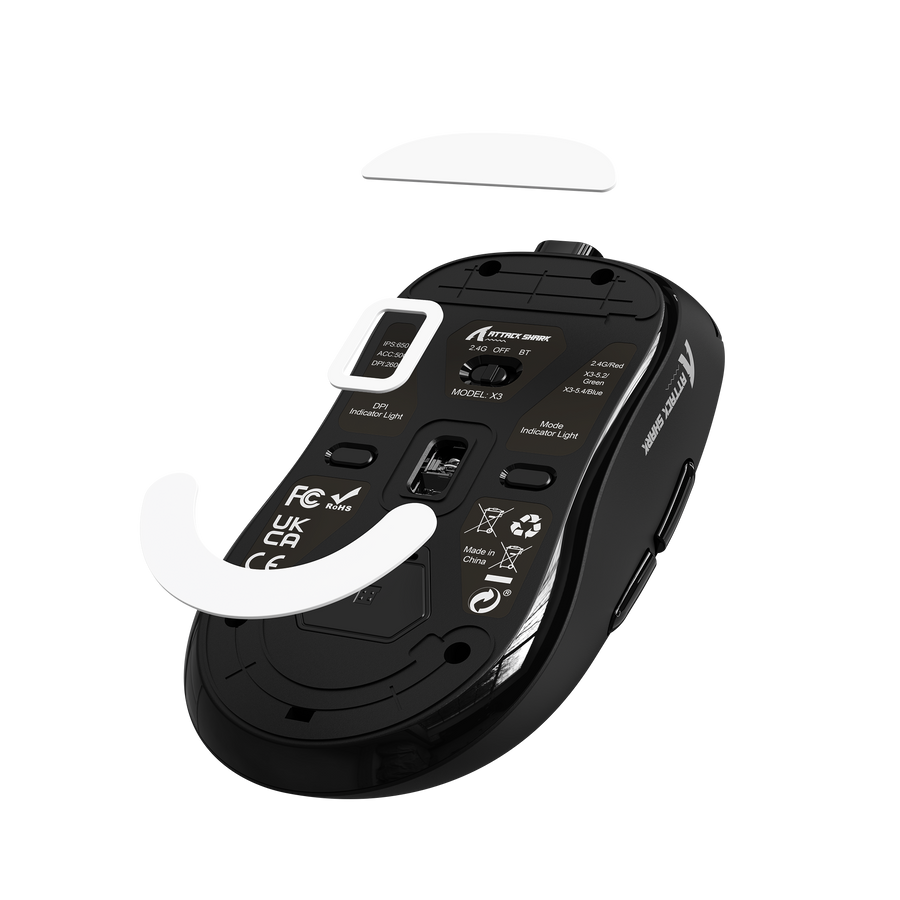
Here is what you get with the standard bundle:
- Attack Shark X3 wireless mouse
- 2.4 GHz USB receiver, stored under the shell
- 1.6 m paracord USB-C cable for charging and wired mode
- Grip tape, but only in the “with Tape” variants
The packaging is plain. The Rage Academy described it as the same cost-cutting box other budget brands use. He still liked the braided cable and the rubberized grip tape at this price. boardzy said the tape bundle costs roughly $4 extra. Aveen Reviews opened an X3 Max box and found a cable, stickers, a manual, grip tape and spare skates. He also found the tape smooth rather than grippy.
Design, Weight and Shape
Weight: The Claim Versus the Scale
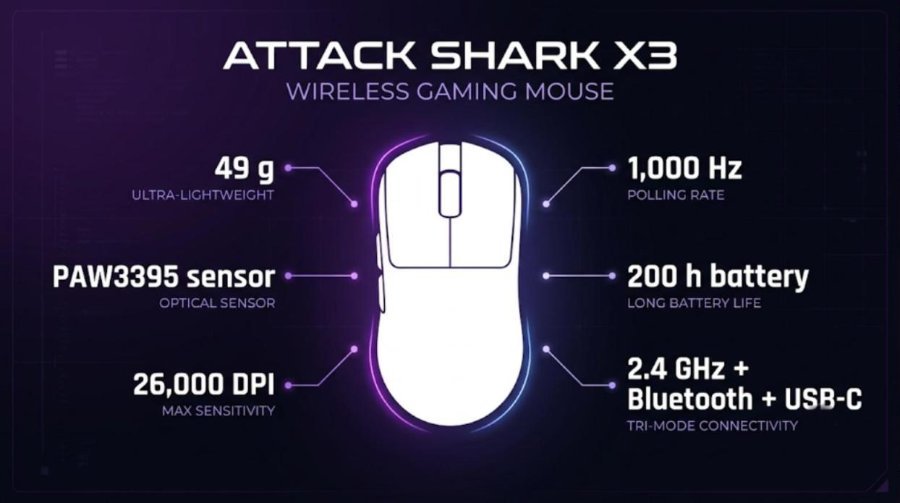
Attack Shark lists 49 g ±3 g, measured without the receiver. Reviewers got higher numbers. The Rage Academy weighed his unit at 55 g. boardzy measured 53 to 54 g. Aveen Reviews put his X3 Max at 51 g.
That spread is wider than the stated tolerance. Still, The Rage Academy noticed no performance drop while gaming with friends. boardzy agreed it is not a heavy mouse. He did call it noticeably front heavy, which matters if you use a light fingertip grip.
If every gram matters to you, the X3 is not the answer. Our Pulsar X2F review covers a 38 g fingertip mouse. Our G-Wolves Lyan 29g review looks at an even lighter shell and its trade-offs.
Shape and Grip
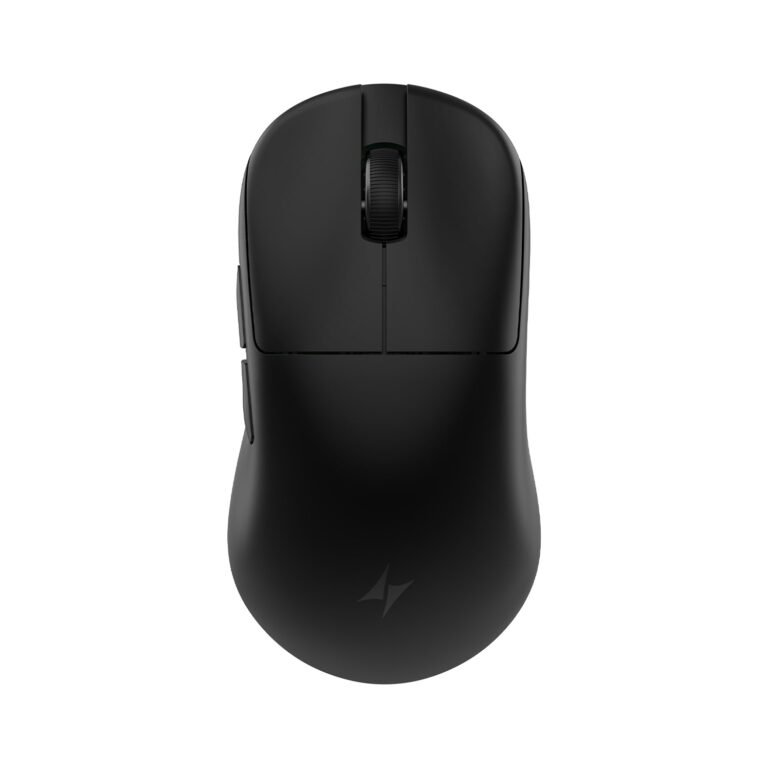
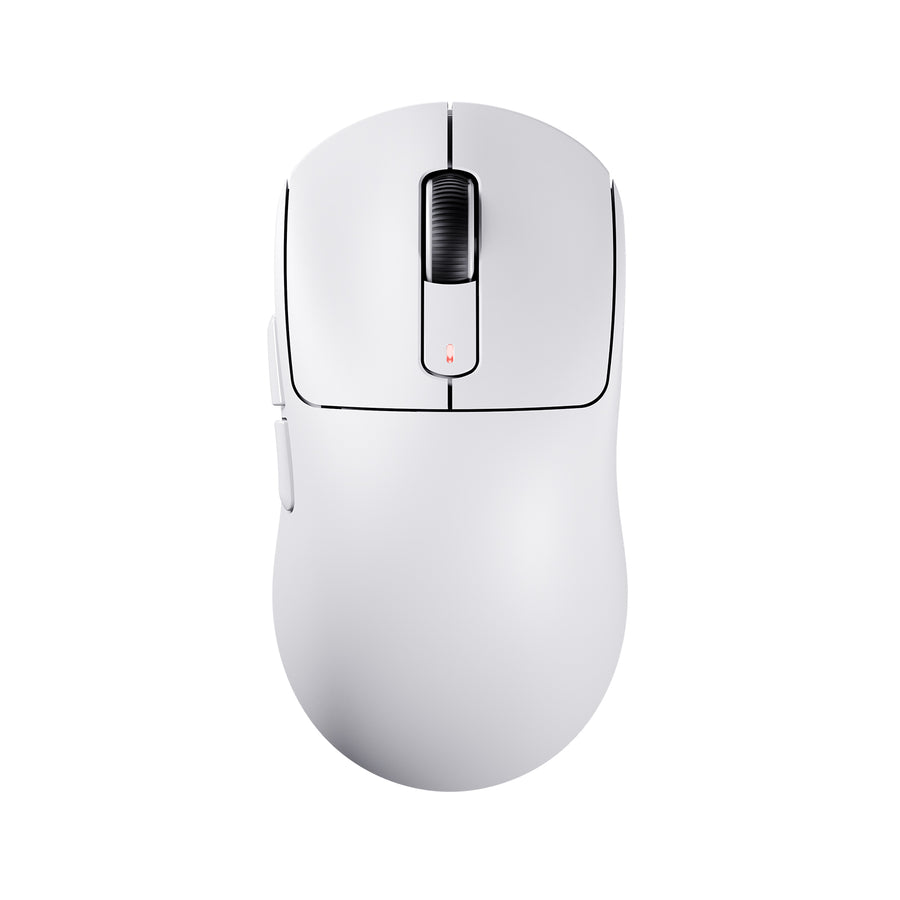
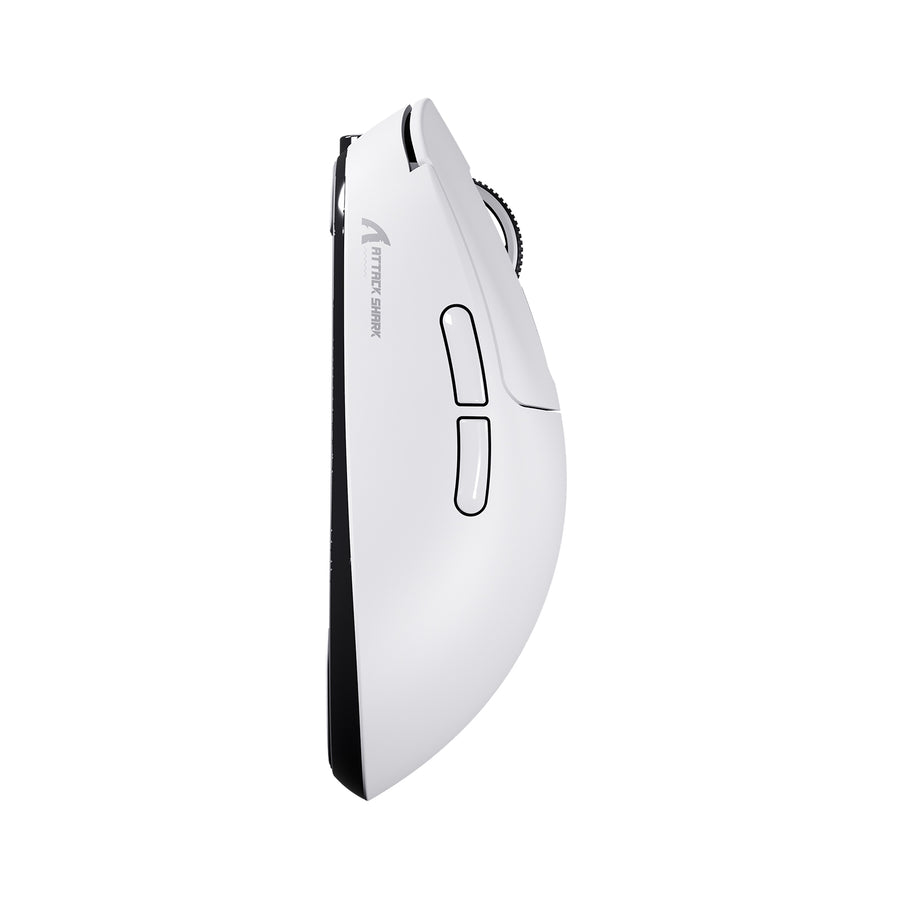
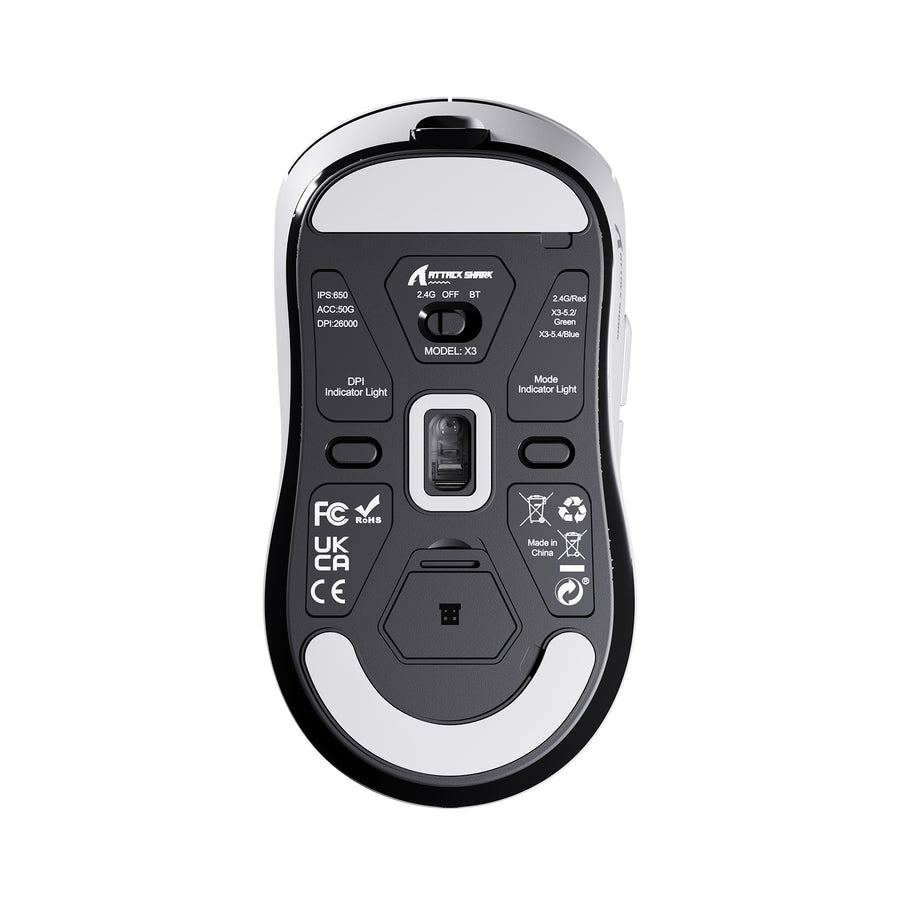
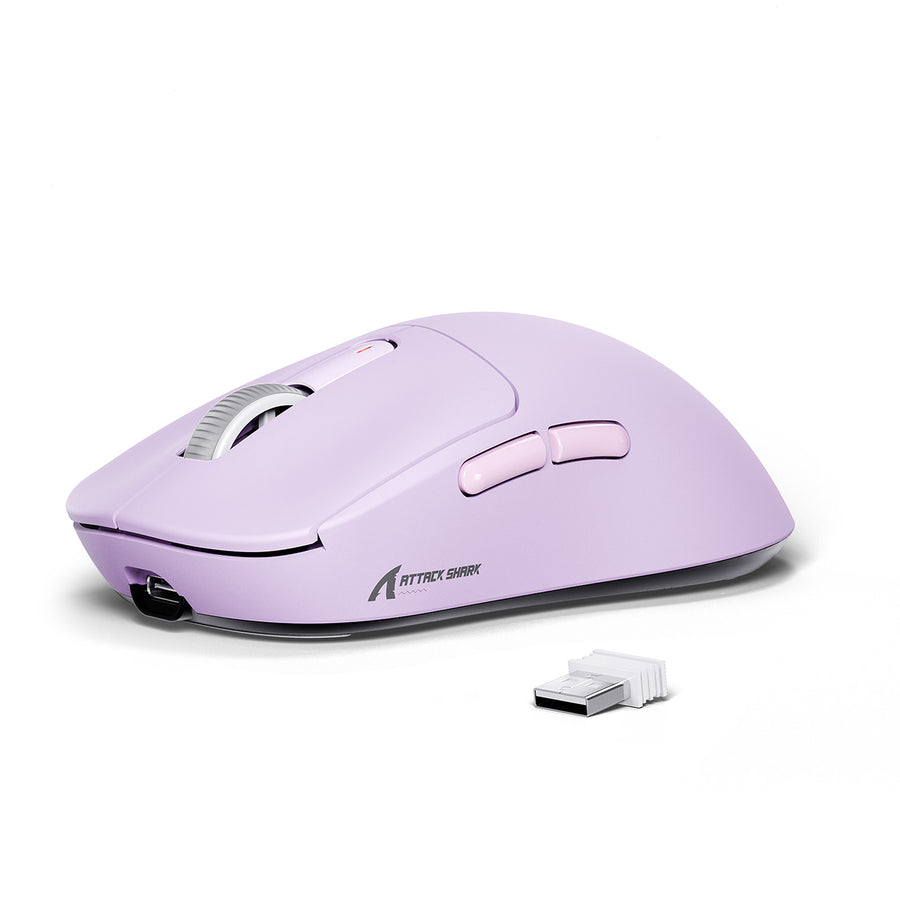
The X3 measures 118.5 × 61 × 39.7 mm. RTINGS describes it as small and symmetrical, with a centered hump. boardzy compared it to the G-Wolves Hati S+ but found it thinner and narrower. He also said it is not a direct clone of anything on the market.
boardzy described a short, narrow shell with aggressive curves at the hips. He judged it suitable for fingertip grip but expected most people to claw it. Aveen Reviews compared the X3 family to the Viper Mini and called the X3 shape rounder and safer. If you are unsure about grip style, our gaming mouse buying guide explains how hand size changes the choice.
Coating and Skates
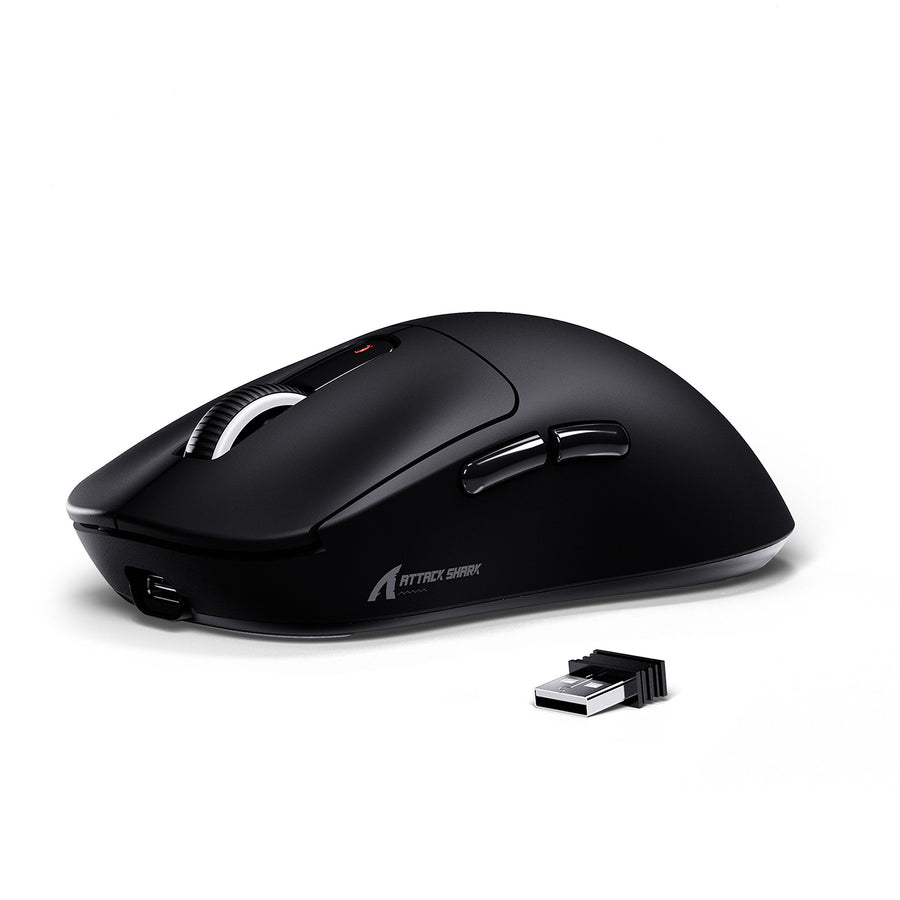
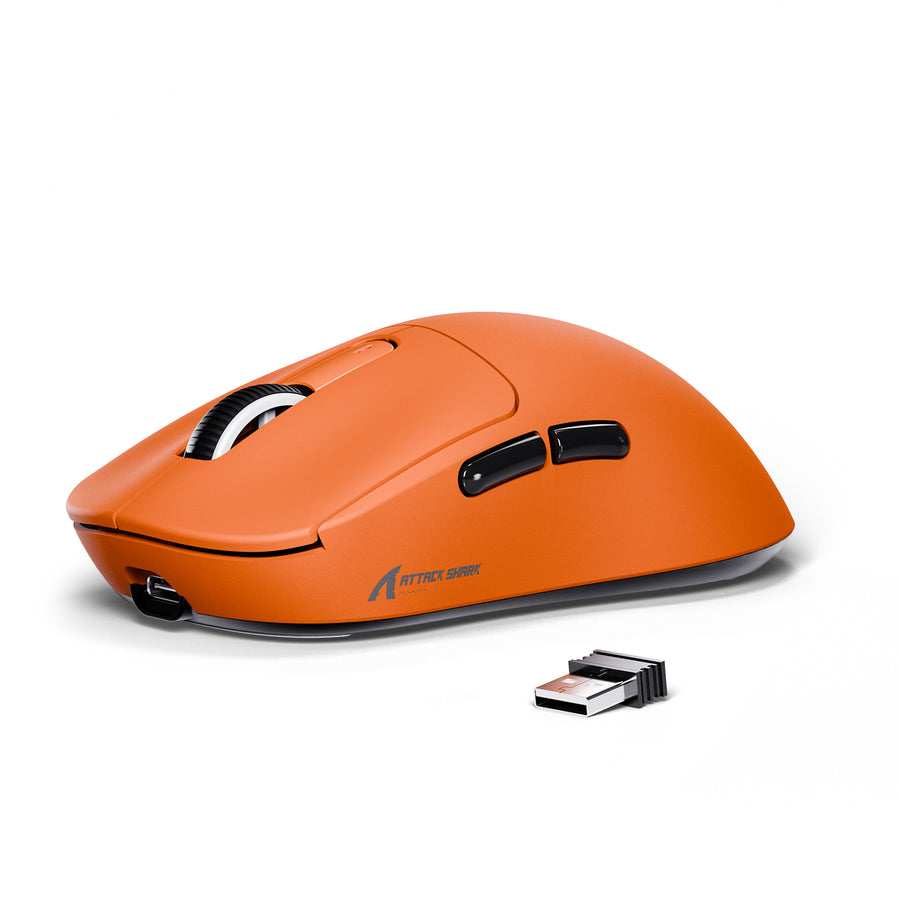
This is where the price shows. boardzy called the coating cheap and said it gets sweaty. He recommended grip tape if your hands sweat. The Rage Academy was blunter about the feet. He called them the cheapest skates he had ever touched.
boardzy called the stock skates extremely slow, with poorly rounded edges that snag on the pad. Frontum also lists scratchy stock feet among the weaknesses. Attack Shark advertises PTFE, so material is not the problem. Aveen Reviews found the X3 Max skates decent, so feel may differ between models and batches. Either way, new skates are the cheapest upgrade you can make.
Buttons, Switches and Scroll Wheel
Attack Shark fits Kailh GM 8.0 switches, also marketed as Black Mamba, with gold contacts and an 80 million click rating. The Rage Academy confirmed Kailh Black Mambas inside his unit. Frontum lists six buttons, five of them programmable.
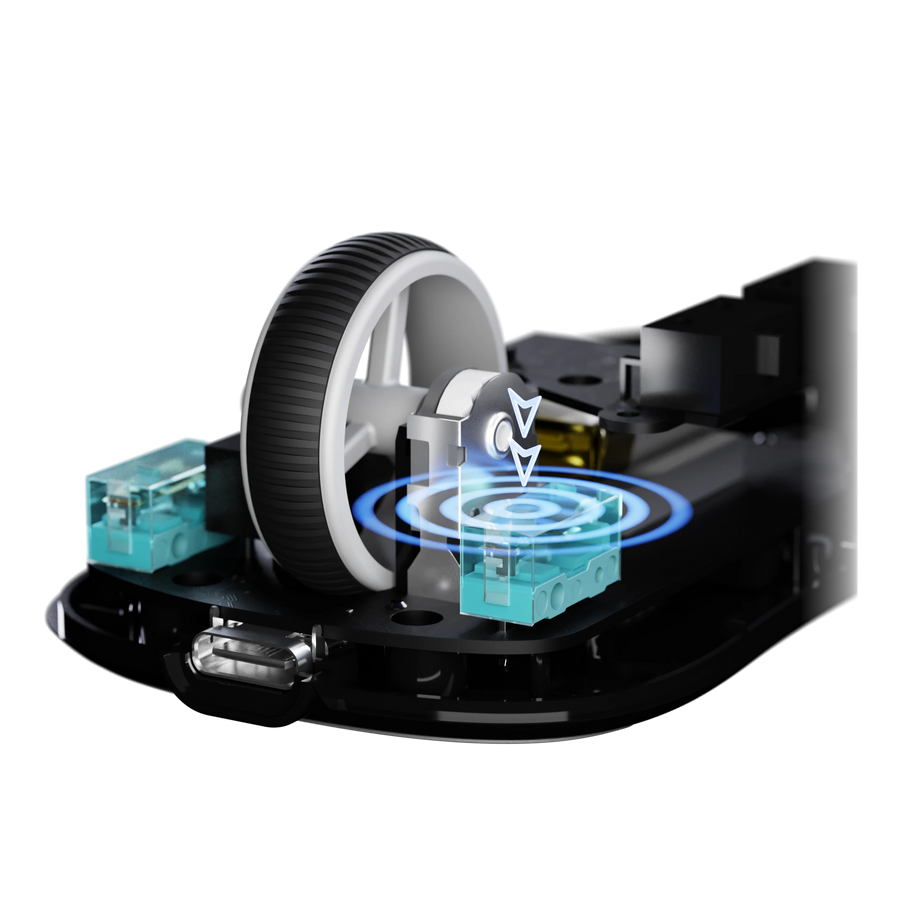
boardzy rated the click quality as surprisingly good. He felt little side-to-side wobble and little pre-travel or post-travel. The side buttons impressed him too. They have a glossy plastic feel and sit slightly high, but they are spammable and not loose.
The scroll wheel uses a TTC gold encoder, which boardzy called standard for 90% of mice. Aveen Reviews noted a light wheel with clear steps on the X3 Max. His unit also showed more movement in the right click than the left. That did not bother him in games.
Software and Firmware
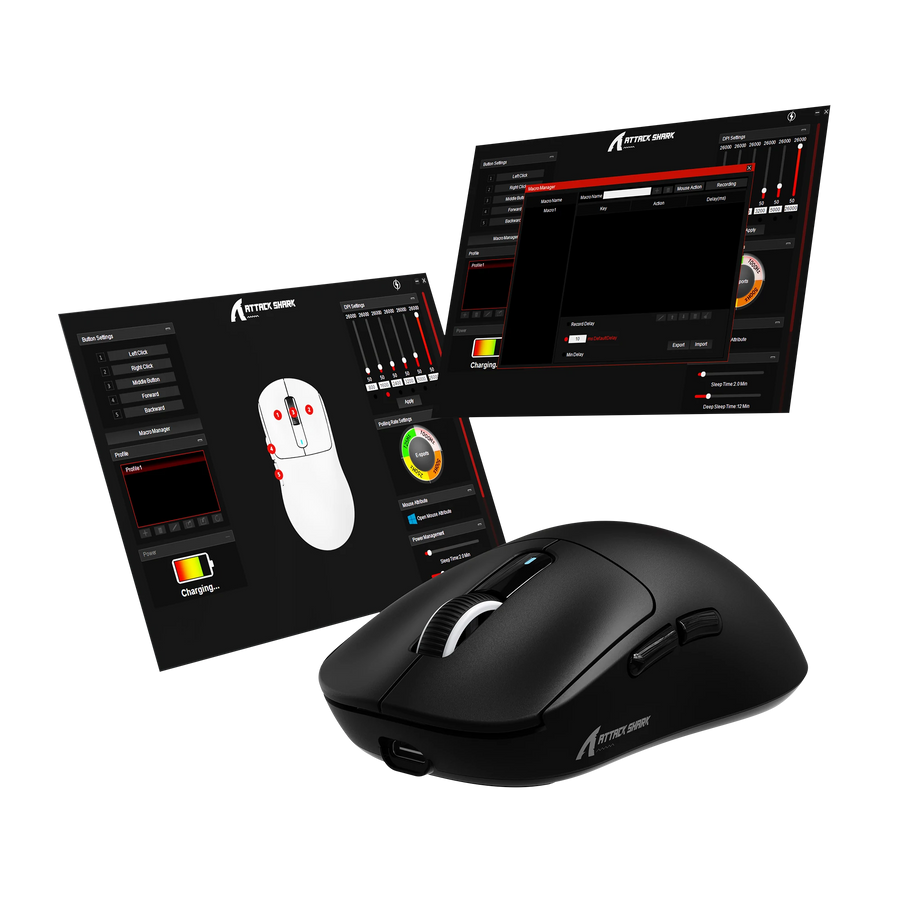
Attack Shark offers a Windows app and a web configurator. Both cover button remapping, DPI, polling rate, lift-off distance and macros. Settings save to onboard memory, so you can set the mouse once and close the app.
What Reviewers Found Missing
boardzy said the standard software has no debounce time adjustment. Aveen Reviews found the same on the X3 Max, where key response time could not go below 4 ms. Newer mice often reach 1 ms. He also saw no way to check whether motion sync was on.
Aveen Reviews added a trust complaint. The web driver link he found looked fishy to him. He wanted a proper official link from a growing brand. Download the software only from the official X3 page.
The Firmware Workaround
This is the most unusual part of the X3 story. boardzy said his X3 had a stuttery sensor at first. Then he used the software from the M600, a rival mouse with near-identical hardware, to update the firmware. After that, he said the sensor felt flawless. The Rage Academy also said the X3 can take M600 firmware, though he would not recommend it.
Flashing firmware meant for another brand is not an official Attack Shark procedure. Treat it as a risk you carry yourself, and check the official downloads first.
Before the performance notes, watch The Rage Academy test the X3 against a near-identical rival.
Video: The Rage Academy tests the Attack Shark X3 against a near-identical rival and asks whether big brands overcharge. Opinions in the video belong to the creator, so treat it as another point of view.
Performance: Sensor, Latency and Gaming
The PAW3395 is the X3’s headline part. It offers up to 26,000 DPI, 650 IPS and 50 G acceleration on paper. Those numbers match mice that cost far more. The surprise is that reviewers disagree about how well Attack Shark tuned it.
Out of the Box and After a Firmware Update
boardzy said the sensor tracked fine at first but had hitches and stutters. He called it a reported problem. After the firmware update, he said the sensor felt flawless and as good as mice from Pulsar and G-Wolves. He concluded that he could play at his best with it, though he would not make it his main mouse.
The Rage Academy had a simpler experience. He called the X3 a good mouse and said he had a ton of fun using it. He noticed no performance drop in games with friends, even with the heavier weight.
What the Database Says
Frontum scores the X3 at 8.2 out of 10 overall, with 8.9 for user score and 7.2 for gaming. Its performance and sensor score of 6.9 is the lowest sub-score. Frontum notes sensor accuracy variations and click latency that may not suit high-tier competitive play. It also lists a slow wake from sleep.
Latency and Polling
The X3 polls at 1,000 Hz over 2.4 GHz and USB-C. Frontum lists 125 Hz over Bluetooth, so use the receiver for games. Aveen Reviews pointed out that another budget rival he compared it with offers 8K polling and 1 ms key response. The X3 Max he tested bottomed out at 4 ms. He admitted he could not feel the difference in games.
Competitive shooter fans have better tools. Our Logitech G PRO X SUPERLIGHT 2 review covers the esports standard. The Rage Academy paid $160 for that mouse and said he could buy eight X3 mice for the same money.
Connectivity, Battery and Charging
Three Ways to Connect
The X3 supports a 2.4 GHz receiver, Bluetooth 5.2 and a wired USB-C connection. A mode switch on the underside selects between them. Frontum says Bluetooth can pair with three devices. The Rage Academy called Bluetooth not essential but a nice extra at this price. boardzy found it crazy to see on a mouse this cheap.
Battery Life: Rated Versus Reported
The X3 uses a 300 mAh cell, which Frontum calls smaller than most. Attack Shark rates it at up to 200 hours, tested under laboratory conditions. Reviewers were more cautious.
| Source | Battery figure |
|---|---|
| Attack Shark official page | Up to 200 h (laboratory conditions) |
| The Rage Academy | About 50 h in real use |
| boardzy | A week to a week and a half per charge (an estimate, not a full drain test) |
A full charge takes about 2 to 3 hours through the 1.6 m USB-C cable. You can keep playing in wired mode while it charges. There is no wireless charging.
boardzy ranks the X3 among the best budget mice he has used. Here is his full review.
Video: boardzy reviews the Attack Shark X3 and ranks it among the best budget mice. Opinions in the video belong to the creator, so treat it as another point of view.
Price, Alternatives and How It Compares
What the X3 Costs
Attack Shark’s own store lists the X3 at $35.99, down from $39.99. The Rage Academy saw $41.99 on Amazon when he filmed. He also found a near-identical mouse on AliExpress for less than half the Amazon price. boardzy placed the X3 in the mid-30s range. The white model was $37.79 on Amazon when we checked. Prices move often, so check the current number before you buy.
Who Actually Makes It?
The Rage Academy dug into this question. He said the maker of the rival M600 replied quickly and confirmed it builds both mice on the same production line. According to the video, Attack Shark never answered his inquiry. The two mice share the same shell shape, bottom pattern, dongle storage and a similar PCB footprint.
He found two differences. The M600 has a 500 mAh battery against 300 mAh in the X3. The switches also differ, with Kailh Black Mambas in the X3 and Huano switches in the M600. He judged both to be good mice. That also explains why boardzy could use M600 software on the X3.
A Note on the X3 Max
The X3 Max is a separate model. Aveen Reviews tested one and found mechanical switches inside, although the Max name implies optical ones. He called it a quality-control mistake. Still, he gave the mouse a strong yes for about $50 and pointed out that buying on Amazon makes returns easy.
Alternatives We Have Reviewed
boardzy named the Zin Z1 Pro and the VGN Dragonfly F1 Pro as the X3’s closest budget peers. He would still pick a wired Razer Death Adder V3 at about $80 over any of them. If you want to look beyond the budget tier, these GearZon reviews are a good start:
| Mouse | Why consider it | GearZon review |
|---|---|---|
| Pulsar X2F | A 38 g fingertip mouse | Pulsar X2F review |
| G-Wolves Lyan 29g | Even lighter, with flaws | G-Wolves Lyan 29g review |
| ATK U2 V2 Ultimate | A sharper shape for claw grip | ATK U2 V2 Ultimate review |
| VXE R1S by ATK | Big specs, but is it too heavy? | VXE R1S review |
| Logitech G PRO X SUPERLIGHT 2 | The 60 g esports standard | G PRO X SUPERLIGHT 2 review |
| Razer Basilisk V4 Pro | A 14-button ergonomic shape | Basilisk V4 Pro review |
| Lamzu Thorn V2 | A highly ergonomic shape | Lamzu Thorn V2 review |
Prefer a multi-button workhorse? Read our Logitech G502 X Plus review or our Logitech G502 Hero review. For a head-to-head of two mainstream brands, see SteelSeries vs Razer. For a premium haptic option, our Logitech Pro X3 SUPERSTRIKE review shows the other end of the market.
Verdict: Who Should Buy the Attack Shark X3?
The X3 delivers a flagship sensor, three connection modes and a light shell for about $36. In exchange, you accept weak skates, a slick coating, a front-heavy feel and some quality-control risk. For most budget buyers, that is a fair deal. For serious competitors, it is a stepping stone.
| Buy it if | Skip it if |
|---|---|
| You want a wireless mouse with Bluetooth for under $40. | You need a true sub-50 g mouse. |
| You claw grip and like small symmetrical shells. | You have large hands or use a relaxed palm grip. |
| Swapping skates and adding grip tape sounds fine. | You want polished software with 1 ms debounce control. |
| A return window gives you peace of mind. | You play at a high competitive level and want 8K polling. |
Attack Shark’s budget approach also shows in its keyboards. Our Attack Shark X68 HE review covers the same price-first strategy in a Hall effect board.
Frequently Asked Questions
Is the Attack Shark X3 worth buying?
Yes for most budget buyers. It offers a PAW3395 sensor, Bluetooth 5.2, 2.4 GHz and wired modes, and a shell of roughly 51 to 55 g for about $36. Expect to replace the stock skates and add grip tape.
How much does the Attack Shark X3 weigh?
Attack Shark claims 49 g ±3 g without the receiver. The Rage Academy weighed his unit at 55 g, and boardzy measured 53 to 54 g.
Does the Attack Shark X3 have Bluetooth?
Yes. It supports Bluetooth 5.2, a 2.4 GHz receiver and a wired USB-C connection. Frontum lists a 125 Hz polling rate over Bluetooth and 1,000 Hz on 2.4 GHz and wired.
How long does the Attack Shark X3 battery last?
Attack Shark rates the 300 mAh battery at up to 200 hours under laboratory conditions. The Rage Academy reported about 50 hours in real use, while boardzy estimated a week to a week and a half per charge.
Which sensor does the Attack Shark X3 use?
It uses a PixArt PAW3395 optical sensor with up to 26,000 DPI, 650 IPS tracking speed and 50 G acceleration.
Should I replace the stock skates on the Attack Shark X3?
Most likely. Both The Rage Academy and boardzy criticized the stock skates as slow and poorly finished, and Frontum lists scratchy feet as a weakness.