OLED Gaming Monitor Comparison 2026: ASUS vs Gigabyte vs MSI vs LG
The best OLED gaming monitor in late 2026 is not one screen. It is a choice between five very different ideas: a 540Hz esports 1440p panel, a budget 280Hz 1440p panel, a 360Hz ultrawide, a 4K dual-mode monitor, and a 42-inch TV that doubles as a console display. This guide compares the ASUS ROG Swift PG27AQWP-W, Gigabyte MO27Q28G, MSI MPG 341CQR QD-OLED X36, ASUS ROG Strix XG32UQWMS and LG 42C6 side by side.
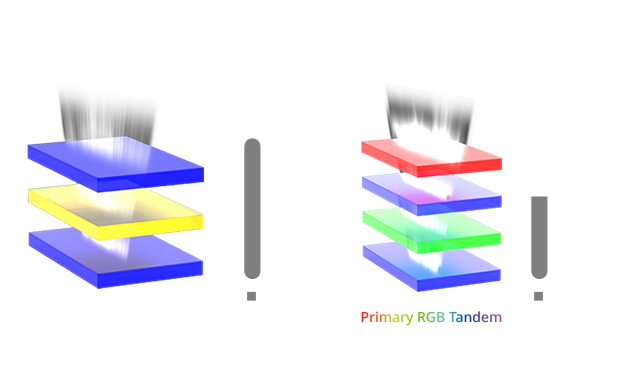
All five use tandem OLED panels, so black levels, pixel response and contrast are excellent across the board. The real differences are resolution, refresh rate, brightness, ports and price. Those details decide which one fits your desk, your GPU and your budget.
How we built this comparison. GearZon has not tested these five displays, and we will not pretend otherwise. We combined the official manufacturer pages with published reviews from Tom’s Hardware, PCWorld (Gigabyte), PCWorld (MSI), PC Gamer and Tom’s Guide. Every figure is attributed to its source, and where sources disagree we say so instead of picking a winner quietly.
OLED Gaming Monitor Comparison: Specs and Quick Picks
Start with the table below. It lines up the numbers that matter most when you compare an OLED gaming monitor: resolution, refresh rate, HDR peak, ports and the price coverage we found.
| Spec | ROG Swift PG27AQWP-W | Gigabyte MO27Q28G | MSI MPG 341CQR X36 | ROG Strix XG32UQWMS | LG 42C6 |
|---|---|---|---|---|---|
| Size and shape | 26.5″ (27″ class), flat | 27″, flat | 34″, 1800R curve | 31.5″ (32″ class), flat | 42″, flat |
| Resolution | 2560 x 1440 | 2560 x 1440 | 3440 x 1440 | 3840 x 2160 | 3840 x 2160 |
| Refresh rate | 540Hz (720Hz at 720p) | 280Hz | 360Hz | 240Hz (480Hz at 1080p) | Up to 165Hz VRR on PC, 120Hz on consoles |
| Panel | 4th-gen tandem WOLED | LG 4th-gen Primary RGB tandem WOLED | 5th-gen tandem QD-OLED | LG Display tandem WOLED (RGBW) | OLED evo (WOLED) |
| HDR peak claim | 1,500 nits | 1,500 nits | 1,300 nits | 1,500 nits | Not listed by LG |
| HDR certification | DisplayHDR 500 True Black | DisplayHDR 500 True Black | DisplayHDR 500 True Black | DisplayHDR 500 True Black | HDR10, Dolby Vision, HLG |
| Response time | 0.02 ms GtG | 0.03 ms GtG | 0.03 ms GtG | 0.03 ms GtG | Not listed |
| Video inputs | DisplayPort 2.1a, 2x HDMI 2.1 | DisplayPort 1.4, 2x HDMI 2.1 | DisplayPort 2.1a, 2x HDMI 2.1 | DisplayPort 1.4, 2x HDMI 2.1 | 4x HDMI 2.1, no DisplayPort |
| USB-C | No | Yes, 18W power | Yes, up to 98W power | No | No |
| Pixel density (our math) | About 111 ppi | About 109 ppi | About 110 ppi | About 140 ppi | About 105 ppi |
| Price in coverage | $1,099 | $599.99 MSRP, deals near $400 | $899.99 MSRP | $699 deal, $899 at launch | $999.99 recent, $1,399.99 launch |
Sources for this table are the official ASUS, Gigabyte, MSI and LG product pages, TFTCentral, and the reviews linked above. Prices move quickly, so treat them as a snapshot from early October 2026 and check live listings before you buy.
- Every pick has deep OLED blacks, near-instant pixel response and built-in screen-care features
- Clear winners for four use cases: esports, budget, ultrawide and 4K
- The XG32UQWMS and LG 42C6 give 4K sharpness that the 1440p panels cannot match
- USB-C with high power on the MSI saves a laptop dock
- Prices have dropped on the Gigabyte and the XG32UQWMS
- Prices are volatile, and several figures come from sale listings
- 1440p on a 27-inch or 34-inch OLED looks softer than 4K at the same size
- Glossy coatings reflect room light, and OLED still needs burn-in care
- The LG is a TV with HDMI only, and the PG27AQWP-W costs the most
- GearZon has not tested any of the five yet
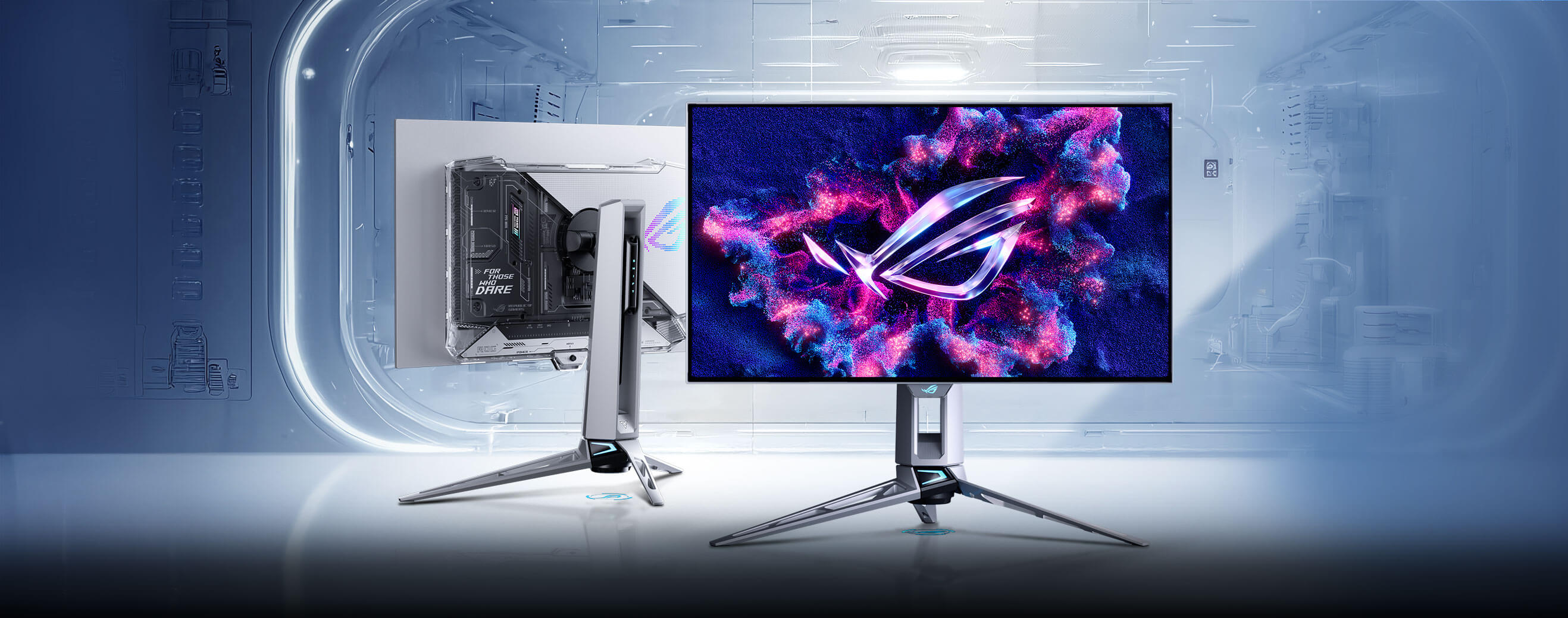
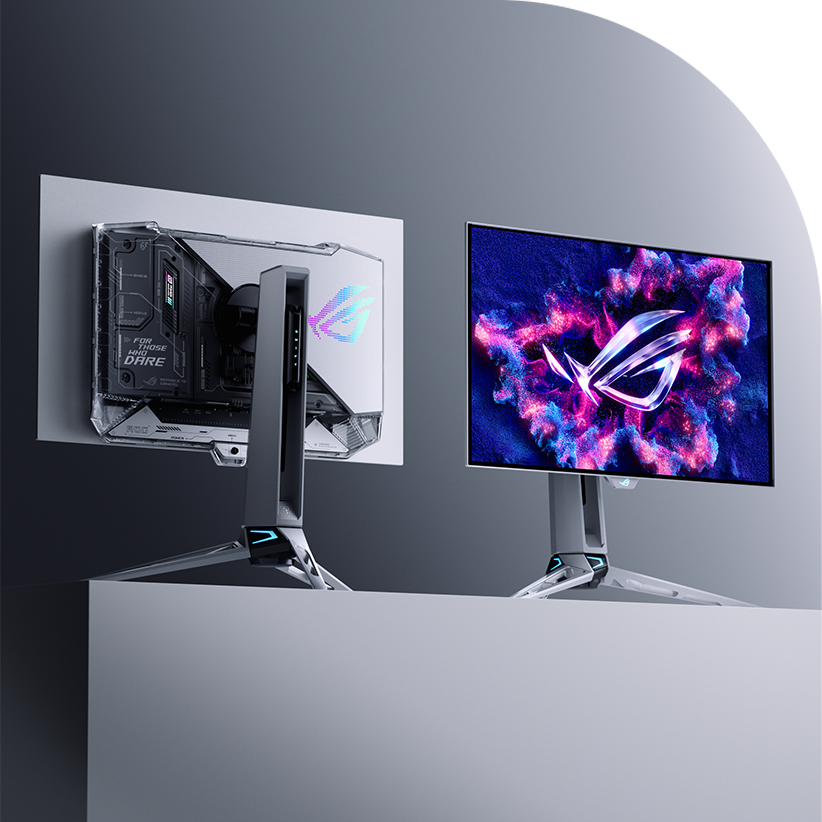
ASUS ROG Swift PG27AQWP-W: The 540Hz Esports Monster
The ROG Swift OLED PG27AQWP-W is the fastest monitor in this group by a wide margin. It runs 2560 x 1440 at 540Hz and carries a 4th-gen tandem WOLED panel with a four-layer stack. ASUS lists it at $1,099 on its own product page, and Tom’s Hardware gave it an Editor’s Choice badge.
Video: 540Hz OLED: The Best Gaming Monitor, With a Catch (ASUS ROG Swift PG27AQWP) by Brandon Taylor on YouTube
Panel, Brightness and Image Quality
ASUS says the new panel is about 15% brighter than earlier WOLED generations and covers 99.5% of DCI-P3 with a rated 1.5M:1 contrast ratio. Tom’s Hardware measured more than 650 nits at a 25% window and about 109% of DCI-P3 in its tests. The monitor carries DisplayHDR 500 True Black certification and a 1,500-nit HDR peak rating at a 1% window.
The coating is a glossy TrueBlack layer. ASUS claims it cuts reflections by 38% against earlier glossy WOLED screens. That is a manufacturer figure, so judge it in your own room.
540Hz, 720Hz Mode and Motion
The headline feature is the dual-mode refresh. QHD runs at 540Hz, and a hotkey switches to a 1280 x 720 mode at 720Hz. Tom’s Hardware locked 720 fps without trouble, but found the HD picture soft and saw little use for it outside slower PCs. The reviewer also notes that each mode needs a one-time setup in the Nvidia Control Panel, and switching works from the desktop rather than mid-game.
To feel 540Hz you need frame rates near 500, which only esports titles on a strong PC deliver. Tom’s Hardware logged roughly 380 to 540 fps in Doom Eternal at QHD with settings maxed. ELMB motion blur reduction tops out at 120Hz at QHD and cannot run with adaptive sync. Pair a screen like this with a fast mouse such as the Logitech G PRO X Superlight 2 or the Razer Basilisk V4 Pro so the rest of your setup keeps up.
Ports, Design and Care
Connectivity is strong: one DisplayPort 2.1a (UHBR20), two HDMI 2.1, a USB 3.2 hub with one upstream and three downstream ports, and a headphone jack. There are no speakers, so budget for a headset such as the Turtle Beach Stealth Pro 2. The stand adjusts for height (0 to 110 mm), swivel, pivot and tilt, and the whole monitor weighs about 7 kg.
ASUS bundles OLED Care Pro with a Neo Proximity Sensor, pixel cleaning, screen move and logo dimming, plus a 3-year warranty. Tom’s Hardware found no major faults and listed the missing speakers as its only con. Two caveats stay open: the 1440p panel is about 111 ppi, so text is less sharp than 4K, and the price is the highest in this comparison.
Gigabyte MO27Q28G: The OLED Value Pick
The Gigabyte MO27Q28G is the one that makes OLED affordable. It uses LG’s 4th-gen Primary RGB tandem WOLED, the same panel family as the LG UltraGear 27GX700A according to KitGuru, at 2560 x 1440 and 280Hz. PCWorld called it a great new entry in the affordable OLED arena.
Video: Gigabyte MO27Q28G Review – One of the Best Value OLED Monitors by 1 Up Nerdcore on YouTube
Image Quality for the Money
PCWorld measured 341 nits in SDR, about 99% DCI-P3 and 93% AdobeRGB. Gigabyte claims a 1,500-nit HDR peak and DisplayHDR True Black 500 certification, but the reviewer measured 799 nits sustained in a 3% window, below some newer rivals. Default gamma sat at 2.3 against a 2.2 target and color temperature at about 6800K, which are noticeable but not severe, and calibration tools exist.
Sharpness is the main compromise. At roughly 109 ppi, 1440p looks softer than 4K, a point PCWorld raises while saying the price makes it easy to accept.
Features That Save You Money
Gigabyte packs in extras that cost more elsewhere. You get two HDMI 2.1 ports, one DisplayPort 1.4, a USB hub, a KVM function and two 5W speakers. The speakers are modest and lack bass, and the USB-C port carries only 18W of power, so most laptops still need a separate charger.
Pricing needs care. Notebookcheck once reported a $499.99 US plan, PCWorld lists a $599.99 MSRP, and a Newegg deal near $400 appeared in August 2026. Treat the sale price as a bonus, not a guarantee. We could not confirm the warranty terms in our sources, so check them on the listing you buy from.
MSI MPG 341CQR QD-OLED X36: The Ultrawide Option
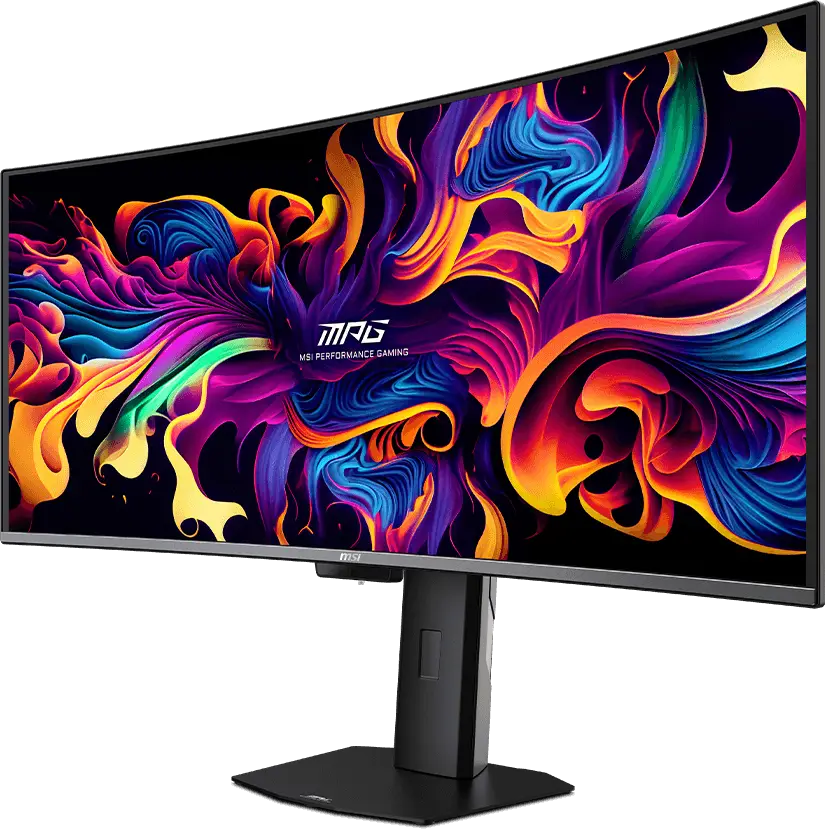
The MSI MPG 341CQR QD-OLED X36 is a 34-inch, 1800R curved ultrawide at 3440 x 1440 and 360Hz. It uses a 5th-gen tandem QD-OLED panel, and PCWorld recommended it, especially at the $899.99 MSRP.
Video: MSI MPG 341CQR X36 Review by TFTCentral on YouTube
QD-OLED Image Quality
PCWorld measured about 300 nits in SDR, roughly 98% DCI-P3 and 94% AdobeRGB, with low color error out of the box. HDR reached 953 nits sustained in a 3% window against a 1,300-nit peak claim, so it is strong but falls behind pricier rivals when more of the screen is lit. The weakest point is sharpness, because 3440 x 1440 on 34 inches works out to about 110 ppi.
MSI describes a V-Stripe subpixel layout meant to reduce color fringing, and PCMonitors repeats the claim without judging it in practice. Our Dell Alienware AW3426DW review covers an older QD-OLED ultrawide if you want a feel for the format.

Ports and Everyday Use
This is the best-connected monitor here. It offers DisplayPort 2.1a, two HDMI 2.1 ports, a USB-C port with up to 98W power and DisplayPort Alt Mode, two USB-A 5Gbps ports and a KVM function. That USB-C port can run and charge a laptop through one cable, which makes the X36 a strong productivity screen as well.
PCWorld lists three smaller issues. Black frame insertion works but shows more double-image artifacts than ASUS’s version and cannot be used with variable refresh rate. The presence sensor can take 10 to 20 seconds to wake the screen, and the styling is plain for the price. MSI’s 3-year warranty covers burn-in, according to PCMonitors.
ASUS ROG Strix XG32UQWMS: 4K Sharpness With a 480Hz Switch
The ROG Strix XG32UQWMS is a 31.5-inch 4K tandem WOLED from LG Display with a native 240Hz refresh rate. A dual-mode hotkey drops it to 1080p and doubles the rate to 480Hz, so you can pick sharpness for single-player games and speed for shooters. TFTCentral covered the launch specs and PC Gamer reviewed it.

Video: ASUS XG32UQWMS Review by The Display Guy on YouTube
Image Quality and the Dual Mode
ASUS rates the panel at 330 nits full-screen and 1,500 nits peak in HDR, up from 1,300 nits on the previous XG32UCWMG. It also upgrades from DisplayHDR 400 True Black to DisplayHDR 500 True Black, covers 99.5% of DCI-P3 and ships factory calibrated to a Delta E below 2. At about 140 ppi by our math, it is the sharpest monitor in this group.
PC Gamer scored the XG32UQWMS 85% and said it would approach 90% at the $699 sale price. The reviewer’s main complaint is that the panel is not a pure RGB stripe, so color vibrancy trails the best monitors. The white subpixel in the RGBW layout is the reason, and it can also affect fine text edges.
Ports, Console Support and Care
You get one DisplayPort 1.4 with DSC, two HDMI 2.1 ports and a small USB hub. There is no USB-C port, which PC Gamer lists as a con, and the connectors face downward. Console players can run 4K 120Hz with VRR on PS5 and Xbox Series X, according to PCMonitors.
ASUS adds a passive heatsink, so there is no fan noise, plus the Neo Proximity Sensor and OLED Care Pro tools. A 3-year warranty includes burn-in coverage per PCMonitors. The stand is smaller than past ROG designs and offers 110 mm of height adjustment.

Price Check
The monitor launched at $899 and PC Gamer found it at $699 at Newegg during Prime Day. At the lower price it undercuts the PG27AQWP-W by $400 while delivering a sharper 4K image. Verify the live price before buying, because sale pricing does not last.
LG 42C6: The OLED TV That Works as a Monitor
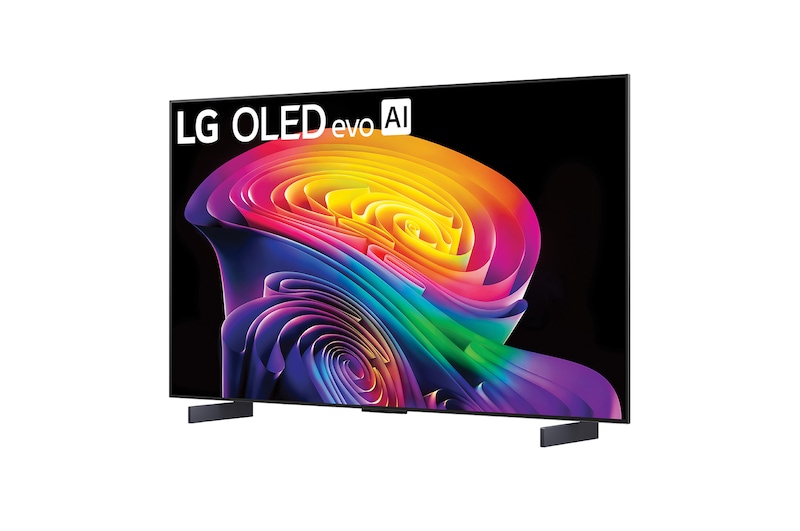
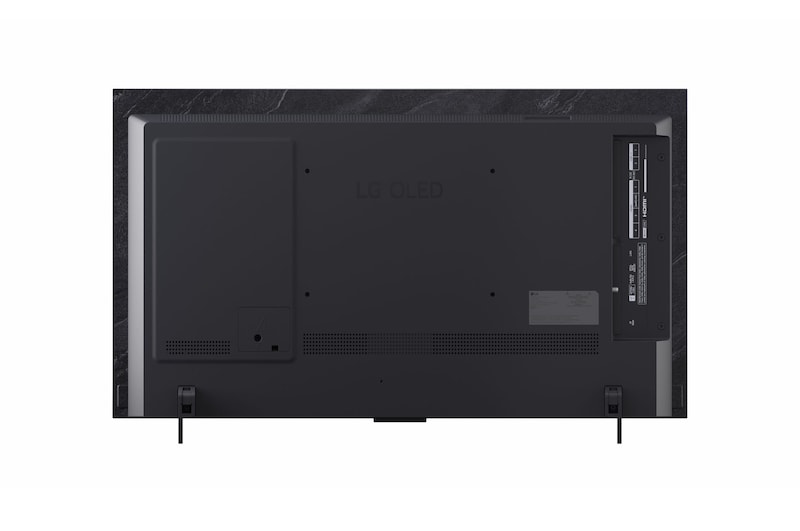
The LG 42C6 is a 42-inch 4K OLED evo TV, not a monitor, yet it has become a favorite for gamers who want a big screen. It runs the α11 AI Processor 4K Gen3 and webOS 26, and it offers four HDMI 2.1 ports with eARC on one of them. Tom’s Guide lists a 144Hz refresh rate that reaches 165Hz at 4K on PC and 4K at 120Hz on consoles.
Video: 2026 42-inch LG C6 Impressions and Information by Dysphunctional Tech Reviews on YouTube
Gaming Performance
Tom’s Guide reviewed the 65-inch C6 and measured roughly 355 nits in SDR and 1,355 nits in HDR at a 10% window. It also measured input lag of about 9.1 ms in Game Optimizer mode and around 12.9 ms in standard mode. The reviewer says all sizes should perform similarly, but brightness on the 42-inch model may differ, so treat those numbers as a guide.
The upside is a huge, sharp picture with Dolby Vision, HDR10 and HLG support. The downside is that Tom’s Guide calls the C6 only a marginal upgrade over the C5, so a discounted C5 can be the smarter buy. Built-in speakers are weak, and the AI features add little value.
Using a 42-Inch TV at Your Desk
At about 105 ppi, a 42-inch 4K screen is the least dense in this lineup, and you will want to sit farther back than with a 27-inch monitor. There is no DisplayPort and no USB hub, so a PC needs an HDMI 2.1 output for 4K at 165Hz. Plan on a wall mount or deep desk, and expect a TV remote and webOS interface rather than a monitor menu.
Pricing swings widely. Tom’s Guide cites a $1,399.99 launch price and a recent $999.99 listing at Amazon. For a couch setup with a PS5, Xbox Series X and a gaming PC on one screen, that flexibility is the whole point. If you also want a handheld option for travel, see our best handheld gaming PCs guide and the ROG Xbox Ally X review.
Head-to-Head: Brightness, HDR and Sharpness
OLED panels share the same perfect black, so the visible differences come from brightness and pixel density. The table below uses measured values where a reviewer supplied them and manufacturer claims where not. Window size matters, because a 1% window hides what a 25% or full-screen scene looks like.
| Monitor | SDR brightness | HDR brightness | Color coverage | Pixel density (our math) |
|---|---|---|---|---|
| ROG Swift PG27AQWP-W | Rated 500 nits; 650+ nits measured at 25% window (Tom’s Hardware) | 1,500 nits claimed at 1% window | 99.5% DCI-P3 (ASUS); about 109% measured (Tom’s Hardware) | About 111 ppi |
| Gigabyte MO27Q28G | 341 nits measured (PCWorld) | 799 nits sustained at 3% window (PCWorld); 1,500 claimed | About 99% DCI-P3 (PCWorld) | About 109 ppi |
| MSI MPG 341CQR X36 | About 300 nits (PCWorld) | 953 nits sustained at 3% window (PCWorld); 1,300 claimed | About 98% DCI-P3 (PCWorld) | About 110 ppi |
| ROG Strix XG32UQWMS | 330 nits full screen (ASUS rating) | 1,500 nits peak claimed | 99.5% DCI-P3 (ASUS) | About 140 ppi |
| LG 42C6 | About 355 nits on the 65-inch model (Tom’s Guide) | About 1,355 nits at 10% window on the 65-inch model (Tom’s Guide) | Not published in our sources | About 105 ppi |
Sharpness is the clearest split. The XG32UQWMS packs about 140 pixels per inch, while the three 1440p panels sit near 110 and the LG near 105. If you read a lot of text or work in photo editors, that gap shows up quickly on any glossy OLED. The ASUS TUF Gaming VG247Q1A review is worth a look if you only want a cheaper 165Hz screen and can skip OLED.
Head-to-Head: Motion, Latency and Connections
All five support adaptive sync, but the extras differ. ASUS offers a dual-mode hotkey on both of its monitors plus ELMB strobing on the PG27AQWP-W, and MSI adds black frame insertion that cannot run with VRR. Gigabyte keeps things simple, and the LG relies on TV-style game modes.
| Monitor | Adaptive sync | Motion extras | Input lag in our sources | Key ports |
|---|---|---|---|---|
| ROG Swift PG27AQWP-W | FreeSync and G-Sync compatible | ELMB up to 120Hz at QHD, not with VRR | Reviewer called it lower than expected, no figure quoted here | DP 2.1a, 2x HDMI 2.1, USB hub |
| Gigabyte MO27Q28G | FreeSync Premium Pro, G-Sync compatible | None noted | Not quoted | DP 1.4, 2x HDMI 2.1, USB-C 18W, KVM |
| MSI MPG 341CQR X36 | G-Sync compatible, FreeSync Premium Pro | Black frame insertion, not with VRR | Not quoted | DP 2.1a, 2x HDMI 2.1, USB-C up to 98W, KVM |
| ROG Strix XG32UQWMS | G-Sync compatible, FreeSync Premium Pro (48 to 240Hz, 48 to 480Hz in dual mode) | Dual-mode hotkey | Not quoted | DP 1.4, 2x HDMI 2.1, USB hub, no USB-C |
| LG 42C6 | VRR up to 165Hz on PC, G-Sync listed | Game Optimizer mode | About 9.1 ms in Game Optimizer on the 65-inch model (Tom’s Guide) | 4x HDMI 2.1, no DisplayPort |
If you use a 1440p panel at 280Hz or 360Hz, a mouse and keyboard with matching polling rates make a visible difference. Our AULA AG75 Pro review and ATK RS6 Ultra review cover 8K-polling keyboards, and the gaming mouse buying guide helps you match a mouse to your grip.
OLED Burn-In, Care Features and Software
Burn-in is the first worry people have with OLED, so it helps to compare the protection each maker offers. ASUS includes OLED Care Pro with pixel cleaning, screen move and a Neo Proximity Sensor on both of its monitors. MSI adds an AI Care Sensor and a passive graphene heatsink, and Gigabyte lists AI OLED care functions.
Warranty Coverage
| Monitor | Warranty in our sources | Care and software notes |
|---|---|---|
| ROG Swift PG27AQWP-W | 3 years (ASUS, Tom’s Hardware) | OLED Care Pro, DisplayWidget Center, proximity sensor |
| Gigabyte MO27Q28G | Not confirmed in our sources, check the listing | Large on-screen menu with six-axis color tools; Control Center software is serviceable (PCWorld) |
| MSI MPG 341CQR X36 | 3 years, covers burn-in (PCMonitors) | Extensive menus, AI Care Sensor, presence detection can lag 10 to 20 seconds |
| ROG Strix XG32UQWMS | 3 years, includes burn-in (PCMonitors) | OLED Care Pro, Neo Proximity Sensor, passive heatsink, DisplayWidget Center |
| LG 42C6 | Check the retailer and LG terms | TV settings and screen-saver options; no monitor driver software |
Simple Habits That Reduce Risk
Use dark mode where you can, hide the taskbar and let the monitor run its pixel refresh cycles. Lower the brightness for desktop work, and keep a screen saver or blank-screen timer active. These habits cost nothing and help any OLED, from the cheapest to the most expensive.
Which OLED Gaming Monitor Should You Buy?
There is no single winner, but there is a clear winner for each job. Use the table to match your priority to a monitor, then read the section above for the compromises.
| If you want | Buy | Why |
|---|---|---|
| The fastest esports panel | ROG Swift PG27AQWP-W | 540Hz QHD, 720Hz fallback and 2.1a DisplayPort, with a premium build |
| The lowest OLED price | Gigabyte MO27Q28G | 280Hz QHD, KVM, speakers and a bright SDR picture, often near $400 on sale |
| An immersive ultrawide | MSI MPG 341CQR X36 | 360Hz QD-OLED with 98W USB-C and a 3-year burn-in warranty |
| 4K plus a fast fallback | ROG Strix XG32UQWMS | Sharpest panel here, 240Hz native and 480Hz at 1080p, $699 at sale |
| Consoles and the couch | LG 42C6 | Four HDMI 2.1 ports, 4K 120Hz on consoles and up to 165Hz on PC |
| One cable for a work laptop | MSI MPG 341CQR X36 | Up to 98W USB-C power with DisplayPort Alt Mode |
Our own pick for most players is the ROG Strix XG32UQWMS at its sale price, because 4K sharpness, 240Hz and a 480Hz mode cover nearly every game. If the budget is tight, the Gigabyte MO27Q28G is the easiest way into OLED. Players who stick to esports titles at very high frame rates are the only group that really needs the PG27AQWP-W.
Finish the setup with matching gear. The Logitech G PRO X TKL Rapid review, MCHOSE Ace 75 review and guide to how much to spend on a mechanical keyboard cover keyboards, while the SteelSeries vs Razer comparison and Logitech Pro X3 SUPERSTRIKE review cover mice. For long sessions, the Herman Miller x Logitech Embody review looks at a chair that keeps you comfortable.
Frequently Asked Questions
Which OLED gaming monitor is best overall?
There is no single winner, but the ROG Strix XG32UQWMS is the best all-rounder at its $699 sale price because it combines 4K sharpness, 240Hz and a 480Hz 1080p mode. Choose the Gigabyte MO27Q28G for the lowest price and the ROG Swift PG27AQWP-W for the fastest esports panel.
Is the ROG Swift PG27AQWP-W worth $1,099?
It is worth it only if you play fast competitive games at very high frame rates. It offers 540Hz QHD, a 720Hz fallback mode and DisplayPort 2.1a, but the Gigabyte MO27Q28G costs far less and the XG32UQWMS gives a sharper 4K image.
Will burn-in damage an OLED gaming monitor?
Burn-in is possible with static images shown for long periods, but modern OLED monitors add pixel refresh cycles, screen move and proximity sensors to reduce the risk. The PG27AQWP-W, the MSI X36 and the XG32UQWMS all list 3-year warranties, and PCMonitors reports that the MSI and the XG32UQWMS include burn-in coverage.
Can the LG 42C6 be used as a PC monitor?
Yes, if your graphics card has an HDMI 2.1 output. Tom’s Guide says the C6 reaches 4K at up to 165Hz on PC and 4K at 120Hz on consoles, but it has no DisplayPort and sits at about 105 ppi, so you should sit farther back than with a normal monitor.
Can the MSI MPG 341CQR X36 charge a laptop?
Yes. PCWorld lists a USB-C port with DisplayPort Alt Mode and up to 98W of power delivery, which covers most laptops. The Gigabyte MO27Q28G only supplies 18W.
Is 4K or 1440p better for OLED gaming?
4K is sharper, with about 140 ppi on a 32-inch screen against roughly 110 ppi on 27-inch and 34-inch 1440p panels. 1440p reaches much higher refresh rates and needs less GPU power, so it suits esports players, while 4K suits mixed gaming and work.