
For years, PC gamers have dreamed of the perfect fusion: the massive game library and versatility of Windows combined with the seamless, optimized, and unified console experience of an Xbox. With the release of the ROG Xbox Ally X—a unique collaboration between ASUS and Microsoft—that dream is closer to reality than ever.
Booting directly into a brand-new “Xbox full-screen experience” layered over Windows 11, this device promises to redefine handheld gaming. But with a staggering $999 USD price tag for the flagship X model, and a heavily downgraded $600 non-X version, does it actually deliver? In this Gearzon review, we dive into the software, hardware teardown, and real-world gaming benchmarks to find out.
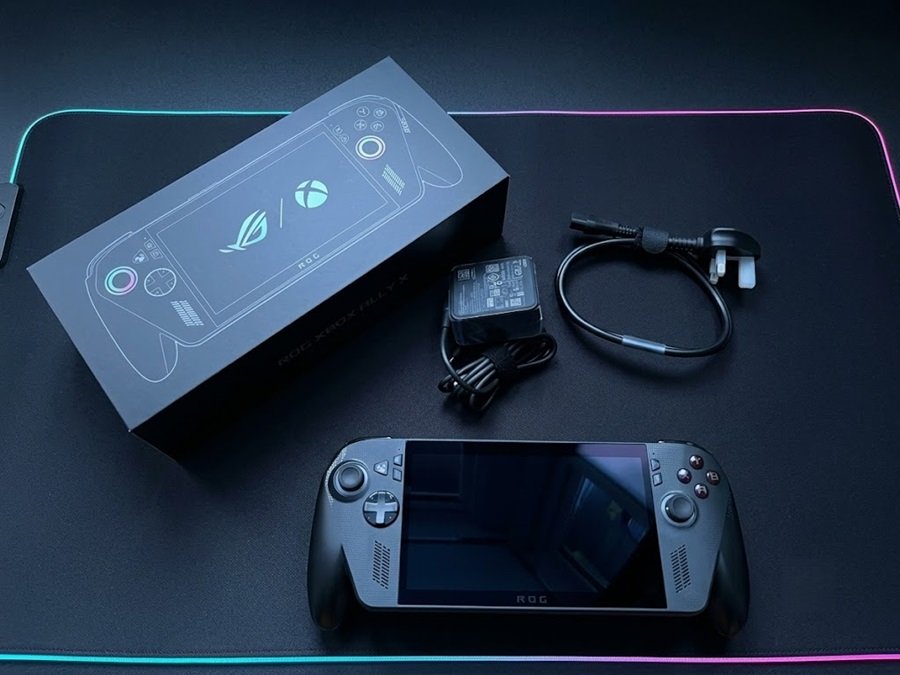
Watch the full breakdown, teardown, and performance benchmarks of the ROG Xbox Ally X.
⚙️ Quick Specifications (Ally X Model)
- 🧠 Processor: AMD Ryzen Z1 Extreme (8-Core, 16-Thread)
- 🎮 Graphics: 16 Cores RDNA 3.5 Graphics
- 💾 Memory & Storage: 24GB LPDDR5X RAM | 1TB Full-length M.2 2280 NVMe SSD
- 📺 Display: 1080p 120Hz IPS-type Screen (Angled Design)
- 🔋 Battery: 80Wh (0 to full in ~90 minutes)
- 🔌 Ports: 2x USB-C (Including 1x Thunderbolt 4 for eGPU support)
- 💰 Price: $999 USD (X Model) / $600 USD (Non-X Model)
Full Specs Table
The quick list above covers the essentials. The table below follows the ASUS spec sheet and adds the details that matter when you compare handhelds. Note that ASUS and the reviewers cited in this article name the chip the Ryzen AI Z2 Extreme.
| Spec | ROG Xbox Ally X |
|---|---|
| Processor | AMD Ryzen AI Z2 Extreme, 8 cores / 16 threads, up to 5.0GHz |
| NPU | 50 TOPS (XDNA) |
| Memory | 24GB LPDDR5X (on board) |
| Storage | 1TB PCIe 4.0 NVMe, M.2 2280 |
| Display | 7-inch 1080p IPS, 120Hz, FreeSync Premium VRR, 500 nits rated, 100% sRGB |
| Glass | Gorilla Glass Victus with DXC coating |
| Battery | 80Wh, 4-cell Li-ion |
| Weight | 715g (1.58 lbs) |
| Ports | USB 3.2 Gen 2 Type-C, USB4 Type-C (Thunderbolt 4), microSD UHS-II, 3.5mm audio |
| Wireless | Wi-Fi 6E, Bluetooth 5.4 |
| Controls | Two full-size sticks, HD haptics, 6-axis gyro, two assignable grip buttons |
| Operating system | Windows 11 Home with the Xbox full-screen experience |
1. The Software: Windows 11 “Xbox Full-Screen Experience”
The most defining feature of this device is its operating system. Instead of dumping you onto a traditional Windows desktop, the ROG Xbox Ally X boots directly into a polished Xbox full-screen interface. This optimization is massive—it actually claws back roughly 2GB of system memory by streamlining background processes, which is crucial since your system RAM also acts as your GPU’s VRAM.

It successfully acts as a unified hub for your entire library (Xbox Game Pass, Steam, Epic, GOG). However, the “Windows Jank” hasn’t been completely eliminated. You still have to deal with third-party launcher pop-ups (like Steam updating in the background), occasional UI freezing, and the classic Windows sleep bug where the device might randomly wake up in your bag. Furthermore, despite the “Xbox” branding, you cannot play legacy Xbox games natively—this is strictly a PC gaming machine.
How the Xbox Full-Screen Experience Compares With SteamOS
Reviewers praise the new interface, but they also point out its limits. Tom’s Guide calls it “seriously slick to navigate” and says it removes background desktop processes. That helps performance and battery life.
Notebookcheck sees the same gains. Even so, it concludes that the Xbox layer does not match SteamOS for efficiency. PC Games Hardware agrees that it is “not quite as seamless” as Valve’s system. Steam, Epic and GOG clients still need a separate install before they show up in the library.
The branding adds some confusion, too. Tom’s Guide counted only 1,522 games under the Xbox Play Anywhere label at the time of its review. In practice, you will still lean on Steam for much of your library. If you want a deeper look at how the software choice shapes the whole category, see our best handheld gaming PCs of 2026 guide.
2. Hardware & Ergonomics: The Angled Screen Debate
ASUS has completely overhauled the ergonomics. The most controversial change is the angled screen. If you play while commuting or holding the device upright in front of you, the angle is incredibly comfortable and reduces neck strain. However, if you are a “couch sloucher” or play lying flat on your back, the angle fights against your natural line of sight.
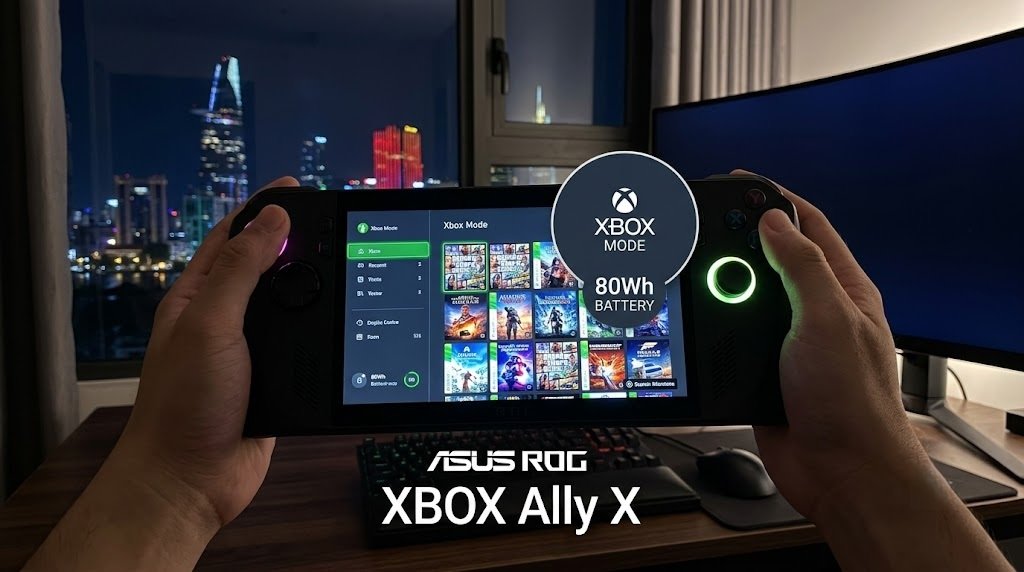
Other physical updates include:
- Ergo Grips: Exceptionally comfortable hand grips that make this heavy device feel balanced.
- Improved Thumbsticks: Dramatically smoother and more precise than the previous generation. The X model features impulse triggers, while the non-X features Hall-effect triggers.
- Button Placement: The menu buttons have been swapped. The new placement puts the Armory Crate button uncomfortably close to the right thumbstick, which takes some getting used to.
3. Teardown & Upgradability
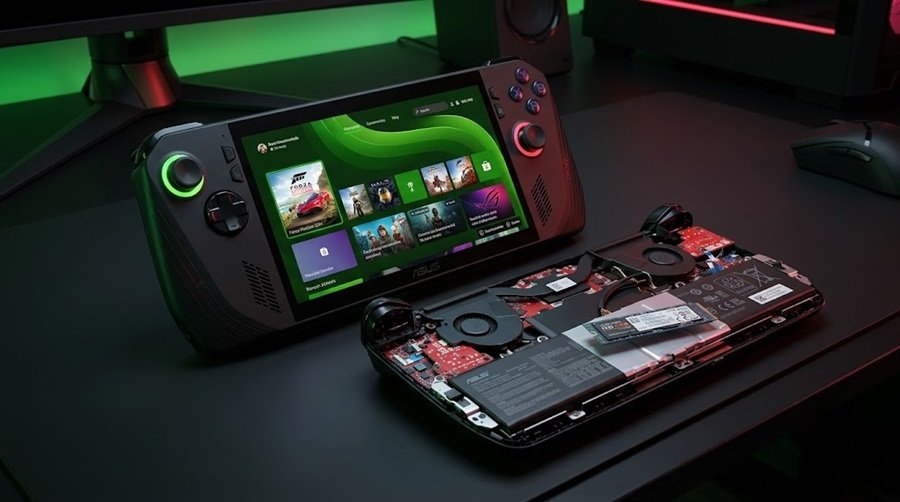
Opening the device is incredibly easy, requiring just a few standard screws. Inside, both the X and non-X models feature a full-length 80mm M.2 2280 NVMe slot. The X model is particularly impressive, offering ample clearance on the underside to support massive double-sided SSDs (like 4TB or 8TB drives) in the future.
4. Performance Benchmarks: The X vs. The Non-X
There is a night-and-day difference between the two models in terms of raw horsepower.
The $999 ROG Xbox Ally X
Armed with the monstrous Ryzen Z1 Extreme and 24GB of RAM, this device is a powerhouse. It crushes heavy AAA titles, maintaining a consistent console-like 30+ FPS in Cyberpunk 2077 at 1080p. Interestingly, thanks to better optimization and more RAM, running the new Ally X at a lower 17W power profile yields the same frame rates as the older ROG Ally X running at full power. This translates to massive real-world battery savings.
The $600 Non-X Model (A Massive Disappointment)
Do not let the naming scheme fool you. The non-X model uses a severely downgraded Zen 2 / RDNA 2 chip (essentially a slightly overclocked version of the 3.5-year-old Steam Deck processor). While it manages a slight 10% to 22% FPS uplift over the Steam Deck at 720p due to faster memory and a 15W TDP, it struggles at 1080p. For $600, a Steam Deck OLED is a far superior value.
What Independent Reviews Measured
Other outlets report smaller gains than a “night-and-day” jump over the older Ally X. Notebookcheck measured a 10-15% performance lead over the previous Ally X. It also found a 14% GPU advantage and a 6% edge over the MSI Claw 8 AI+.
PC Games Hardware reports about 30% more frames per second than earlier Ally models. Tom’s Guide tested Cyberpunk 2077 at 720p Ultra in Performance mode. The Xbox Ally X reached 11.9 FPS, against 9.8 FPS for the previous generation. Red Dead Redemption 2 ran at 20.3 FPS at 1080p Medium.
These numbers show a strong but incremental step. The real wins come from efficiency and the larger memory pool, not from a leap in raw frame rates. As a result, lowering settings and using upscaling remain part of the experience in the heaviest games.
5. Battery Life & Thermals
The ROG Xbox Ally X has a large 80Wh battery, and light or older games can run well past the three-hour mark. In demanding games, however, independent tests land at about three hours, as the next section shows.
Thermals are also exceptionally well-managed. The X model averages around 69°C under heavy load (peaking briefly at 90°C), while the lower-powered non-X stays incredibly cool at an average of just 54°C. Plus, the X model charges from 0 to full in just 90 minutes via its Thunderbolt 4 port.
Battery Life in Independent Tests
Battery claims deserve a closer look. Notebookcheck measured “more than three hours” of gaming in Performance mode. Tom’s Guide also landed at just over three hours on a charge. Those results sit below the “5 hours” figure often quoted for light gaming.
PC Games Hardware tested medium settings with FSR Quality at 1080p. It reports roughly four hours at 13W, 3.4 hours at 17W and 2.5 hours at 25W. So the 80Wh pack is generous, but your power profile decides the result.
Screen Brightness and Fan Noise
ASUS rates the display at 500 nits. Notebookcheck measured a 490-nit peak and an average near 460 nits. That is still a good panel for a handheld. However, the same review lists loud fans as a drawback in Turbo mode, at 43.4 dB(A) when plugged in. Silent mode measured 29.7 dB(A), and Performance mode measured 31.3 dB(A).
6. Pros and Cons Summary
👍 Pros
- New Xbox UI saves 2GB of RAM and organizes all launchers beautifully.
- Massive performance gains and 24GB RAM handle 1080p gaming effortlessly.
- Incredible battery life (80Wh) and fast 90-minute charging.
- Full-sized M.2 2280 SSD slot with room for double-sided drives.
- Thunderbolt 4 port allows for eGPU and premium dock expansion.
👎 Cons
- The X model is very expensive at $999 USD.
- The $600 non-X model uses outdated Zen 2 architecture and is not worth buying.
- Angled screen design is polarizing depending on your sitting posture.
- Windows sleep bugs and launcher pop-ups still occasionally interrupt the console illusion.
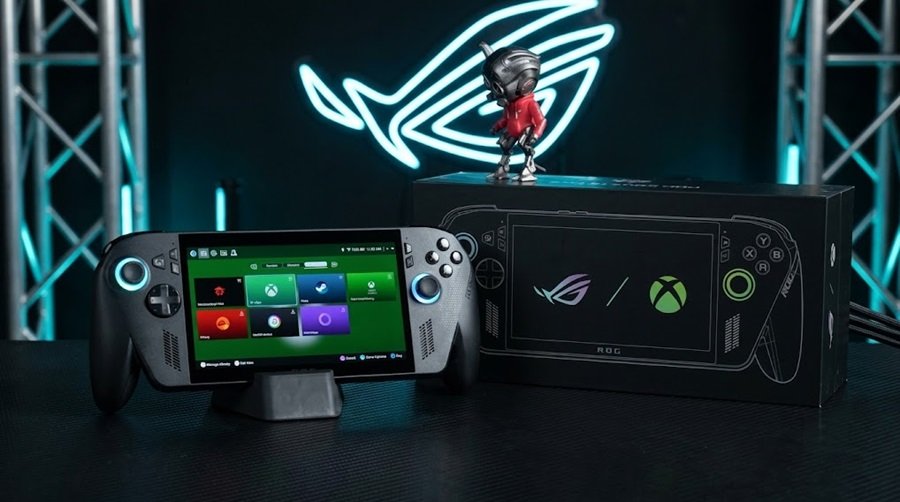
How the ROG Xbox Ally X Compares With Rivals
The Xbox Ally X competes against three kinds of handhelds. Valve’s Steam Deck OLED wins on screen quality and price. Lenovo’s SteamOS Legion Go S offers a larger display. MSI’s Claw 8 EX AI+ chases raw power. The table uses manufacturer specs and published reviews.
| Handheld | Chip | Display | Battery | Weight | Launch price |
|---|---|---|---|---|---|
| ROG Xbox Ally X | Ryzen AI Z2 Extreme, 24GB | 7-inch 1080p IPS, 120Hz | 80Wh | 715g | $999 |
| Steam Deck OLED | Zen 2 / RDNA 2 custom APU, 16GB | 7.4-inch OLED, 1280×800, 90Hz | 50Wh | 640g | See Valve |
| Lenovo Legion Go S (SteamOS) | Ryzen Z2 Go or up to Z1 Extreme | 8-inch 1920×1200 IPS, 120Hz | 55.5Wh | 740g+ | $649.99 and up |
| MSI Claw 8 EX AI+ | Intel Arc G3 Extreme, 32GB | 8-inch 1920×1200, 48-120Hz VRR | 80Wh | 1.73 lbs | $1,799 MSRP |
Our handheld PC roundup ranks all of these in more detail. The short version: the Claw is faster but heavier and costlier. The Legion Go S has the bigger screen but a much smaller battery. The Steam Deck OLED has the nicer panel, though its processor is older.
One more point matters if you shop now. ASUS also lists a ROG Xbox Ally X20 (2026) on its ROG Ally lineup page, with a 7.4-inch OLED display and the same Ryzen AI Z2 Extreme with 24GB of memory. Check it before you spend $999 on the original model, because the missing OLED panel is a common complaint in reviews.
Who Should Buy the ROG Xbox Ally X
- Players who want the fastest Windows handheld and a console-style interface.
- Xbox Game Pass subscribers who also keep libraries on Steam, Epic or GOG.
- Travelers who need long sessions away from an outlet and a user-upgradable SSD.
- Desk users who want a Thunderbolt 4 port for docks, monitors or an eGPU.
Who Should Skip It
- Budget buyers, since the Steam Deck OLED and non-X models cost much less.
- Anyone who values a vivid OLED screen above raw speed.
- Players who prefer SteamOS efficiency and a simple, Steam-only library.
- Couch and bed gamers who dislike the angled screen design.
Using It at a Desk
The Thunderbolt 4 port makes desktop use realistic. Pair the handheld with a high-refresh display such as the ASUS TUF Gaming VG247Q1A for a budget setup. If you want a premium option, our Dell Alienware AW3426DW review covers a 280Hz QD-OLED screen.
Bluetooth and USB accessories work as well. For mouse-and-keyboard sessions, our gaming mouse buying guide and the mechanical keyboard budget guide explain what to buy at each price. A lightweight option such as the Logitech G PRO X SUPERLIGHT 2 suits tight travel setups.
Sound is the last piece. For wireless audio, compare the Logitech G PRO X3 LIGHTSPEED headset with the premium Turtle Beach Stealth Pro 2. Both pair well with a handheld plugged into a dock.
7. Final Verdict: Should You Buy It?
If you are looking at the $600 non-X model, save your money and buy a Steam Deck OLED instead. However, the $999 ROG Xbox Ally X is a completely different beast.
It successfully blends the raw power and versatility of a high-end PC with the closest thing we’ve ever had to a unified Windows console interface. The ability to run heavy games at 1080p while actually surviving away from a wall charger for hours makes this a true generational leap. It earns a highly recommended rating from the Gearzon review team for hardcore portable gamers.
Ready to Experience the Ultimate Handheld?
Check current pricing, stock availability, and shipping deals for the ROG Xbox Ally X on Amazon.
Explore More Handheld Reviews on Gearzon
Looking for in-depth comparisons between the Steam Deck OLED, MSI Claw, and other portable PCs? Visit Gearzon for expert gaming hardware reviews!