Best Standing Desk for Gaming in 2026: FlexiSpot E7 Pro and 3 Rivals Compared
A standing desk can change how you game. It also makes your setup more expensive, heavier and harder to assemble than a fixed table. Most gaming desk lists ignore that trade-off and push RGB strips instead. This guide focuses on what actually matters: frame stability at standing height, load capacity for big monitors, a surface that works with a mouse, and a price that makes sense.
Our main pick is the FlexiSpot E7 Pro. It has a dual-motor frame, a 440 lb static load rating on FlexiSpot’s own page, a wide height range and a 15-year warranty on the frame, motors and electronics. We compare it with the UPLIFT V3, the Secretlab Magnus Pro XL and the Eureka Ergonomic Aero Pro, and we mention two more desks at the end.
Best Standing Desks for Gaming at a Glance
| Desk | Best for | Height range | Rated load | Price signal |
|---|---|---|---|---|
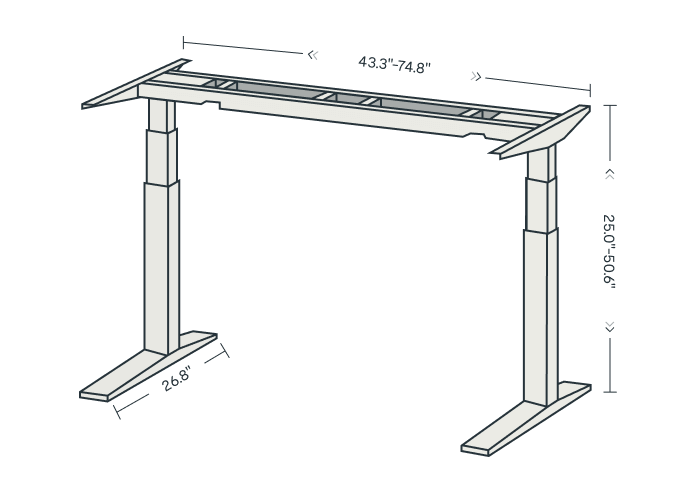
| FlexiSpot E7 Pro | Best overall | 25.0-50.6 in | 440 lb (FlexiSpot) | Roughly $500-$800 list, often discounted |
| UPLIFT V3 | Best premium alternative | 22.6-48.7 in | About 355 lb (TechRadar) | From $599 on the UPLIFT page |
| Secretlab Magnus Pro XL | Best matching ecosystem | 65-125 cm | 120 kg gross (PC Gamer) | $949 at 2022 launch |
| Eureka Aero Pro | Best built-in shelves | 29.5-48 in | 220 lb (TechRadar) | $619 (63 in) / $799 (72 in) |
Prices move with sales, desktop size and finish. Treat every figure here as a signal, not a quote, and check the current price before you buy.
How We Built This Guide
We collected official specifications from FlexiSpot, UPLIFT and Secretlab. We then read independent reviews: GamesRadar and Pro Tool Reviews for the E7 Pro, TechRadar for the UPLIFT V3, PC Gamer for the Magnus Pro XL and TechRadar for the Aero Pro. We also used ProSettings for gaming-specific advice.
Two caveats apply. First, some of those reviews are a few years old, so prices and finishes may have changed. Second, FlexiSpot supplied the E7 Pro units for at least one review we cite, and we flag that where it matters.
Video: creator Matt Robb compares the E7 Pro with the Vernal desk and the UPLIFT V2 (the V3 predecessor).
What Makes a Standing Desk Good for Gaming?
Office buyers care about height range and looks. Gamers need more. Your hands sit on the desk for hours, a heavy monitor sits at the back, and a twitchy mouse arm punishes any frame that shakes. Here is what we weigh.
Stability at Standing Height
Every standing desk wobbles a little when fully extended. The question is how much, and whether it reaches your monitor. Dual-motor frames with a rigid crossbar do better than single-motor frames. ProSettings also notes that some premium desks still show some wobble at maximum height. If you play standing, keep the desk a few inches below its maximum.
Load Capacity and Monitor Weight
Rated load is a static number. It covers the desktop, your PC, monitors and accessories. A 34-inch ultrawide plus a monitor arm is heavier than many people expect. Our Alienware AW3426DW review and OLED monitor comparison cover typical monitor sizes. Add a tower under the desk and the numbers climb fast.
Manufacturers also disagree with reviewers. The E7 Pro is rated at 440 lb on FlexiSpot’s page, yet other reviews quote figures from about 160 kg (roughly 353 lb) to 180 kg. We use the official 440 lb figure and mention the spread. Plan with a safety margin either way.
Desktop Surface, Depth and Width
Mouse precision depends on a smooth, consistent surface. Pro Tool Reviews reports that the E7 Pro gaming desktop works well without a mousepad. Even so, a large mat helps, and our gaming mouse buying guide explains why sensor and surface matter together. ProSettings recommends at least 140 cm of width for dual monitors, which matches what we would suggest.
Height Range, Memory Presets and Controls
A wide range lets you sit with elbows near 90 degrees and stand at a comfortable height. Memory presets save the two positions you use daily. Look for a keypad that is hard to bump. GamesRadar noted that the E7 Pro controls can be easy to hit by accident, which is worth knowing if you rest a forearm near them.
Cable Management, Noise and Warranty
Cables must move with the desk without snagging. A tray or sleeve under the top is the minimum. Motor noise matters if you stream or talk on voice chat. Finally, check the warranty. A 15-year frame warranty, as FlexiSpot and UPLIFT both list, protects a purchase you may keep for a decade.
| Spec | Why gamers care | What to aim for |
|---|---|---|
| Dual motors | Less wobble, better lift under load | Always, for dual-monitor setups |
| Rated load | PC, monitors and arms add up | At least 200 lb, more for ultrawides |
| Width | Room for keyboard, mouse and a mat | 140 cm (about 55 in) or wider |
| Min height | Seated comfort for shorter users | Check against your elbow height |
| Warranty | Frame and motors are the costly parts | 10+ years on the frame |
1. FlexiSpot E7 Pro: Best Standing Desk for Gaming Overall
The E7 Pro earns the top spot because it balances capacity, range and price better than most rivals. It is not the most elegant desk here, and it is not the quietest. It is the one we would shortlist first for a typical gaming setup with one or two monitors.
⚙️ FlexiSpot E7 Pro: Quick Specifications
Design and Build Quality
The E7 Pro uses a dual-motor, C-shaped frame. FlexiSpot’s Canadian blog compares it with the older E7, which has a T-shaped frame, a smaller height range (22.8-48.4 in) and a lower 355 lb rating. The Pro adds range, capacity and a magnetic cable cover. T3 also praised the thick steel legs.
FlexiSpot sells the frame alone or with a desktop. Materials include laminate, bamboo and rubberwood, plus an ergonomic series and a gaming series. That choice matters, because the desktop you pick changes both the price and the look.
Stability and Monitor Support
Pro Tool Reviews saw smooth lifting even with a dual monitor mount and two displays loaded. CGMagazine called it rock-solid with dual monitors and a 49-inch ultrawide, and gave it 8.5 out of 10. GameRevolution scored it 9 but noticed slight wobble at maximum height.
Those findings match what we expect from a good dual-motor frame. You can type and aim comfortably at most heights. Expect a little movement near the top, as with nearly every desk in this price band.
Controls, Safety and Software
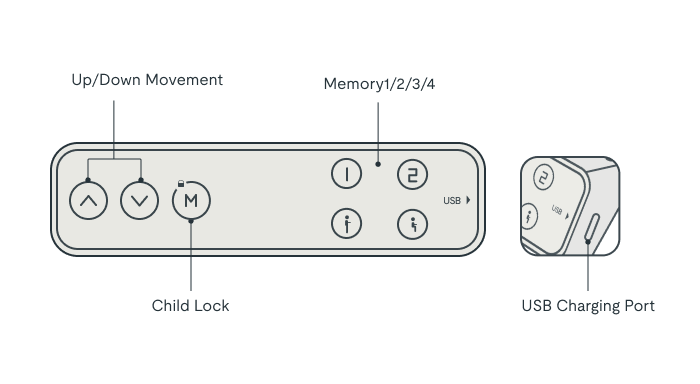
There is no companion app or driver to install. All control happens on the keypad. It offers up and down buttons, four memory presets and a child lock. The USB port is handy for charging a phone or a headset dongle. GamesRadar liked the responsive controls and the smooth motion, but warned that buttons are easy to hit by accident.
Anti-collision is included. One comparison site notes it can default to off, so check the setting after assembly. Pair the desk with a good chair, such as the one in our Herman Miller x Logitech G Embody review, and keep headphones within easy reach. Our headset comparison can help you pick one.
Assembly and Price
Assembly times vary by review. Pro Tool Reviews reported under 45 minutes with a cordless screwdriver and clear instructions. T3 said about 45 minutes. GamesRadar needed about an hour and called the boxes heavy enough for two people. Plan for an hour and ask a friend to help.
Price changes often. GamesRadar listed it at $499.99 with a $399.99 sale in 2023, and Pro Tool Reviews quoted $599 for the frame alone and up to $809 with a desktop. Check the current offer on the FlexiSpot product page, because sales are frequent.
👍 The Good
- ✔ Dual-motor frame with a 440 lb official rating
- ✔ Wide 25.0-50.6 in height range
- ✔ Four memory presets, USB port and anti-collision
- ✔ Large choice of desktop sizes and materials
- ✔ 15-year warranty on frame, motors and electronics
👎 The Bad
- ✘ Heavy boxes make assembly a two-person job
- ✘ Controls are easy to hit by accident
- ✘ Slight wobble at full height, per GameRevolution
- ✘ Capacity figures differ between reviews
- ✘ No built-in storage or shelves
2. UPLIFT V3: Best Premium Alternative
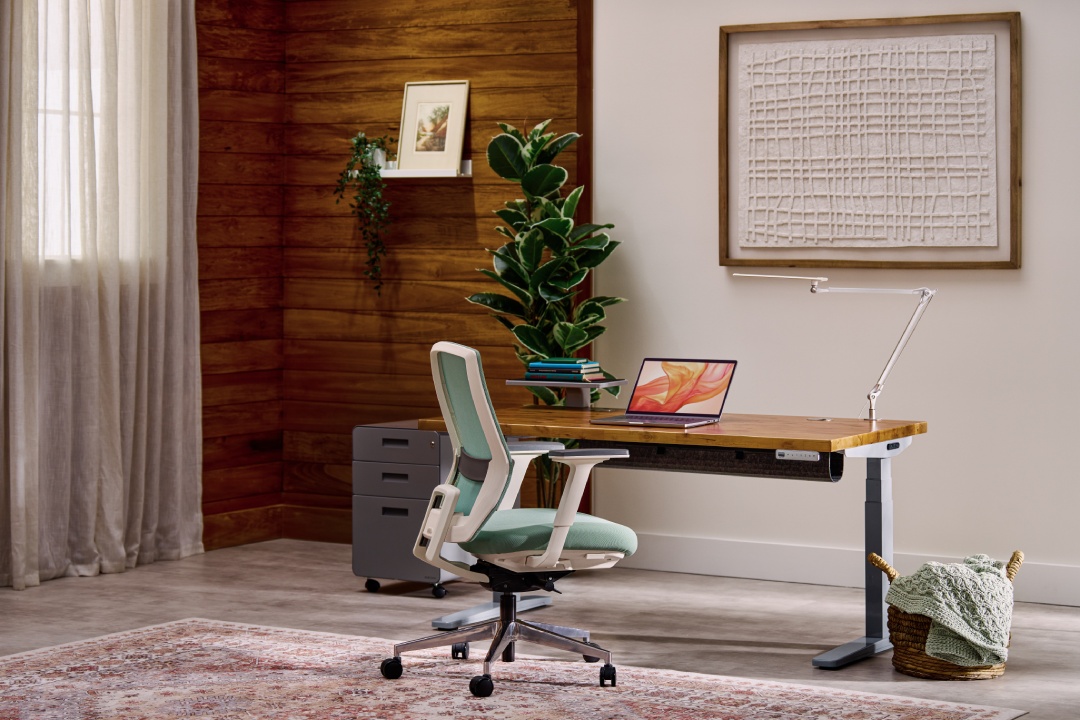
The UPLIFT V3 is the desk we would pick if budget were no issue and looks mattered. TechRadar gave it 5 out of 5 and an Editor’s Choice award in October 2025. The reviewer reported no bowing or sagging after about a month of heavy use with dual monitors and accessories.
| Spec | UPLIFT V3 |
|---|---|
| Height range | 22.6-48.7 in (UPLIFT page); TechRadar lists 48.2 in |
| Lift capacity | About 355 lb (TechRadar) |
| Noise | Under 50 dB (TechRadar, from the spec sheet) |
| Warranty | 15 years |
| Price | From $599 on the UPLIFT page; heavily customised builds exceed $2,000 |
The lower minimum height of 22.6 in suits shorter users better than the E7 Pro. The frame is a dual-motor, steel, crossbar design that TechRadar describes as sturdier than the V2. Customisation is huge, from desktop materials to accessories, and that is also why prices climb.
The downsides are cost and weight. TechRadar calls it pricey and heavy, and says the cable manager could be better. For many gamers, the E7 Pro delivers similar stability for less money. If you want the cleanest look and the largest accessory catalogue, the UPLIFT earns its premium.
👍 The Good
- ✔ Best-in-class stability, per TechRadar
- ✔ Lower minimum height (22.6 in)
- ✔ 15-year warranty
- ✔ Extensive customisation
👎 The Bad
- ✘ Expensive once you add options
- ✘ Heavy, especially larger sizes
- ✘ Lower rated capacity than the E7 Pro
- ✘ Cable manager could be better
3. Secretlab Magnus Pro XL: Best for a Matching Gaming Setup
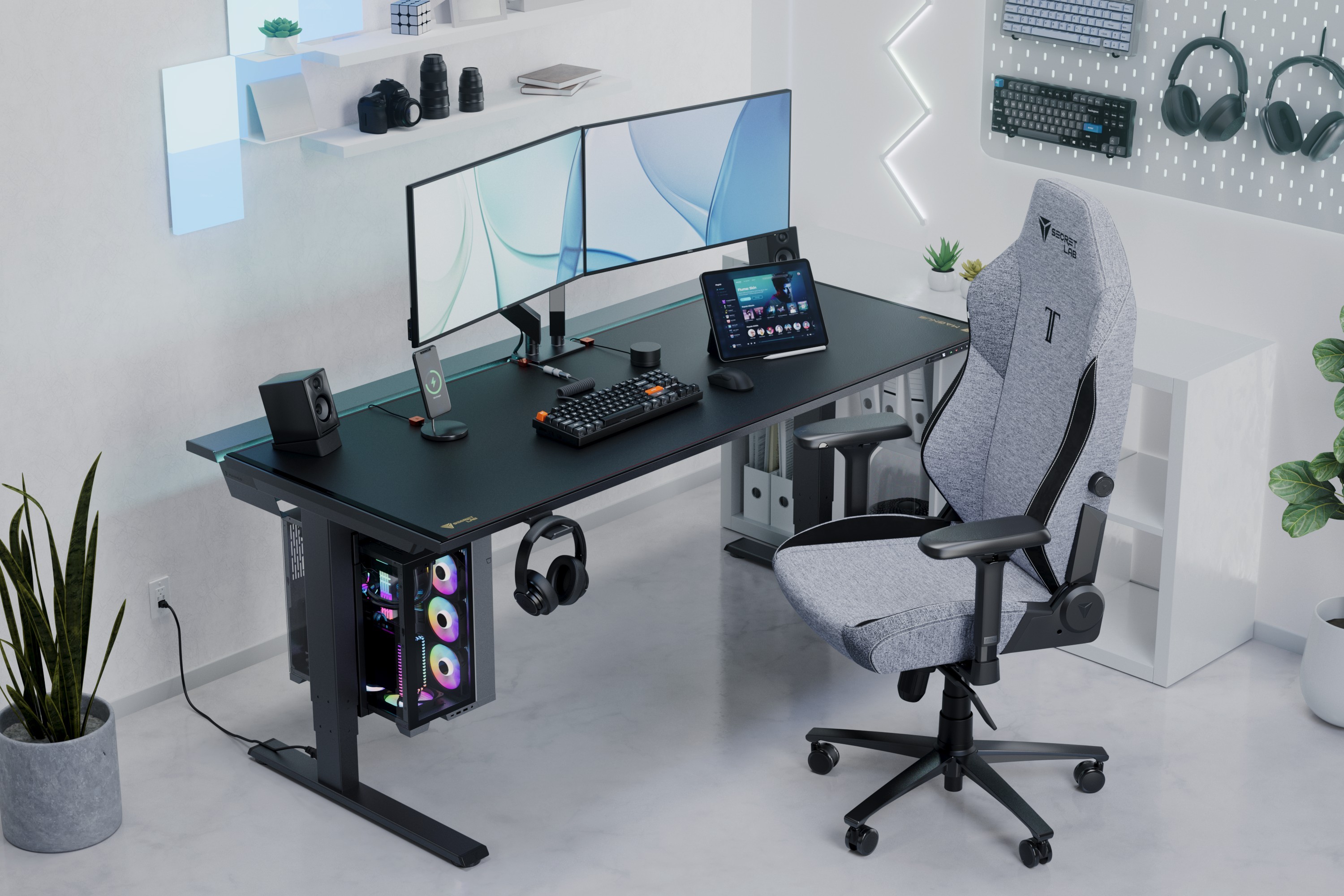
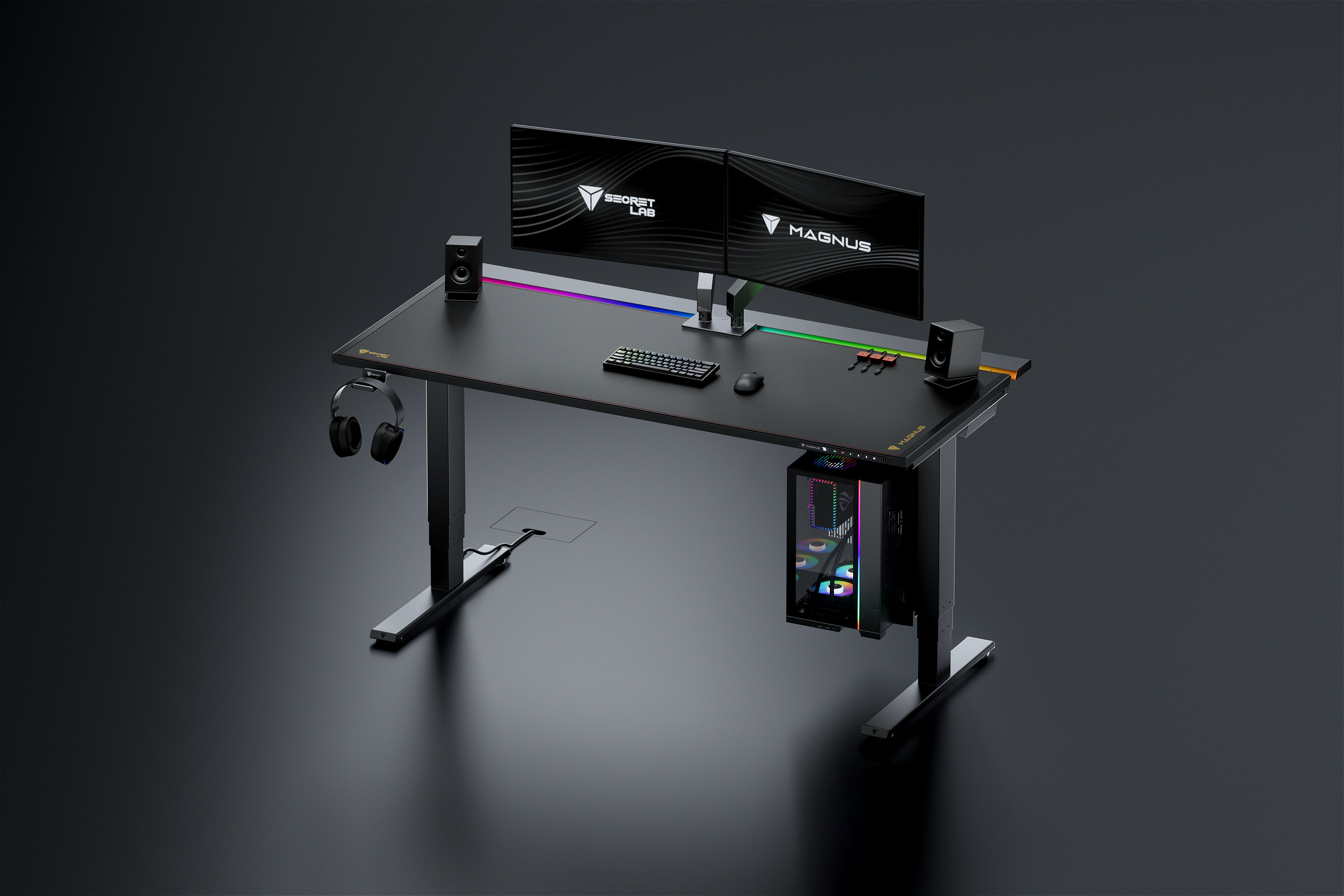
Secretlab built the Magnus Pro for people who already own a Secretlab chair, and its magnetic accessories make it the most gaming-themed desk here. PC Gamer scored the XL 88 in 2022. The reviewer called it fantastic but patently pricey.
| Spec | Magnus Pro XL (PC Gamer, 2022) |
|---|---|
| Size | 177 x 80 cm |
| Height range | 65-125 cm |
| Gross load | 120 kg (about 87 kg after the desk weight) |
| Motors | Two, one in each leg |
| Warranty | 5 years |
| Launch price | $949 / 829 GBP |
PC Gamer described the lift as quiet and smooth, with a gradual stop that prevents items from jolting. The desk has good cable management and magnetic accessories. Those accessories cost extra. The reviewer listed a cable tidy at $25 for three, a headphone hanger at $29 and an RGB strip at about $79-$89. Note the reviewer also saw a mouse stick slightly to the metal surface.
ProSettings reports some wobble at maximum height. Secretlab currently lists a 2025/2026 Magnus Pro in regional stores, and we could not confirm US pricing. Treat the 2022 numbers as a reference and check the Secretlab product page for current specs.
👍 The Good
- ✔ Quiet, smooth dual-motor lift
- ✔ Magnetic accessories and cable management
- ✔ Strong brand ecosystem with matching Secretlab chairs
- ✔ 88/100 from PC Gamer
👎 The Bad
- ✘ Expensive once accessories are added
- ✘ Very heavy
- ✘ Some wobble at maximum height, per ProSettings
- ✘ Current US specs and price unconfirmed
4. Eureka Ergonomic Aero Pro: Best Desk With Built-In Shelves
The Aero Pro takes a different route. TechRadar tested a 72 x 23 in model priced from $799, while a 63 x 23 in version starts at $619. It adds three monitor shelves, a hanging controller station, a cup holder and under-shelf lighting. TechRadar scored it 4.5 for value, 5 for design and 4 for features.
The reviewer called it supremely stable even at maximum height. The motor is fairly quiet, and the desk has an obstruction sensor and three memory presets. The lighting disappointed, and the desk takes a lot of space.
| Spec | Eureka Aero Pro (TechRadar, Aug 2026) |
|---|---|
| Height range | 29.5-48 in |
| Rated load | 220 lb |
| Sizes tested | 72 x 23 in (63 x 23 in also sold) |
| Extras | Three monitor shelves, controller hook, cup holder, USB-C pass-through holes |
| Price | From $619 (63 in) or $799 (72 in) |
Its 29.5 in minimum is the highest here, so shorter people may find a seated position awkward. A 220 lb rating also suits one or two monitors better than a huge ultrawide plus a tower. If you want the shelves and a tidy look, it is a good value.
Also Considered
The FlexiSpot E7 is the older sibling of our top pick. According to FlexiSpot’s Canadian blog it offers 22.8-48.4 in of height and a 355 lb rating, and it is cheaper in many sales. It is a fair choice for lighter setups.
The Autonomous SmartDesk Pro starts at $499 according to a 2023 PCWorld review, with a 26.2-52 in range. The reviewer noted an occasional light wobble and a frustrating assembly. We left it out of the main picks because the data is old and the build experience sounds worse than our main four.
How to Set Up a Standing Desk for Gaming
Set Your Sitting and Standing Heights
This is general ergonomic guidance, not medical advice. Save a sitting height where your forearms are roughly level with the desk and your wrists stay straight. Save a standing height with the same elbow angle. Put the top of each monitor near eye level. Memory presets then take one button press.
Choose Peripherals That Fit the Desk
A compact keyboard frees up room for wide mouse swings. Our reviews of the Logitech G Pro X TKL Rapid, AULA F99 and YUNZII IF68 show different sizes and prices, and the keyboard budget guide helps you decide how much to spend. For the mouse, the Logitech G Pro X Superlight 2 and the ATK RS6 Ultra are light enough that desk movement rarely affects them.
Headset hooks and monitor arms also help. A premium wireless headset like the Turtle Beach Stealth Pro 2 is easy to hang on a desk. If you plan to mount a monitor, our ASUS TUF VG247Q1A review is a good example of a light 24-inch budget panel.
Mind Clamps, Wheels and Heavy Accessories
Clamp-on gear adds load and torque at the desk edge. Sim racers using products like the MOZA KS Pro and CS Pro wheel should check the clamp thickness limit and the desktop edge before mounting. Add the weight of the PC, arms and speakers to the rated load before you choose a frame.
Alternate, Do Not Stand All Day
The goal is more movement, not endless standing. Start with short standing sessions and build up. Use a cushioned mat and comfortable footwear. If you have back, leg or circulation problems, ask a healthcare professional first.
Which Standing Desk Should You Buy?
| If you want… | Choose | Why |
|---|---|---|
| The best balance of capacity, range and price | FlexiSpot E7 Pro | 440 lb official rating and a wide height range |
| The most refined premium build | UPLIFT V3 | Editor’s Choice from TechRadar and a 22.6 in minimum |
| A matching setup for a Secretlab chair | Secretlab Magnus Pro XL | Magnetic accessories and quiet motors |
| Shelves and storage built in | Eureka Aero Pro | Three monitor shelves and a controller hook |
Our verdict is simple. The FlexiSpot E7 Pro is the best standing desk for gaming for most people, because it combines a dual-motor frame, a high load rating and a long warranty without a premium price. Pick the UPLIFT V3 if you are shorter and need its lower 22.6 in minimum, or if you value polish. Pick the Magnus Pro XL for the ecosystem, and the Aero Pro if you want shelves. Whatever you choose, check the current price, since all four change often.
Frequently Asked Questions
Are standing desks good for gaming?
Yes, if the frame is stable. A dual-motor frame with a wide stance holds monitors steady and lets you switch between sitting and standing. Expect a little movement near maximum height on most desks.
What is the best standing desk for gaming?
We rate the FlexiSpot E7 Pro as the best overall, based on its 440 lb official load rating, 25.0-50.6 in height range and 15-year warranty. The UPLIFT V3 is the premium alternative.
How much weight can the FlexiSpot E7 Pro hold?
FlexiSpot lists a 440 lb maximum static load. Some reviewers quote lower figures, including about 160 kg, so plan with a safety margin and keep the combined weight of monitors, PC and accessories well below the rating.
Is the FlexiSpot E7 Pro better than the UPLIFT V3?
The E7 Pro offers a higher official load rating and often costs less. The UPLIFT V3 has a lower minimum height of 22.6 in, a 5 out of 5 TechRadar score and more customisation. Shorter users and premium buyers may prefer the UPLIFT.
Does a standing desk wobble when gaming?
Most standing desks wobble slightly at full height. Dual-motor frames wobble less. Lowering the desk a few inches from maximum usually reduces movement during fast mouse play.
How wide should a gaming standing desk be?
ProSettings recommends at least 140 cm (about 55 in) for dual monitors. A 60 to 72 in desktop gives more room for a keyboard, mouse mat and speakers.
How long should I stand while gaming?
There is no single rule. Start with short sessions and alternate with sitting. If you have health concerns, ask a healthcare professional for advice that suits you.
Do I need a dual-motor standing desk?
For gaming, yes in most cases. Dual motors lift heavier loads more smoothly and add stability for multi-monitor setups. Single-motor desks suit light, single-monitor use.