SteelSeries Arctis Nova 5X vs HyperX Cloud III S Wireless: Which Headset Wins?
Two wireless headsets sit in the $120 to $130 sweet spot right now: the SteelSeries Arctis Nova 5X and the HyperX Cloud III S Wireless. Both pair a 2.4 GHz dongle with Bluetooth 5.3, and both skip noise cancelling. They still make very different trade-offs, and one of them cannot play on an Xbox at all.
How we built this comparison. GearZon did not run lab tests on either headset, and we will not pretend otherwise. This article combines official specifications from SteelSeries and HyperX with independent coverage from SoundGuys, Tom’s Hardware, Tom’s Guide, TweakTown and Reviewed. Each reviewer’s findings are credited where we use them.
Arctis Nova 5X vs Cloud III S Wireless: Specs and Quick Verdict

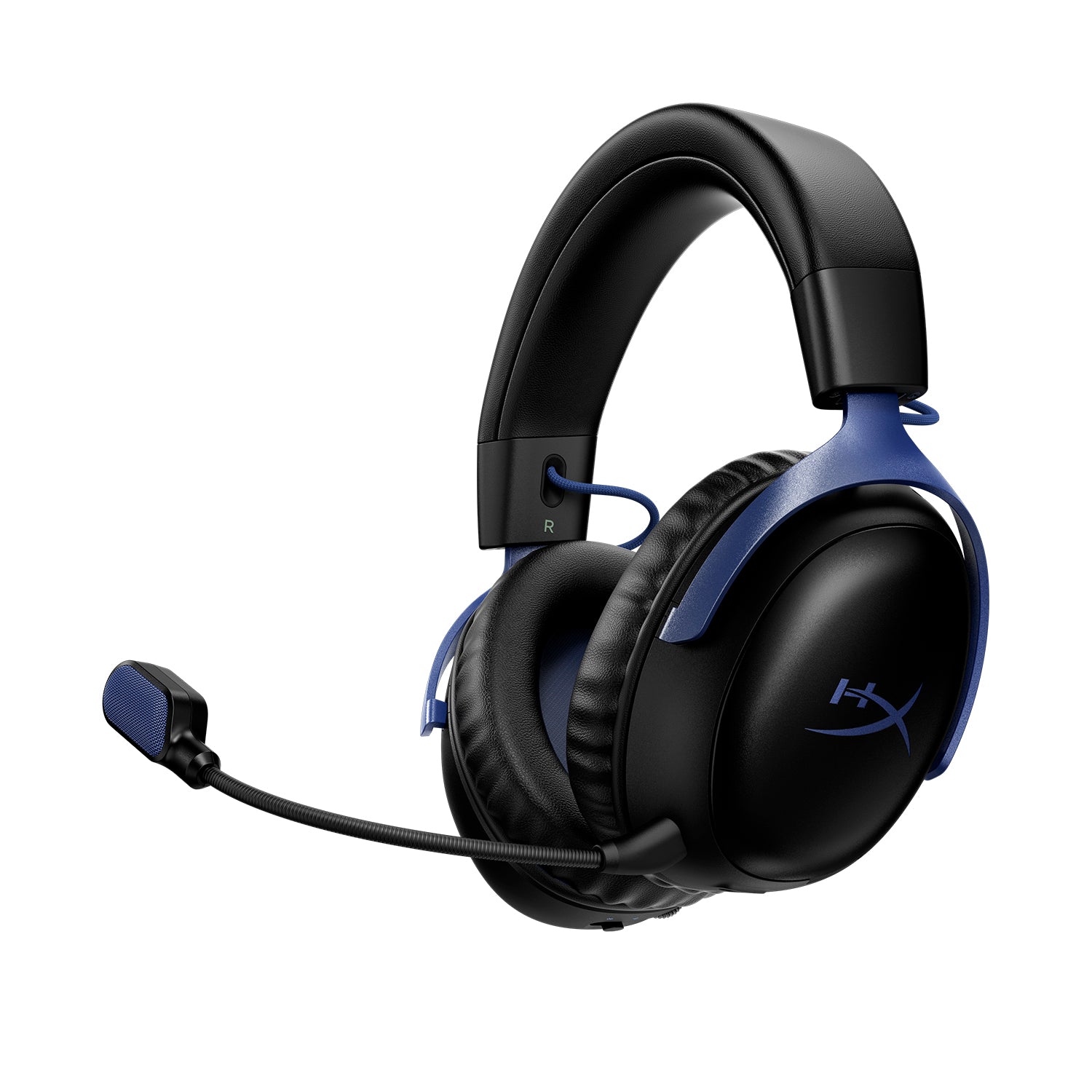
Side-by-side specifications
| Spec | SteelSeries Arctis Nova 5X | HyperX Cloud III S Wireless | Edge |
|---|---|---|---|
| Price (Amazon) | About $130 | About $120 | HyperX |
| Drivers | 40 mm neodymium | 53 mm angled neodymium | N/A |
| Wireless | 2.4 GHz and Bluetooth 5.3 | 2.4 GHz and Bluetooth 5.3 | Tie |
| Platforms | Xbox, PS, PC, Mac, Switch, Quest, mobile | PC, Mac, PS5, Switch, mobile | SteelSeries |
| Rated battery | Up to 60 h (50 h on 2.4 GHz) | Up to 120 h (200 h on Bluetooth) | HyperX |
| Measured battery (SoundGuys) | 42 h 10 min on PC | 113 h 27 min on 2.4 GHz | HyperX |
| Charging | Fast charge: 15 min for about 6 h | About 5 h, no quick charge | SteelSeries |
| Weight | 265 g | 341.5 g without mic, 353.5 g with | SteelSeries |
| Microphone | Retractable ClearCast 2.X, bidirectional | Detachable boom plus two built-in mics | Depends |
| Software | Companion app (iOS, Android), Sonar on Windows | NGENUITY (Windows only) | SteelSeries |
| Noise cancelling | None | None | Tie |
| SoundGuys score | 7.4 out of 10 | 6.5 out of 10 | SteelSeries |
Buy the Arctis Nova 5X if you play on Xbox, want a lighter headset or like fast charging. Buy the HyperX Cloud III S Wireless if you want the longest battery life, Bluetooth backup mics and a detachable boom mic, and you play on PC, PlayStation or Switch.
Design, Comfort and Weight

SteelSeries Arctis Nova 5X
At 265 g, the Nova 5X is light. SoundGuys scored comfort 8.0 out of 10 and found the fabric ear pads breathable. Reviewed called the headset exceptionally comfortable but said the plastic yokes and flat headband feel budget. SoundGuys gave design 6.6 and durability 6.4 out of 10.
HyperX Cloud III S Wireless
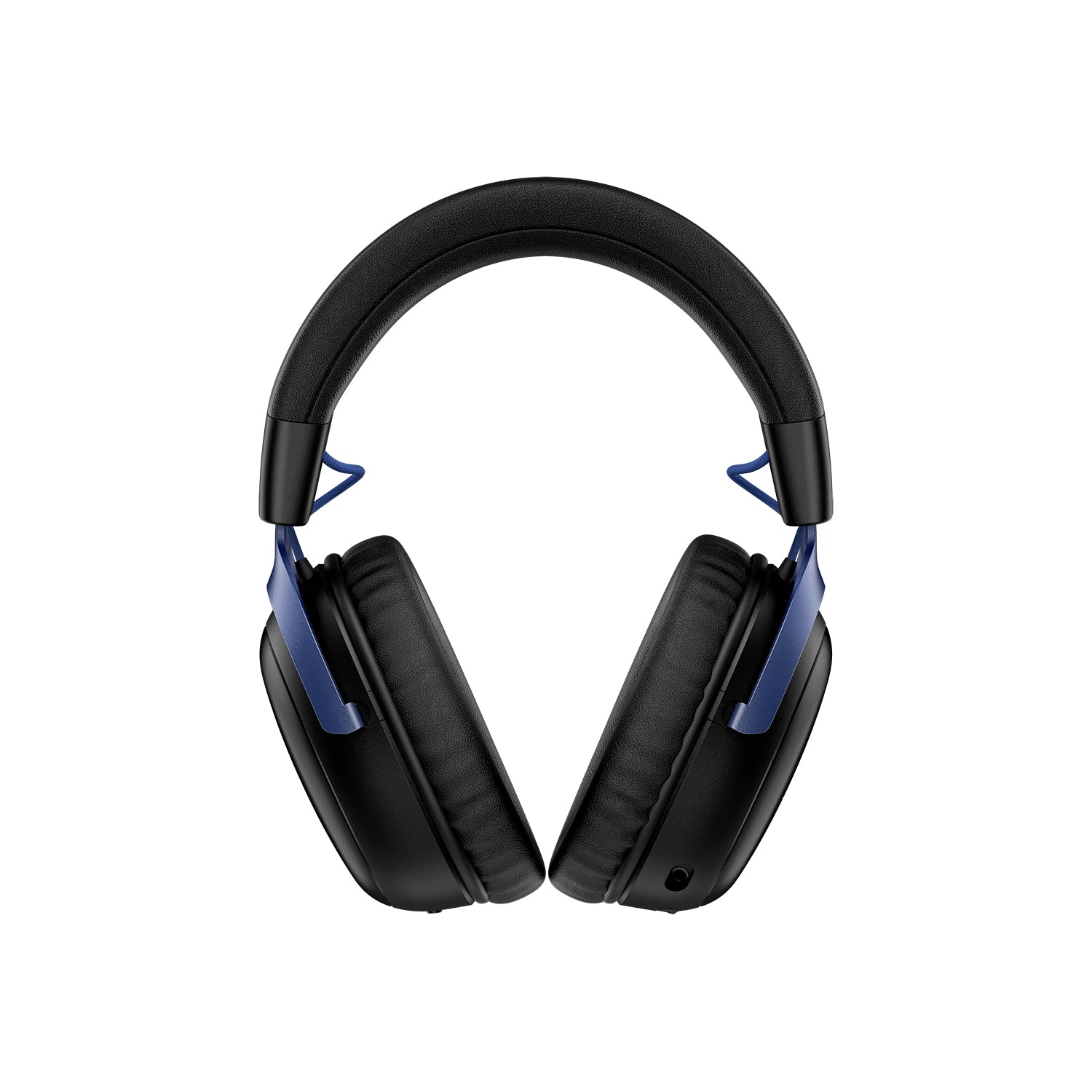
The HyperX weighs about 341.5 g without the mic and 353.5 g with it, per Tom’s Hardware. That is roughly 90 g more than the SteelSeries. SoundGuys scored comfort 9.0 out of 10 and said you could wear it for hours. Tom’s Guide noted the earcups get hot. HyperX uses a steel frame with aluminum forks, though SoundGuys still scored build at 5.0.
Who wins on comfort?
It is close. HyperX’s memory foam earned the higher comfort score, but the SteelSeries is much lighter and its fabric cushions run cooler. Neither folds like a travel headset. The Nova 5X cups fold flat, according to TweakTown, while the HyperX does not fold flat at all.
Sound Quality
SoundGuys tested both headsets with the same MDAQS method. The Nova 5X scored 4.2 out of 5, which beats 59% of gaming headsets. The HyperX scored 3.9 out of 5, which beats 53%. These are different test dates, so treat the gap as a small edge for SteelSeries rather than a verdict.

Tuning and spatial audio
SoundGuys found the Nova 5X sub-bass more than 10 dB below target, with extra emphasis from 6 to 10 kHz. TweakTown called the default tuning neutral and warm. The HyperX lacks ear gain around 2 to 3 kHz, according to SoundGuys, but Tom’s Hardware heard deep bass, clear highs and slightly restrained mids.
Spatial audio favors SteelSeries. Its Sonar app adds 360° virtual surround on Windows, and Tempest 3D and Microsoft Spatial Sound work on consoles. Tom’s Hardware found HyperX’s DTS Spatial Sound underwhelming. Tom’s Guide still found the HyperX comparable to the SteelSeries Arctis Nova 5 and ASUS ROG Pelta in Baldur’s Gate 3, with footsteps clear in Assassin’s Creed Shadows.
Watch the video reviews
Video: Arctis Nova 5X Review by GizmoSlipTech on YouTube
Video: HyperX Cloud III S Headset Review – A Future Legend? by GadgetryTech on YouTube
Microphone
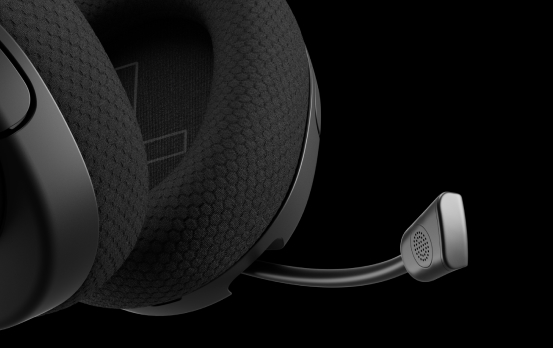
The Nova 5X has a retractable ClearCast 2.X boom mic with a high-bandwidth chipset. Reviewed called it the headset’s standout feature. SoundGuys scored it 7.7 out of 10 and found it intelligible in Helldivers 2, though it lacks a foam windscreen and picks up keyboard noise.
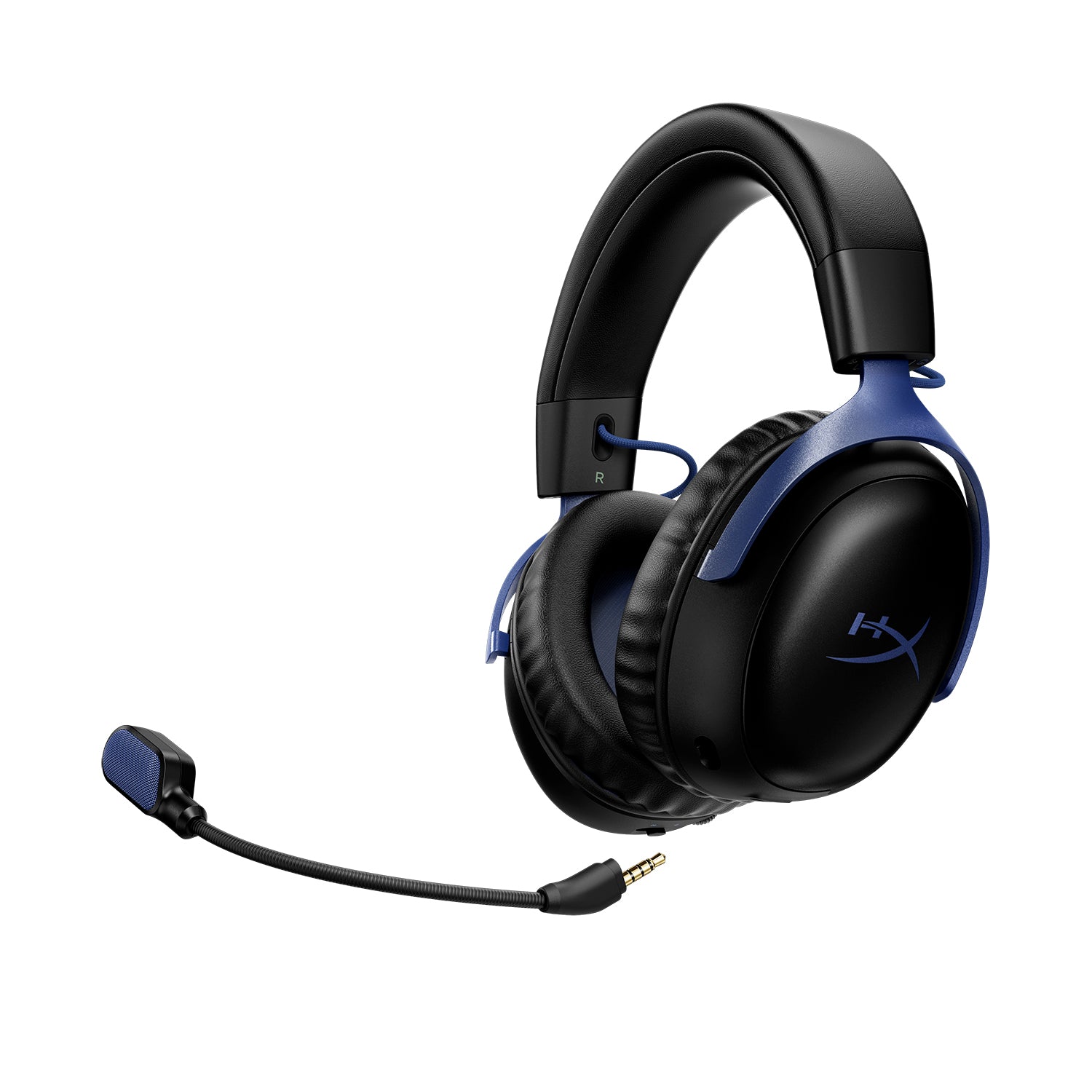
The HyperX has a detachable 10 mm boom mic with a mesh pop filter, plus two built-in mics. SoundGuys calls the boom mic the clearest option for gaming and calls. Tom’s Hardware heard clear vocals but low recording volume at maximum gain. Reader polls favor SteelSeries slightly, with 65% rating its mic good or perfect against 56% for HyperX, though they are different audiences.
The HyperX mic is the better design because it detaches, while the SteelSeries mic is the one reviewers praised more. Both are fine for team chat and neither replaces a dedicated mic for streaming.
Battery Life and Charging

This is the clearest difference. HyperX rates the Cloud III S Wireless at up to 120 hours on 2.4 GHz and 200 hours on Bluetooth, and SoundGuys measured 113 hours 27 minutes. SteelSeries rates the Nova 5X at up to 60 hours, and SoundGuys measured 42 hours 10 minutes on PC.
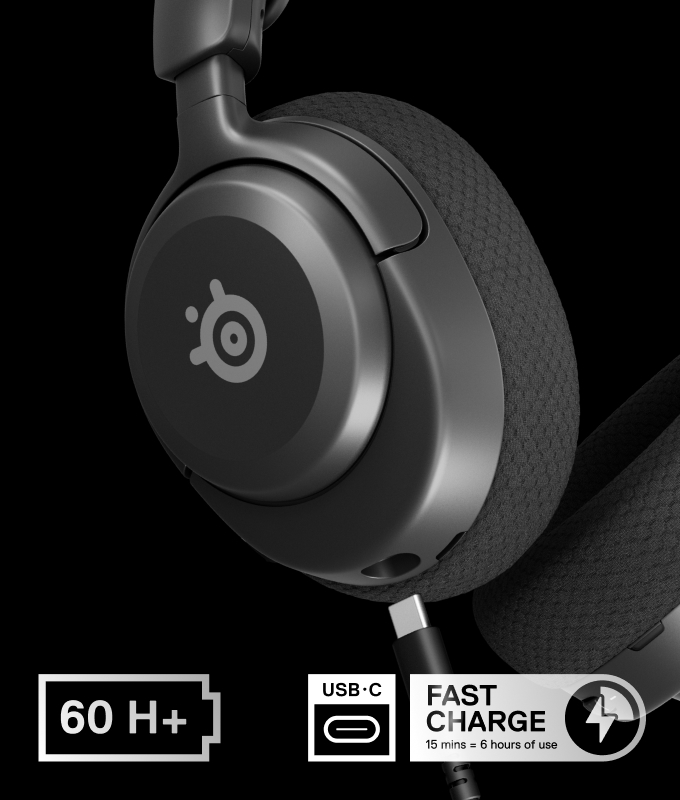
Charging goes the other way. The Nova 5X gives about 6 hours from a 15-minute charge. The HyperX takes about five hours for a full charge and has no quick charge. SoundGuys also warns that fully draining the HyperX can stop it powering back on.
Connectivity and Platform Support

Both headsets use a 2.4 GHz USB-C dongle and Bluetooth 5.3, and neither plays both at once. The Nova 5X also works on Xbox through a switch on its dongle, so it covers Xbox, PlayStation, PC, Switch, Meta Quest and phones. SoundGuys says the wide dongle can block neighboring ports, and an extender is included.

The HyperX lists PC, Mac, PS5, Switch and mobile. SoundGuys confirms there is no wireless Xbox support and no 3.5 mm jack. Tom’s Hardware adds that double-pressing the multi-function button switches between two paired devices in 2.4 GHz mode. If you play on Xbox at all, that settles the choice.
Software and Features
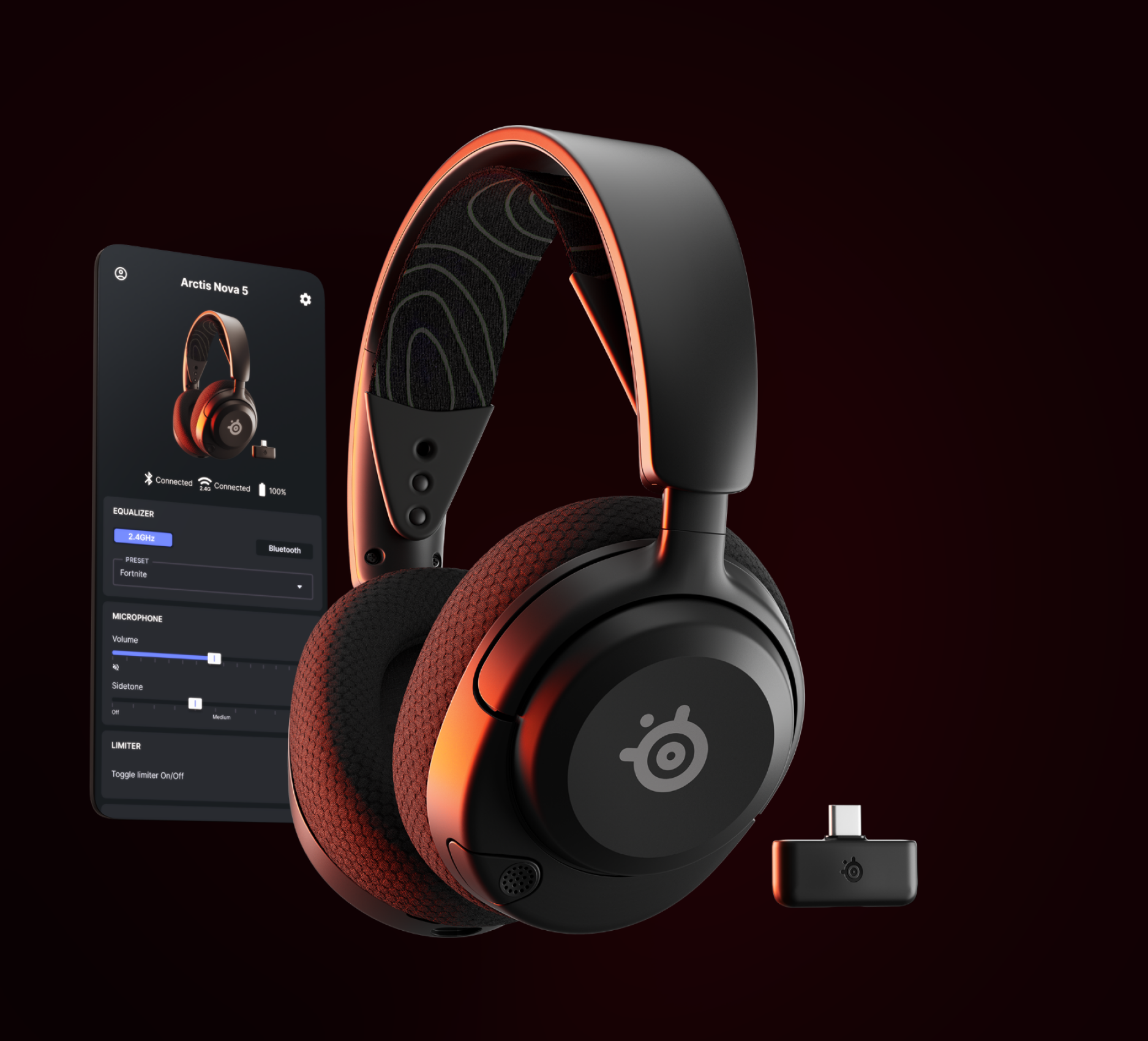
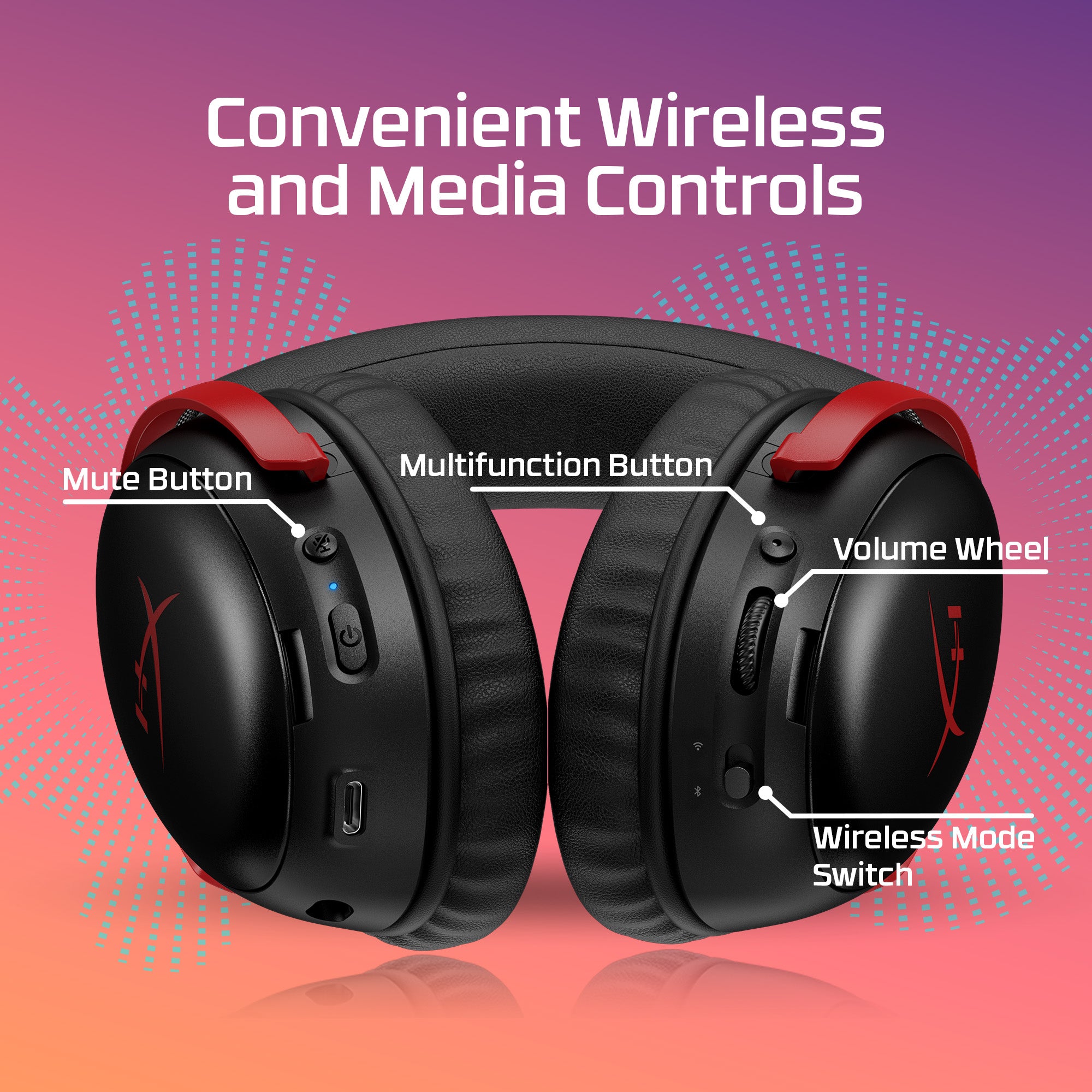
SteelSeries offers more software. The Arctis Companion app for iOS and Android holds 100-plus game presets, two save slots, battery readouts and sidetone, and Sonar on Windows adds a 10-band parametric EQ. TweakTown found the mobile app short on EQ curves, but it works on any phone.
HyperX’s NGENUITY covers EQ, mic gain, DTS toggling, auto-shutoff and firmware updates. It is Windows-only, and Tom’s Hardware says it forced a driver update and restart on first use. Mac and console players are limited to the on-ear controls.
Price and Value
The HyperX is about $10 cheaper on Amazon, but it launched at $179.99, and Tom’s Guide called it expensive for what it offers. SoundGuys lists the Nova 5X at a $129 MSRP, so the launch prices were far apart. Tom’s Guide also said alternatives such as the SteelSeries Arctis Nova 5 offer better value.
If you want to spend more, read our Turtle Beach Stealth Pro 2 review and our Logitech G PRO X3 LIGHTSPEED review. For more SteelSeries gear, see SteelSeries vs Razer. Xbox owners may also like our ROG Xbox Ally X review.
Build the rest of your setup
Start with our best handheld gaming PCs guide if you play on the go. For the desk, read the gaming mouse buying guide, the Logitech G PRO X Superlight 2 review and the Razer Basilisk V4 Pro review. Keyboard shoppers can read how much to spend on a mechanical keyboard or the Logitech G PRO X TKL Rapid review. To finish the setup, check the OLED gaming monitor comparison and the Herman Miller x Logitech Embody review.
Which Should You Buy?
| Pick the Arctis Nova 5X if | Pick the Cloud III S Wireless if |
|---|---|
| You play on Xbox, or you switch between Xbox, PlayStation and PC. | You play on PC, PlayStation or Switch and never touch an Xbox. |
| You want a lighter headset at 265 g. | You want the longest battery life, measured above 113 hours. |
| You like fast charging and a mobile app with 100-plus presets. | You want a detachable boom mic plus built-in backup mics. |
| You want a slightly higher SoundGuys score and a steadier price. | You find it near $120 and want the metal frame and memory foam cushions. |
Our overall pick is the SteelSeries Arctis Nova 5X. It is lighter, it works on every major platform, and it charges fast. The HyperX Cloud III S Wireless wins a narrower contest on battery life and the mic design, and it is a smart buy when you find it on sale for PC or PlayStation.
Sources and further reading
Frequently Asked Questions (FAQ)
Which is better, the Arctis Nova 5X or the HyperX Cloud III S Wireless?
The Nova 5X is the better pick for most people because it works on Xbox, weighs about 90 g less and fast charges. The HyperX is better if battery life, Bluetooth backup mics and a detachable boom mic matter most, and you do not play on Xbox.
Which headset has the longest battery life?
The HyperX Cloud III S Wireless. It is rated for up to 120 hours on 2.4 GHz and SoundGuys measured 113 hours 27 minutes. SteelSeries rates the Nova 5X at up to 60 hours, and SoundGuys measured 42 hours 10 minutes on PC.
Do both headsets work on PlayStation and Switch?
Yes. Both use a 2.4 GHz USB-C dongle plus Bluetooth 5.3 and list PS5, Switch, PC and mobile support. Only the Nova 5X also covers Xbox.
Which headset has the better microphone?
Reviewers rate both mics as clear. The Nova 5X has a retractable ClearCast 2.X mic that Reviewed called its standout feature. The HyperX has a detachable boom mic, which SoundGuys calls the clearest option, plus two built-in backup mics.
Do either of these headsets have noise cancelling?
No. Neither the Nova 5X nor the Cloud III S Wireless has active noise cancelling, and both rely on passive isolation.
Which is cheaper, the Nova 5X or the Cloud III S Wireless?
On Amazon the HyperX is about $120 and the Nova 5X is about $130. The HyperX launched at $179.99, while SoundGuys lists the Nova 5X at a $129 MSRP.