HyperX Cloud III S Wireless Review: Is the Battery King Worth About $120?
The HyperX Cloud III S Wireless is the Cloud III Wireless with Bluetooth and better sound. HyperX launched it at $179.99, but Tom’s Hardware and SoundGuys both list it at about $120 from big retailers, and we use about $120 as the Amazon price in this review. At that money it chases the SteelSeries Arctis Nova 5X and the ASUS ROG Pelta, so the details decide the winner.
How we built this review. GearZon did not run lab tests on the Cloud III S Wireless, and we will not pretend otherwise. This article combines HyperX’s own specifications, independent coverage from Tom’s Hardware, Tom’s Guide and SoundGuys, and the video review by GadgetryTech embedded below. Every first-person observation belongs to those reviewers, and we credit it each time.
HyperX Cloud III S Wireless Specs and Quick Verdict
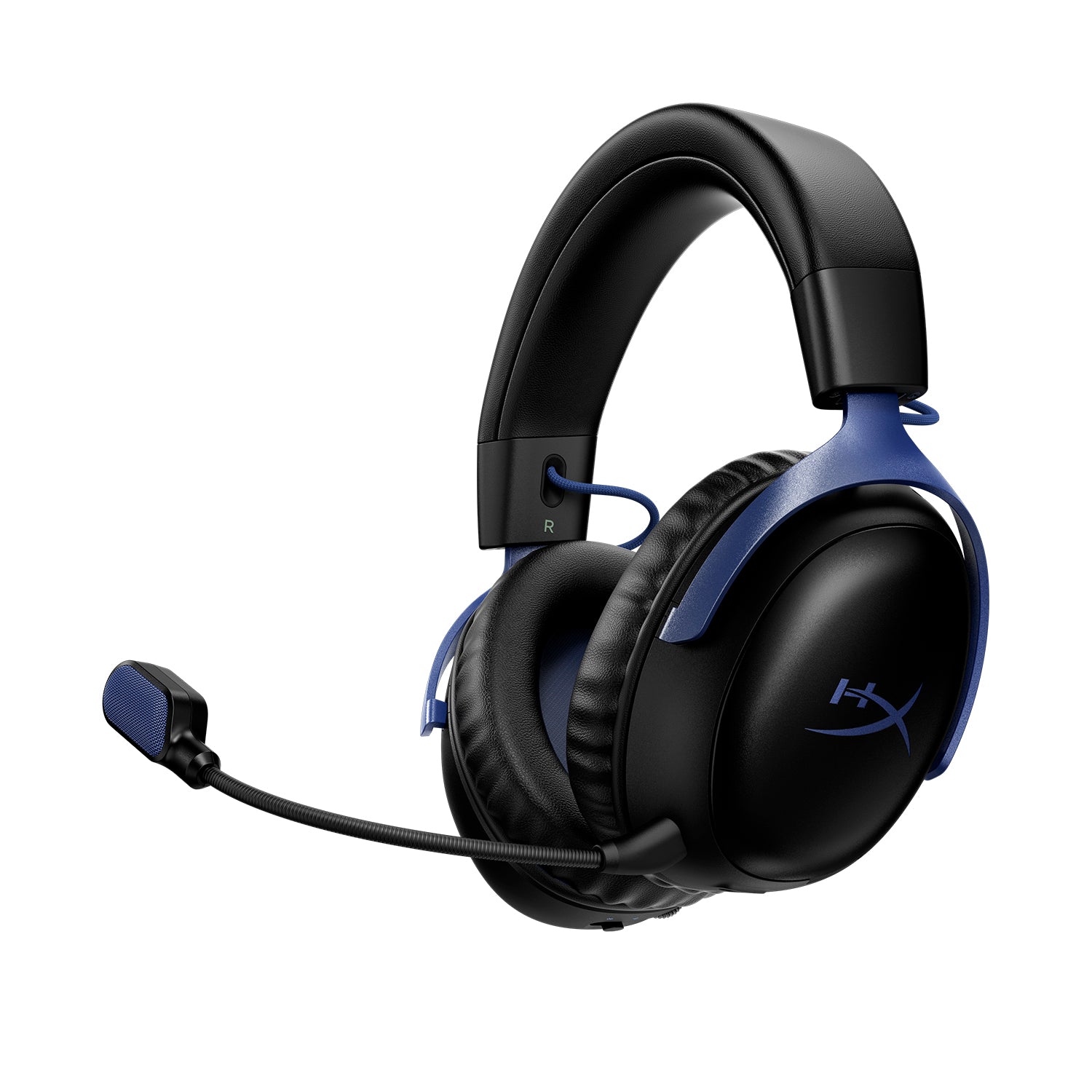
🎧 Quick Specifications
Full specifications
| Spec | HyperX Cloud III S Wireless |
|---|---|
| Form factor | Over-ear, closed-back |
| Drivers | 53 mm angled dynamic, neodymium magnets |
| Frequency response | 20 Hz to 20 kHz (Tom’s Hardware lists 10 Hz to 21 kHz) |
| Boom microphone | Detachable, uni-directional electret condenser, 100 Hz to 10 kHz |
| Built-in microphone | Omni-directional MEMS, 100 Hz to 10 kHz |
| Wireless | 2.4 GHz USB dongle, Bluetooth 5.3, Instant Pair on select OMEN laptops |
| Bluetooth codecs | SBC, MPEG-2 and AAC-LC |
| Rated battery | 120 h (2.4 GHz), 200 h (Bluetooth) |
| Measured battery | 113 h 27 min on 2.4 GHz (SoundGuys) |
| Weight | 341.5 g without the mic, 353.5 g with it (Tom’s Hardware) |
| Controls | Wireless mode switch, volume wheel, mute button, multi-function button |
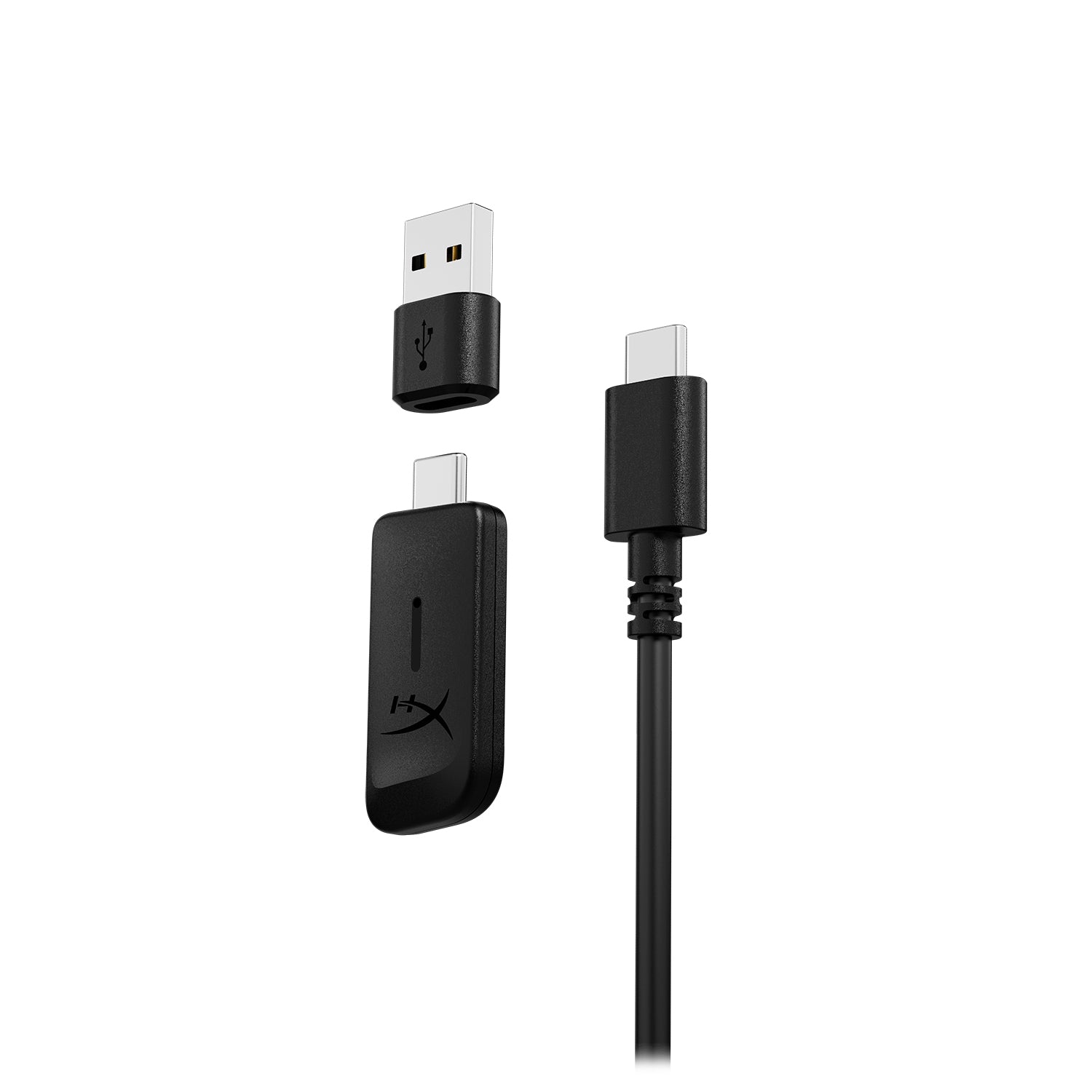
| In the box | Headset, boom mic, dongle, USB-C to USB-A adapter, charge cable, quick start guide |
| Warranty | 2 years |
The Good and the Bad
👍 The Good
- ✔ Outstanding battery life, measured at more than 113 hours on 2.4 GHz.
- ✔ Bluetooth 5.3 plus a 2.4 GHz dongle, so you can take a call without unplugging.
- ✔ Very comfortable memory foam cushions with a light clamping force.
- ✔ A detachable boom mic and two built-in backup mics.
- ✔ Clear sound improvement over the Cloud III Wireless, per SoundGuys.
👎 The Bad
- ✘ No Xbox support and no wired or analog connection.
- ✘ There is no quick charge, and a full charge takes about five hours.
- ✘ NGENUITY is Windows-only, and Tom’s Hardware says it forced a driver update on first use.
- ✘ It has no active noise cancelling, and the earcups can run hot.
- ✘ The built-in mics are weaker than the boom mic for team play.
The Cloud III S Wireless is a comfortable, long-lasting headset that earned Tom’s Hardware an Editor’s Choice award. It is a better buy near $120 than at its $179.99 launch price. Skip it if you play on Xbox or need a cable.
How the Cloud III S Wireless Differs From the Cloud III Wireless
The S model keeps the Cloud III Wireless look and adds Bluetooth 5.3 and a new tuning. Tom’s Hardware calls it everything the Cloud III Wireless should have been. It also weighs more: 12.05 oz (341.5 g) without the mic, against 11.64 oz (330 g) for its sibling.
Price gaps vary by retailer. Tom’s Hardware put the launch price $10 above the Cloud III Wireless, while SoundGuys saw about an $80 gap at its listed prices. Compare current prices before you decide. SoundGuys advises owners of the original headset to skip the upgrade, but new buyers should look at the S.
Design, Comfort and Build
Comfort for long sessions
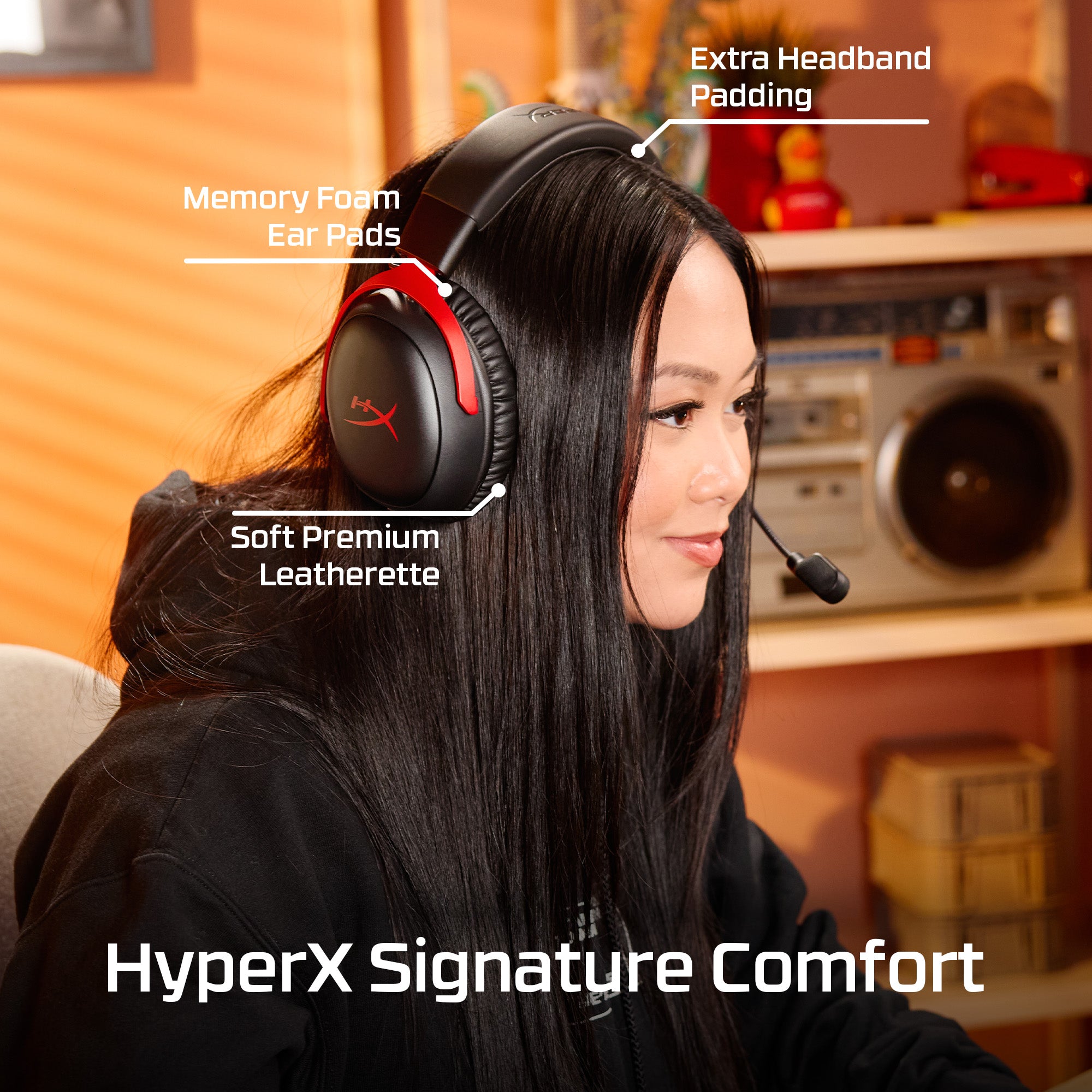
Comfort is a strength. Tom’s Hardware found a light clamping force and leatherette-covered memory foam earcups. SoundGuys gave comfort 9.0 out of 10 and said you could wear it for hours without issue. Tom’s Guide agreed it is very comfortable, though it noted the earcups get hot after long sessions.
Each earcup adjusts in nine notched steps and extends 1.5 inches (38.1 mm). The cups tilt but do not swivel, and the headset does not fold flat. That makes it less portable, which SoundGuys reflects in a portability score of 4.0.
Build quality
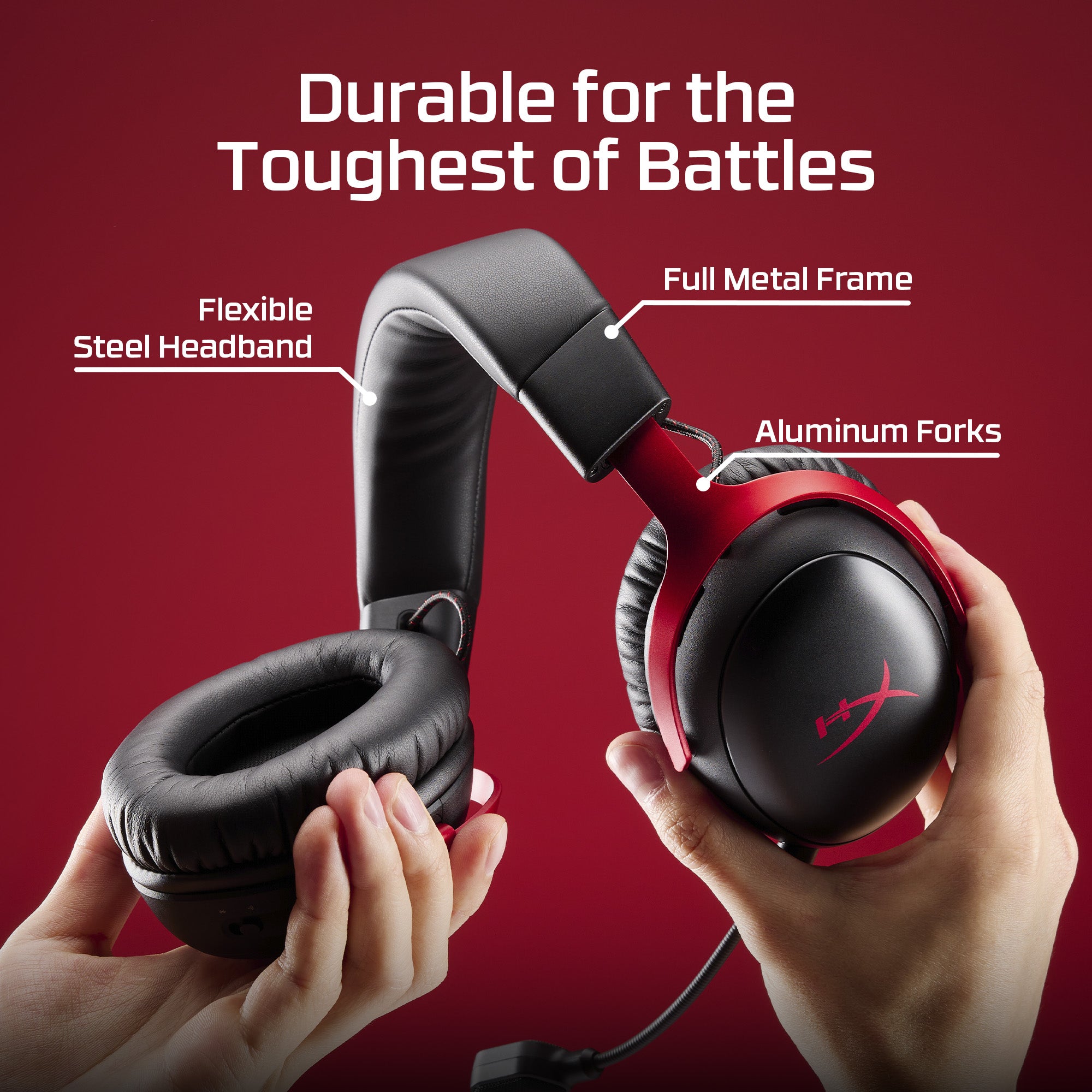
HyperX uses a stainless steel frame with aluminum forks. SoundGuys still gave durability 5.0 and design 6.5, so the metal does not translate into a premium feel. HyperX’s own images also show removable earcup plates for customizing the look.
Sound Quality: A Real Step Up
Video: HyperX Cloud III S Headset Review – A Future Legend? by GadgetryTech on YouTube
What the lab data says
SoundGuys measured an MDAQS score of 3.9 out of 5, which beats 53% of the gaming headsets it has tested. The original Cloud III Wireless scored 2.7. Timbre improved from 3.8 to 4.3, distortion from 1.6 to 3.0, and immersiveness from 2.9 to 3.3.
The reviewer still found a gap. The tuning lacks the ear gain around 2 to 3 kHz that makes headphones sound natural, though the highs roll off less early than before. SoundGuys recommends DTS Headphone:X on PC and calls the S a real step up.
How it sounds in games
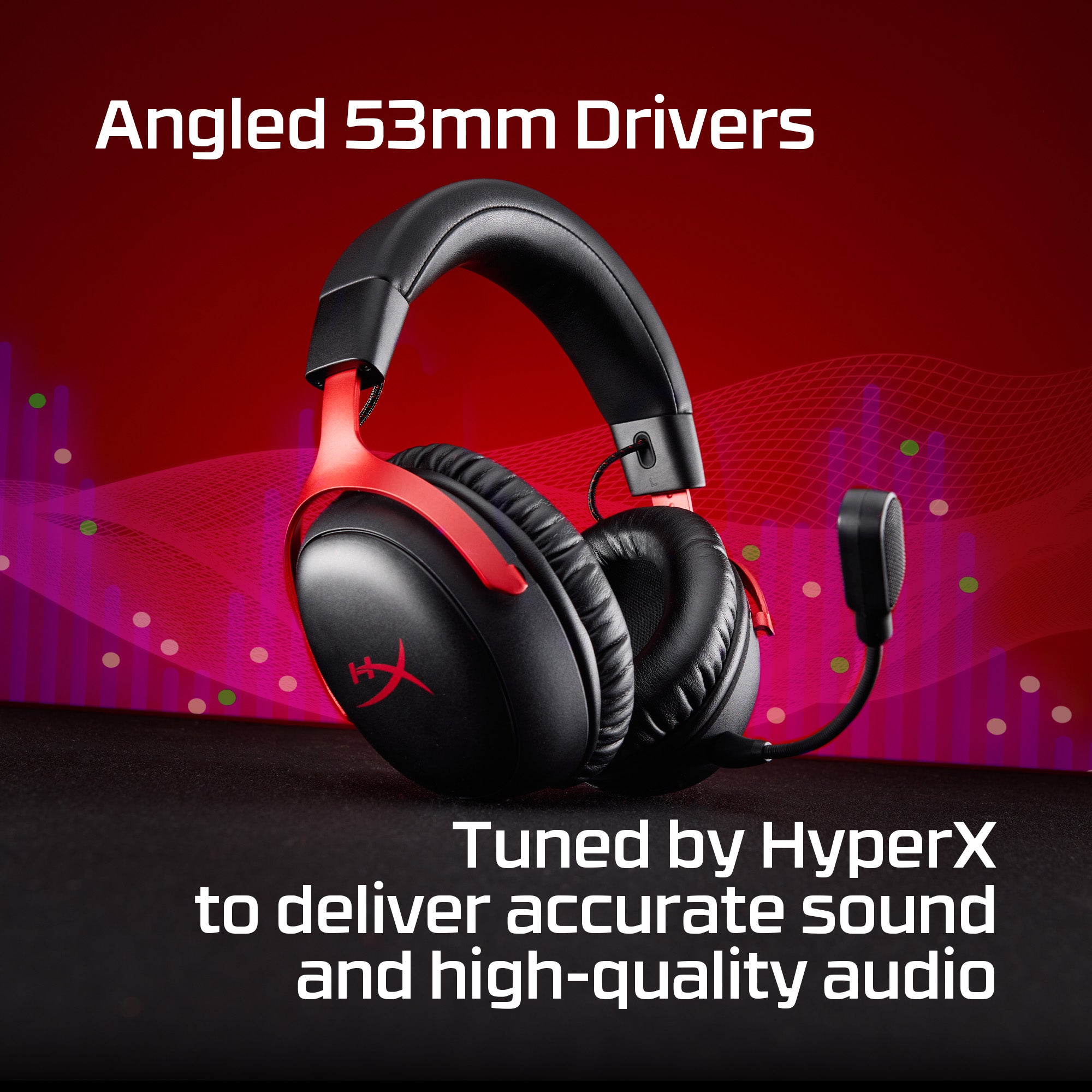
Tom’s Hardware describes deep bass, clear highs and slightly restrained mids. It praised detail and directional cues in games but said this is not necessarily the best headset for pure listening. Tom’s Guide agreed that voices separate well, and footsteps were clear enough to help with stealth in Assassin’s Creed Shadows.
Spatial audio is a letdown. Tom’s Hardware said DTS Spatial Sound is underwhelming and it could barely hear a difference. SoundGuys says it is not a huge fan of DTS:X either. Treat it as an optional extra rather than a reason to buy.
Microphone: Boom Mic Plus Backup Mics
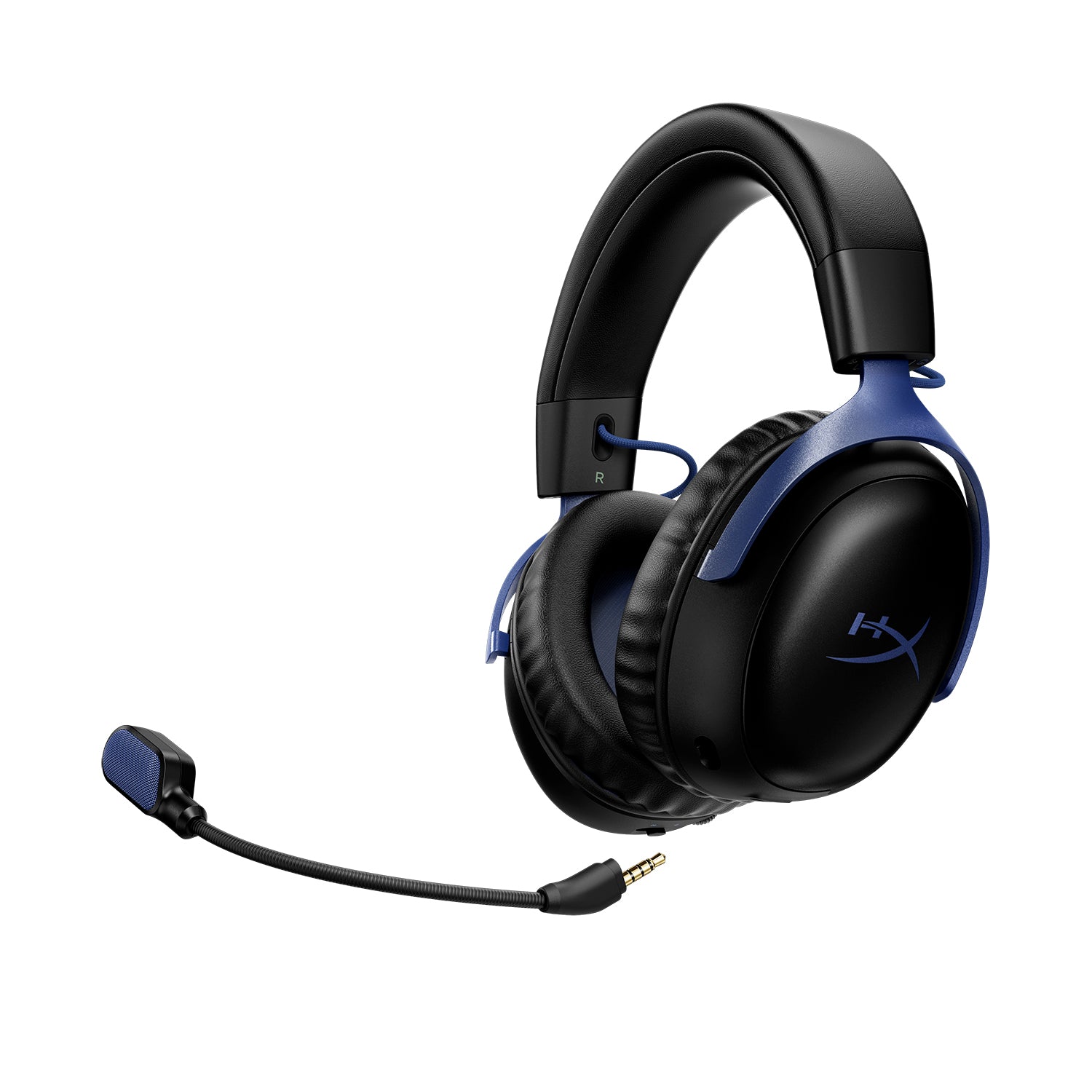
HyperX includes a detachable 10 mm uni-directional boom mic with a mesh pop filter and a mute LED. SoundGuys says the boom mic is the clearest option for gaming and calls. Tom’s Guide agrees that it sounded clear and rejected background noise well.
Tom’s Hardware heard clear vocals but low recording volume even at maximum gain. The two built-in omni mics are “fine for phone calls,” according to SoundGuys, and Tom’s Hardware found them surprisingly comparable to the boom mic. SoundGuys’ reader poll of 1,109 votes rated the mic good or perfect for 56% of respondents.
Battery Life, Connectivity and Charging
Battery life
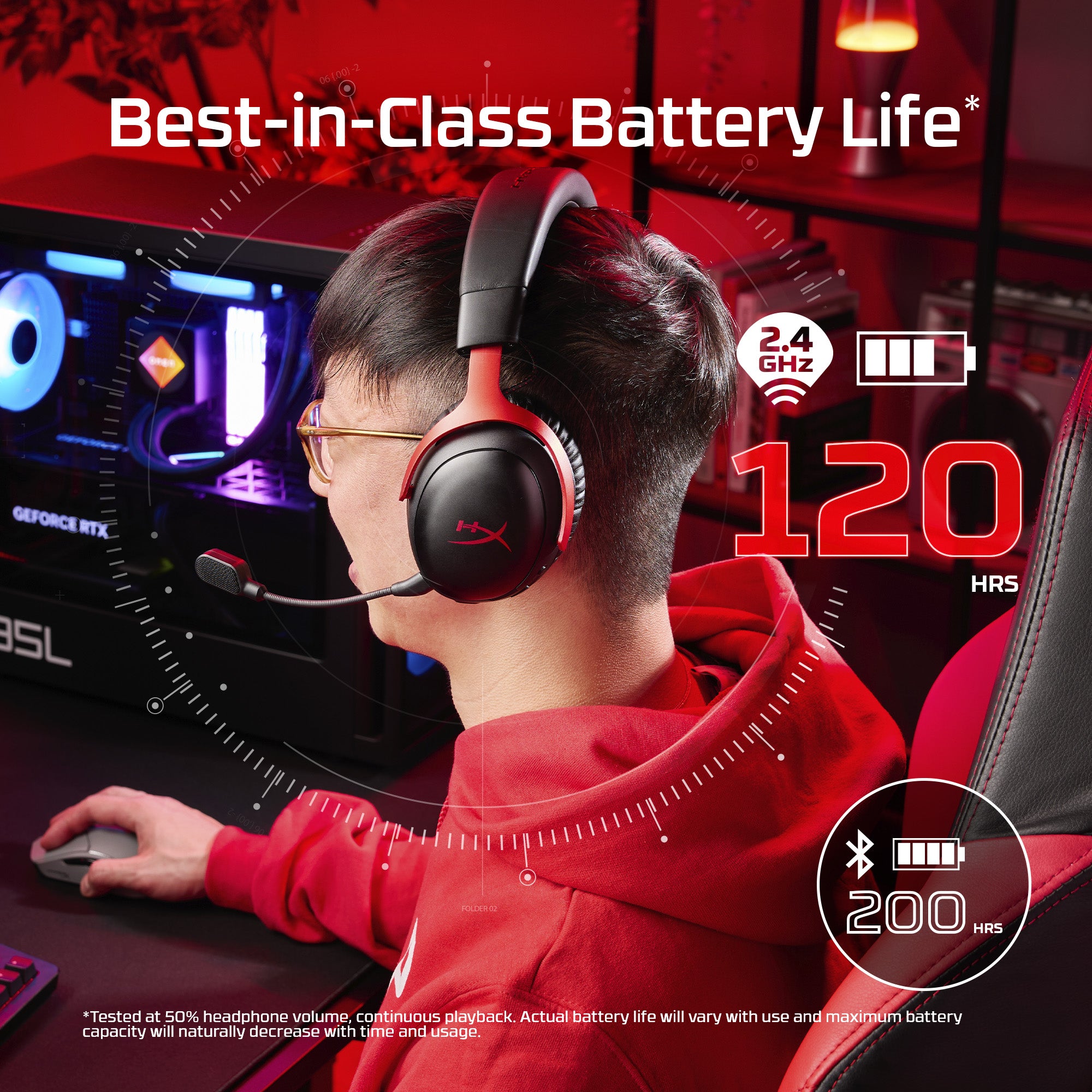
This is the headline feature. SoundGuys measured 113 hours 27 minutes on 2.4 GHz, a 10 out of 10 battery score. Tom’s Guide called it the longest battery life of any headset it had tested. HyperX rates the battery at up to 200 hours on Bluetooth.
There are two catches. A full charge takes about five hours and there is no quick charge. SoundGuys also warns that fully draining the battery can stop the headset from powering back on, so charge it before it hits zero.
Wireless modes and platform support
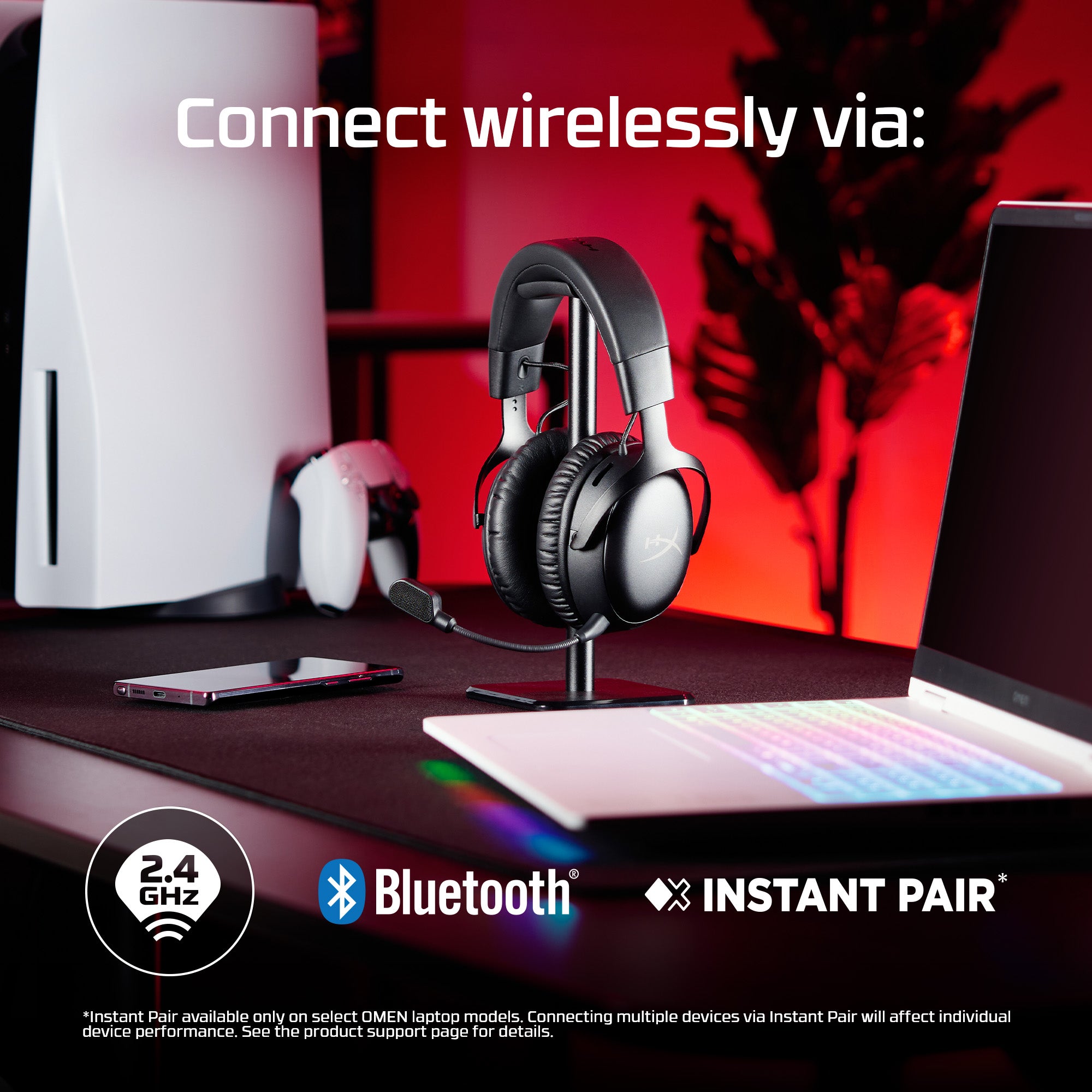
A physical switch toggles between the 2.4 GHz dongle and Bluetooth. SoundGuys took a phone call mid-game this way, although the two sources do not play at once. Tom’s Hardware adds that double-pressing the multi-function button in 2.4 GHz mode switches between two paired devices.
Platform support is narrower than the SteelSeries rival. HyperX lists PC, Mac, PS5, Switch and mobile. SoundGuys confirms there is no wireless Xbox support and no 3.5 mm jack. Owners of select HP OMEN laptops can use Instant Pair without the dongle.
Software: HyperX NGENUITY
NGENUITY handles volume, mute, mic monitoring, mic gain, a parametric EQ, DTS toggling, auto-shutoff and firmware updates, according to Tom’s Hardware. Tom’s Guide and SoundGuys both note it is Windows-only. Tom’s Hardware also says it forced a driver update and restart on first connection and lacks a mic EQ.
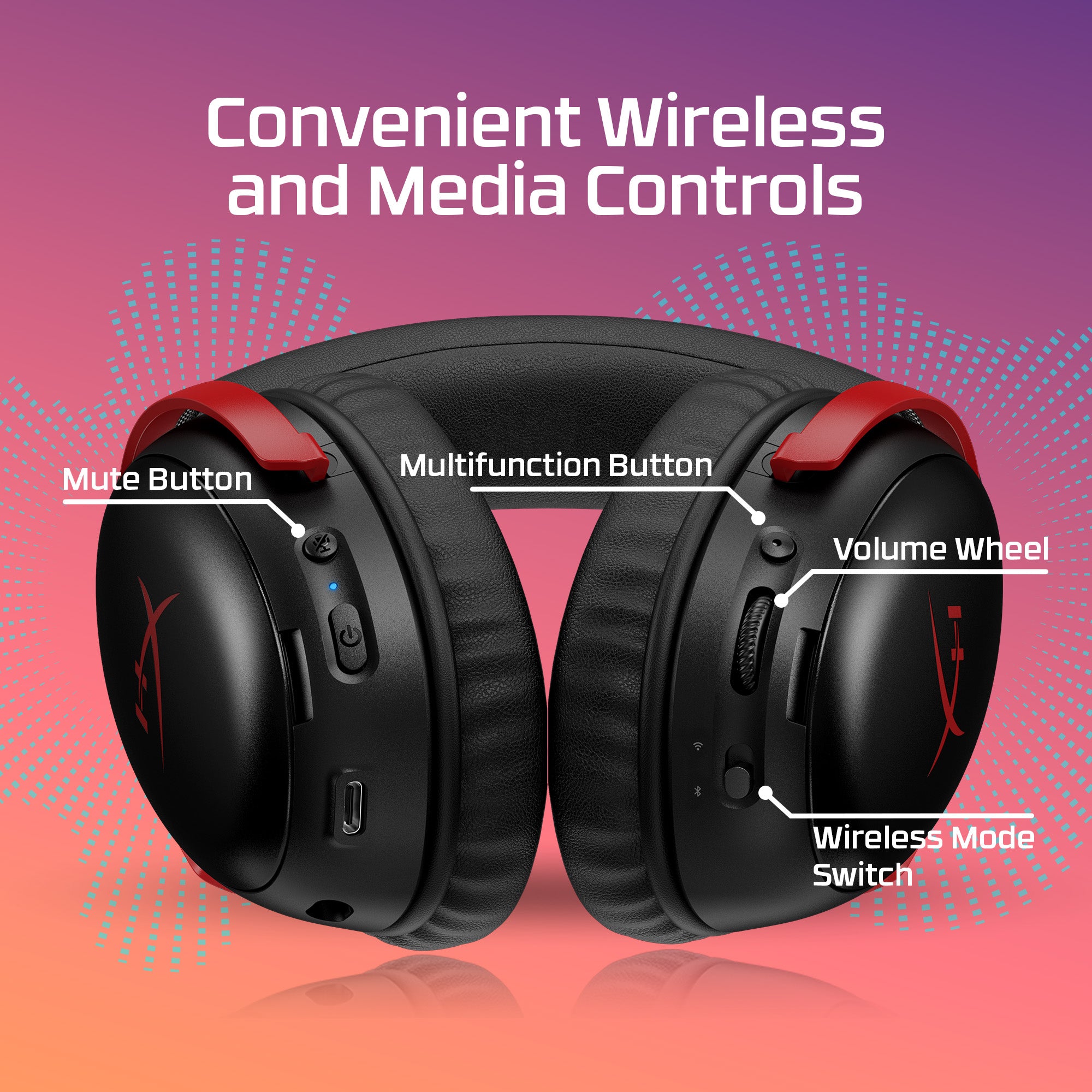
Since the app is limited, the on-ear controls matter. You get a mute button, a volume wheel, a wireless mode switch and a multi-function button for media and calls. Mac and console players can use them without NGENUITY, but they lose EQ and mic gain.
Price, Alternatives and How It Compares
The Cloud III S Wireless launched at $179.99 and now sells for about $120 on Amazon. Tom’s Guide thinks that launch price was too high and says alternatives such as the SteelSeries Arctis Nova 5 and ASUS ROG Pelta offer better value. SoundGuys calls it a little overpriced and advises waiting for a sale.
| Headset | Price | Key difference |
|---|---|---|
| HyperX Cloud III S Wireless | About $120 | Up to 120 h battery, Bluetooth, no Xbox, no quick charge |
| SteelSeries Arctis Nova 5X | About $130 | Works on Xbox, 15-minute fast charge, lighter at 265 g |
| Turtle Beach Stealth 700 (Gen 3) | $199.99 | Xbox support through dual dongles (SoundGuys) |
| Razer BlackShark V2 Pro (2023) | $199.99 | Stronger mic but no Xbox support (SoundGuys) |
| HyperX Cloud Jet | $127.60 | Cheaper dual wireless, roughly 20 h battery (SoundGuys) |
For a premium alternative, read our Turtle Beach Stealth Pro 2 review and our Logitech G PRO X3 LIGHTSPEED review. Xbox players will want a different headset, and our ROG Xbox Ally X review shows the kind of console-style setup they might build.
Build the rest of your setup
The headset also pairs well with a Switch or PC handheld. Start with our best handheld gaming PCs guide. For desk gear, see the gaming mouse buying guide, the Logitech G PRO X Superlight 2 review and the Razer Basilisk V4 Pro review. Keyboard shoppers can read how much to spend on a mechanical keyboard and the Logitech G PRO X TKL Rapid review. To finish the desk, check our OLED gaming monitor comparison and the Herman Miller x Logitech Embody review.
Verdict: Who Should Buy the Cloud III S Wireless?
| Buy it if | Skip it if |
|---|---|
| You play on PC, PS5, Switch or mobile and want the longest battery life around. | You play on Xbox, since there is no wireless support. |
| You value comfort and a detachable boom mic with backup mics. | You want quick charging or a wired fallback. |
| You can find it near $120 instead of the $179.99 launch price. | You already own a Cloud III Wireless, since SoundGuys advises skipping the upgrade. |
The HyperX Cloud III S Wireless is a good all-rounder with one standout skill. Its battery lasts for days, its comfort is excellent, and its sound is a clear improvement on the original. The omissions, such as Xbox support, quick charging and a Mac app, keep it from being a no-brainer.
Sources and further reading
Frequently Asked Questions (FAQ)
Does the HyperX Cloud III S Wireless work on Xbox?
No. HyperX lists PC, Mac, PS5, Switch and mobile, and SoundGuys confirms there is no wireless Xbox support. SoundGuys says Bluetooth may work on newer Xbox consoles, but that is not an official feature.
How long does the Cloud III S Wireless battery last?
HyperX rates it at up to 120 hours on 2.4 GHz and up to 200 hours on Bluetooth. SoundGuys measured 113 hours 27 minutes on 2.4 GHz. A full charge takes about five hours, and there is no quick charge.
What is the difference between the Cloud III Wireless and the Cloud III S Wireless?
The S model adds Bluetooth 5.3 and a new tuning. SoundGuys measured better sound too, with an MDAQS score of 3.9 against 2.7 for the original. It is also slightly heavier.
Can I use the HyperX Cloud III S Wireless with a cable?
No. Tom’s Hardware lists no wired or analog connection. If you want a wired fallback, look at other models.
Does HyperX NGENUITY work on Mac?
No. SoundGuys and Tom’s Guide both say NGENUITY is Windows-only. The headset itself works with Mac, but EQ, mic gain and firmware updates need a Windows PC.
Is the Cloud III S Wireless worth buying over the SteelSeries Arctis Nova 5X?
Choose the HyperX for the longest battery life and Bluetooth backup mics. Choose the SteelSeries if you play on Xbox, want fast charging or like a lighter headset. Both cost about $120 to $130 on Amazon.