MCHOSE Ace 75 Review: Is This $99 Hall Effect 75% Keyboard Worth the Wait?
The MCHOSE Ace 75 is a wired 75% Hall Effect keyboard that went live on Kickstarter on September 17, 2026. It promises 8,000 Hz polling, a 256K scan rate and Rapid Trigger tuning down to 0.001 mm. Launch coverage lists VIP pricing of $99 for the Berserker version and $109 for the Royal Steed version, with shipping included.
That is a lot of speed for the money. The catch is that the body is plastic, the stock keycaps look cheap, and you are backing a crowdfunding campaign instead of picking up a boxed product. We looked at whether the hardware earns its low price.
How we built this review. GearZon has not run lab tests on the Ace 75, and we will not pretend otherwise. This article combines the official specifications from the MCHOSE product page, launch coverage from Forbes, a price comparison from Tech Insider and the hands-on findings from the Gamer Heaven video review. MCHOSE sent that reviewer a pre-release unit about a month before launch, so keep that in mind. Every first-person observation below belongs to the reviewer, and we credit it each time.
MCHOSE Ace 75 Specs and Quick Verdict
Here is the Ace 75 at a glance. Numbers come from MCHOSE’s product page unless a note says otherwise.
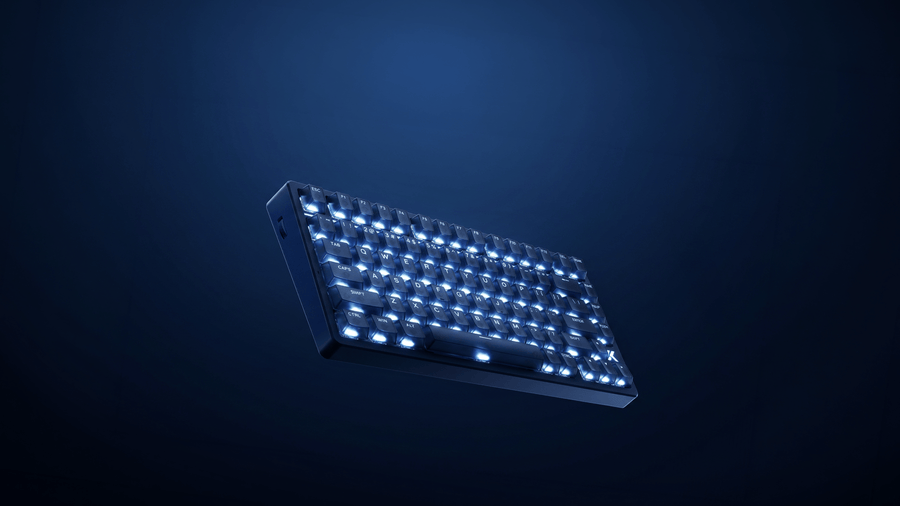
⚙️ Quick Specifications
Full specs table
| Spec | MCHOSE Ace 75 |
|---|---|
| Layout | 75%, function row, arrow keys and navigation keys |
| Switch options | Berserker Magnetic and Royal Steed Magnetic (Hall Effect, linear) |
| Total travel | Berserker 3.4 ± 0.2 mm; Royal Steed 3.45 ± 0.2 mm |
| Operating force | Berserker 35 ± 8 gf; Royal Steed 35 ± 10 gf |
| Rated life | 100 million keystrokes (the reviewer quotes 1 million; we use the official figure) |
| Polling rate | Up to 8,000 Hz |
| Scan rate | 256K |
| Claimed latency | 0.08 ms |
| Rapid Trigger range | 0.001 mm to 3.4 mm |
| Advanced functions | SOCD, DKS, MT, TGL, LT |
| Knob | Left-side multifunction knob (volume and mute by default) |
| Lighting | RGB backlight, logo light and ambient light, plus a Horizon RGB light bar |
| Case and base | Plastic, with a heavy non-slip base (per the reviewer) |
| Keycaps | Polycarbonate on most colors, PBT on Moon Rock Gray (per Tech Insider) |
| Feet | Two-stage flip-up feet plus rubber strips |
| Connectivity | Wired USB-C with a braided, color-matched cable |
| Software | M HUB, browser-based or installable |
| Colors | Mecha Green, Navy Blue, Midnight Purple, Moon Rock Gray |
| VIP launch price | $99 Berserker, $109 Royal Steed, shipping included |
| Not published | Weight, dimensions, hot-swap support |
The Good and the Bad
👍 The Good
- ✔ The linear Royal Steed switches feel smooth and stay close to silent unless you bottom out, according to the reviewer.
- ✔ Rapid Trigger adjusts in 0.001 mm steps, and 8,000 Hz polling plus SOCD and DKS cover what shooter players ask for.
- ✔ M HUB runs in the browser, so you can customize the board without installing a driver.
- ✔ At $99 to $109 it undercuts the Wallhack K-001 ($279) and the Corsair Vanguard AIR 99 ($259.99) by a wide margin.
- ✔ The 75% layout keeps the function row and arrows while leaving room for mouse swings.
👎 The Bad
- ✘ The plastic case feels sturdy for plastic, but it lacks the weight and feel of metal or wood.
- ✘ The stock keycaps look toy-like and feel flat, so the reviewer would replace them on a daily driver.
- ✘ The side knob feels mushy, and turning it makes the keyboard lights flash.
- ✘ Backlight and light bar offer only off plus four brightness steps.
- ✘ It is Kickstarter-first and wired-only, and the pre-release unit did not work with M HUB yet.
A good-value 75% Hall Effect board for shooters, held back by plastic build and keycaps that look cheap. Buy it at the $99 to $109 launch price if you are comfortable with Kickstarter risk. Otherwise, wait for retail.
Berserker vs Royal Steed: Which Switch Should You Pick?
MCHOSE sells the Ace 75 with two magnetic linear switches. Both are rated for 100 million keystrokes, and both use about 35 gf of operating force. The differences are small on paper and mostly about sound.
The Berserker has 3.4 ± 0.2 mm of total travel and is tuned for a crisper bottom-out feel. The Royal Steed measures 3.45 ± 0.2 mm and aims for a softer sound profile. It costs $10 more at launch.
What the reviewer found with the Royal Steed
The reviewer tested the Royal Steed version and liked it more than anything else on the board. The housings are fully clear, so the lighting effects pop. The stroke feels smooth, linear and evenly weighted. As long as you avoid bottoming out, the switches are practically silent, and the only wish was for a touch more resistance.
The long travel matters less than it sounds. Hall Effect sensors track key position continuously, so you can set the actuation point well above the bottom and a light touch registers. At 35 gf these switches sit on the light side, because many mechanical linears land near 45 to 50 gf. That explains the reviewer’s wish for extra resistance.
Our pick
If you type for hours, take the Royal Steed for its quieter profile. If you mostly game and like a firm stop at the bottom, the Berserker saves $10. GearZon has not handled either switch, so treat this as a spec-based call and not a hands-on verdict.
Design, Build and Keycaps
The Ace 75 uses a plastic case and a plastic base. The reviewer says it feels durable for plastic, and the base is relatively heavy with a non-slip surface, so the board stays put during hard mouse swings. It is not as rugged as a metal or wood case, which is an understandable trade at this price.
The keycaps divide opinion. The reviewer calls the look a bit toy-like and dislikes the flat shape. The same reviewer had tested an earlier MCHOSE keyboard and mouse that looked more classy, so the difference stood out. According to Tech Insider, only the Moon Rock Gray model gets PBT keycaps, while the other colors use polycarbonate. If the stock caps bother you, that is the colorway to watch.
Feet, cable and what is in the box
Two-stage flip-up feet let you fine tune the angle, and rubber strips cover the flatter option, although the wedge design never gets truly flat. A sticker on the board asks you to use the original cable and a USB 3.0 port for stable performance.
Inside the box, the reviewer found a switch and keycap puller, a short braided cable that matches the board color, a Velcro tie, spare arrow keycaps in other colors and a folded multi-language manual. Foam blocks protect each side. There is no dust cover. The cable is not very flexible, but the color match is a nice touch.
Colors
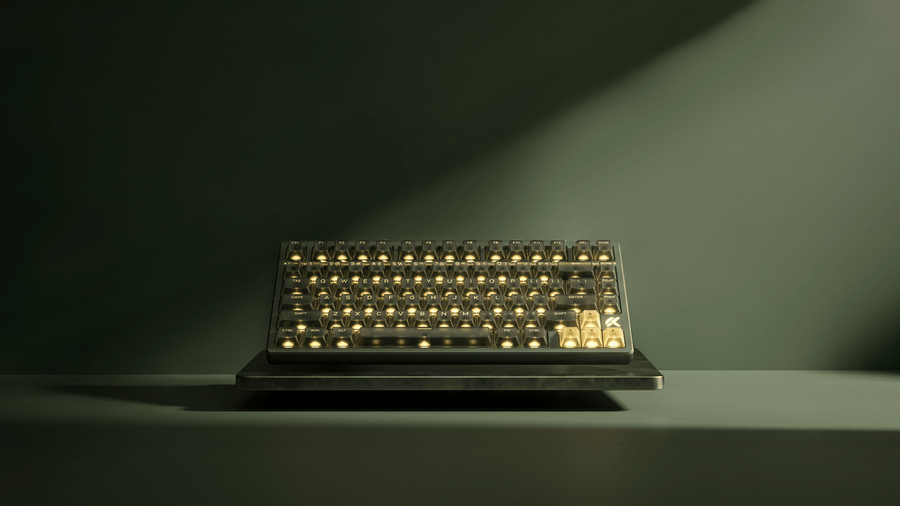
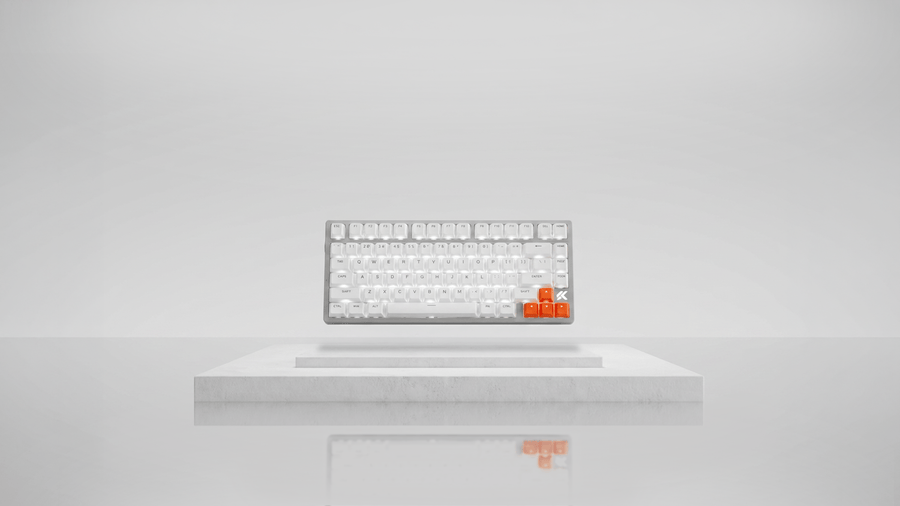
The Ace 75 comes in four colors. The reviewer singled out Moon Rock Gray, Mecha Green and Midnight Purple as favorites, and the review unit was purple.
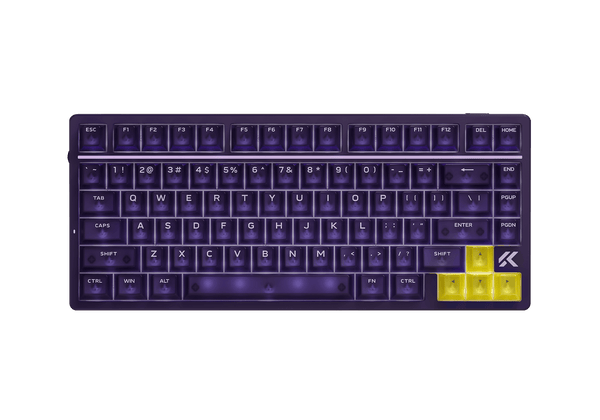
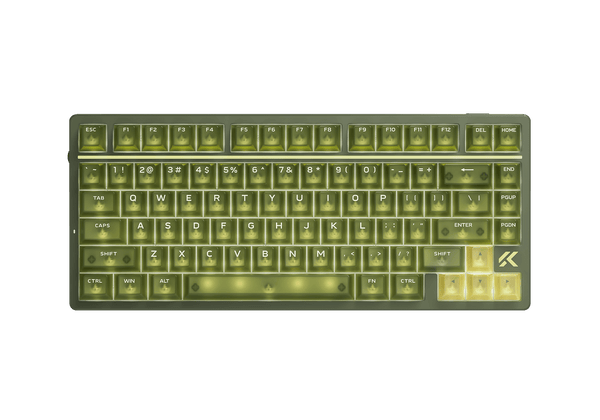
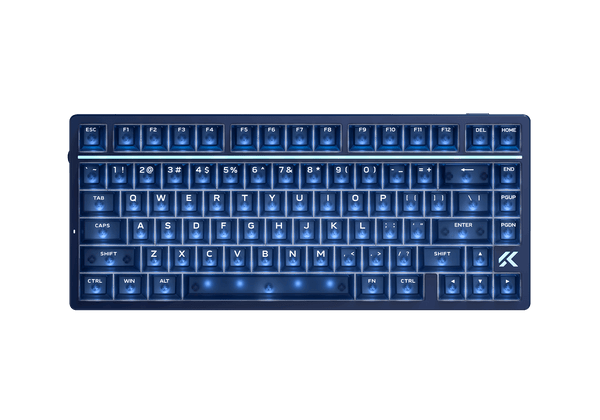
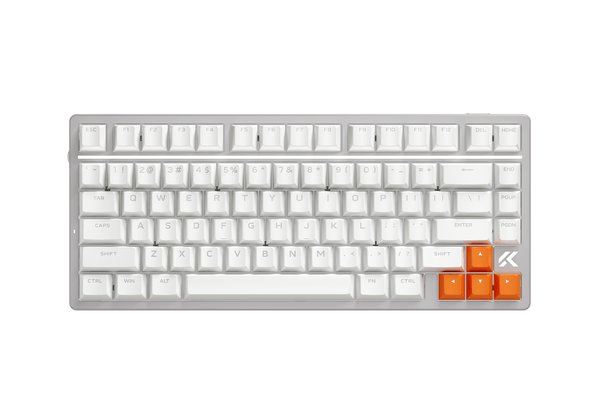
The four Ace 75 colorways, from left: Midnight Purple, Mecha Green, Navy Blue and Moon Rock Gray. Image: MCHOSE Store
Lighting, Knob and Controls
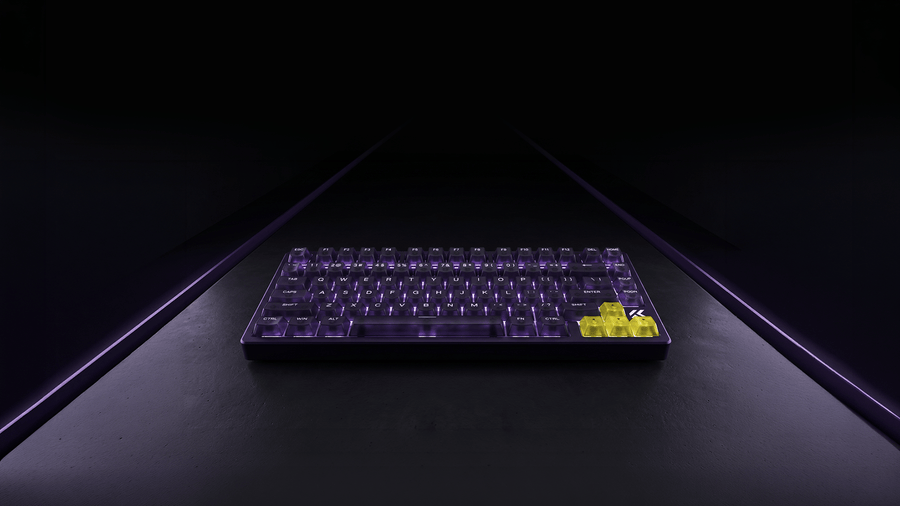
Plug the Ace 75 in and a startup lighting animation plays, which the reviewer called pretty cool. The default spectrum cycling is another story. The reviewer found it too rambunctious and slowed it down right away.
Lighting controls
Everything is adjustable from the keyboard itself using the included cheat sheet. Holding Fn with the up and down arrows changes brightness, but you only get off plus four steps, and the reviewer wished for at least ten. Fn with the bracket keys switches colors, and the arrow keys slow down or speed up the effect. You can also cycle between backlight, logo light and ambient light, and Fn with the backslash key controls the light bar at the top.
Several effects look classy once slowed down, while the pulsing and fast spectrum modes are disorienting. A dimmable and disable-able light bar is a thoughtful touch, since it is the brightest element on the board.
The side knob
By default the knob changes volume and clicks in to mute. You can map other functions in the software. The reviewer likes its texture but finds the click mushy and wishes for a more tactile snap. A bigger annoyance is that turning the knob flashes the keyboard lights. That behavior is distracting and should be optional.
Typing Feel and Sound
Magnetic switches rarely feel as satisfying as good mechanical linears or tactiles, because there is no physical contact point to give feedback. The Ace 75 is a pleasant exception according to the reviewer, who describes a thocky sound and a satisfying feel despite the toy-like appearance. Internal dampening and the smooth linear stroke do most of the work.
The first typing test did not go well. The reviewer managed about 52 words per minute at 79% accuracy, well below the usual 80 to 100. The reviewer blames the unfamiliar board and expects to reach the normal range after about a week. That result says more about the learning curve than about the switches, so we would not read it as a limit of the keyboard.
Keycaps are the weak link
For a daily driver, the reviewer would swap the caps for something with more texture and a curved, cupped top. That is a sensible upgrade path. The reviewer expects the combination of Royal Steed switches and better keycaps to be fantastic.
GearZon suggestion: if you type with a light hand, raise the actuation point so keys register well before the bottom. You get the quiet, effortless feel the reviewer describes and avoid the clack of bottoming out.
Gaming Performance: Rapid Trigger, SOCD and 8K Polling
Hall Effect keyboards read the position of a magnet inside each switch, so the board always knows how far a key is pressed. That unlocks Rapid Trigger, which resets a key the moment your finger starts to lift instead of waiting for a fixed reset point. The Ace 75 adjusts it from 0.001 mm to 3.4 mm.
The reviewer points to features similar to a Wooting keyboard or some Razer boards, including Snap Tap-style handling of opposite directions. MCHOSE lists SOCD, DKS, MT, TGL and LT functions. In the reviewer’s blunt words, the keyboard will not make you a better gamer, but it is a good tool for shooters, especially for corner peeking.
Numbers versus reality
MCHOSE claims 0.08 ms latency and a 256K scan rate. Those are manufacturer claims, and GearZon has not measured them. High polling also demands a good USB path. M HUB warned the reviewer that the cable in use was not fast enough, so for gaming at high polling, use the included cable on a USB 3.0 port as the sticker advises.
Light-handed play
Because actuation is adjustable, you never have to bottom out. The reviewer notes that light-handed typists and gamers will find the board very quiet. Pair it with a light mouse for the full effect, and see our picks in the alternatives section below.
M HUB Software
M HUB is MCHOSE’s configuration software. It comes as an installable app for PC and Mac and as a web utility, much like Wootility from Wooting. The reviewer prefers the web version because it avoids installing one more application. You can customize the board without creating an account, although a login option exists.
In the reviewer’s tour, the pages cover lighting, performance, key configuration and advanced keys. Performance lets you set the actuation distance, Rapid Trigger sensitivity and dead zones. Key configuration handles remapping. The Advanced Key page holds SOCD, dynamic press and hold-tap behaviors. The reviewer calls it a pretty sweet piece of software.
Pre-release hiccups
The experience was not smooth for this pre-release unit. The web page loaded slowly, the Mac installer arrived as a zip file and took forever, and the Ace 75 was not on the supported device list yet. The reviewer fell back on the tour from an earlier MCHOSE keyboard that did work. The reviewer expects driver support by launch and calls the problem temporary, but we cannot confirm that. Ask in the campaign comments before you back it if software support matters to you.
Price, Kickstarter Risk and Alternatives
How the pricing works
According to the MCHOSE page, a refundable $2 VIP reservation was open from August 17 to September 16, and the campaign launched on September 17 at 10:00 a.m. ET. VIP backers get launch pricing that saves $50, plus a free coiled aviator cable valued at $39, free shipping and priority shipping, subject to region and final campaign terms. Forbes lists the launch prices as $99 for the Berserker and $109 for the Royal Steed.
The reviewer stresses that an eligible pledge is the only way to get the keyboard and the VIP benefits right now, and expects it to appear on Amazon and other retailers later. At the time of recording, the campaign had passed $111,000 against a $5,000 goal, and the estimated delivery was October.
Kickstarter risk
Crowdfunding means final specs, delivery dates and prices can shift, and Tech Insider notes the same for the Ace 75. Back only what you can afford to wait for. If waiting sounds better, the reviewer’s advice is simply to chill for a month and buy at retail.
How it compares
| MCHOSE Ace 75 | Wallhack K-001 | Corsair Vanguard AIR 99 | |
|---|---|---|---|
| Price | $99 / $109 | $279 | $259.99 |
| Layout | 75% | 65% | 99-key low profile |
| Switch type | Hall Effect | Hall Effect | Optical (OPX) |
| Polling | 8,000 Hz | 8,000 Hz | 8,000 Hz |
| Connectivity | Wired | Wired | Wired and 2.4 GHz |
| Case | Plastic | CNC aluminum | Not published |
Source for the Wallhack and Corsair figures: Tech Insider. The Ace 75 is the cheapest by far, but it is also the only plastic board of the three that you pay for through a campaign.
If you want 8K polling in a different package, read our ATK RS6+ / Ultra review and our YUNZII RT75 PRO review, a wireless 8K Hall Effect keyboard. Not sure how much to spend? Our guide, How Much Should You Spend on a Mechanical Keyboard?, explains where the value sits.
Pair it with a mouse
A fast keyboard deserves a light mouse. Our Logitech G PRO X SUPERLIGHT 2 review, Pulsar X2F review and Logitech Pro X3 SUPERSTRIKE review cover popular choices. If you prefer an ergonomic shape, see the Razer Basilisk V4 Pro review. Other options include the Logitech G502 X Plus, the ATK U2 V2 Ultimate and the Logitech G Pro X2 Superstrike. Still deciding? Start with the Gaming Mouse Buying Guide 2026.
Verdict: Who Should Buy the MCHOSE Ace 75?
| ✅ Buy it if | ❌ Skip it if |
|---|---|
| You want 8K polling, Rapid Trigger and SOCD for $99 to $109 | You need wireless or Bluetooth |
| You play shooters and enjoy fine tuning | You want a premium metal or wood case |
| You type with a light touch and prefer quiet linears | You dislike Kickstarter delivery risk |
| You will happily swap the keycaps | You rely on stock keycaps that look classy |
| You like a 75% layout with a function row | You need confirmed software support today |
Our summary
The Ace 75 looks like a good-value, gaming-first 75% board. Its best parts are the quiet linear switches, the deep tuning and the web-based software. Its weakest parts are the plastic build, the toy-like keycaps and the wait that comes with Kickstarter. We give it 8.3 out of 10 based on the specifications and the reviewer’s experience, and we will revisit the score once retail units are available.
Frequently Asked Questions (FAQ)
Is the MCHOSE Ace 75 wireless?
No. The reviewer in the Gamer Heaven video describes it as a wired-only keyboard for PC and Mac with a USB-C port on the back, and MCHOSE does not list any wireless mode on the official product page.
How much does the MCHOSE Ace 75 cost?
Launch coverage lists VIP Kickstarter pricing of $99 for the Berserker version and $109 for the Royal Steed version, with shipping included. Final retail pricing may be higher, so check the campaign page or the Amazon listing for the current figure.
Which switch should I choose, Berserker or Royal Steed?
Both are linear Hall Effect switches rated for 100 million keystrokes with about 35 gf of force. MCHOSE describes the Berserker as crisper at the bottom-out and the Royal Steed as softer and quieter. Pick the Royal Steed if you want less noise, and the Berserker if you like a firmer landing.
Does the MCHOSE Ace 75 support Rapid Trigger and SOCD?
Yes. MCHOSE lists Rapid Trigger adjustable from 0.001 mm to 3.4 mm, plus SOCD, DKS, MT, TGL and LT functions, all configured through the M HUB software.
Do I need to install software to customize it?
No. M HUB runs in the browser, so you can change actuation, Rapid Trigger, key assignments and lighting without installing anything. The reviewer notes that the pre-release unit was not yet on the supported device list, so check support before you rely on it.
Where can I buy the MCHOSE Ace 75?
At launch the keyboard is sold through its Kickstarter campaign, and an eligible pledge is required for the VIP benefits. The reviewer expects it to reach Amazon and other retailers after the campaign, so availability will depend on when the retail listing goes live.