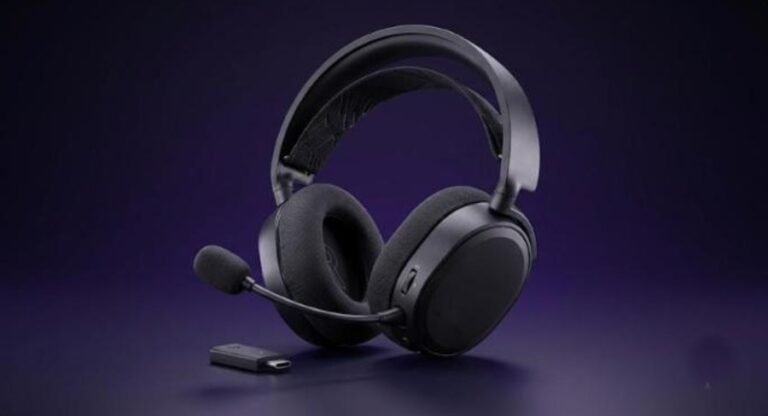
Logitech’s flagship G PRO X line has long dominated competitive eSports thanks to its durable aluminum construction, comfortable ergonomics, and pin-point audio positioning. However, on the previous PRO X2 model, the compressed microphone quality was a recurring complaint among creators and gamers. With the new Logitech G PRO X3 LIGHTSPEED, Logitech directly addresses this by equipping a significantly larger microphone capsule with extended frequency bandwidth, delivering broadcast-quality voice clarity that rivals standalone condenser mics.
Retaining its premium $250 price tag alongside flagship 50mm Graphene drivers and 70-hour battery life, is the PRO X3 LIGHTSPEED the most complete wireless gaming headset on the market? In this comprehensive Gearzon review, we break down every technical detail.
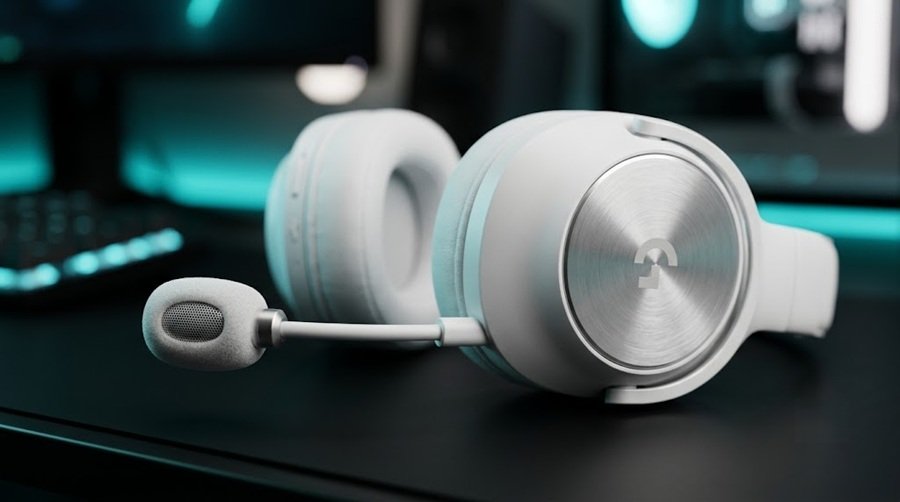
Watch our hands-on unboxing, live mic audio comparison against the PRO X2, and G HUB software walkthrough.
⚙️ Quick Specifications
- 🎧 Audio Drivers: 50mm Graphene Precision Drivers
- 🎙️ Microphone: Upgraded Large-Capsule Detachable Mic with Blue VOICE & Signal Cleanup
- 🔋 Battery Life: Up to 70 hours (Logitech)
- 🌐 Connectivity: Tri-Mode (2.4GHz LIGHTSPEED Wireless, Bluetooth 5.3, 3.5mm AUX)
- 🎛️ Software Suite: Logitech G HUB (EQ and spatial audio settings)
- 📦 In the Box: Leatherette Ear Pads, Breathable Velour Ear Pads, USB Receiver, 3.5mm Cable, USB-C Charging Cable, Carrying Bag
Specs at a Glance
Before we dig into each feature, here is the full spec sheet in one place. The figures come from Logitech G’s PRO X3 LIGHTSPEED product page and retailer spec listings. Logitech rates the battery at up to 70 hours, so that is the figure listed below.
| Spec | Logitech G PRO X3 LIGHTSPEED |
|---|---|
| US price (Logitech store) | $249.99 |
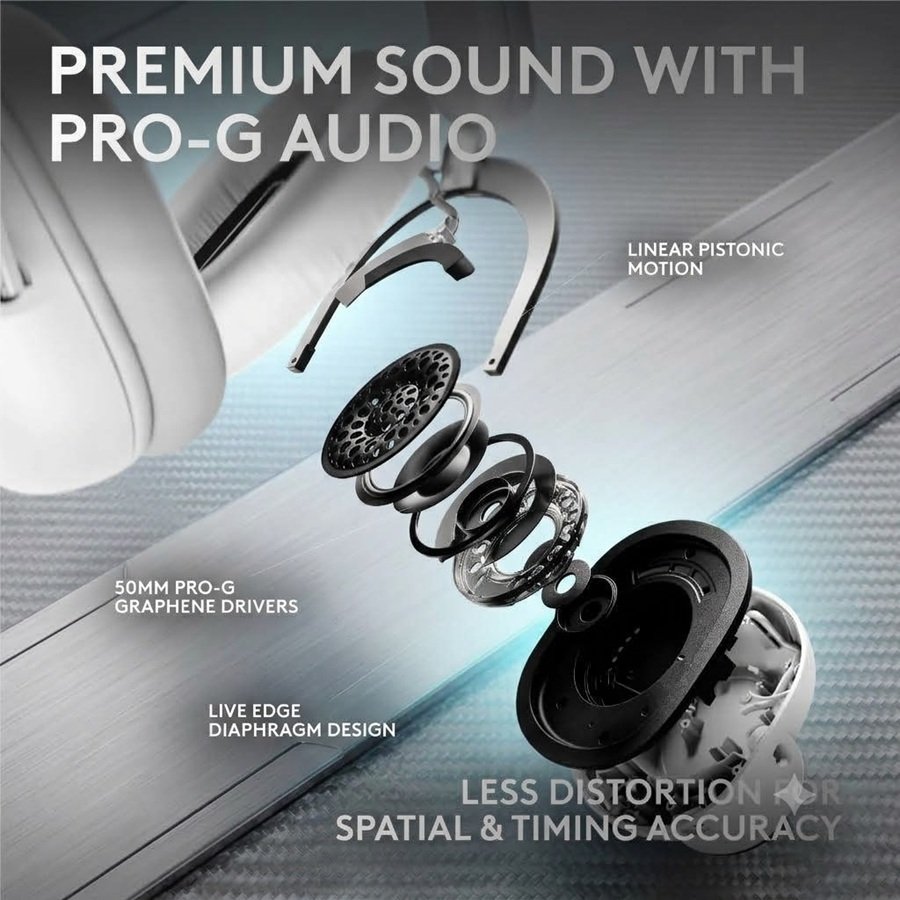
| Drivers | 50mm PRO-G graphene |
| Headphone frequency response | 20 Hz to 20 kHz |
| Microphone | Detachable boom, omnidirectional, 48 kHz/16-bit, 75 Hz to 20 kHz |
| Battery life | Up to 70 hours (1,100 mAh) |
| Connectivity | LIGHTSPEED 2.4 GHz, Bluetooth 5.3, 3.5mm wired |
| Weight | 356 g |
| Software | Logitech G HUB with 10-band parametric EQ and BLUE VO!CE |
| Ear pads | Memory foam, leatherette and velour sets |
| Platforms (retailer listing) | Windows, macOS, PlayStation 5 via LIGHTSPEED; Bluetooth devices |
| Warranty (retailer listing) | 2-year limited hardware warranty |
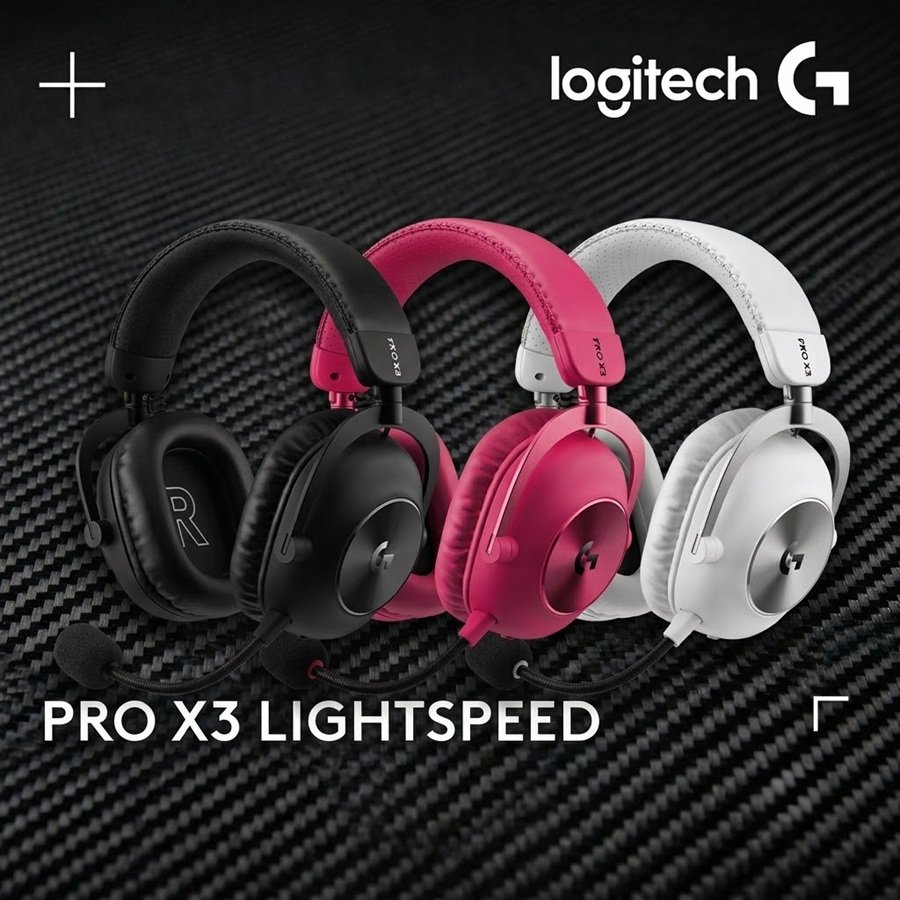
| Colors | Black, white, magenta |
For context, Logitech’s own store lists the older PRO X 2 at $229.99. The PRO X3 therefore adds $20 over its predecessor at launch pricing. In return, you get a newer microphone and a longer battery rating.
1. Unboxing & Premium Ergonomic Build Quality
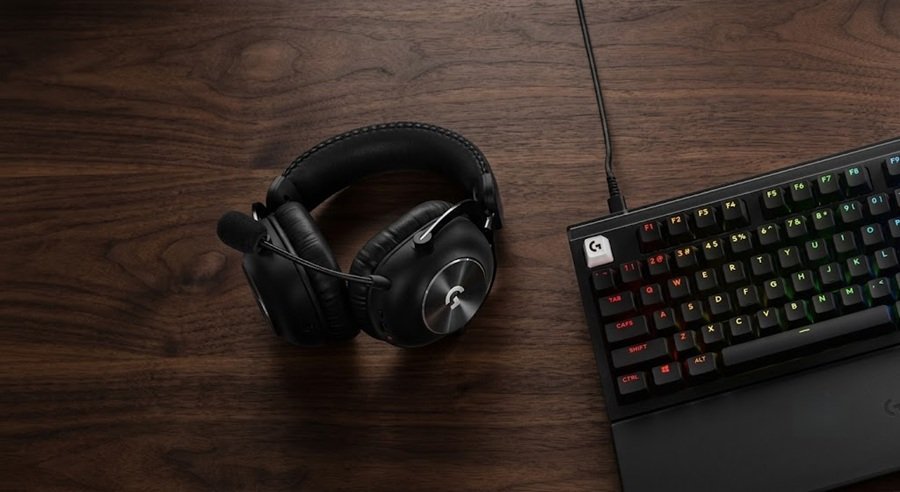
Unboxing the PRO X3 LIGHTSPEED reveals the familiar, high-end presentation eSports fans expect. The overall chassis maintains the durable steel headband and aluminum fork structure that made previous generations famous, with minor refinements to the headband’s padding density for improved long-session comfort.
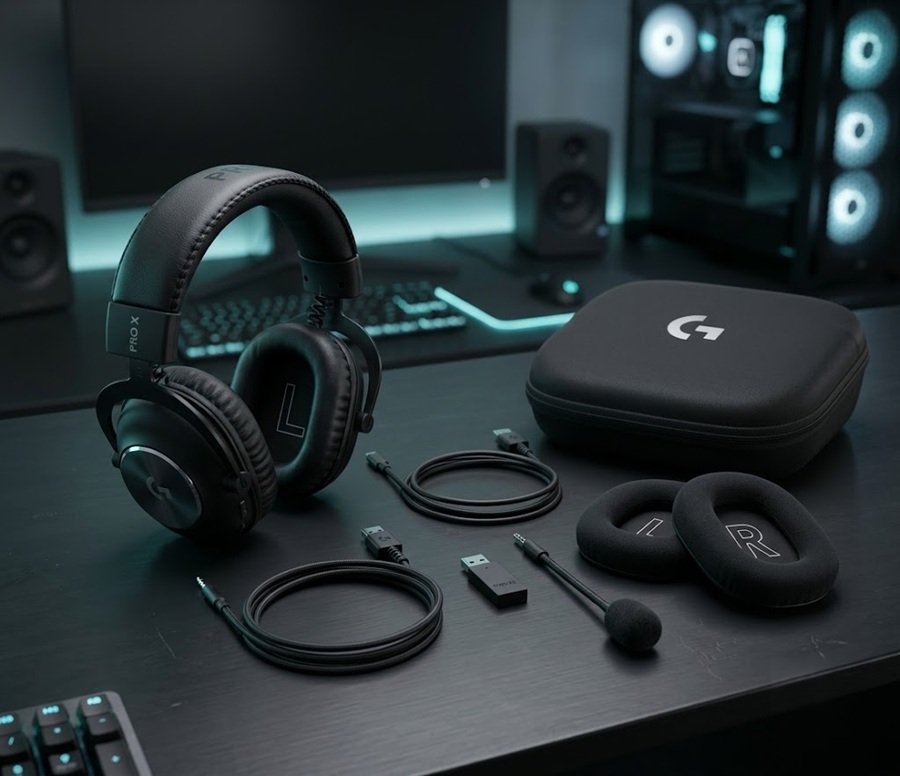
Logitech includes two sets of ear cushions: pre-installed memory foam leatherette pads for maximum passive noise isolation, and a set of breathable velour pads designed for warmer gaming environments. The USB wireless receiver also retains its convenient 3.5mm passthrough jack, allowing you to route external audio devices directly through the dongle.
2. The Star of the Show: Broadcast-Quality Microphone Upgrade
The headline upgrade on the PRO X3 LIGHTSPEED is undoubtedly the microphone. On the PRO X2, wireless bandwidth limitations resulted in a thin, heavily compressed voice profile. The PRO X3 solves this by expanding the wireless audio bandwidth and integrating a physically larger microphone capsule.
In side-by-side listening tests, the PRO X3 captures natural low-end warmth and crisp vocal detail that rivals budget USB condenser microphones. Enabling presets like Broadcaster 1 or Broadcaster 2 within G HUB adds subtle compression and EQ shaping, eliminating the need for a bulky external microphone on your desk.
3. 50mm Graphene Drivers & 10-Band EQ in G HUB
In terms of audio playback, the 50mm Graphene drivers continue to deliver phenomenal acoustic performance. Because graphene is extremely rigid and lightweight, driver distortion is virtually eliminated, resulting in razor-sharp positional imaging in FPS titles like CS2, Valorant, and Apex Legends.
Software customization receives a major upgrade as well. Replacing the simpler EQ sliders from previous generations, the PRO X3 introduces a full **10-band EQ** inside Logitech G HUB. Gamers can precise-tune individual frequency bands to boost footstep cues or soften harsh treble spikes. You can download the latest drivers and management software directly via the Logitech Official Support Page.
4. 70-Hour Battery Life
Wireless longevity remains top-tier with up to 70 hours of continuous playback on a single charge over 2.4GHz LIGHTSPEED wireless. That figure comes from a 1,100 mAh battery, according to the spec table above.
If the battery does run flat, you are not stuck. The headset also connects over Bluetooth 5.3 and a 3.5mm cable, so you can keep listening while it charges.
Comfort, Fit, and Daily Wear
Weight and Clamping Force
The headset weighs 356 grams, according to retailer spec listings. Notebookcheck notes that this is slightly heavier than the PRO X2. The Shortcut still found the fit comfortable, and it described the clamping force as appropriate.
Ear Pads and Headband
Logitech pairs a perforated leatherette headband with rotating memory foam ear cups. You can choose leatherette or velour pads. TweakTown adds that the aviator-style design carries over from the previous model, so the look is familiar.
Long sessions also depend on what you sit on. If you play for hours at a desk, our Herman Miller x Logitech G Embody chair review covers the seating side of the setup.
G HUB Software and Features
EQ, Voice, and Spatial Audio
Logitech lists a 10-band parametric EQ inside G HUB, and The Shortcut praises the pro-gamer presets. The headset also supports BLUE VO!CE voice processing. According to TweakTown, Logitech rebuilt its 7.1 spatial audio solution for this model.
Notebookcheck points out that the microphone now covers 75 Hz to 20 kHz. This wider range should reduce your reliance on voice filters. Even so, the presets remain handy if you stream.
What G HUB Cannot Do
The Shortcut reports that you cannot switch EQ profiles on the headset itself. You must open the app instead. A retailer listing also says some G HUB features need an internet connection and a free USB 2.0 port. Get the latest version from Logitech’s PRO X3 product page or the support page linked earlier.
Where the PRO X3 Falls Short
No headset is perfect, and reviewers flag a few clear gaps. First, there is no active noise cancellation. Second, The Shortcut notes that you cannot stream Bluetooth audio while the wireless dongle is active.
In addition, the physical mute indicator is minimal, so you may need to check the app. Finally, The Shortcut concluded that rivals such as the Razer BlackShark V3 Pro and the Sony Inzone H9 II offer a more complete feature set at this price tier. The PRO X3 wins on microphone quality and sound rather than on extras.
5. Pros and Cons Summary
👍 Pros
- Major microphone upgrade with broadcast-quality vocal richness.
- 50mm Graphene drivers provide exceptional imaging and distortion-free audio.
- Advanced 10-band EQ inside Logitech G HUB.
- Long 70-hour battery life.
- Includes both velour and leatherette ear pads out of the box.
👎 Cons
- Premium $250 price tag.
- No Active Noise Cancellation (ANC) or simultaneous Bluetooth/2.4GHz audio mixing.
- Identical frame design to PRO X2 with minimal visual changes.
How the PRO X3 Compares to Rivals
Premium wireless headsets now cluster around the $250 to $350 range. The table below uses figures from Logitech, Razer reviews, Turtle Beach, and retailer spec listings.
| Headset | Launch price | Battery | ANC | Standout |
|---|---|---|---|---|
| Logitech G PRO X3 LIGHTSPEED | $249.99 | Up to 70 hours | No | Full-bandwidth mic, 10-band EQ |
| Razer BlackShark V3 Pro | $249 | 70 hours (PC, 2.4 GHz); 48 hours (console) | Yes | Roller control, 10-band mic EQ, multipoint Bluetooth |
| Turtle Beach Stealth Pro II | $349.99 | Two 40-hour swappable packs | Yes (up to 25 dB) | Multi-transmitter switching, simultaneous Bluetooth |
| Sony Inzone H9 II | Not verified | Up to 30 hours (ANC off) | Yes | 273 g with mic, simultaneous dongle and Bluetooth |
PRO X3 vs Razer BlackShark V3 Pro
Tom’s Guide lists the BlackShark V3 Pro at $249 with effective ANC and up to 70 hours on PC. That matches the Logitech on price and battery, while adding ANC. The Logitech counters with its microphone and G HUB tuning. Browsing for a full desk? Our SteelSeries vs Razer comparison looks at the mouse side of that rivalry.
PRO X3 vs Turtle Beach Stealth Pro 2
Turtle Beach asks $349.99 for the Stealth Pro II, which adds ANC, swappable batteries, and simultaneous Bluetooth. That is $100 more than the PRO X3. Read our Turtle Beach Stealth Pro 2 review to see whether the extras justify the gap.
PRO X3 vs Sony Inzone H9 II
Sony’s Inzone H9 II is lighter at about 273 grams with the mic, according to a retailer listing. It also includes ANC and supports dongle plus Bluetooth together. However, Sony rates it at a maximum of 30 hours with noise cancelling off, well below the Logitech’s 70-hour rating.
6. Final Verdict: Should You Buy the PRO X3 LIGHTSPEED?
The Logitech G PRO X3 LIGHTSPEED is the definitive refinement of an eSports icon. By fixing the microphone quality flaw that held back previous iterations, Logitech has delivered a truly complete wireless headset package.
If you already own the PRO X2 paired with a dedicated USB/XLR desk microphone, an upgrade may not be necessary. However, if you are looking for an all-in-one eSports headset that offers top-tier audio accuracy, multi-day battery life, and a broadcast-ready microphone in one device, the PRO X3 LIGHTSPEED comes with an Editors’ Choice recommendation from Gearzon.
Ready to Upgrade Your Gaming Audio?
Check current pricing, color options, and fast shipping deals for the Logitech G PRO X3 LIGHTSPEED on Amazon.
Explore More Hardware Reviews on Gearzon
For a direct competitor in the same premium wireless headset class, our Turtle Beach Stealth Pro 2 review is worth a look. To round out a full Logitech setup, check our Logitech G PRO X SUPERLIGHT 2 and G502 X Plus mouse reviews, our Logitech Pro X3 SUPERSTRIKE review, and our Herman Miller x Logitech Embody chair review. For firmware updates and the full spec sheet, visit Logitech’s official PRO X3 LIGHTSPEED product page.