Wobkey Rainy 75 Pro Orange Review: Is the Limited Steel Weight Edition Worth It?
Some keyboards win on specs. The Wobkey Rainy 75 Pro Limited Orange Edition wins on looks first. The bright anodized case, white and orange keycaps, and steel weight give it a shelf presence that few prebuilt boards match.
Under the paint, it is a Rainy 75 Pro. That means a gasket-mounted 75% layout, a 7000 mAh battery, and tri-mode wireless. We built this review from a hands-on unboxing by GEARSHOP, Wobkey’s own store page, and Tom’s Guide. We also draw on TechRadar, AppleInsider, Business Insider Japan, Green-keys, and IGN, so you get the praise and the complaints.
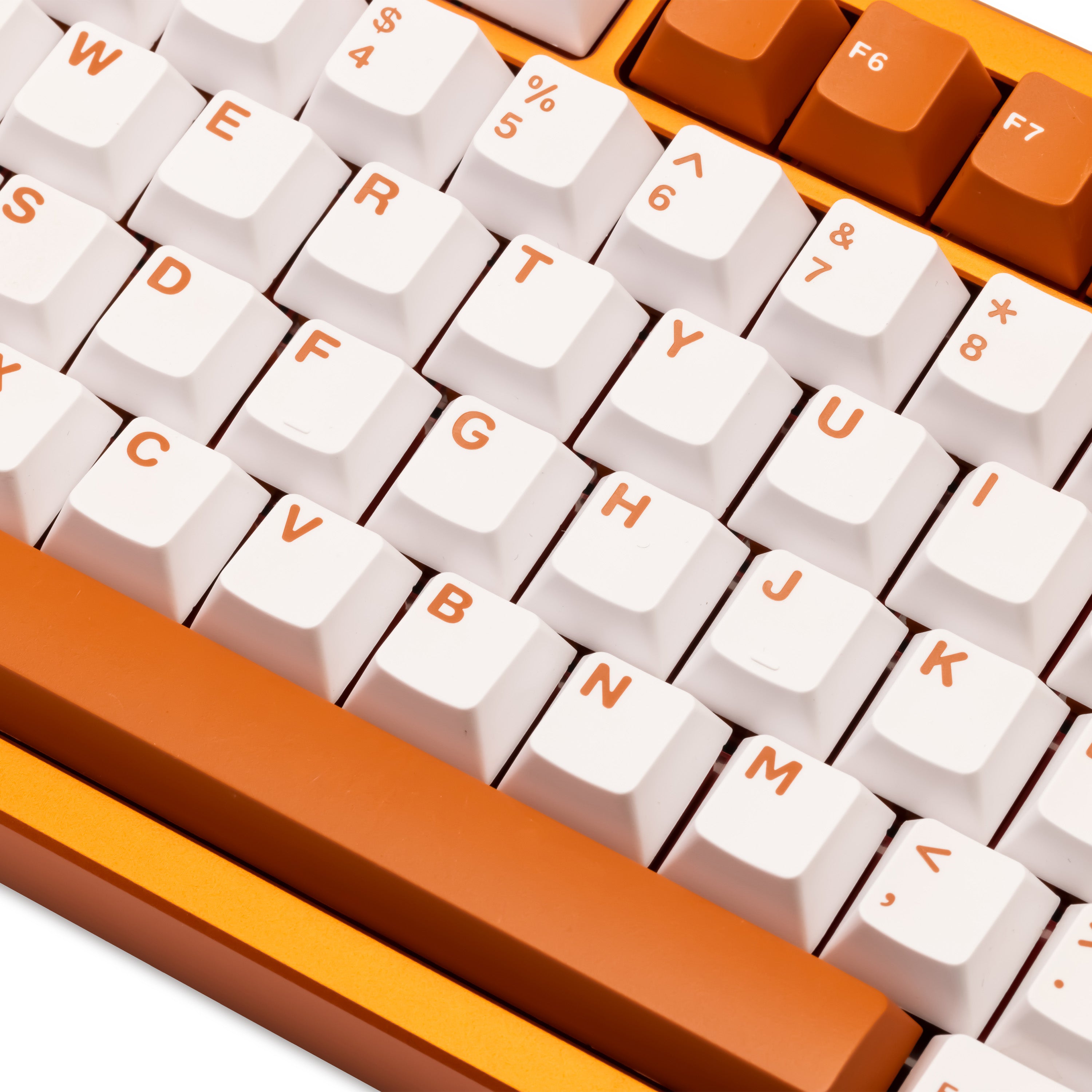
Wobkey Rainy 75 Pro Orange at a Glance
⚙️ Quick Specifications
| Spec | Detail |
|---|---|
| Keycaps | Double-shot PBT, Cherry profile |
| Weight options | Black-silver SUS304 steel, or mirrored glass and SUS304 |
| Polling rate | 1000 Hz wired (2 ms), 1000 Hz 2.4 GHz (3 ms), 500 Hz Bluetooth (7 ms) |
| Rollover | N-key rollover |
| Charging time | About 3 to 4 hours |
| Software | VIA in a web browser |
| Lighting | RGB, south-facing LEDs |
👍 The Good
- Striking orange anodized finish and matching keycaps
- Heavy build with a solid, stable feel
- Soft, rounded sound described by several reviewers
- 7000 mAh battery with very long rated runtime
- Hot-swap sockets and three connection modes
👎 The Bad
- Heavy and not meant for travel
- No height or angle adjustment
- VIA setup needs JSON files and can be clunky
- Wireless switch is awkward to reach
- High price for a limited colorway
Want the orange steel-weight Rainy 75 Pro?
The Amazon listing for the Pro Orange with a stainless steel weight is sold by KBM Gadgets. Check the current price and stock before you buy.
Check Rainy 75 Pro Orange on Amazon
Some links on this page may earn GearZon a small commission at no extra cost to you.
What the Orange Edition Adds
Wobkey sells the Rainy 75 in three tiers. The Lite uses a polypropylene plate and a 3500 mAh battery. The Standard adds RGB. The Pro steps up to an FR4 plate, a 7000 mAh battery, and an SUS304 stainless steel weight.
| Model | Plate | Battery | Back weight | Switches |
|---|---|---|---|---|
| Rainy 75 Lite | PP | 3500 mAh | Gradient glass | HMX Violet |
| Rainy 75 Standard | PP | 3500 mAh | Mirrored glass | HMX Violet |
| Rainy 75 Pro | FR4 | 7000 mAh | SUS304 steel | Kailh Cocoa or JWK WOB |
| Pro Limited Orange | FR4 | 7000 mAh | SUS304 steel or mirrored glass | Mango |
The orange edition keeps the Pro internals. The differences are the color, the keycap set, and the Mango switches. That makes it an appearance upgrade more than a performance upgrade.
Unboxing and What Is in the Box
The accessories
The GEARSHOP reviewer opens a compact package with a quick start guide first. He tells viewers to keep it, since the shortcuts are easy to forget. An accessory box follows, and it matches other Rainy 75 models.
Inside are a USB cable, a switch puller, and a set of spare switches. For this colorway, the spare switches are orange as well. A 2.4 GHz receiver completes the kit.
TechRadar adds that the standard Pro ships with three spare switches. If a dongle storage slot matters to you, note that a Wobkey customer review complains that the receiver has no dedicated parking spot.
First impressions
The reviewer’s first reaction is delight at the color. He says the finish throws different shades under different lights. He compares it to the orange of the iPhone 17 Pro Max, and suggests that viewers hold a phone in that color to understand the shade.
Design, Color, and the Steel Weight
An anodized orange case
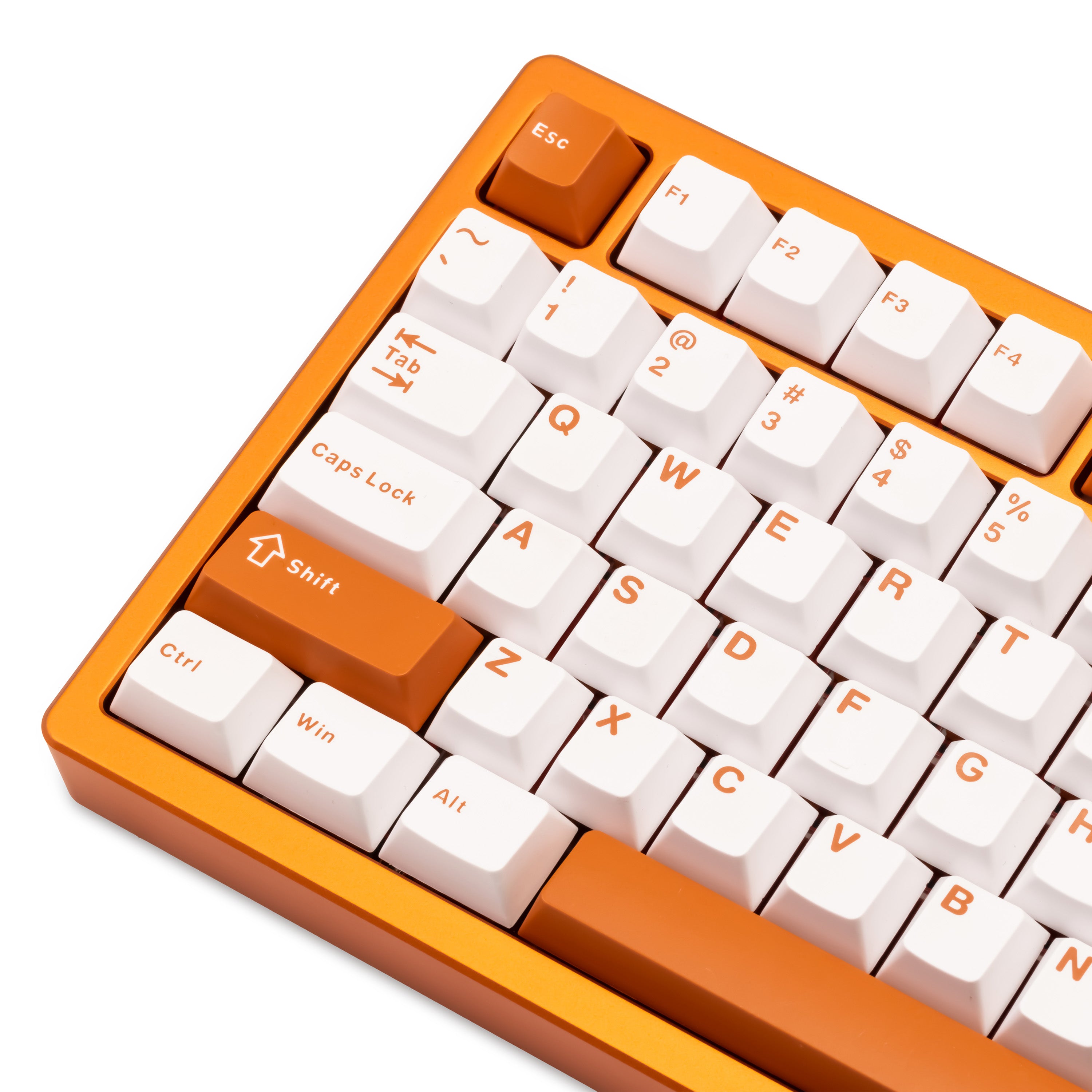
Wobkey lists the finish as anodized orange with a 220-grit surface. The case is CNC-machined 6063 aluminum. The wiki gives a weight between 1.8 and 2.0 kg, and Business Insider Japan notes that the board barely moves on a desk even under hard typing.
Steel weight vs mirrored glass
Only the Pro tier includes the SUS304 stainless steel weight, which sits on the underside of the case. The orange edition is offered with a black-silver steel weight and with a mirrored glass and SUS304 version.
The video reviewer holds the steel version. He says some owners hear a slight sound difference between steel and mirror weights, but he finds them close. Treat the choice as mostly a style and sound-preference call.
Ports and the power switch
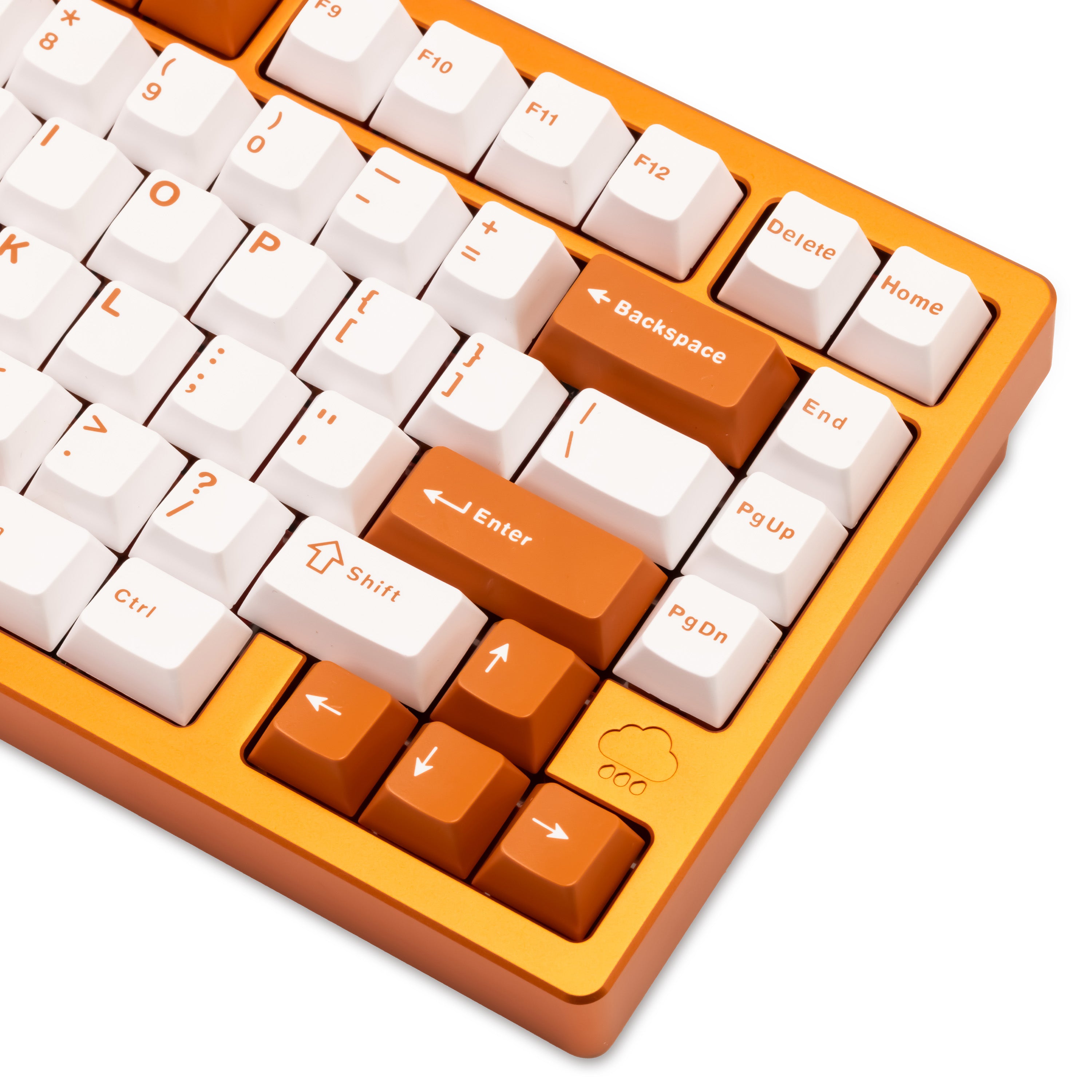
The back edge has a USB-C port for charging and wired use. The reviewer also points to an on and off switch beneath the Caps Lock area. Tom’s Guide found that placement hard to reach, and AppleInsider called the power switch hidden.
Green-keys reported that you may need to remove a keycap to reach the wireless mode switch. That is a small annoyance, but you will feel it if you switch devices often.
Typing Feel and Switches
Mango switches in the orange edition
The reviewer calls the stock switches orange switches. Wobkey’s store lists Mango switches, and the store’s own product art labels them Mango. The brand says the color gives a dreamier sound, according to the reviewer.
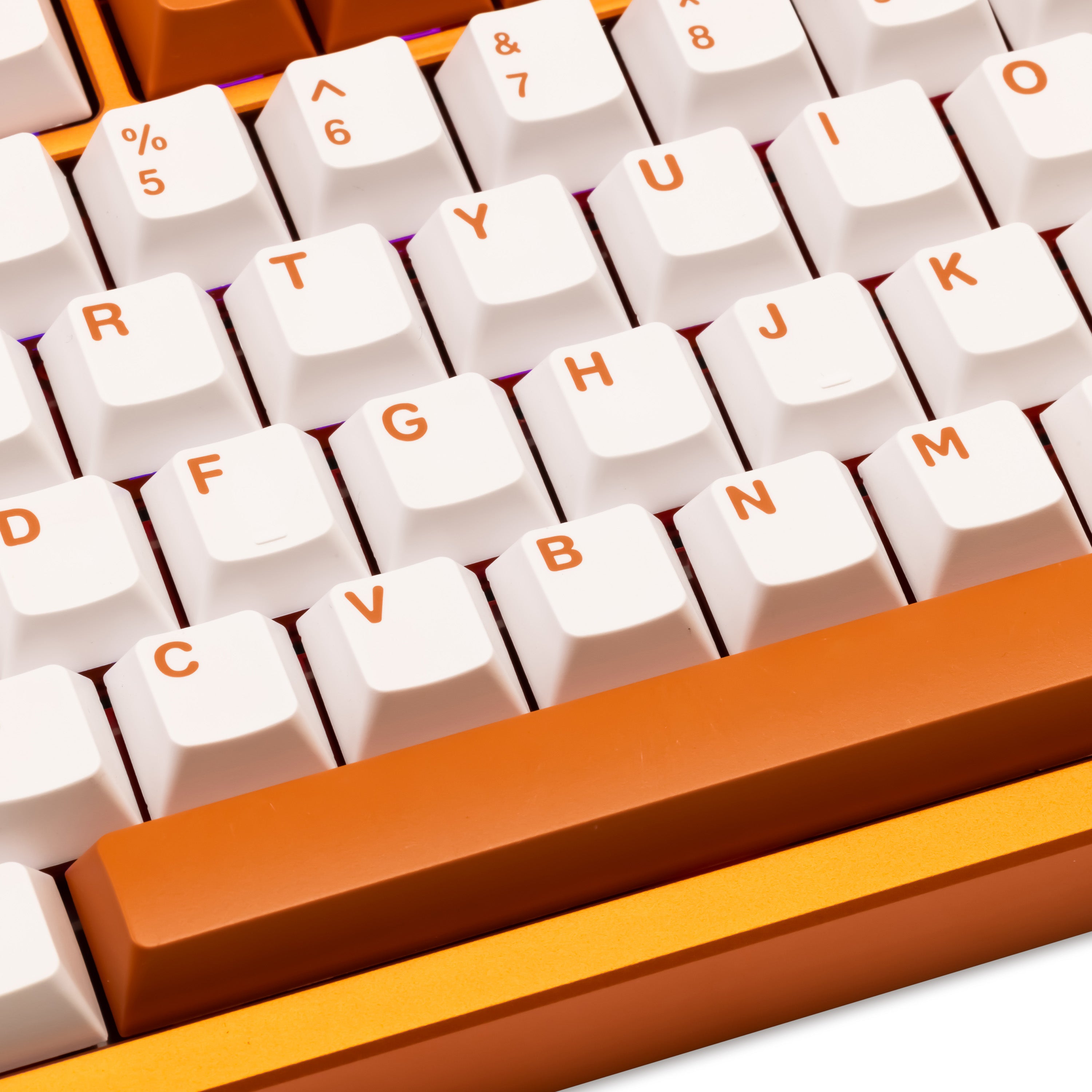
Because the Mango is a different switch from the Cocoa, treat Cocoa-based review notes as a guide rather than a guarantee. The board is hot-swappable and accepts 3-pin and 5-pin MX-style switches, so you can change them later.
Gasket mount and FR4 plate
The case uses a gasket mount and a stiffer FR4 plate. Milktooth’s product page says the plate gives a brighter, crisper sound. Wobkey also lists multi-layer PORON and PET foam with an EPDM and PET bottom layer.
Tom’s Guide counts five layers of foam, while Business Insider Japan mentions 14 cylindrical rubber gaskets. Both describe the same result: a soft landing with little harshness.
What reviewers felt on the standard Pro
Tom’s Guide praised the comfortable feel. The reviewer reported no hand fatigue over three weeks, and scored 110 WPM at 96.48% accuracy on 10FastFingers, against a personal average of 88.75 WPM at 91.35%. That test used the Pro with Cocoa switches at about 45 g.
AppleInsider measured the Cocoa at 3.6 mm of travel with 2 mm of pre-travel. TechRadar called the feel light and snappy, with a fast rebound.
KICAP is a well-known keyboard channel. This video covers the original Rainy75 sound and feel, which helps you hear the base character of the line.
Video: KICAP calls the Rainy75 the best pre-built keyboard of early 2024. Opinions in the video belong to the creator, so treat it as another point of view.
Sound Profile
Soft, rounded, and a little loud
Tom’s Guide called the Pro one of the best-sounding keyboards it has tested. The sound is a light, raindrop-like thock. Business Insider Japan described a low, rounded thud rather than a sharp click.
TechRadar disagreed on loudness and called the typing loud. IGN’s review, which Wobkey reposts on its site, measured peaks in the mid-60 dB range. The reviewer found that loud but more satisfying than distracting.
Steel, FR4, and PBT
Green-keys explained that the aluminum case, gasket mount, and PBT keycaps shape the tone. PBT sounds a little harder than ABS, and the Pro’s steel weight and FR4 plate make it firmer than the Lite. The orange edition shares that Pro construction.
If you type in a shared office, remember the reviews that call it loud. A shared-space typist may prefer a quieter board, such as the Yunzii IF68 or the MCHOSE Ace 75.
Wireless, Battery, and Connectivity
Three connection modes
The Rainy 75 Pro supports USB-C wired, a 2.4 GHz dongle, and Bluetooth 5.0. Tom’s Guide says it can pair with three Bluetooth devices, and Ctrl+Tab cycles through modes.
Wobkey lists 1000 Hz polling over wired and 2.4 GHz, and 500 Hz over Bluetooth. TechRadar saw a brief lag episode on 2.4 GHz and one serious input delay in a game. Business Insider Japan’s reviewer mostly used wired mode for reliable switching between PCs.
Battery life
The 7000 mAh battery is the headline. Wobkey rates it at about 900 hours with RGB off and about 80 hours with RGB on. Tom’s Guide still had 80% after three weeks with RGB on, while TechRadar’s unit fell to 80% after several days of mixed use.
The video reviewer repeats the 7000 mAh figure and notes the on and off switch. Treat the 900 hour number as a lab claim and expect less with bright RGB.
Software and Customization
The Rainy 75 uses VIA in a web browser. You load a JSON file from Wobkey, then remap keys, record macros, and tune lighting. Nothing needs to be installed.
Opinions split on the experience. Tom’s Guide called customization easy. TechRadar found it clunky, with manual JSON uploads and occasional lost connections. Business Insider Japan hit frequent errors loading the config file and suggested a firmware update.
Weight, Comfort, and Ergonomics
This is a desk keyboard. Tom’s Guide lists 4.4 lbs, and TechRadar calls it one of the heaviest boards its reviewer has used. Business Insider Japan agrees that it is compact but too heavy to carry casually.
Comfort is the main complaint. The board has no adjustable feet and a fixed 7 degree angle. TechRadar found it uncomfortable without wrist support, and Business Insider Japan recommends a palm rest.
Pair it with a stable desk and a good chair. Our best standing desk for gaming guide and Secretlab Titan Evo review cover the ergonomics around the keyboard.
Seamus Creates gives a personal take on the Rainy75 after trying it. It is a useful second voice on typing feel and sound.
Video: Seamus Creates explains why the Rainy75 finally clicked for him. Opinions in the video belong to the creator, so treat it as another point of view.
Price, Availability, and Alternatives
Wobkey lists the Limited Orange Edition at $159.99. The standard Pro starts at $139 direct, according to Tom’s Guide and AppleInsider, and $159 on Amazon. Business Insider Japan cites 27,000 yen on Amazon Japan.
The video reviewer says stock is limited, and Wobkey’s page shows a stock warning. TechRadar rated value 3 out of 5 and suggested the MonsGeek FUN60 Ultra or the Razer Pro Type Ultra instead.
Keyboards to compare
If you want cheaper wireless 75% options, read our Aula AG75 Pro review and Aula F99 review. For a premium aluminum design, see the IQUNIX EV63 review.
If speed matters more than sound, our Logitech G Pro X TKL Rapid review covers a magnetic-switch gaming board. And if you are not sure how much to spend, our mechanical keyboard budget guide will help.
Build the rest of your desk
A statement keyboard deserves a matching setup. Our Logitech G Pro X Superlight 2 and Razer Basilisk V4 Pro reviews cover mice, and the OLED gaming monitor comparison covers screens. A desk like the FlexiSpot L-shaped standing desk gives the heavy board room.
Who Should Buy the Rainy 75 Pro Orange?
| ✅ Good fit | ❌ Look elsewhere |
|---|---|
| Desk-bound typists who love a soft, rounded sound | Travelers who need a light keyboard |
| Buyers who want a statement color and heavy build | Anyone who needs adjustable height or angle |
| Tinkerers who like hot-swap switches | Beginners who want simple software |
| Windows users who can live with VIA | Mac users who want a physical OS toggle |
Final Verdict
The Rainy 75 Pro Limited Orange Edition is the best-looking board in the Rainy lineup. It keeps the Pro’s heavy build, long battery, and soft sound, and adds an orange finish that the video reviewer clearly loves.
It is not perfect. The weight, fixed angle, clunky VIA setup, and the price all count against it. Buy it for the look and the sound, and accept those trade-offs.
A heavy, great-sounding gasket 75% in a standout orange finish, held back by clunky VIA setup, no height adjustment, and a high price.
Looking at the Rainy 75 Pro Orange?
Make sure you pick the Pro Orange (Stainless Steel Weight) variant, since the same listing also sells other colors and a mirrored glass weight.
Check Rainy 75 Pro Orange on Amazon
Some links on this page may earn GearZon a small commission at no extra cost to you.
Frequently Asked Questions
What is special about the Wobkey Rainy 75 Pro Limited Orange Edition?
It combines the Rainy 75 Pro hardware with an anodized orange case, orange and white keycaps, and Mango switches. Wobkey lists a 7000 mAh battery, an FR4 plate, an SUS304 stainless steel weight, RGB lighting, and tri-mode connectivity.
What switches come with the orange Rainy 75 Pro?
Wobkey lists Mango switches for the Limited Orange Edition. The reviewer in the GEARSHOP video calls them orange switches. Tom’s Guide and TechRadar reviewed the standard Pro with Kailh Cocoa switches, so their typing notes may not match the Mango feel exactly.
Is the steel weight different from the mirrored glass weight?
Wobkey sells both a black-silver SUS304 steel weight and a mirrored glass and SUS304 version. The GEARSHOP reviewer says some owners hear a slight difference in sound, but found the two close.
How long does the Rainy 75 Pro battery last?
Wobkey’s wiki lists about 900 hours with RGB off and about 80 hours with RGB on for the 7000 mAh Pro. Tom’s Guide said its unit was still at 80% after three weeks with RGB on. Your result will vary with connection mode and lighting.
Does the Rainy 75 Pro work with Mac?
Yes, with some effort. AppleInsider noted that only Windows-style keycaps ship in the box, and that you can swap the Alt and Win keycaps and remap them in the VIA web app so the Win key acts as Command.
Is the Rainy 75 Pro good for gaming?
TechRadar rated performance 4 out of 5 and liked the typing and gaming feel. It also reported a brief lag episode on 2.4 GHz and one input delay during a game. Wired mode is the safest choice for competitive play.
Is the Rainy 75 Pro Orange worth $159.99?
It is a heavy, well-built gasket keyboard with a standout finish. Reviewers praised the build and sound but called the price high compared with cheaper rivals. Buy it if you love the look and the sound, and skip it if you want a lightweight or adjustable board.