Razer Viper V4 Pro Review: Lighter, Faster, Longer Lasting
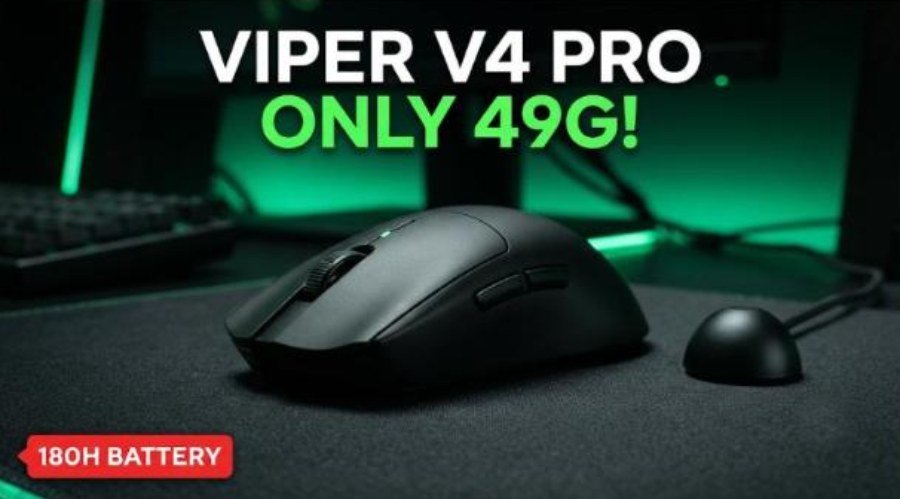
The Razer Viper V4 Pro is Razer’s new flagship esports mouse, and it follows a simple recipe. Keep the shape pros already love, cut the weight to 49g, and upgrade almost every part inside. The result is a $159.99 wireless mouse that PC Gamer scored 95 and TweakTown rated 92%.
So is it worth the upgrade from a Viper V3 Pro, and how does it stack up against the Logitech G Pro X2 Superstrike? This review covers the shape, sensor, switches, battery and software, plus the two flaws that keep coming up in every review.
How we built this review: it combines Razer’s official specifications with independent reviews from PC Gamer, PCGamesN, ProSettings, TweakTown and EloShapes. It also draws on video reviews from boardzy and Aveen Reviews. Every measurement and opinion is credited to its source.
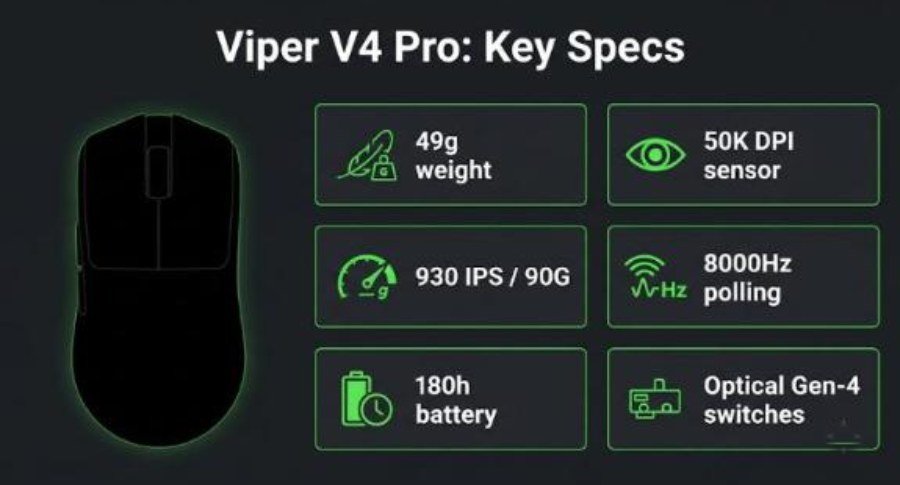
⚙️ Quick Specifications
👍 The Good
- ✔ 49g with no holes and excellent build quality
- ✔ Focus Pro 50K Gen-3 sensor tracks flawlessly
- ✔ 180-hour battery at 1000Hz leads its class
- ✔ Crisp Gen-4 optical clicks with no pre-travel
- ✔ Synapse Web works in the browser without a login
👎 The Bad
- ✖ Clicks are loud and hollow sounding
- ✖ $159.99 is premium pricing
- ✖ Thick, stiff cable makes wired play awkward
- ✖ No Bluetooth, no RGB
The Viper V4 Pro is one of the best all-round esports mice you can buy. If you liked the Viper V3 Pro shape, this is the same feel, lighter and faster. If loud clicks bother you, test it first or look at quieter rivals.
What Changed From the Razer Viper V3 Pro
Razer did not reinvent the Viper. EloShapes confirms the shape is the same as the V3 Pro. The changes are all under the shell, and they add up.
| Spec | Viper V4 Pro | Viper V3 Pro |
|---|---|---|
| Weight | 49g (black) | 54g |
| Sensor | Focus Pro 50K Gen-3 | Focus Pro 35K Gen-2 |
| Max speed / acceleration | 930 IPS / 90G | 750 IPS / 70G |
| Switches | Optical Gen-4 | Optical Gen-3 |
| Scroll wheel | Optical | Mechanical |
| Battery at 1000Hz | Up to 180h | About 95h |
| 8K polling | Wired and wireless | Wireless with dongle |
The biggest real-world gains are the lighter weight and the near doubling of battery life. Sensor numbers went up too, but as PCGamesN points out, the real difference between top sensors today is close to zero in actual play.
What’s in the Box

According to ProSettings and TweakTown, the box includes the following items.
| Item | Notes |
|---|---|
| Viper V4 Pro mouse | Black or white |
| HyperSpeed Wireless Gen-2 dongle | Puck-style, three status LEDs |
| USB-C to USB-A cable | Braided, about 6 ft (PCGamesN) |
| Pre-cut grip tape | White version ships with black grip tape |
| Quick start guide and stickers | Standard Razer paperwork |
There are no spare feet and no charging dock. PCGamesN notes the dongle connects through the included cable, which doubles as the charging lead.
Design, Weight and Shape
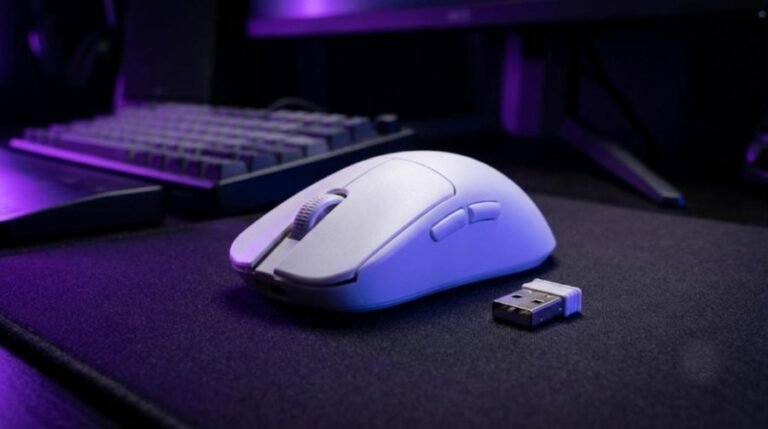
At 127.1mm long and 63.9mm wide, this is a fairly large symmetrical mouse. It has a smooth, solid shell with no holes, which is impressive at 49g. The white version weighs 50g, according to PC Gamer and PCGamesN.

Grip styles
Reviewers split here. PC Gamer found it works fine with a palm grip. PCGamesN felt it suits claw and fingertip grips better. If you have large hands and palm grip, it should fit. Smaller hands will likely prefer claw.
Coating and build
The matte coating gets praise from PCGamesN and EloShapes, who found it grippy without tape. ProSettings felt it was a little too smooth and noted it picks up fingerprints. Either way, the included grip tape fixes that in a minute. Build quality is excellent, with no creaks or flex reported by any reviewer.

Buttons, Switches and Scroll Wheel
The Viper V4 Pro uses Razer’s Optical Mouse Switches Gen-4, rated for 100 million clicks. ProSettings and EloShapes both describe the clicks as snappy and tactile with no pre-travel or post-travel. EloShapes also found them lighter than on the V3 Pro.
The noise problem
This is the most common complaint. PCGamesN called the clicks extremely loud and high-pitched. ProSettings described them as very loud, and PC Gamer called the sound hollow and far from quiet. If you stream with an open mic or share a room, keep this in mind.
Optical scroll wheel
The wheel now uses an optical encoder, which Razer claims is 3.3 times more reliable than a mechanical one. TweakTown found it smoother and nearly silent, while ProSettings noted more defined steps than on the V3 Pro.
Button count depends on how you count. PC Gamer lists five main buttons. TweakTown counts six programmable inputs, and 11 with Razer’s Hypershift layer. A small underside button handles power and DPI.
Video: boardzy tests the Viper V4 Pro shape, clicks and performance. Opinions in the video belong to the creator, so treat it as another point of view.
Sensor and Performance
The Focus Pro 50K Optical Gen-3 sensor runs up to 50,000 DPI in 1-DPI steps, with 930 IPS and 90G acceleration. PC Gamer called it arguably the best sensor in a mainstream mouse. TweakTown praised its low latency at 8000Hz.
We should be honest about what that means for you. Nobody needs 50,000 DPI, and PCGamesN could not feel a difference between 4000Hz and 8000Hz. The real benefit is consistency. The sensor tracks cleanly at any speed, and the lift-off distance can be tuned in software.
Polling rate and wireless
HyperSpeed Wireless Gen-2 supports up to 8000Hz both wired and wireless, with steps from 125Hz. Razer claims 55% lower latency than its previous wireless. There is no Bluetooth, so this is a PC-first mouse.

Battery Life and Charging
Battery life is a standout. PCGamesN, ProSettings and TweakTown all cite up to 180 hours at 1000Hz and around 44 to 45 hours at 8000Hz. For comparison, PCGamesN lists 95 hours for the Viper V3 Pro and 90 hours for the Logitech G Pro X2 Superstrike.
Charging is via USB-C. The downside is the cable. PCGamesN and TweakTown both found it thick and stiff, so wired play feels like an afterthought.
Software: Razer Synapse and Synapse Web
You can configure the mouse with desktop Synapse or the new Synapse Web, which runs in a browser. PCGamesN notes that no login is needed for the web version. PC Gamer listed it as beta at review time.
| Setting | What it does |
|---|---|
| DPI stages | 1-DPI steps up to 50,000 |
| Polling rate | 125Hz to 8000Hz |
| Button remapping and Hypershift | Second layer of commands |
| Sensor calibration and LOD | Tune lift-off for your mousepad |
| Dynamic Sensitivity | Adjusts response curve for fine aim |
| Smart Polling Rate Switcher | Lowers polling outside games to save battery |
Visit the official Razer website for the latest Synapse versions and firmware.
Video: Aveen Reviews shares long-term impressions of the Viper V4 Pro. Opinions in the video belong to the creator, so treat it as another point of view.
Best Settings to Start With
A new mouse feels best once it is set up for your game and mousepad. These starting points follow the features reviewers highlighted in Synapse. Treat them as a baseline and adjust to taste.
| Setting | Starting point | Why |
|---|---|---|
| DPI | 800 or 1600 | Common esports values, then tune in-game sensitivity |
| Polling rate | 1000Hz to 4000Hz | Most of the benefit with far better battery than 8000Hz |
| Lift-off distance | Calibrate to your pad | Stops cursor drift when you lift and reset |
| Smart Polling Rate Switcher | On | Saves battery on the desktop |
| Grip tape | Optional | Adds grip if the coating feels slippery |
Is 8000Hz worth it?
At 8000Hz, battery drops from up to 180 hours to about 45 hours. Some players feel smoother tracking on a high refresh monitor. Others, like the PCGamesN reviewer, notice no difference over 4000Hz. Try both for a week and keep the one you cannot tell apart, since that one also lasts longer.
Mousepad pairing
The large PTFE skates glide quickly from the start, as EloShapes noted. On a fast glass or hybrid pad, the mouse can feel very loose, so a cloth control pad is a safer first choice for most players.
Price, Alternatives and How It Compares
At $159.99, the Viper V4 Pro sits in the top tier. Here is how it compares with the most common rivals, based on figures from PC Gamer and PCGamesN.
| Mouse | Price | Weight | Battery | Standout |
|---|---|---|---|---|
| Razer Viper V4 Pro | $159.99 | 49g | 180h at 1kHz | Battery and sensor |
| Logitech G Pro X2 Superstrike | About $180 | Heavier | About 90h | Haptic inductive analog clicks |
| Razer Viper V3 Pro | Lower now | 54g | About 95h | Same shape, older parts |
The Superstrike is the main rival. Its haptic inductive switches are more innovative, as ProSettings notes, but the Viper feels more polished overall. Read our Logitech G Pro X2 Superstrike review and the Logitech Pro X3 Superstrike review for that side.
For other shapes, see our Logitech G Pro X Superlight 2 review, the Corsair Sabre V3 Pro review, and the Pulsar X2F review. On a budget, the Attack Shark X3 review and ATK RS6 Ultra review show how much you get for far less.
Prefer an ergonomic Razer? Our Razer Basilisk V4 Pro review covers the feature-heavy option. For a wider look, see SteelSeries vs Razer and our gaming mouse buying guide. Pair it with a fast pad from our SteelSeries QcK vs QcK Prism comparison.
Verdict: Who Should Buy the Razer Viper V4 Pro
| ✅ Buy it if | ❌ Skip it if |
|---|---|
| You loved the Viper V3 Pro shape | You need a quiet mouse |
| You want a top sensor and 180h battery | You want Bluetooth or RGB |
| You play competitive FPS | You often play wired |
| You want strong build quality at 49g | You want the lowest price |
Looking for a headset to match? Our Razer BlackShark V3 Pro review is a natural pairing.
Frequently Asked Questions (FAQ)
How much does the Razer Viper V4 Pro weigh?
The black Viper V4 Pro weighs 49g and the white version weighs 50g, according to PC Gamer and PCGamesN.
What sensor does the Viper V4 Pro use?
It uses the Razer Focus Pro 50K Optical Sensor Gen-3, with up to 50,000 DPI, 930 IPS and 90G acceleration.
How long does the Viper V4 Pro battery last?
Up to 180 hours at 1000Hz polling and around 44 to 45 hours at 8000Hz.
Is the Viper V4 Pro worth upgrading from the V3 Pro?
It is the same shape but 5g lighter, with nearly double the battery life, a newer sensor and an optical scroll wheel. Upgrade if battery and weight matter to you.
Are the Viper V4 Pro clicks loud?
Yes. Most reviewers, including PCGamesN and ProSettings, describe the Gen-4 optical clicks as loud and high-pitched.
Does the Viper V4 Pro have Bluetooth?
No. It connects with the HyperSpeed Wireless Gen-2 dongle or a USB-C cable only.