MelGeek MADE68 Pro Review: Is This 8K Hall Effect Keyboard Worth It?
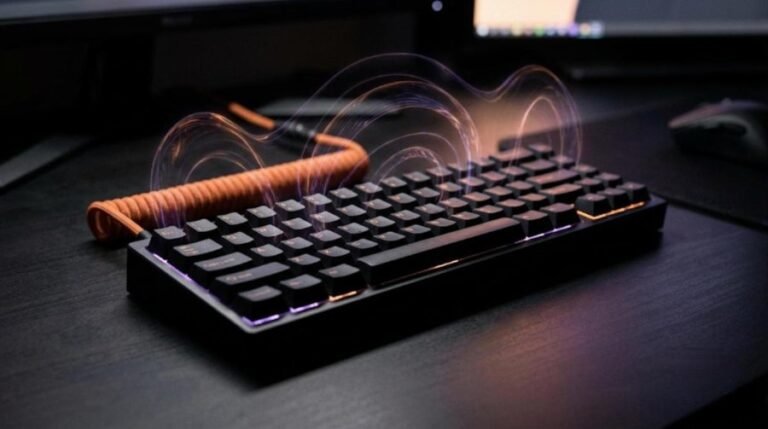
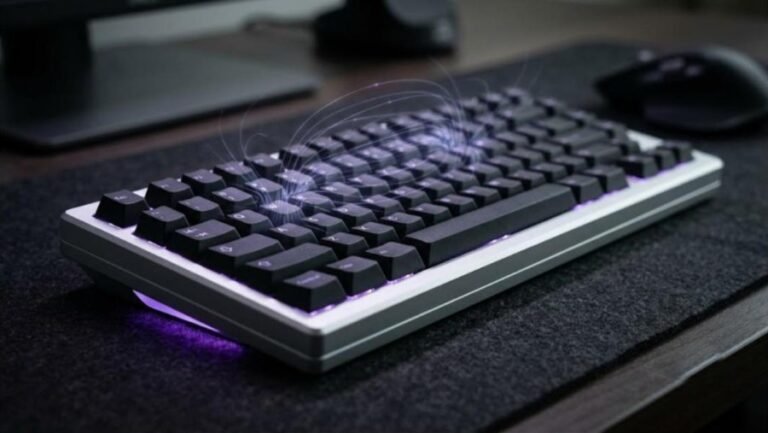
The MelGeek MADE68 Pro is a 65% Hall effect keyboard built for fast shooters. It pairs an 8000 Hz polling rate with 0.01 mm Rapid Trigger precision and a glowing light box along the back edge. MelGeek sells the Pro for about $149, while the newer Pro+ lists for $139 on Amazon.
That price puts it above budget boards like the Attack Shark X68 HE and close to the IQUNIX EC75. So the question is simple. Does the extra money buy a better board, or just a prettier one? This review answers it with the specs, the unboxing details, the gaming results, and the weak spots reviewers found.
This article combines MelGeek’s official specifications, retailer listings, independent coverage from Neowin, and the hands-on findings of NoodleNick and Samuel Tan, whose video reviews are embedded below. Every measurement and opinion is credited to its source.
MelGeek MADE68 Pro Specs and Quick Verdict

⚙️ Quick Specifications
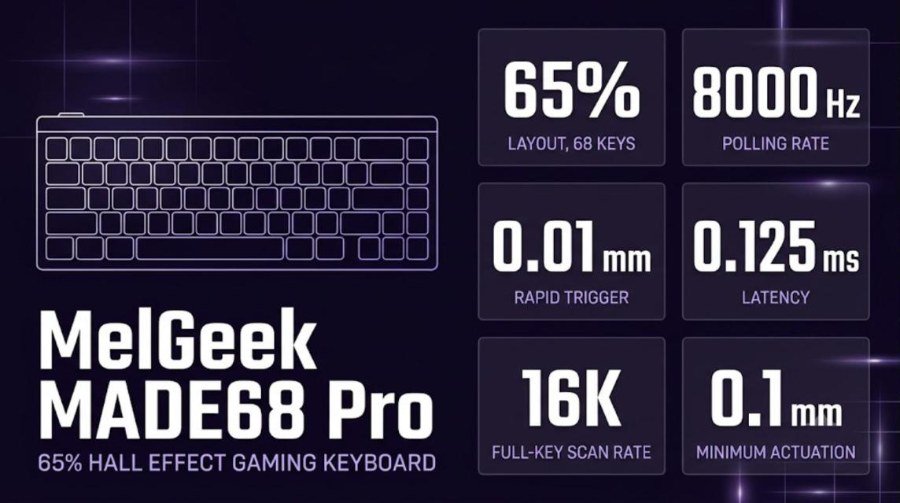
Full specifications
| Spec | MADE68 Pro |
|---|---|
| Layout | 65%, 68 keys, ANSI |
| Switches | TTC KOM magnetic switches; mixes with Gateron, Kailh and other TTC magnetic switches |
| Actuation range | 0.1 to 4.0 mm on store pages (40 levels); Pro+ pages also list 0.1 to 3.3 mm and 0.1 to 3.4 mm |
| Rapid Trigger precision | 0.01 mm |
| Polling rate | 8000 Hz |
| Scan rate | 16K full-key |
| Latency | 0.125 ms claimed; MelGeek cites 0.42 ms average release latency in a robot test for the Pro+ |
| Features | Rapid Trigger, Snap Tap, SOCD, Dynamic Keystroke (4-in-1 action keys), auto-calibration |
| Hot-swap | Yes |
| Lighting | 16.8M-color RGB, back light box, replaceable side panels sold separately |
| Dimensions | 319 × 117 × 40 mm |
| Weight | About 0.85 kg product, 1.1 kg packaged |
| Cable | USB-C, wired |
| Software | MelGeek Hive web driver; Windows, macOS and Linux |
| Colors | Purple and Pink |
| Price | $149 Pro; $139 Pro+ |
The Good and the Bad
👍 The Good
- ✔ An 8000 Hz polling rate and 0.01 mm Rapid Trigger precision put it in the top tier for competitive play.
- ✔ The back light box looks striking and carries its own lighting effects.
- ✔ The Hive web driver needs no download and covers Rapid Trigger, DKS, Snap Tap and macros.
- ✔ Hot-swap sockets accept Gateron, Kailh and TTC magnetic switches.
- ✔ The 65% footprint leaves room for low-sensitivity mouse swipes.
👎 The Bad
- ✘ At about $149 it costs more than budget Hall effect boards.
- ✘ NoodleNick found the per-key RGB dim at the default brightness.
- ✘ The keyboard is wired only, with no Bluetooth or 2.4 GHz option.
- ✘ Spec pages disagree on actuation range, keycap material and case details.
- ✘ Fixed typing height: the unboxing showed rubber feet and no flip-out feet.
The MADE68 Pro is a fast, well-equipped Hall effect board that suits FPS players who also want a standout look. The Pro+ is the better buy today, because it costs $10 less and MelGeek says it adds a brighter backlight.
MADE68 Pro vs Pro+ vs the Original MADE68
MelGeek sells three closely related boards, and the names cause confusion. The original MADE68 came first with a 1000 Hz polling rate. The Pro raised that to 8000 Hz, and the Pro+ is the current refresh sold on Amazon.
| Original MADE68 | MADE68 Pro | MADE68 Pro+ | |
|---|---|---|---|
| Polling rate | 1000 Hz (per Neowin) | 8000 Hz | 8000 Hz |
| Switches | Gateron-type magnetic options | TTC KOM magnetic | TTC RGB Sacred Heart or Pro KOM HE |
| Backlight | Light bar | Light box, per-key RGB | Light box; MelGeek claims 65% brighter backlight |
| Case and plate | Aluminum side panels | Not detailed on store pages | ABS + PC case; polycarbonate or aluminum plate on Amazon |
| Price | About $112 / £139 at launch | $149 | $139 |
The takeaway is practical. If you can find the Pro at $149, you pay $10 more than the Pro+ for older specs. The Pro+ also answers the one complaint reviewers raised about the Pro, the dim per-key lighting. That claim comes from MelGeek, so treat the brightness gain as the maker’s number until independent reviewers measure it.
What’s in the Box
NoodleNick opened the Pink Pro on camera and found a box inside a box, with a code-style pattern printed on the outer sleeve. He liked the nerdy look. The accessories sat in a tray under the keyboard.

Here is what the reviewers and retailer pages list:
- The MADE68 keyboard with a protective film on the light bar.
- A USB-C cable, which NoodleNick found wrapped in plastic.
- Extra keycaps and a keycap puller; the Amazon listing also shows a switch puller.
- A quick-start guide and a user manual.
- A sheet of MelGeek bee stickers, which NoodleNick clearly enjoyed.
NoodleNick also noted small rubber feet at the bottom and no flip-out feet. The board sits at one fixed angle. MelGeek lists the typing angle at about 6.5 degrees for the Pro+. If you want a taller slope, you will need a wrist rest or a spacer.
Design, Build and the Light Box
Samuel Tan describes the MADE68 Pro as compact and clean. A 65% layout takes less desk space, which he says suits gamers who need more room for mouse swipes. He called the build solid and said the purple edition adds color to a setup.
Size and weight
The board measures 319 × 117 × 40 mm. Retailer pages list about 0.85 kg for the keyboard and 1.1 kg with packaging. MelGeek’s own Pro+ page lists 1212 g, but that figure includes the box. Neowin measured 850 g on the original MADE68 and called it heavy for its size, which gave the board a premium feel. Expect the Pro to sit firmly on a mouse pad.

Colors
The MADE68 Pro comes in Purple and Pink. NoodleNick described the purple model as white keys with purple Escape and Enter keys and a purple light bar. His pink unit was fully pink with a matching pink light bar.

The light box
The light box is the signature feature. It is a transparent strip on the back edge that glows and runs its own effects. NoodleNick said it shows up well even with room lights on, and that it throws color across the desk and mouse pad. MelGeek sells replacement light boxes and side panels separately, so you can change the look later.


Per-key RGB
Samuel Tan called the key lighting subtle but vibrant, with no complaints. NoodleNick disagreed. His unit shipped with brightness at 32, and he said the lighting under the keys needed to be brighter. After he raised the setting in Hive, the box looked bright, but he still marked the key lighting as the one weak point. He added that the board looks better with room lights turned down.
Open the Hive driver on day one and raise the lighting brightness. The default level is the setting NoodleNick criticized, and a higher level makes the keys read better in a lit room.
Switches, Typing Feel and Sound
The Pro uses TTC KOM magnetic switches, which Samuel Tan calls the King of Magnetic. They are linear Hall effect switches. A magnet in the stem moves over a sensor, so nothing inside the switch touches or wears down. The Amazon listing for the Pro+ cites 100 million keystrokes.
How it types
Samuel Tan said typing feels great and that the stabilizers have no rattle or ping straight from the box. The reviewer in NoodleNick’s video ran a sound test and called the board pretty silent overall, even when he hit the keys hard. Linear switches in a foam-filled case usually give that soft, low sound.
What is inside the case
MelGeek’s listing shows a layered stack. It includes a positioning board, high-density Poron sandwich foam, sandwich silicone, a composite switch pad and latex bottom cotton. That mix is meant to deliver a purer and more solid sound. The stabilizers are plate-mounted and use MelGeek’s magnetic-axis design.

Hot-swap and keycaps
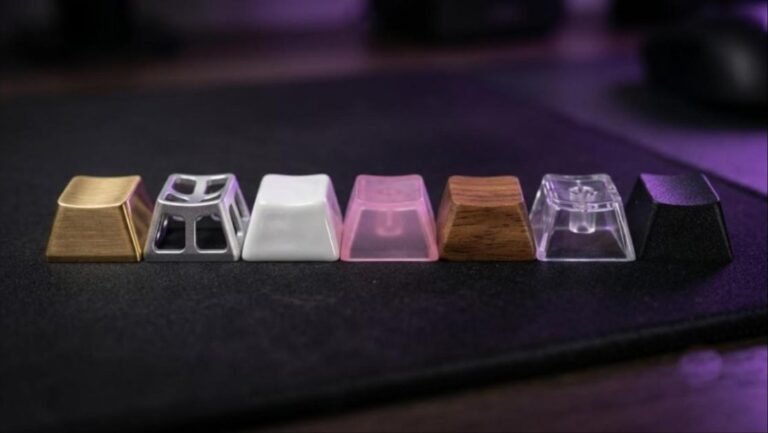
The PCB is hot-swappable, so you can change switches without soldering. MelGeek says the board accepts Gateron, Kailh and TTC magnetic switches, and you can mix types across positions. Keycap material is a gray area. One retailer lists ABS, while MelGeek’s Pro+ page lists PBT double-shot caps plus transparent PC caps. Neowin, reviewing the original MADE68, also noted that the key legends do not light up. If keycap feel matters to you, our keycap materials guide explains the trade-offs.
Performance: Rapid Trigger, DKS and Snap Tap
Video: NoodleNick unboxes and plays on the Pink MADE68 Pro. Opinions in the video belong to the creator, so treat it as another point of view.
Performance is where the MADE68 Pro earns its price. Samuel Tan points out that most keyboards top out at 1000 Hz, so 8000 Hz is eight times faster. MelGeek claims one input every 0.125 milliseconds. In his words, the inputs feel instant.
Rapid Trigger
A regular mechanical key must rise past its reset point before it can fire again. Rapid Trigger resets the key the moment you lift, and re-actuates the moment you press. The reset step is as fine as 0.01 mm. That helps with counter-strafing, quick peeks and tight movement in shooters.

Dynamic Keystroke (DKS)
DKS lets one key trigger different actions at different press depths. Samuel Tan gave an example: a light press on W walks, and a deeper press runs. You get run-and-walk control without a Shift key. MelGeek calls these 4-in-1 action keys, because each key can hold four preset actions.
Snap Tap and SOCD
Snap Tap resolves two opposing keys, such as A and D, by making the last key you pressed win. It keeps strafing clean when you change direction fast. MelGeek also lists SOCD handling. Check your game’s rules first, because some competitive communities restrict this kind of input.
In-game results
Samuel Tan played Marvel Rivals and Valorant on the Pro. He reported clean strafing, snappy inputs and no lag. NoodleNick tested the board in a fast online shooter and said the stats looked pretty good for the money. The 0.125 ms figure is MelGeek’s claim, and the reviewers judged the results by feel in game. MelGeek’s own robot test for the Pro+ gives a 0.42 ms average release latency.
MelGeek Hive Software
Hive runs in your browser at hive.melgeek.com. NoodleNick loved that there is no software to download. You open the site, click Add Device, pick the MADE68 and connect. It works on Windows, macOS and Linux.

According to Samuel Tan, Hive covers profiles, key remapping, layers, lighting for the light box and per-key RGB, DKS shortcuts, macros and Snap Tap. Because the switches are magnetic, you can also set actuation points and Rapid Trigger sensitivity, choose the switch type and calibrate the board. NoodleNick used the lighting tab and noticed the brightness slider sitting at 32 until he raised it.
A browser-based driver is a practical win. You can change a profile on a friend’s PC or a tournament machine without installing anything. The trade-off is that the driver lives on a web page, so you need an internet connection to open it.
Video: Samuel Tan reviews the MADE68 Pro with Valorant and Marvel Rivals gameplay. Opinions in the video belong to the creator, so treat it as another point of view.
Price, Alternatives and How It Compares
MelGeek sells the MADE68 Pro at $149 and the Pro+ at $139. NoodleNick put it plainly: pretty good stats for 150 bucks, and worth the money if you like it. Samuel Tan was more cautious. He said it is not the most affordable magnetic keyboard, though competitive gamers chasing an edge will find it worth the investment.
If you want to spend less
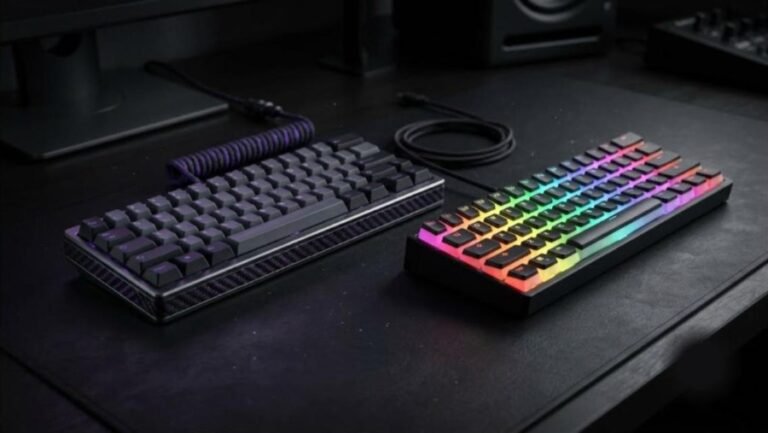
The Attack Shark X68 HE also offers 8000 Hz polling and 0.01 mm Rapid Trigger for roughly $40 to $65. You give up the light box, the premium sound stack and some build quality. For a first Hall effect board, it is the cheaper way in.
If you want a different layout or more refinement
The IQUNIX EC75 adds a 75% layout with an aluminum top at about $160. If you prefer a 60% board, our IQUNIX EV63 vs Wooting 60HE+ comparison shows how the premium 60% options stack up, and the EV63 review covers the IQUNIX side in detail. Players who want a tenkeyless layout can read our Logitech G PRO X TKL Rapid review.
If you want traditional mechanical switches
Not everyone needs Rapid Trigger. Wireless mechanical boards such as the AULA F99, the Yunzii IF68 and the Wobkey Rainy 75 Pro trade raw speed for wireless freedom and a softer typing feel. Our guide to how much you should spend on a mechanical keyboard helps set a budget.
| Keyboard | Layout | Polling rate | Rapid Trigger | Approx. price |
|---|---|---|---|---|
| MelGeek MADE68 Pro | 65%, 68 keys | 8000 Hz | 0.01 mm | $149 (Pro+ $139) |
| Attack Shark X68 HE | 65% | 8000 Hz | 0.01 mm | $40 to $65 |
| IQUNIX EC75 | 75% | 8000 Hz | 0.01 mm | About $160 |
Pair any of these with a solid desk and mouse. Our standing desk guide and gaming mouse buying guide cover the rest of a competitive setup.
Verdict: Who Should Buy the MelGeek MADE68 Pro?
The MADE68 Pro is a strong pick for FPS players. Its 8000 Hz polling, 0.01 mm Rapid Trigger precision, DKS and Snap Tap all work through a driver that needs no install. The back light box makes it look different from the usual black slab.
Buy it if
You play Valorant, CS or similar shooters and want a 65% board with fine Rapid Trigger control. You like customizing a board, with hot-swap switches and swappable light boxes. You want a purple or pink build that stands out on camera.
Skip it if
You need wireless connectivity, because the board is USB-C only. You want the cheapest route into Hall effect gaming, since the Attack Shark costs a fraction of the price. You do most of your typing in a bright room and want bright key legends.
Choose the Pro+ at $139 if the Amazon listing is in stock. It costs less than the Pro and, according to MelGeek, has a brighter backlight and a choice of polycarbonate or aluminum plate. Pick the Pro only if you find it discounted below the Pro+ price.
Frequently Asked Questions
Is the MelGeek MADE68 Pro good for gaming?
Yes. It has an 8000 Hz polling rate, 0.01 mm Rapid Trigger precision and a claimed 0.125 ms latency. Samuel Tan reported clean strafing and no lag in Valorant and Marvel Rivals, and NoodleNick rated the performance as strong for the price.
What is the difference between the MADE68 Pro and Pro+?
Both use 8000 Hz polling and 0.01 mm Rapid Trigger precision. The Pro+ costs $139 versus $149 for the Pro, and MelGeek says it adds a 65% brighter backlight, an ABS and PC case and a choice of plate materials.
Do I need to download software for the MADE68 Pro?
No. MelGeek Hive is a web driver at hive.melgeek.com. NoodleNick connected the board in the browser and changed lighting and Rapid Trigger settings without installing anything.
Is the MADE68 Pro hot-swappable?
Yes. MelGeek says the PCB accepts Gateron, Kailh and TTC magnetic switches, and you can mix switch types across key positions.
Is the MADE68 Pro wireless?
No. It is a wired USB-C keyboard with no Bluetooth or 2.4 GHz mode, so it suits a desk setup rather than travel.
How much does the MelGeek MADE68 Pro cost?
MelGeek lists the MADE68 Pro at $149 and the Pro+ at $139. The Amazon listing for the Pro+ in purple was $139 when we checked, and prices change over time.